















Введение
In modern networks, both маршрутизаторы и Беспроводные точки доступа (WAP) play essential roles, yet their functions are distinct. While a router connects multiple networks and manages traffic, a WAP extends the network’s wireless coverage, enabling devices like laptops, smartphones, and IoT sensors to access the LAN. Understanding the differences is critical for proper network design, especially in enterprise or large-scale deployments where reliability, security, and PoE support are crucial.
1. What Is a Router?
A маршрутизаторе is a device that forwards data packets between computer networks, typically connecting a local area network (LAN) to a wide area network (WAN), such as the Internet. Key functions include:
Маршрутизация: Determines the optimal path for data to travel between networks
NAT (преобразование сетевых адресов): Allows multiple devices to share a single public IP
DHCP Server: Assigns IP addresses to devices on the network
Firewall / Security: Provides basic protection against external threats
Routers can include built-in WAPs, combining wired and wireless functions, but their primary purpose is to route traffic efficiently.
2. What Is a Wireless Access Point (WAP)?
A Беспроводная точка доступа (WAP) is a networking device that allows wireless clients to connect to a wired LAN. Unlike routers, WAPs do not assign IP addresses or manage traffic between networks. They simply act as a bridge between Wi-Fi devices and the wired network.
Key Features of WAPs:
Broadcast one or more Wi-Fi networks (SSIDs)
Support multiple Wi-Fi standards (e.g., 802.11ac/ax)
Often powered via Подача питания по Ethernet (PoE)
Can be centrally managed in enterprise deployments
In enterprise or commercial setups, WAPs are often mounted on ceilings or walls, connected to switches using PoE, reducing the need for separate power lines.
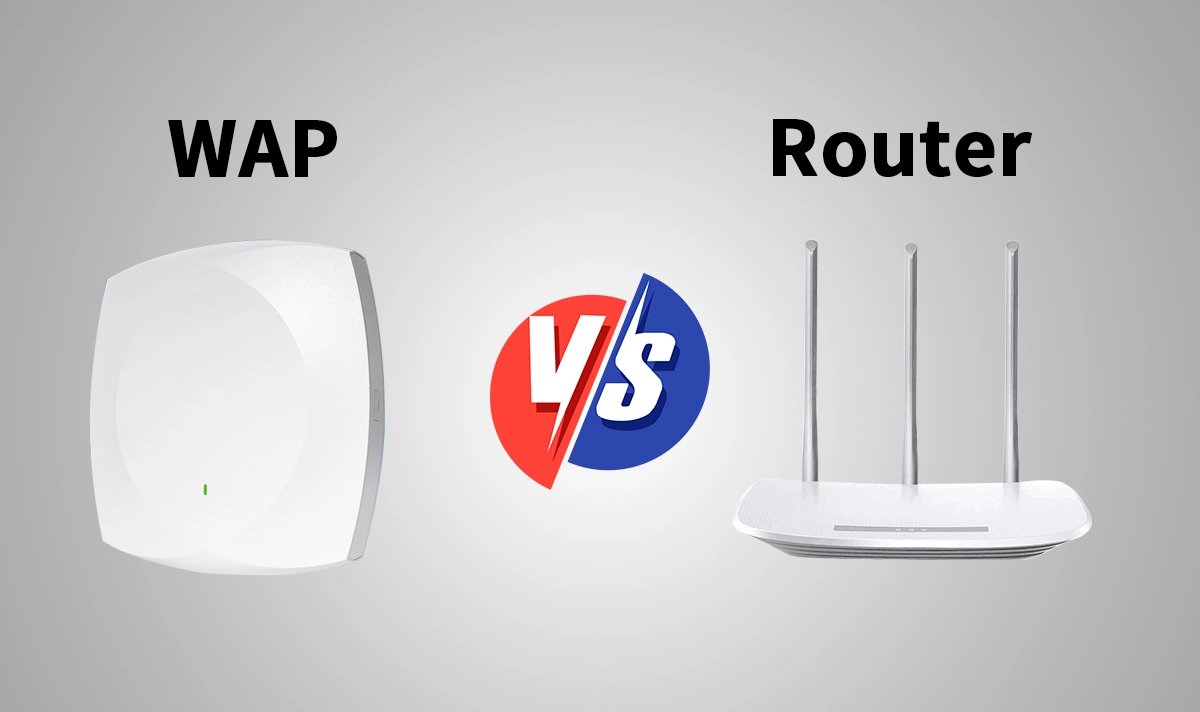
3. WAP vs Router: Key Differences
Характеристика | Маршрутизатор | WAP (Wireless Access Point) |
|---|---|---|
Основная функция | Connects networks and manages traffic | Extends the network to wireless clients |
IP Assignment | Yes (via DHCP) | No (relies on router/DHCP server) |
Сетевой уровень | Layer 3 (Routing) | Layer 2 (Bridge / Switch) |
Wi-Fi Functionality | Необязательно | Обязательно |
Поддержка PoE | Usually not required | Often required for ceiling/wall deployments |
Типовой вариант использования | Home gateway, WAN/LAN connection | Enterprise Wi-Fi coverage, mesh networks |
Резюме:
Routers manage and control the flow of data between networks, while WAPs focus solely on delivering wireless connectivity. In professional setups, separating these functions improves scalability, performance, and network management.
4. How PoE RJ45 Connectors Enhance WAP and Router Deployments
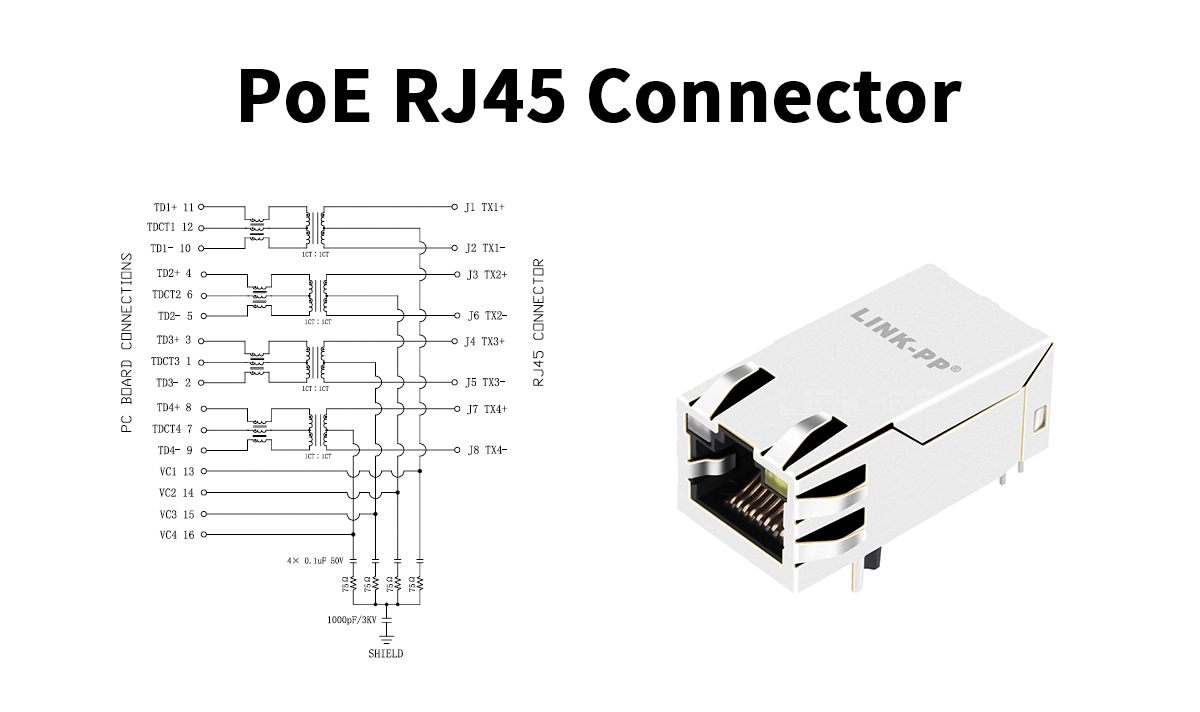
A critical component in both Беспроводные точки доступа (WAP) и маршрутизаторы это RJ45 connector with integrated Power over Ethernet (PoE) support.
Например, LINK-PP LPJK6072AONL PoE RJ45 Magjack provides:
Power over Ethernet (IEEE 802.3af ) compliance for simultaneous power and data delivery
Integrated magnetic components to maintain signal integrity and minimize EMI noise
Компактный дизайн ideal for space-constrained devices such as ceiling-mounted access points or slim router enclosures
Wide operating temperature range (–40 °C to +85 °C) ensuring durability in industrial and enterprise environments
By enabling power and data transmission through a single Ethernet cable, the LPJK6072AONL simplifies both WAP and router installation, reduces external power requirements, and enhances system reliability.
“High-performance wireless routers and access points often integrate the LINK-PP LPJK6072AONL PoE RJ45 connector to deliver seamless connectivity and robust network performance.”
👉 Подробнее о продукте
5. Use Cases & Deployment Examples
5.1 Home & Small Office
A router provides Internet access and assigns IP addresses
A single WAP (or the router’s built-in Wi-Fi) extends wireless coverage
PoE is optional unless using a ceiling-mounted AP
5.2 Enterprise & Campus
Multiple WAPs are deployed across floors or buildings
Routers handle traffic routing, security, and DHCP
WAPs are centrally managed via a controller or cloud system
Разъёмы PoE RJ45 power WAPs without extra wiring
5.3 Mesh Networks
WAPs form a mesh to extend coverage
Routers remain the main gateway
PoE simplifies AP placement and reduces installation complexity
6. Choosing Between Router and WAP
Учитываемые факторы:
Network Scale: Small home networks may combine router + WAP; enterprises separate them
Deployment Flexibility: WAPs with PoE allow ceiling/wall placement
Performance & Reliability: Dedicated WAPs reduce bottlenecks and provide better coverage
Management Needs: Controller-managed WAPs offer centralized updates, monitoring, and security policies
Заключение
Understanding the differences between routers and Wireless Access Points is essential for designing efficient, scalable networks. While routers control traffic between networks, WAPs ensure robust wireless access. Components like the LINK‑PP LPJK6072AONL PoE RJ45 connector play a critical role in powering WAPs and maintaining signal integrity, simplifying deployment and enabling reliable wireless coverage.
Изучите LPJK6072AONL PoE RJ45 connector for your next WAP deployment: LINK‑PP Official Product Page