

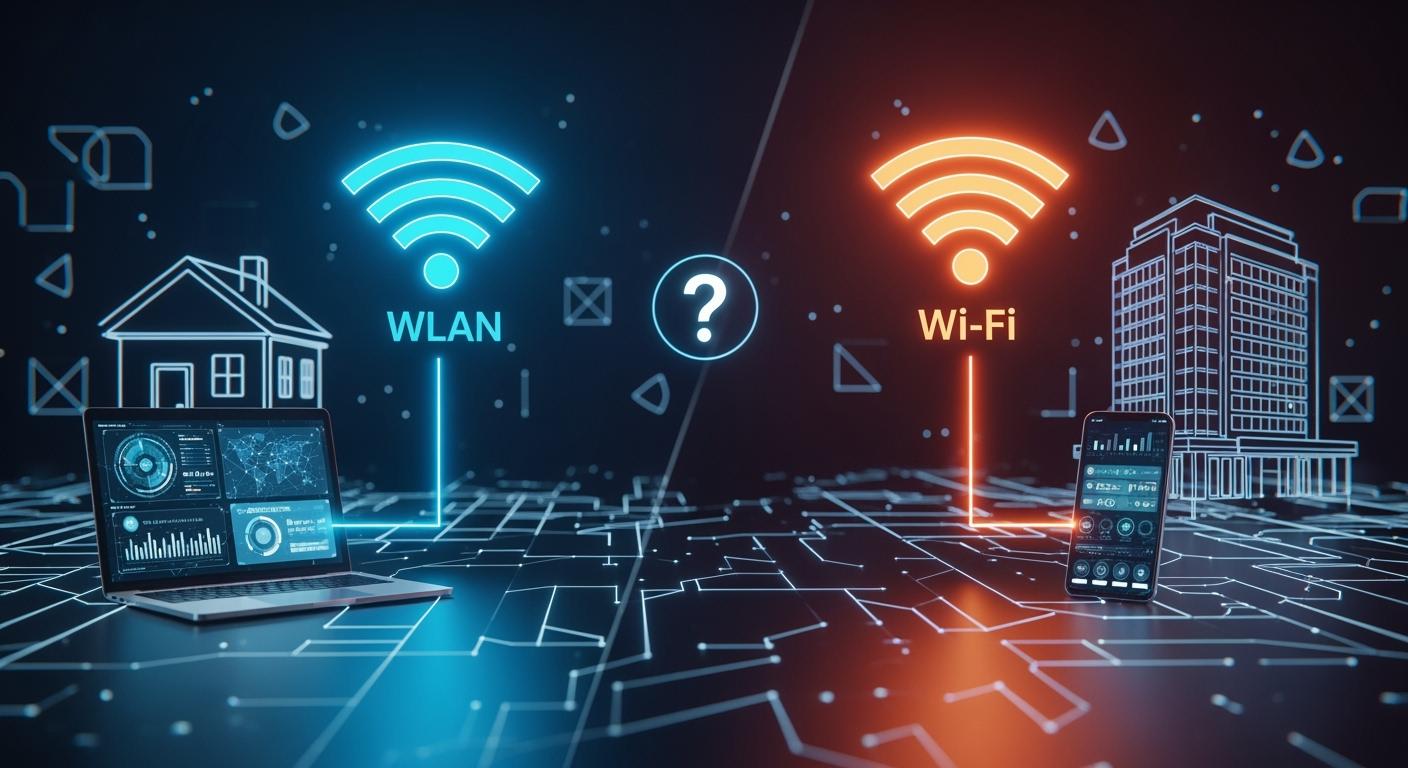
If you’ve ever used the terms “WLAN” and “Wi-Fi” interchangeably, you’re not alone. This common mix-up stems from their deeply intertwined roles in delivering the wireless connectivity we rely on daily. However, understanding their distinct meanings is crucial for IT professionals, network planners, and even savvy tech users aiming to optimize their digital environment. This post will demystify these terms, explore their relationship, and guide you on their application, including where advanced hardware like optical modules comes into play.
📝 Key Takeaways
WLAN means wireless local area network. It covers all wireless connections. Wi-Fi is one kind of WLAN that most people use.
Wi-Fi gives faster speeds and better coverage than other wireless types. It works well for streaming and gaming. It is good for connecting many devices.
Pick Wi-Fi for homes and small offices. For bigger places, use WLAN with more access points. This helps manage the network better.
Security matters for WLAN and Wi-Fi. Use strong passwords to keep your network safe. Use encryption like WPA2 or WPA3 for more protection.
Learn about new Wi-Fi standards. New ones like Wi-Fi 6 and Wi-Fi 7 are faster. They let you connect more devices.
📝 WLAN - The Broad Infrastructure
WLAN (Wireless Local Area Network) is an overarching term for a network architecture that allows devices to connect and communicate wirelessly within a limited area, such as a home, office, or campus. It’s a conceptual alternative to a wired LAN.
Governed by: The IEEE 802.11 family of standards, which define the fundamental protocols for wireless communication.
Core Concept: It encompasses all components: the wireless access points (APs), the connected clients (laptops, phones, IoT devices), the network interface cards, and the backend infrastructure that manages data traffic and security.
Key Takeaway: WLAN is the big-picture technology. It’s the invisible framework that makes wireless networking possible.
📝 Wi-Fi - The Brand of Interoperability
Wi-Fi is often mistaken for the technology itself, but it’s more precisely a certification program managed by the Wi-Fi Alliance.
Governed by: The Wi-Fi Alliance, an industry consortium.
Core Concept: This certification ensures that any device bearing the Wi-Fi logo complies with the IEEE 802.11 standards and, most importantly, is interoperable with other Wi-Fi-certified devices from any manufacturer. It’s a guarantee of compatibility and a positive user experience.
The Analogy: Think of WLAN as the “concept of wireless food preparation” (the standard), and Wi-Fi as a specific, universally recognized “kitchen appliance certification” that ensures your toaster works safely and effectively with any electrical outlet (interoperability).
📝 WLAN vs Wi-Fi: A Side-by-Side Comparison
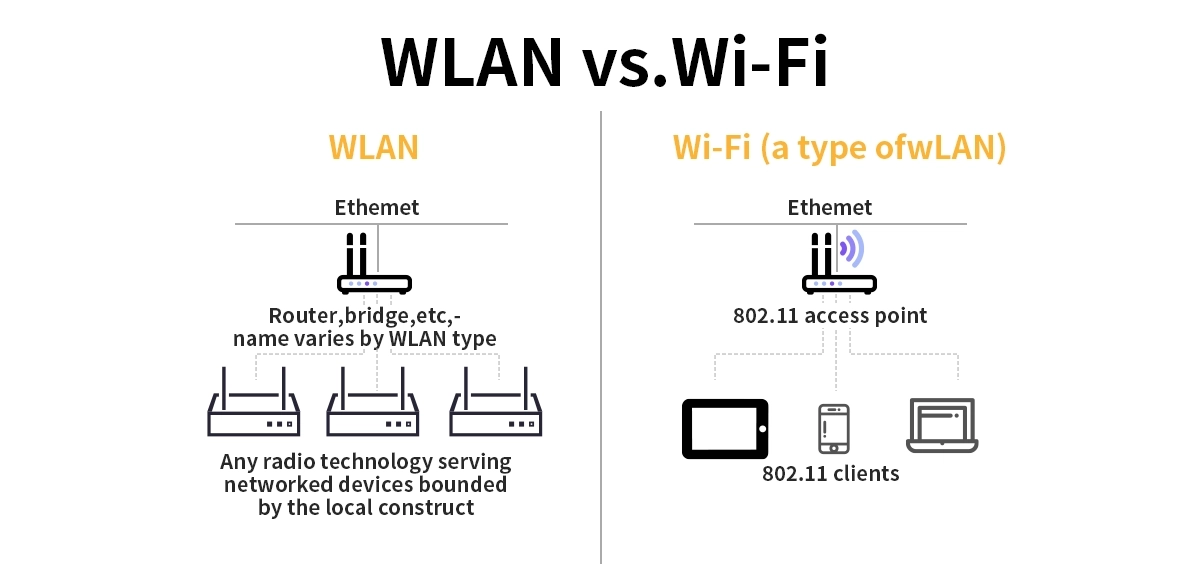
The table below summarizes the key distinctions:
Feature | WLAN (Wireless Local Area Network) | Wi-Fi |
|---|---|---|
Nature | A type of network architecture/technology. | A trademarked certification for interoperability. |
Governing Body | Institute of Electrical and Electronics Engineers (IEEE). | Wi-Fi Alliance (Industry Consortium). |
Primary Focus | Defining the technical rules (protocols) for wireless communication. | Ensuring devices from different vendors work seamlessly together. |
Standardization | Creates the base standards (e.g., 802.11ax). | Certifies implementations of those standards (e.g., Wi-Fi 6, Wi-Fi 7). |
Scope | The entire network system and its technical specifications. | The compatibility and user experience of consumer-facing devices. |
📝 Practical Application - From Home to Enterprise
Your choice in implementing a WLAN and utilizing Wi-Fi-certified devices varies by scale:
Home/Small Office: You purchase a Wi-Fi-certified router (which is a combined AP and router). All your Wi-Fi-certified devices connect seamlessly. Here, your entire network is a simple WLAN enabled by Wi-Fi.
Enterprise/ Campus Deployment: This involves strategic enterprise WLAN deployment strategies. It requires multiple, centrally managed access points, a WLAN controller, advanced security (like WPA3-Enterprise), and detailed network monitoring. The focus is on building a robust, secure, and scalable WLAN infrastructure, where Wi-Fi 6E access point performance and managing high-density Wi-Fi networks are critical considerations for IT teams.
📝 The Unsung Hero - Optical Modules in Large-Scale WLANs
For vast enterprise, campus, or carrier-grade WLANs, a critical backbone technology often goes unnoticed: the optical transceivers. How does this fit in?
In large deployments, access points are often connected not by copper Ethernet cables, but by fiber optic cabling. Fiber offers vastly superior bandwidth, longer distances (kilometers), and immunity to electromagnetic interference. This is essential for connecting dozens or hundreds of APs back to the core network switch.
This is where optical modules (or transceivers) come in. They are the interface that converts electrical signals from the network switch into optical light signals for transmission over fiber, and vice-versa.
The Connection to Your WLAN: The high-capacity fiber backbone, enabled by these modules, carries all the wireless data from your WLAN’s access points. It ensures that the wireless network performance isn’t bottlenecked by the backhaul connection, supporting demanding applications like HD video streaming, large file transfers, and unified communications across the entire campus.
A Reliable Solution: For such demanding infrastructure, choosing high-quality, compatible optical modules is non-negotiable. A reliable choice for these backbone links is the LINK-PP SFP+ 10G LR module. It provides a robust 10 Gigabit connection over single-mode fiber for distances up to 10 kilometers, making it an excellent fit for inter-building connectivity in a sprawling WLAN setup. Ensuring you use reliable components like this is key for optimizing Wi-Fi signal strength and coverage across a large area.
📝 Conclusion: Two Sides of the Same Coin
In essence, WLAN and Wi-Fi are complementary forces. The IEEE’s WLAN standards (802.11) provide the rulebook, while the Wi-Fi Alliance’s certification (Wi-Fi) ensures everyone plays by the rules in a way that guarantees a smooth game for the end-user.
When planning a network, you design a WLAN. When you buy equipment, you look for the Wi-Fi logo to ensure it will work on that network. And for large-scale, high-performance implementations, remember that a robust optical backbone—supported by quality components like the LINK-PP optical transceiver family—is what truly empowers your wireless edge.
By understanding this distinction, you can make more informed decisions, troubleshoot more effectively, and design better networks, whether you're simply improving home Wi-Fi speed or architecting a corporate secure WLAN setup for business.
📝 FAQ
What is the main difference between WLAN and Wi-Fi?
You use WLAN to describe any wireless local area network. Wi-Fi is a specific type of WLAN that follows certain standards. Most home networks use Wi-Fi, but WLAN can include other technologies like Bluetooth.
Can you use Wi-Fi and WLAN for the same devices?
You connect most phones, laptops, and tablets to Wi-Fi networks. Some devices, like speakers or printers, may use other WLAN technologies such as Bluetooth. Always check your device’s wireless options before setting up your network.
Which is better for home use: WLAN or Wi-Fi?
You get faster speeds and easier setup with Wi-Fi at home. WLAN covers more types of wireless networks, but Wi-Fi is the best choice for streaming, gaming, and browsing on multiple devices.
Do WLAN and Wi-Fi have different security features?
You see Wi-Fi networks use strong encryption like WPA2 or WPA3. Other WLAN types may use different security methods. You should always use the latest security settings to keep your network safe.
Why do some regions use WLAN and others use Wi-Fi?
You notice people in the United States say Wi-Fi more often. In Europe and Asia, WLAN is common for technical discussions. Both terms mean wireless networks, but Wi-Fi is the most popular technology worldwide.



