

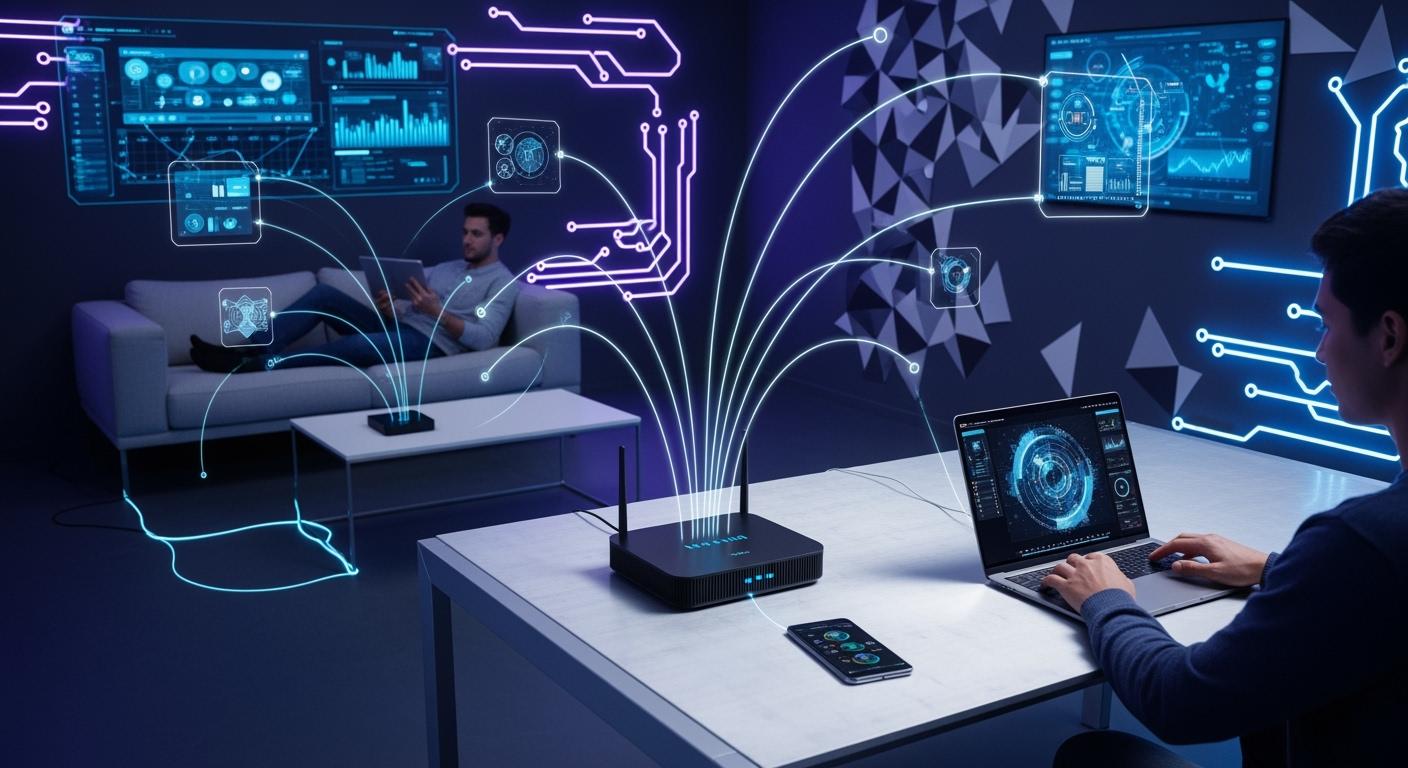
In our hyper-connected world, the ability to access the internet and share data without being tethered by cables is no longer a luxury—it’s an expectation. At the heart of this wireless freedom lies the Wireless Local Area Network (WLAN). But what exactly is a WLAN, how does it work, and why is it so crucial for modern homes and businesses? This comprehensive guide demystifies WLAN technology, explores its evolution, and highlights key considerations for building a robust network.
📝 Key Takeaways
A Wireless LAN (WLAN) lets devices connect without wires. It uses radio waves to link things like laptops and smartphones.
Important parts of a WLAN are a wireless access point and a wireless router. You also need client devices and sometimes a network adapter.
WLANs give you freedom to move your devices. You can stay connected as you move around. This makes WLANs great for homes, schools, and offices.
To keep your WLAN safe, use strong passwords. Turn on encryption and update your router’s software often.
Setting up a WLAN is simple. Pick a router and connect it to the internet. Make a network name and password. Then connect your devices.
📝 Understanding the Core Concept: WLAN Definition
A Wireless Local Area Network (WLAN) is a network that allows two or more devices to connect and communicate wirelessly within a limited area, such as a home, office, school, or campus. Unlike a traditional wired LAN that uses Ethernet cables, a WLAN transmits and receives data using radio frequency (RF) waves, most commonly following the IEEE 802.11 family of standards—what we collectively know as Wi-Fi.
The primary goal of a WLAN is to provide network connectivity while enhancing mobility and reducing the clutter and cost associated with physical cables. From your smartphone streaming video to your laptop accessing cloud-based enterprise WLAN solutions, it’s all powered by this foundational technology.
📝 How Does a WLAN Work? Key Components & Architecture
A functional WLAN relies on a few essential components working in harmony:
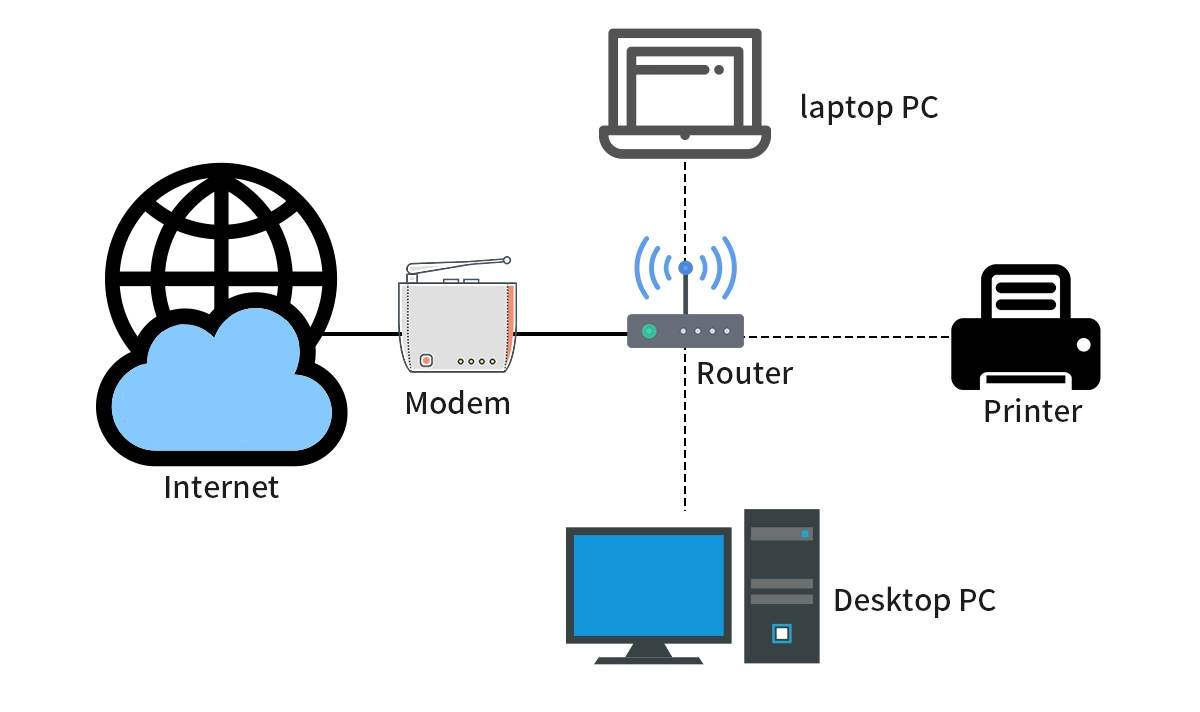
Wireless Access Point (AP): This is the central hub of a standard WLAN. The AP connects to a wired router, switch, or modem via an Ethernet cable and broadcasts a wireless signal. Devices within range can then connect to it. In larger deployments, like campuses, multiple APs are used to provide seamless coverage.
Wireless Clients (Stations - STAs): These are the devices that connect to the WLAN. This includes laptops, smartphones, tablets, IoT devices like smart thermostats, and modern printers.
Wireless Router: In a typical home or small office setup, a wireless router combines the functions of a router (connecting to your Internet Service Provider), a switch, and a wireless AP into a single device.
WLAN Controllers: For managing scalable enterprise WLAN deployments, centralized controllers are used to automate the configuration, monitoring, and optimization of dozens or hundreds of APs, ensuring security and performance.
The communication process is governed by the 802.11 protocol. When your device (the client) wants to connect, it authenticates and associates with an AP. Data is then modulated onto radio waves and transmitted over specific channels within the 2.4GHz or 5GHz frequency bands.
📝 WLAN vs. Wi-Fi: Is There a Difference?
While the terms are used interchangeably, there’s a subtle distinction:
WLAN is the broad, overarching concept of a wireless network.
Wi-Fi is a specific brand and certification for products based on the IEEE 802.11 standards, governed by the Wi-Fi Alliance. When a device is "Wi-Fi Certified," it guarantees interoperability with other certified devices. So, all Wi-Fi networks are WLANs, but not all WLANs (though extremely rare today) might use certified Wi-Fi technology.
📝 Evolution of WLAN Standards: From Slow to Superfast
Wi-Fi standards have evolved dramatically to offer faster speeds, better range, and improved efficiency. Here’s a quick look at the key generations:
Standard (IEEE) | Marketing Name | Max Theoretical Speed | Frequency Band | Key Advancement |
|---|---|---|---|---|
802.11b/g/n | Wi-Fi 4 | Up to 600 Mbps | 2.4GHz & 5GHz | Introduced MIMO (Multiple-Input Multiple-Output) |
802.11ac | Wi-Fi 5 | Up to 3.5Gbps | 5GHz | Wider channels, multi-user MIMO (MU-MIMO) |
802.11ax | Wi-Fi 6 / Wi-Fi 6E | Up to 9.6Gbps | 2.4, 5, & 6GHz | OFDMA, better efficiency in dense environments |
802.11be | Wi-Fi 7 (Emerging) | Up to 40Gbps+ | 2.4, 5, & 6GHz | 320MHz channels, Multi-Link Operation (MLO) |
For a future-proof high-density wireless network setup, investing in Wi-Fi 6/6E access points is now considered the professional standard.
📝 The Critical Role of Optical Modules in Modern WLAN Backhaul
As WLANs advance to support multi-gigabit speeds and thousands of connected devices—common in enterprise WLAN solutions and large public venues—the backbone network that connects access points must evolve in tandem. This is where the copper Ethernet cable often hits a limit.
This is precisely where optical modules, or transceivers, become indispensable. These small, hot-pluggable devices convert electrical signals from network switches into optical signals that travel over fiber optic cables. Fiber backhaul is crucial for modern WLANs because it provides:
Extremely High Bandwidth: Effortlessly handles the aggregated traffic from multiple Wi-Fi 6/6E access points.
Long-Distance Transmission: Fiber can run for kilometers without signal loss, perfect for connecting buildings in a campus.
Immunity to Electromagnetic Interference: Ensures a stable and reliable connection for mission-critical networks.
When deploying a high-performance WLAN for large-scale business applications, choosing reliable, compatible optical modules is non-negotiable. For instance, the LINK-PP SFP-10G-SR transceiver is a high-quality, interoperable module designed for short-reach, multi-gigabit connections over multimode fiber, making it an excellent choice for aggregating traffic from a high-density AP deployment back to the core network. Integrating such components ensures your wireless network’s foundation is as robust as its wireless signal.
📝 Primary Types of WLAN Configurations
Infrastructure Mode: The most common setup. All wireless clients communicate through a central Access Point (AP), which manages traffic and connects to the wired network.
Ad-Hoc Mode (Peer-to-Peer): Devices connect directly to each other without an AP. Useful for temporary file transfers but not for internet access.
Mesh Wi-Fi Systems: A modern solution for eliminating dead zones. Multiple mesh nodes (satellites) wirelessly connect to a main router, creating a seamless, blanket-like network across a large area—a top choice for whole-home Wi-Fi coverage.
📝 Advantages and Challenges of WLAN
✔ Advantages:
Mobility & Convenience: Unmatched freedom to connect from anywhere within coverage.
Cost-Effective Deployment: Eliminates the expense of running cables, especially in difficult-to-wire buildings.
Scalability: Easy to add new users and devices without new physical infrastructure.
Flexibility: Networks can be quickly set up, reconfigured, or extended.
✘ Challenges & Considerations:
Security: Wireless signals can extend beyond physical boundaries, making robust WLAN security protocols (WPA3) and strong encryption mandatory.
Interference & Reliability: Performance can be affected by physical obstructions, other electronic devices, and neighboring networks.
Speed and Latency: While improving, wired connections generally offer superior speed and lower latency for ultra-sensitive applications.
📝 Conclusion: The Invisible Backbone of Modern Connectivity
The Wireless LAN has transformed from a niche convenience to the invisible, essential backbone of how we live, work, and learn. Understanding its components, standards like Wi-Fi 6, and best practices for secure and scalable WLAN design is key for both IT professionals and informed users.
Whether you’re optimizing a home office WLAN or designing a carrier-grade wireless network, the principles remain the same: prioritize robust security, plan for adequate coverage and density, and ensure your wired backhaul—potentially leveraging high-performance components like LINK-PP optical modules—is ready to support the ever-growing demand for wireless speed and reliability.
📝 FAQ
What devices can you connect to a wireless LAN?
You can connect laptops, smartphones, tablets, printers, and smart TVs. Most new devices work with wireless LANs. You do not need cables to use the network.
What is the range of a typical wireless LAN?
A wireless LAN usually works up to 150 feet indoors. Walls and objects can make the range shorter. Outside, the range can reach 300 feet if nothing blocks the signal.
What do you need for wi-fi access at home?
You need a wireless router and an internet connection. Your devices must have wireless capability. Set up the router and make a network name and password. Connect your devices to use wi-fi at home.
What makes a wireless LAN different from a wired LAN?
A wireless LAN connects devices with radio waves. A wired LAN uses cables to link devices. You can walk around with a wireless LAN. Wired LANs keep devices in one place.
What should you do if your wireless LAN is slow?
Move closer to the router to get a better signal. Try using fewer devices on the network. Restart your router to fix problems. Check for interference from other electronics. Update your router’s software to help it work better.



