

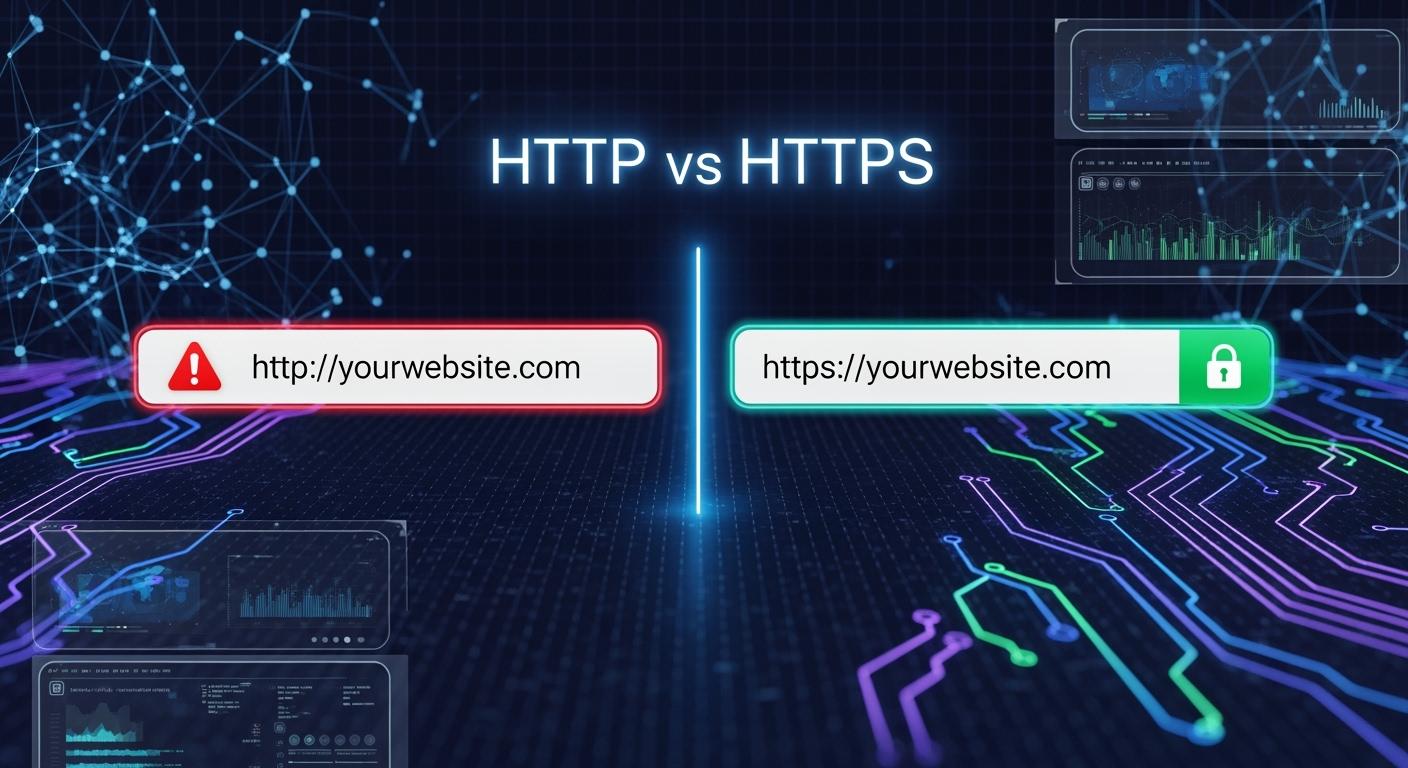
In today’s digital landscape, that tiny ‘S’ makes a monumental difference. HTTP (Hypertext Transfer Protocol) and HTTPS (HTTP Secure) are the foundational protocols of the web, but one ensures safety, while the other leaves data exposed. This isn't just a technical detail—it’s a critical factor for user trust, search engine rankings, and overall website integrity. If you're still on HTTP, your site is visibly labeled "Not Secure" in modern browsers, directly impacting visitor confidence and conversions.
🛡️ Key Takeaways
HTTPS scrambles your data, so hackers cannot read it. You should use HTTPS for safe online actions.
HTTPS websites make people trust them more. Check for the padlock icon in your browser to see if it is safe.
Changing to HTTPS can help your website show up higher in search results. Search engines like safe sites, so you may get more visitors.
Using HTTPS helps you follow privacy rules. It keeps user data safe and helps you avoid legal trouble.
Moving from HTTP to HTTPS is easy to do. Get an SSL/TLS certificate and change your website links.
🛡️ Understanding the Core: HTTP and HTTPS Explained
HTTP is the original protocol for transmitting data between a web browser and a server. It functions as a request-response system in plain text. Imagine sending a postcard through the mail; anyone who handles it can read the message. Similarly, with HTTP, data like passwords, credit card details, and personal messages are vulnerable to interception—a major security flaw in an era of sophisticated cyber threats.
HTTPS fixes this fundamental vulnerability. It is not a separate protocol but HTTP layered with a security shield: TLS (Transport Layer Security), formerly known as SSL. This encrypts all communication between the user's browser and your web server, turning the readable "postcard" into a sealed, secure envelope. The presence of a padlock icon in the address bar is the universal symbol of this protection.
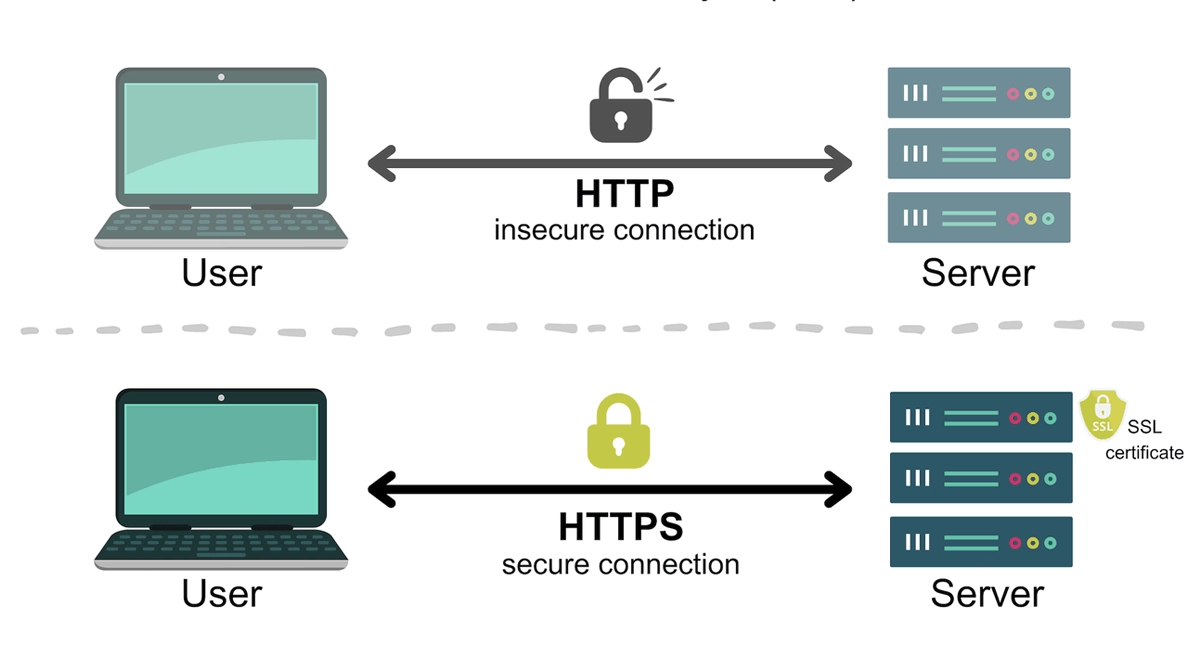
Key Differences at a Glance
Feature | HTTP | HTTPS |
|---|---|---|
Security | ❌ No encryption. Data is transmitted in plain text. | ✅ End-to-end encryption using TLS/SSL protocols. |
Default Port | Port 80 | Port 443 |
Data Integrity | ❌ Data can be altered during transfer (man-in-the-middle attacks). | ✅ Encryption ensures data cannot be tampered with undetected. |
Authentication | ❌ No verification of server identity. | ✅ SSL certificates validate that you are connected to the legitimate website. |
SEO Impact | ❌ Google penalizes non-HTTPS sites, affecting ranking. | ✅ A direct ranking boost and better crawlability. |
User Trust | ❌ Browsers show "Not Secure" warnings. | ✅ Displays the padlock and "Secure" label, building confidence. |
Protocol | Application layer | HTTP with an added TLS/SSL encryption layer |
Speed | Technically slightly faster, but the difference is negligible with modern hardware. | Marginally slower due to handshake, but optimized with HTTP/2 and TLS 1.3. |
🛡️ How HTTPS Works: The Handshake and Encryption
When you visit an HTTPS site (e.g.,https://www.link-pp.com), a process called the TLS handshake occurs behind the scenes in milliseconds:
Client Hello: Your browser connects to the server and requests a secure connection, presenting supported TLS versions and cipher suites.
Server Hello & Certificate: The server responds with its chosen cipher suite and sends its SSL certificate, which includes its public key and is issued by a trusted Certificate Authority (CA).
Authentication & Key Exchange: Your browser verifies the certificate's authenticity. It then uses the server's public key to encrypt a "pre-master secret" and sends it back.
Session Keys Generated: Both sides use that secret to independently generate identical session keys for symmetric encryption.
Secure Symmetric Encryption Begins: The handshake is complete. All subsequent data is encrypted and decrypted using these fast session keys, securing the entire session.
This process ensures confidentiality, integrity, and authentication—the three pillars of web security.
🛡️ The Modern Imperative: Beyond Security
Adopting HTTPS is no longer optional; it's a mandatory standard for any professional website.
Google SEO Ranking Factor: Google explicitly confirms HTTPS as a ranking signal. Websites using HTTPS have a clear advantage in search engine results pages (SERPs). Understanding the SEO benefits of HTTPS is crucial for any digital marketer.
Browser Enforcement: Chrome, Firefox, and others flag HTTP pages as "Not Secure," directly discouraging visitors and increasing bounce rates.
Performance with HTTP/2: Major performance benefits of HTTP/2, like multiplexing and server push, are predominantly supported only over HTTPS. This can actually make your secure site faster than its HTTP counterpart.
User Confidence & Conversion: The padlock icon is a universal trust signal. Users are more likely to purchase, sign up, or share information on a site they perceive as secure. Comparing the SSL certificate cost to the risk of data breach or lost sales makes HTTPS an undeniable investment.
Core Web Vitals & UX: Secure contexts are required for many modern web APIs that enhance user experience. HTTPS also protects the integrity of your content, preventing ISPs or third parties from injecting ads or malware into your pages.
🛡️ Supporting the Secure Backbone: The Role of High-Speed Hardware
The transition to HTTPS and the subsequent rise of encrypted traffic have placed greater demands on network infrastructure. The initial TLS handshake adds computational overhead to servers. In high-traffic environments like data centers and enterprise networks, this can create bottlenecks.
This is where technologies like SSL/TLS offload come into play. Specialized hardware (like load balancers or dedicated security appliances) can handle the intensive encryption/decryption processes, freeing up web servers to focus on delivering content. The performance of these appliances and the core network switches depends heavily on reliable, high-speed connectivity.
To maintain low latency and high throughput for encrypted data, the physical network layer must be robust. This is a perfect segue into the critical role of optical transceivers. These small form-factor pluggable (SFP) devices convert electrical signals from network equipment into optical signals for transmission over fiber optic cables. They are the unsung heroes ensuring that your secure data travels at lightning speed across the internet's backbone.
For instance, in a high-performance data center handling millions of encrypted transactions, using a high-quality, reliable 100G optical module is essential. A product like the LINK-PP 100G QSFP28 optical transceiver provides the dense, high-speed connectivity required to support encrypted data flows between switches, routers, and servers without becoming a performance bottleneck. Deploying reliable components from trusted manufacturers like LINK-PP ensures network integrity, minimizes latency, and supports the seamless user experience that HTTPS is designed to protect.
🛡️ Making the Switch: Your Path to HTTPS
Transitioning your website from HTTP to HTTPS is a systematic process:
Purchase an SSL/TLS Certificate: Obtain one from a trusted Certificate Authority (CA). Options range from Domain Validated (DV) to more rigorous Organization Validated (OV) and Extended Validation (EV) certificates.
Install and Configure the Certificate: This is done on your web server or hosting provider's control panel.
Implement 301 Redirects: Permanently redirect all HTTP URLs to their HTTPS counterparts. This preserves your SEO ranking and backlink equity.
Update Your Site: Ensure all internal links, resources (images, scripts), and canonical tags use the https:// URL.
Verify with Google: Update your website address in Google Search Console and submit updated sitemaps to expedite re-indexing.
🛡️ Conclusion: The ‘S’ is Non-Negotiable
The debate between HTTP vs HTTPS is decisively settled. HTTPS is the absolute baseline for any website that values its visitors, its search visibility, and its reputation. The SEO benefits of HTTPS, combined with essential security and user trust, make the migration an urgent priority. The minor technical overhead is easily mitigated with modern protocols and supported by robust network hardware like high-performance optical modules.
Don't let your site be the last postcard in a world of secure envelopes. Make the switch to HTTPS today—it's the most important single step you can take to future-proof your online presence.
🛡️ FAQ
What is the main difference between HTTP and HTTPS?
You see the biggest difference in security. HTTP sends data without protection. HTTPS uses encryption to keep your information safe. You should choose HTTPS when you want privacy and trust.
Does HTTPS make my website faster than HTTP?
You get similar speeds with both. Modern technology helps HTTPS load pages quickly. You do not need to worry about slow performance when you switch to HTTPS.
Why do search engines prefer HTTPS over HTTP?
You get better rankings with HTTPS. Search engines trust secure sites more. You help your website show up higher in search results when you use HTTPS.
Can visitors see if my site uses HTTPS?
You see a padlock icon in the browser when a site uses HTTPS. This icon tells visitors your site is secure. You build trust with this simple sign.
Is it hard to switch from HTTP to HTTPS?
You follow clear steps to switch. You get an SSL/TLS certificate, update your links, and set up redirects. You make your site safer with a few changes.



