

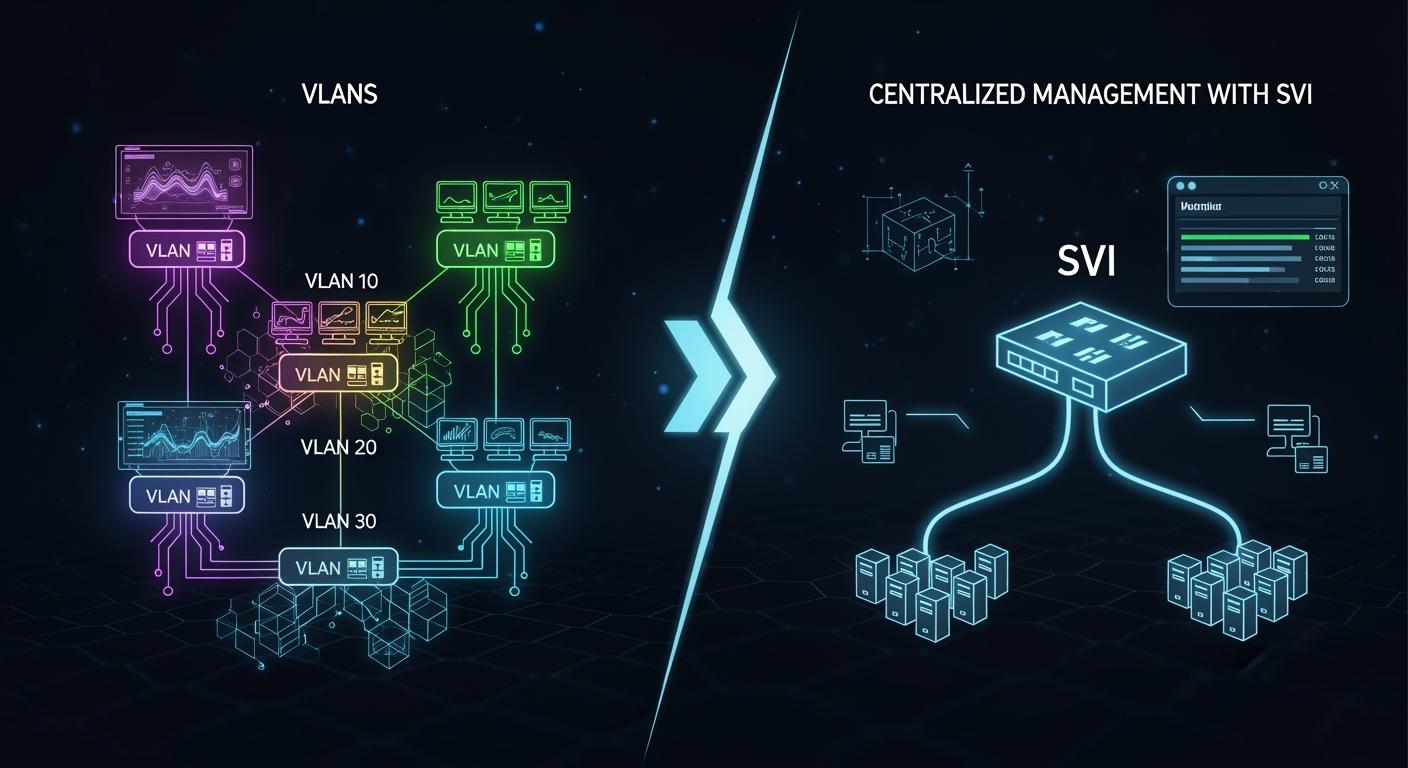
In the intricate world of network design, two fundamental concepts form the backbone of scalable and manageable infrastructure: VLANs (Virtual Local Area Networks) and SVIs (Switched Virtual Interfaces). While often mentioned together, they serve distinct yet complementary purposes. Whether you're configuring a layer 3 switch inter vlan routing setup or planning a secure network segmentation strategy, understanding the difference is crucial. This guide will demystify these technologies, explaining their roles, interactions, and how they empower efficient network architectures.
⚔️ Key Takeaways
A VLAN puts devices together at Layer 2. It makes borders for traffic. This helps organize the network.
VLANs help keep data safe. They separate important data. They also control who can reach different device groups.
An SVI lets VLANs talk to each other at Layer 3. Devices in different groups can share things easily.
SVIs help set network rules. They control how traffic moves. This makes the network flexible and simple to change.
Using VLANs and SVIs together makes a strong network. It is safe and simple to manage. This helps devices talk and stay under control.
⚔️ What is a VLAN (Virtual Local Area Network)?
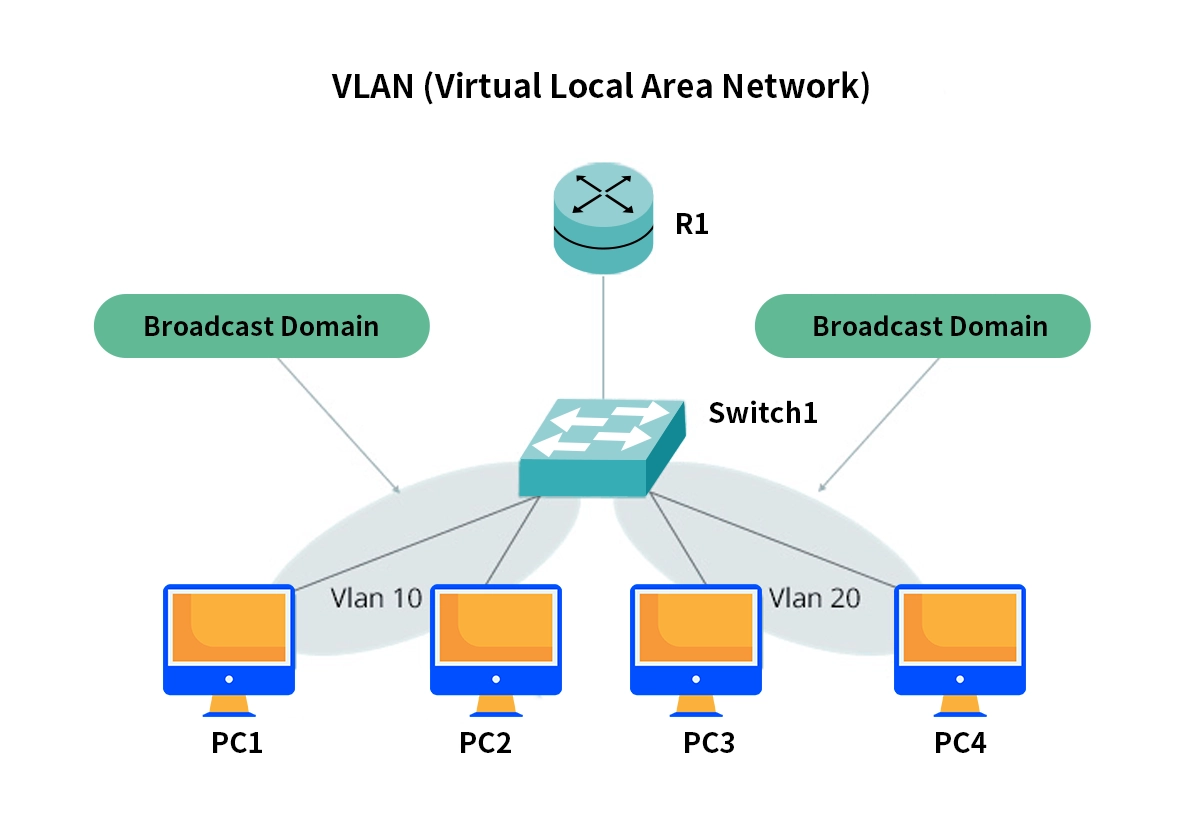
A VLAN is a Layer 2 (Data Link Layer) technology used to logically segment a physical network into multiple, isolated broadcast domains. Think of it as creating several virtual switches within a single physical switch.
Key Characteristics of VLANs:
Broadcast Domain Segmentation: Limits broadcast traffic to specific groups of devices, enhancing security and performance.
Logical Grouping: Devices are grouped by function, department, or security requirement, not physical location.
VLAN Tagging (802.1Q): A tag is added to Ethernet frames to identify which VLAN they belong to as they traverse trunk links between switches.
The primary purpose of a VLAN is isolation and organization at Layer 2. However, for devices in different VLANs to communicate—a process known as inter vlan routing—we need a Layer 3 gateway. This is where the SVI enters the picture.
⚔️ What is an SVI (Switched Virtual Interface)?
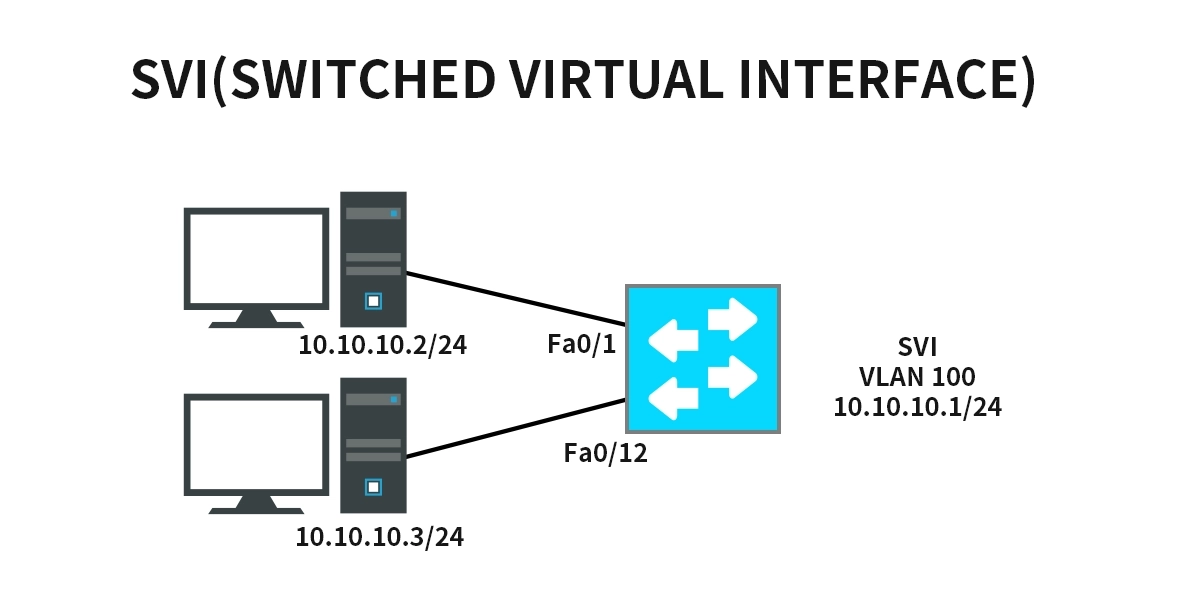
An SVI is a virtual Layer 3 interface configured on a multilayer switch (a switch with routing capabilities). It acts as the default gateway for all hosts within a specific VLAN, enabling routed traffic between VLANs.
Key Characteristics of SVIs:
Layer 3 Gateway: Each VLAN that requires routed traffic needs a corresponding SVI with a unique IP address.
Virtual Interface: It is not a physical port but a software-based interface (e.g., interface VLAN10).
Enables Inter-VLAN Routing: By configuring SVIs for different VLANs and enabling IP routing on the switch, traffic can flow between VLANs without leaving the switch hardware—a highly efficient process known as router-on-a-stick alternative or layer 3 switching.
In essence, the VLAN provides the logical segment, and the SVI provides its routed gateway.
⚔️ VLAN vs SVI: A Side-by-Side Comparison
Feature | VLAN (Virtual Local Area Network) | SVI (Switched Virtual Interface) |
|---|---|---|
OSI Layer | Layer 2 (Data Link) | Layer 3 (Network) |
Primary Function | Logical network segmentation & broadcast containment | Acts as a routed gateway for a VLAN |
Nature | A logical network segment or broadcast domain | A virtual routed interface |
Identification | VLAN ID (1-4094) | IP Address (e.g., 192.168.10.1/24) |
Configuration | Created on switches (VLAN 10) | Created on multilayer switches (interface VLAN10) |
Communication | Hosts within the same VLAN communicate at Layer 2 | Hosts in different VLANs communicate via their SVI gateways |
Required For | Basic segmentation, security, and traffic management | Inter vlan routing configuration and Layer 3 connectivity |
⚔️ How VLANs and SVIs Work Together: A Practical Flow
Segmentation: A switch ports are assigned to VLAN 10 (Engineering) and VLAN 20 (Marketing).
Gateway Creation: On a Layer 3 switch, you configure interface VLAN10 (IP: 10.10.10.1/24) and interface VLAN10 (IP: 10.20.20.1/24).
Host Configuration: A PC in VLAN 10 is given IP 10.10.10.100 with a gateway of 10.10.10.1 (the SVI).
Routed Communication: When the PC (10.10.10.100) needs to contact a server in VLAN 20 (10.20.20.100), it sends the packet to its gateway (the SVI). The switch performs inter vlan routing and forwards the packet to the destination VLAN.
This architecture is foundational for designing a secure and scalable enterprise network.
⚔️ The Role of High-Speed Optics in SVI and Layer 3 Performance
When implementing SVIs and inter vlan routing on core or distribution layer switches, the throughput and latency of inter-switch links become critical. This is where high-quality optical transceivers are essential.
A trunk link carrying multiple VLANs between switches, or an uplink aggregating routed traffic from SVIs, must be robust and reliable. Using inferior optics can lead to errors, packet loss, and latency, bottlenecking the very routing performance your SVIs are designed to provide.
For mission-critical aggregation points, consider high-performance optics like the LINK-PP 100G QSFP28 LR4 or LINK-PP 40G QSFP+ LR4 transceivers. These modules offer the reliability and low-latency, high-bandwidth connectivity required to ensure that inter-vlan communication and data center bridging happen seamlessly. Integrating reputable components from vendors like LINK-PP when you configure layer 3 switch setups future-proofs your network infrastructure.
⚔️ Best Practices for Configuration
Use a Hierarchical Design: Deploy VLANs and SVIs in a core-distribution-access model.
Prune Unnecessary VLANs: On trunk ports, allow only VLANs that are needed on the downstream switch.
Secure SVIs: Apply access control lists (ACLs) to SVI interfaces to control traffic between VLANs.
Use a Consistent IP Scheme: Assign SVI IP addresses from a predictable subnet (e.g., the .1 address of the VLAN's subnet).
First Hop Redundancy Protocol (FHRP): For SVI redundancy, use protocols like HSRP or VRRP to provide a virtual gateway IP for hosts.
⚔️ Conclusion
Understanding the distinction and synergy between VLANs and SVIs is key to mastering modern network engineering. VLANs are the essential tool for network segmentation and security at Layer 2, creating orderly, isolated domains. SVIs are the intelligent gateways that bring those domains into the routed world at Layer 3, enabling efficient, hardware-accelerated inter vlan routing.
By combining these technologies with robust hardware and high-performance interconnects, such as LINK-PP optical transceivers, you can build a network that is not only secure and well-organized but also high-performing and scalable. Whether you are studying for a certification or deploying a real-world enterprise network design, this knowledge is fundamental to your success.
⚔️ FAQ
What is the main difference between a VLAN and an SVI?
You use a VLAN to split your network into groups at Layer 2. You use an SVI to let those groups talk at Layer 3. VLANs separate devices. SVIs connect them.
Can you use VLANs without SVIs?
Yes. You can use VLANs alone if you want to keep groups apart. You only need an SVI when you want devices in different VLANs to communicate.
How many SVIs do you need for multiple VLANs?
You need one SVI for each VLAN that must talk to other VLANs. For example, if you have three VLANs and want all to connect, you set up three SVIs.
Do SVIs replace physical interfaces?
No. SVIs are virtual. You do not need extra hardware. SVIs let you route traffic between VLANs using your switch’s software.
When should you choose VLANs over SVIs?
Choose VLANs when you want strong separation and no sharing between groups. Choose SVIs when you need groups to share resources or communicate.



