


In the world of networking, efficiency, scalability, and management are paramount. As networks evolve from simple Layer 2 setups to complex Layer 3 infrastructures, understanding key components like the Switched Virtual Interface (SVI) becomes crucial. Whether you're a network administrator, an IT student, or someone looking to optimize their corporate network, this guide will demystify SVI, explain its inner workings, and highlight its importance. We'll also explore how physical components, such as high-quality optical modules from brands like LINK-PP, play a vital role in SVI-based networks. By the end of this article, you'll have a solid grasp of SVI and how it can enhance your network's performance and manageability.
➤ Key Takeaways
An SVI gives a VLAN an IP address. This lets VLANs talk to each other.
Setting up an SVI helps your switch do inter-VLAN routing. You do not need a router for every VLAN.
You can only have one SVI for each VLAN on a switch. This makes network management easier.
To set up an SVI, make a VLAN. Give it an IP address. Turn on the interface so data can move.
SVIs help your network grow. You can add more devices and VLANs. You do not need extra hardware.
➤ What Is SVI in Networking?
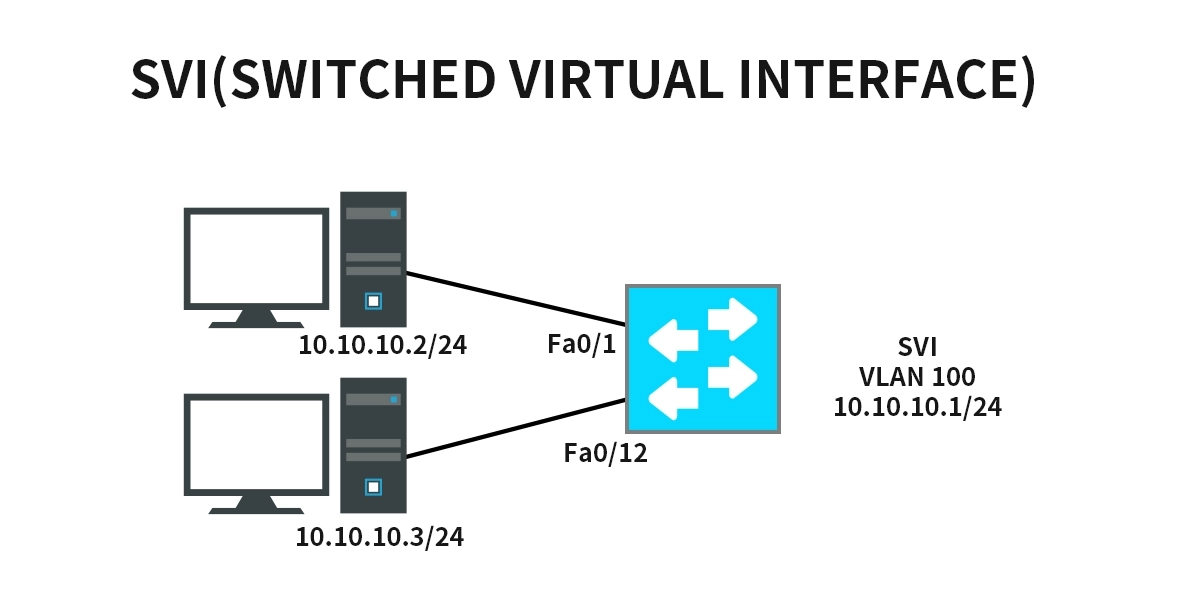
A Switched Virtual Interface (SVI) is a virtual interface configured on a multilayer switch (like those from Cisco) that represents a logical Layer 3 interface for a VLAN (Virtual Local Area Network). Unlike physical interfaces (e.g., Ethernet ports), an SVI is not tied to a specific hardware port. Instead, it acts as a gateway for devices within a VLAN to communicate with devices in other VLANs or subnets, enabling inter-VLAN routing without the need for an external router.
In simple terms, think of an SVI as the "virtual router" inside a switch. For example, if you have VLAN 10 for marketing and VLAN 20 for finance, you can create SVIs for each VLAN (e.g., Interface VLAN 10 and Interface VLAN 20) to allow controlled communication between them. This eliminates bottlenecks and simplifies network design, making SVI a cornerstone of modern enterprise networking and VLAN configuration.
Key characteristics of SVI:
It is IP addressable, allowing it to serve as the default gateway for VLANs.
It supports routing protocols like OSPF and EIGRP.
It is essential for Layer 3 switching, combining the speed of switching with the intelligence of routing.
➤ How Does SVI Work?
SVI operates at Layer 3 of the OSI model, facilitating communication between VLANs by leveraging the switch's routing capabilities. Here's a step-by-step breakdown of how SVI works in a typical network scenario:
VLAN Creation: First, VLANs are created on the switch to segment the network (e.g., VLAN 10 and VLAN 20).
SVI Configuration: An SVI is configured for each VLAN using commands like interface vlan [vlan-id]. Each SVI is assigned an IP address, which becomes the default gateway for devices in that VLAN.
Routing Enablement: Layer 3 routing is enabled on the switch, allowing the SVI to forward packets between VLANs based on IP addresses.
Packet Forwarding: When a device in VLAN 10 wants to communicate with a device in VLAN 20, it sends the packet to its default gateway (the SVI of VLAN 10). The switch then routes the packet to the SVI of VLAN 20, which delivers it to the destination.
This process enhances performance by keeping routing internal to the switch, reducing latency compared to using an external router. It also simplifies network management and improves security through VLAN isolation.
➤ Benefits and Drawbacks of Using SVI
SVIs offer numerous advantages in network design, but they also come with some limitations. Understanding these can help you make informed decisions for your network infrastructure.
Benefits:
Improved Performance: By handling inter-VLAN routing internally, SVIs reduce hop counts and latency.
Simplified Management: Centralized configuration on a single switch streamlines operations.
Cost-Effective: Eliminates the need for dedicated routers for inter-VLAN routing.
Scalability: Easily add new VLANs and SVIs as the network grows.
Enhanced Security: VLAN segmentation with SVIs allows for precise access control.
Drawbacks:
Switch Dependency: If the switch fails, all SVIs and associated routing go down.
Complexity in Large Networks: Managing multiple SVIs can become challenging without proper documentation.
Resource Intensive: SVIs consume switch CPU and memory, which might impact performance in high-traffic scenarios.
For networks requiring robust SVI configuration guides, it's essential to plan VLAN schemes and monitor switch resources regularly.
➤ SVI vs. Routed Ports: A Quick Comparison
When designing a Layer 3 network, you might choose between SVIs and routed ports. Routed ports are physical interfaces configured for Layer 3 routing, similar to router interfaces. The table below highlights the key differences to help you decide which option suits your needs.
Feature | SVI (Switched Virtual Interface) | Routed Port |
|---|---|---|
Interface Type | Virtual (logical) | Physical (e.g., Gigabit Ethernet port) |
Use Case | Inter-VLAN routing, VLAN gateway | Point-to-point links, connecting to routers |
Configuration | interface vlan [vlan-id] | no switchport command on a physical port |
Scalability | High (supports multiple VLANs) | Limited by physical ports |
Performance | Efficient for VLAN-based traffic | Ideal for dedicated links |
Best For | Enterprise networks with multiple VLANs | Simpler setups or WAN connections |
This comparison shows that SVIs are ideal for scalable network designs where VLAN segmentation is critical, while routed ports excel in specific edge scenarios.
➤ Best Practices for Configuring SVI in Your Network
To maximize the benefits of SVI, follow these industry best practices. These tips are especially useful for network administrators aiming for optimal performance and security.
Plan Your IP Addressing: Assign IP addresses to SVIs in a logical, hierarchical manner to simplify routing and troubleshooting.
Enable Routing Protocols: Use dynamic routing protocols like OSPF for larger networks to automate path selection.
Implement Security Measures: Apply access control lists (ACLs) to SVIs to filter traffic between VLANs.
Monitor Performance: Regularly check switch CPU and memory usage to prevent bottlenecks.
Document Configurations: Maintain detailed records of VLAN and SVI settings for easy management.
By adhering to these practices, you can ensure that your SVI implementation supports high-availability networking.
➤ The Role of Optical Modules in SVI-Based Networks
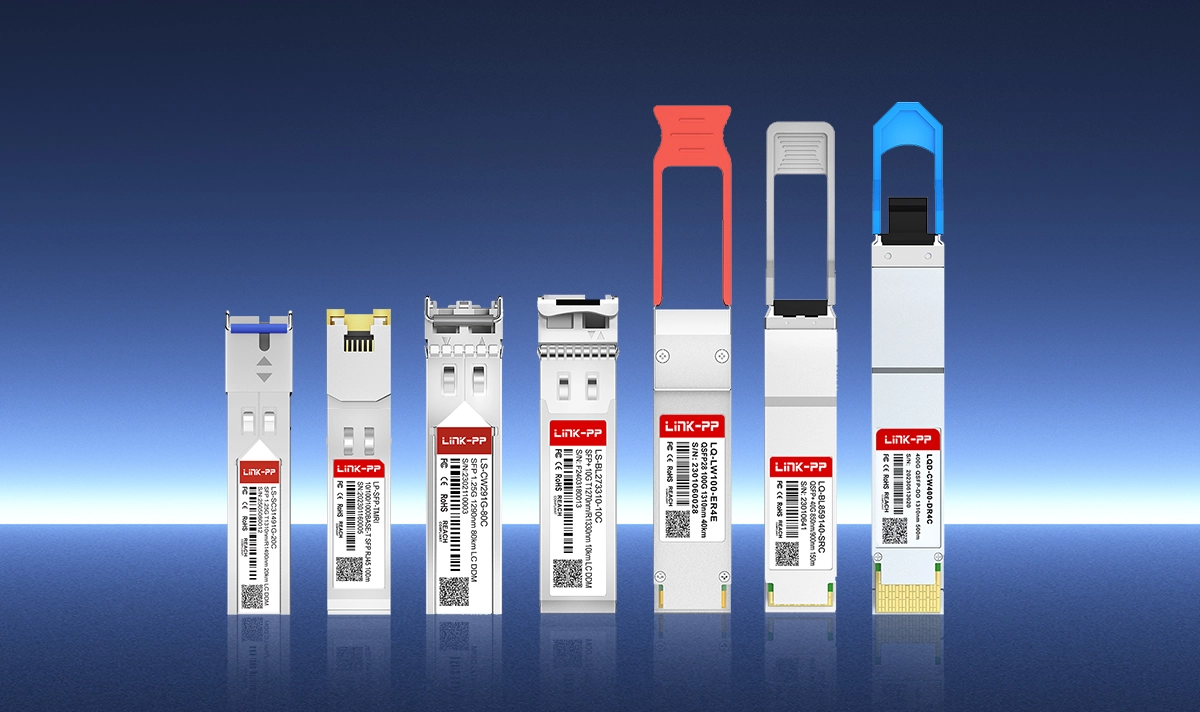
While SVIs handle logical routing, physical components like optical modules are the unsung heroes that enable high-speed data transmission over fiber optics. In networks using SVI for inter-VLAN routing, optical modules (e.g., SFP, SFP+, QSFP) connect switches to other devices, ensuring reliable and fast connectivity across segments.
How Optical Modules Complement SVI:
High-Speed Links: Optical modules facilitate gigabit or 10-gigabit connections between switches, supporting the bandwidth demands of SVI-routed traffic.
Distance and Reliability: Fiber optics used with these modules offer longer distances and immunity to electromagnetic interference, ideal for data center networking.
Integration with SVI: In a typical setup, SVIs manage the logical routing, while optical modules handle the physical layer connectivity. For instance, a switch with SVI configurations might use optical modules to uplink to a core router or connect to other switches in a stack.
LINK-PP Optical Modules for Enhanced Performance:
For networks relying on SVI, using reliable optical modules is critical. LINK-PP, a trusted brand in networking hardware, offers a range of high-performance transceivers. One standout model is the LINK-PP SFP-10G-SR, a 10GBASE-SR optical module designed for short-range multimode fiber connections. This module is perfect for high-density switching environments where SVIs are deployed, as it ensures low latency and high throughput, seamlessly integrating with SVI-based routing for scalable infrastructure.
Key features of the LINK-PP SFP-10G-SR:
Supports data rates up to 10 Gbps.
Compatible with major switch vendors.
Low power consumption and hot-swappable.
Ideal for enterprise networks and data centers using SVI.
➤ Conclusion
In summary, SVI (Switched Virtual Interface) is a powerful tool in networking that enables efficient inter-VLAN routing within multilayer switches. By understanding its workings, benefits, and best practices, you can design networks that are scalable, secure, and high-performing. Remember, SVI is just one part of the puzzle—pairing it with quality hardware, such as LINK-PP optical transceivers, ensures a robust infrastructure capable of meeting modern demands.
Whether you're optimizing an existing network or planning a new one, leveraging SVI can simplify management and enhance connectivity. For more insights on network configuration and hardware solutions, explore our blog or contact experts in the field.
➤ FAQ
What is the main purpose of an SVI?
You use an SVI to give a VLAN an IP address. This lets devices in that VLAN talk to other networks. The SVI acts as a gateway for the VLAN.
What happens if you do not configure an SVI?
Devices in different VLANs cannot communicate with each other. The switch cannot route traffic between VLANs without an SVI.
What is the difference between an SVI and a VLAN?
A VLAN splits your network into groups. An SVI gives that group an IP address and lets it send data to other networks. You need both for full network control.
What should you check before creating an SVI?
Make sure the VLAN exists on your switch. If the VLAN does not exist, the SVI will not work. Always verify VLAN setup first.
What is a common use case for SVIs?
You often use SVIs in schools or offices. Each department or group gets a VLAN. The SVI lets these groups share resources and connect to the internet.



