


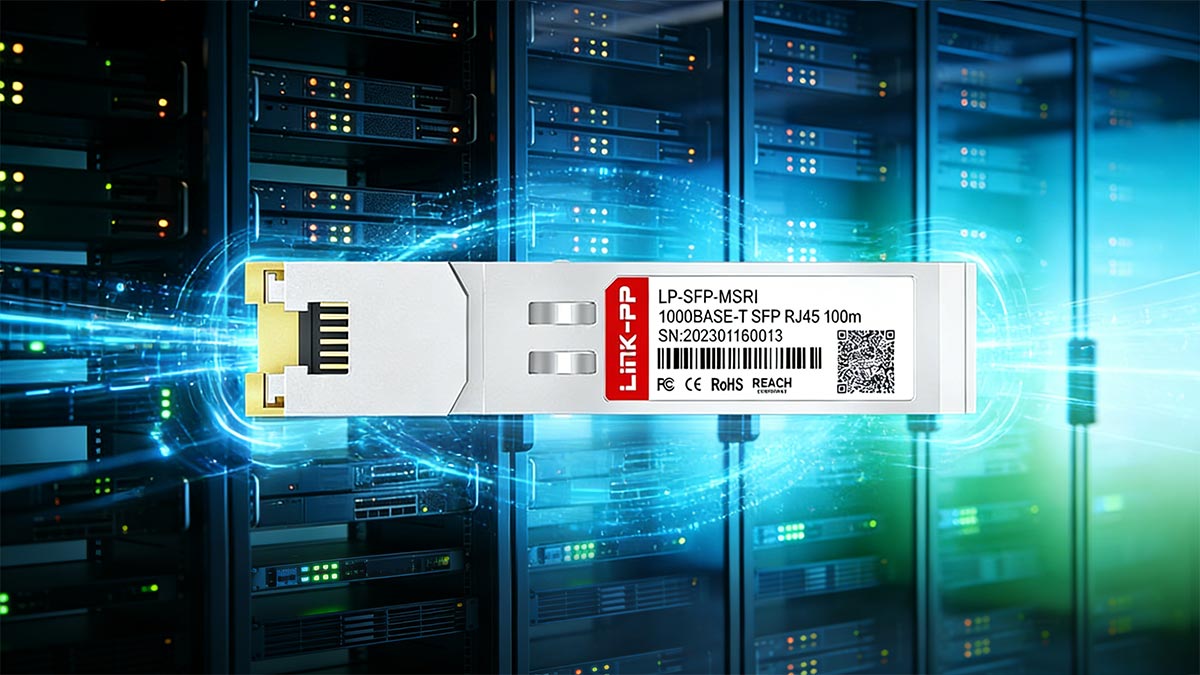
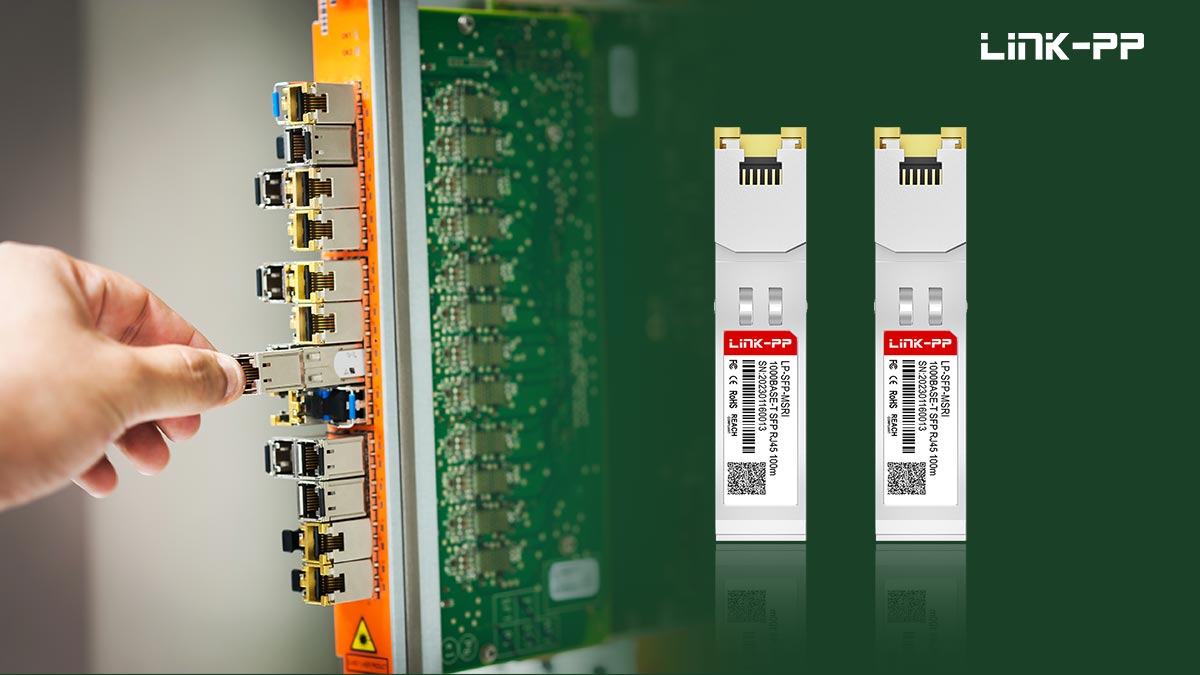
The 1000BASE-T Copper SFP is a Gigabit Ethernet transceiver that allows an SFP port to connect directly to standard twisted-pair Ethernet cabling through an RJ45 interface. Instead of using optical fiber, this module enables network devices such as switches, routers, and firewalls to transmit 1 Gbps Ethernet over Cat5e or Cat6 copper cables up to 100 meters, following the Institute of Electrical and Electronics Engineers 802.3ab standard.
Unlike traditional optical SFP modules, a copper SFP contains an integrated Ethernet PHY that converts the host device’s 1000BASE-X serial interface into a 1000BASE-T copper Ethernet signal. This internal conversion allows engineers to use existing structured cabling infrastructure while maintaining the flexibility of modular SFP ports.
Because of this design, RJ45 SFP modules are widely used when fiber is unnecessary or unavailable, such as connecting access switches, extending Ethernet ports, or integrating legacy copper networks with fiber-capable equipment. However, copper SFP modules also have distinct characteristics—including higher power consumption, additional heat generation, and specific compatibility considerations—that network engineers should understand before deployment.
In this guide, we will explain how 1000BASE-T Copper SFP modules work, when they should be used instead of fiber optics, and how to select compatible modules for enterprise and data-center networks. You will also learn the most common troubleshooting scenarios and best practices for reliable RJ45 SFP deployment.
✅ What Is a 1000BASE-T Copper SFP? Definition and How It Works
A 1000BASE-T Copper SFP is a Gigabit Ethernet transceiver that enables an SFP port to connect directly to twisted-pair Ethernet cables through an RJ45 interface. Unlike optical SFP modules that transmit data over fiber, a copper SFP allows network equipment—such as switches, routers, and firewalls—to communicate over standard Cat5e or Cat6 copper cabling while maintaining the modular flexibility of the SFP form factor.
The module operates according to the IEEE 802.3ab specification for 1000BASE-T Gigabit Ethernet, which supports 1 Gbps data transmission over copper cables up to 100 meters. The physical form factor and electrical interface of the module follow specifications defined by the Small Form Factor Committee, ensuring compatibility with standard SFP ports used in enterprise and data-center networking equipment.
RJ45 Interface and Ethernet Cabling
The most visible feature of a copper SFP module is its RJ45 Ethernet port, which accepts standard twisted-pair network cables. This design allows engineers to use widely deployed Ethernet infrastructure such as:
Cat5e
Cat6
Cat6a
Instead of installing new fiber links, organizations can integrate existing copper cabling into switches that primarily provide SFP uplink ports.
Internal PHY and Signal Processing
Inside the module is a Gigabit Ethernet PHY (Physical Layer transceiver) responsible for handling the complex signal processing required for copper Ethernet communication. This integrated PHY performs several critical functions:
Auto-negotiation of link speed and duplex
Signal encoding and decoding
Echo cancellation and crosstalk compensation
Error detection and link management
Because of this integrated processing hardware, copper SFP modules typically consume more power and generate more heat than Fiber SFP modules.
Media Conversion: 1000BASE-X to 1000BASE-T
A key function of the module is media conversion between two different Ethernet interfaces.
The host device’s SFP slot communicates using a 1000BASE-X serial interface.
The copper cable requires a 1000BASE-T electrical Ethernet interface.
The copper SFP therefore acts as a miniature media converter, translating signals between these two standards internally.
In simplified terms, the signal flow works as follows:
The switch sends a 1000BASE-X serial data stream to the SFP cage.
The copper SFP’s internal PHY converts this signal into 1000BASE-T electrical Ethernet signaling.
The converted signal is transmitted through the RJ45 port to the copper Ethernet cable.
Incoming signals from the cable are converted back into 1000BASE-X for the switch.
This internal conversion process is why many network engineers describe copper SFP modules as “a media converter inside an SFP form factor.”
Why Copper SFP Modules Exist
Copper SFP modules are designed to provide deployment flexibility in networks where fiber connectivity is not required or where existing copper infrastructure must be reused. Instead of replacing switches or adding external media converters, administrators can simply install a copper SFP module in an available SFP port to enable Gigabit Ethernet connectivity over standard RJ45 cables.
In the next section, we will explore how RJ45 SFP modules function inside an SFP port and why their internal architecture differs from traditional optical transceivers.
✅ How RJ45 SFP Modules Work Inside an SFP Port
Although a 1000BASE-T Copper SFP looks similar to an optical transceiver externally, its internal architecture is significantly different. Instead of using a laser and photodiode for optical transmission, an RJ45 SFP module contains an integrated Ethernet PHY and digital signal processing logic that allows the SFP port to communicate with standard twisted-pair Ethernet cabling.
Understanding how this works requires looking at the interaction between three key components: the SFP host interface (SERDES), the internal PHY chip, and the copper Ethernet signaling system.
SFP Host Interface and SERDES Communication
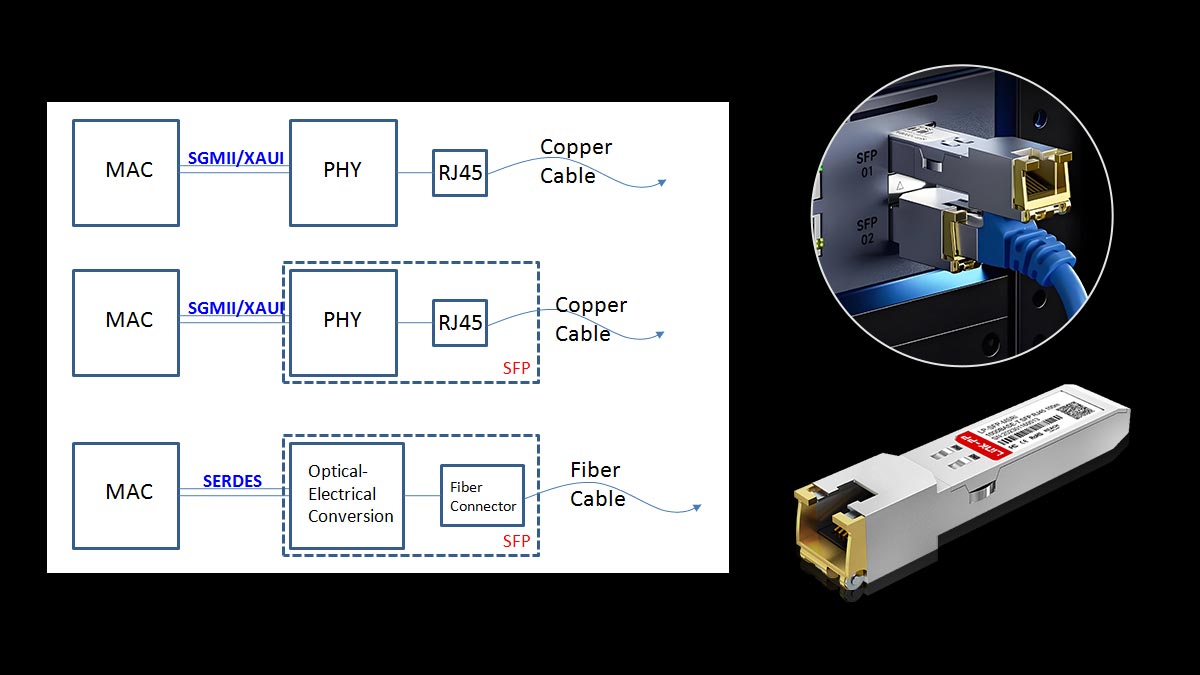
Inside a switch or router, the SFP cage communicates with the host device through a high-speed serial interface known as SERDES (Serializer/Deserializer). This interface typically operates using the 1000BASE-X protocol, which carries Gigabit Ethernet data as a serial bitstream.
In an optical module, this serial data is directly converted into optical signals. In a copper SFP module, however, the signal must first be converted into the electrical format used by Ethernet over twisted-pair cables.
The SERDES interface therefore provides the input and output data stream between the switch ASIC and the SFP module.
Internal PHY Chip
At the core of an RJ45 SFP module is a Gigabit Ethernet PHY chip. This chip performs the complex signal processing required for copper Ethernet communication, including:
Encoding and decoding Ethernet frames
Clock recovery and signal equalization
Echo cancellation and crosstalk mitigation
Link detection and error correction
Because copper Ethernet signaling is far more complex than optical signaling, the PHY requires significant processing capability. This is one reason why copper SFP modules typically consume more power and generate more heat than optical SFP modules.
Auto-Negotiation and Link Configuration
Another essential function performed by the PHY is auto-negotiation, which allows the module to determine the optimal link configuration with the connected device.
During link initialization, the PHY exchanges capability information with the remote Ethernet device to determine:
Supported speeds (10 / 100 / 1000 Mbps depending on module design)
Duplex mode
Flow control capabilities
Once negotiation is complete, the PHY configures the electrical signaling parameters to establish a stable Gigabit Ethernet link over the copper cable.
Signal Conversion: From 1000BASE-X to 1000BASE-T
The most important technical function of a copper SFP module is signal conversion between two different Ethernet standards.
Inside the module, the PHY translates signals between:
1000BASE-X (used internally by the SFP host interface)
1000BASE-T (used by twisted-pair Ethernet cabling)
The process can be summarized as follows:
The switch ASIC sends a 1000BASE-X serial data stream through the SFP interface.
The copper SFP’s internal PHY converts the serial signal into 1000BASE-T electrical signaling.
The converted signal is transmitted through the RJ45 connector to the Ethernet cable.
Incoming signals from the cable are converted back to 1000BASE-X before being delivered to the switch.
This conversion process allows a device designed for fiber-based SFP modules to communicate seamlessly with copper Ethernet infrastructure.
Why Engineers Call Copper SFP a “Mini Media Converter”
Because the module performs both protocol conversion and physical media conversion, many network engineers describe a copper SFP as essentially a miniature media converter integrated inside the SFP form factor.
Instead of using an external device such as:
Fiber port → external media converter → RJ45 Ethernet
a copper SFP performs the same conversion internally:
SFP port → internal PHY conversion → RJ45 Ethernet
This design provides a compact and flexible way to integrate existing copper
Ethernet infrastructure with switches that primarily use SFP uplink ports.
In the next section, we will compare Copper SFP and Fiber SFP modules in terms of performance, power consumption, and typical deployment scenarios.
✅ Copper SFP vs. Fiber SFP: Performance, Power, and Use Cases
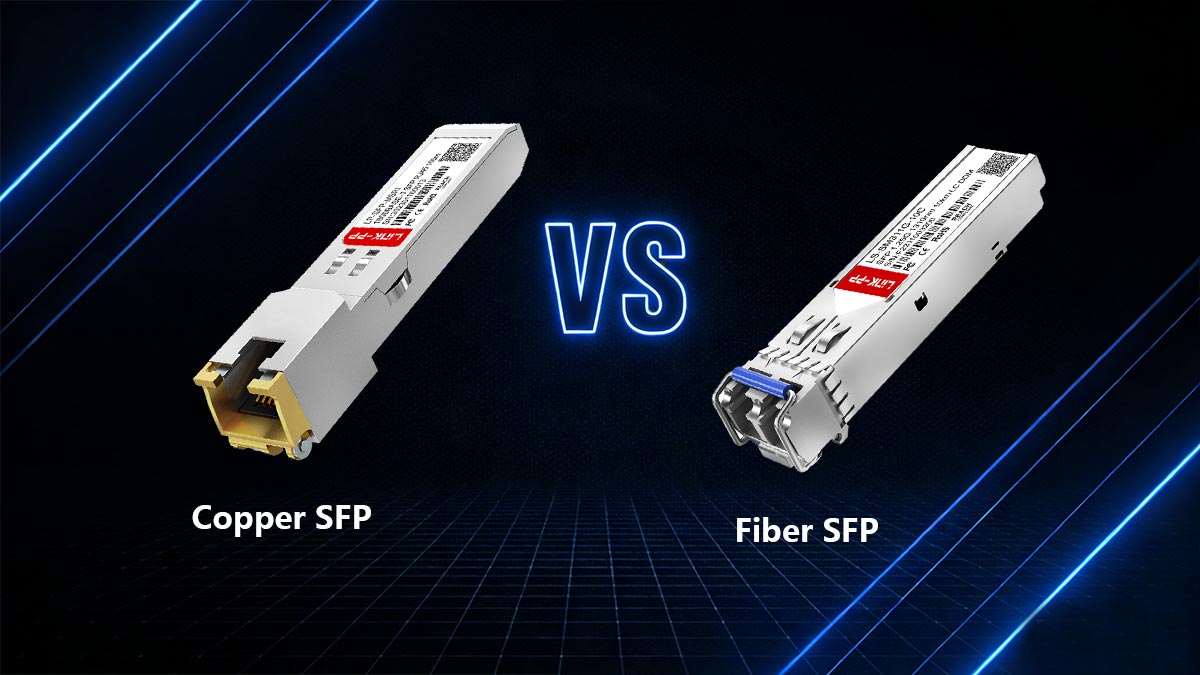
Both Copper SFP modules and Fiber SFP modules provide Gigabit Ethernet connectivity through the same SFP form factor, but they rely on very different transmission technologies. Copper SFP modules use twisted-pair Ethernet cables with an RJ45 connector, while fiber SFP modules transmit data through optical fiber using laser-based optical signaling.
Understanding the differences between these two transceiver types is important when designing or upgrading enterprise and data-center networks.
Key Technical Differences
Feature | ||
|---|---|---|
Medium | Cat5e / Cat6 copper cable | Multimode fiber (MMF) or single-mode fiber (SMF) |
Distance | Up to 100 m | Up to 80 km depending on optical module |
Power Consumption | Higher (due to integrated PHY) | Lower |
Latency | Slightly higher | Lower |
These differences originate from how Ethernet signals are transmitted. Copper Ethernet requires complex digital signal processing to compensate for noise, crosstalk, and signal attenuation in twisted-pair cables. Optical transceivers, by contrast, convert electrical signals directly into light and transmit them through fiber with much lower interference.
Performance Considerations
From a pure performance perspective, fiber SFP modules generally provide better efficiency and scalability. Optical transmission supports much longer distances and typically introduces lower latency because fewer signal processing steps are required.
Copper SFP modules also consume more power because they contain an integrated Ethernet PHY responsible for signal encoding, error correction, and echo cancellation. As a result, these modules often generate more heat compared with standard optical SFP modules.
Typical Deployment Scenarios
Despite these differences, copper SFP Transceiver remains useful in several networking scenarios:
Copper SFP is commonly used when:
Existing Ethernet copper infrastructure must be reused
Only short-distance connections (≤100 m) are required
A switch provides SFP ports but no available RJ45 ports
Temporary or lab network setups are needed
Fiber SFP is preferred when:
Network links must span long distances
Higher port density and lower power consumption are required
The environment requires electromagnetic interference immunity
Data center or backbone network connections are involved
Community Insights From Network Engineers
In discussions among engineers in networking communities, copper SFP modules are often described as convenient but situational tools rather than the primary choice for high-performance networks.
Many engineers note that copper SFP modules are particularly helpful when a device has an unused SFP slot but no available RJ45 ports. In such cases, installing a copper SFP module effectively adds an extra Ethernet port without requiring additional hardware.
However, engineers also point out several trade-offs:
Higher power consumption compared with optical SFP modules
Additional heat generation in high-density switch environments
Slightly higher latency due to internal signal conversion
For these reasons, fiber SFP modules are generally preferred for core networks and high-density switching, while copper SFP modules are often used for access-layer connectivity or short-distance integration with existing Ethernet cabling.
In the next section, we will explore the most common use cases for 1000BASE-T Copper SFP modules and when they provide the greatest practical advantage in real network deployments.
✅ Common Use Cases for 1000BASE-T Copper SFP Modules
Although fiber SFP modules dominate long-distance and high-performance networks, 1G Copper SFP modules remain extremely useful in practical network operations, especially when integrating existing Ethernet infrastructure with SFP-based devices.
Because these modules provide an RJ45 interface inside an SFP form factor, they allow engineers to extend copper Ethernet connectivity without changing the underlying switch hardware.
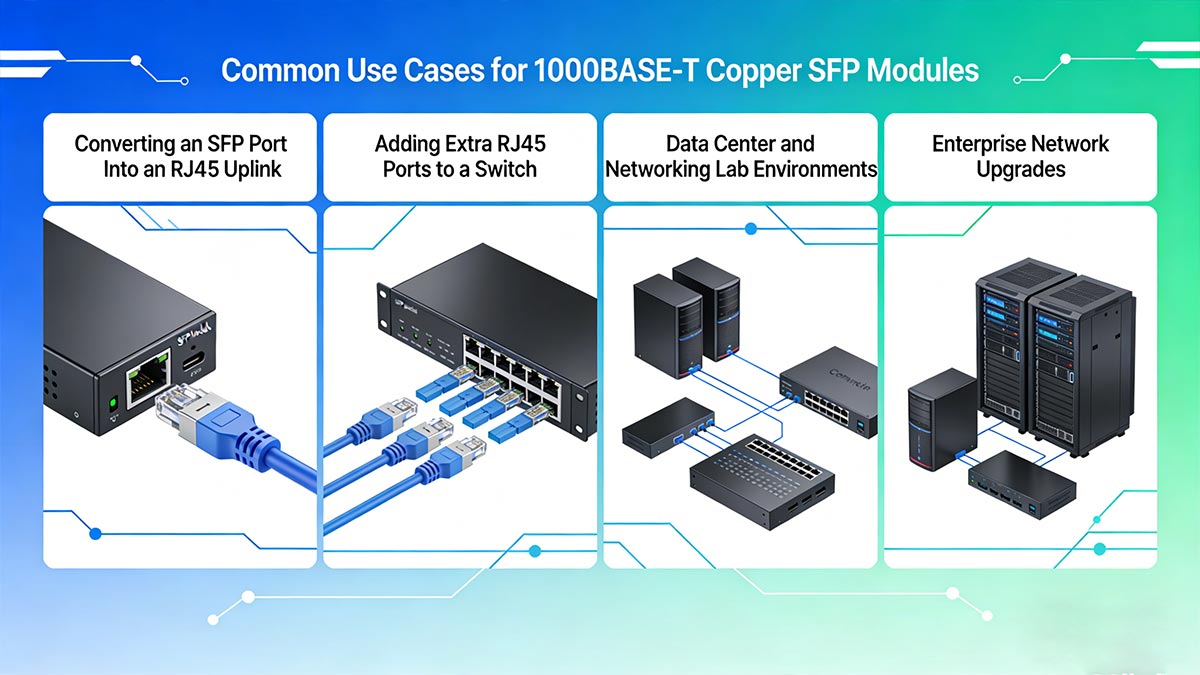
Below are some of the most common real-world deployment scenarios.
♦ Converting an SFP Port Into an RJ45 Uplink
Many enterprise and campus switches include SFP uplink ports designed primarily for fiber connections. However, some environments still rely heavily on copper Ethernet cabling.
A 1000BASE-T SFP module allows the SFP port to function as a standard RJ45 Ethernet port, enabling direct connection to copper infrastructure such as:
Access switches
Firewall appliances
Structured building cabling
This is especially helpful in enterprise networks migrating gradually from copper to fiber, where both media types must coexist.
♦ Adding Extra RJ45 Ports to a Switch
One of the most common use cases is expanding the number of available copper Ethernet ports on a switch.
Many switches include:
24 or 48 RJ45 ports
Plus 2–4 SFP uplink slots
If all RJ45 ports are already used, installing a Copper SFP module instantly converts the SFP slot into an additional Gigabit RJ45 interface.
This is often the simplest way to add one or two extra Ethernet ports without installing another switch.
♦ Data Center and Networking Lab Environments
Copper SFP modules are widely used in network testing labs and development environments.
In lab scenarios engineers frequently:
Connect switches, servers, and test devices using mixed interfaces
Reconfigure connections quickly during troubleshooting
Work with devices that support SFP but not dedicated RJ45 ports
Using a Copper SFP avoids the need for additional media converters and simplifies the test topology.
♦ Enterprise Network Upgrades
During enterprise network upgrades, many organizations gradually transition from copper to fiber.
However, legacy equipment may still require RJ45 connectivity. Copper SFP modules make it possible to:
Connect older Ethernet devices to modern SFP-based switches
Extend network life cycles during migration phases
Maintain compatibility with existing Cat5e/Cat6 infrastructure
This approach helps organizations avoid replacing large amounts of cabling during network modernization projects.
Real-World Scenario From Network Engineers
In networking communities and engineering discussions, a very common practical situation appears repeatedly:
“I had a switch with all RJ45 ports used, but there was an empty SFP slot. A copper SFP gave me the extra Ethernet port I needed.”
This scenario highlights the main advantage of 1G RJ45 SFP modules: flexibility.
Instead of purchasing additional switching hardware, engineers can use an existing SFP slot to quickly add a copper connection, saving both cost and deployment time.
✅ Common Problems With Copper SFP Modules (And How to Fix Them)
While 1000BASE-T Copper SFP modules are convenient for adding RJ45 connectivity to an SFP port, they behave differently from optical transceivers. Because they contain an integrated Ethernet PHY and digital signal processing, they may occasionally introduce issues related to power, compatibility, or link negotiation.
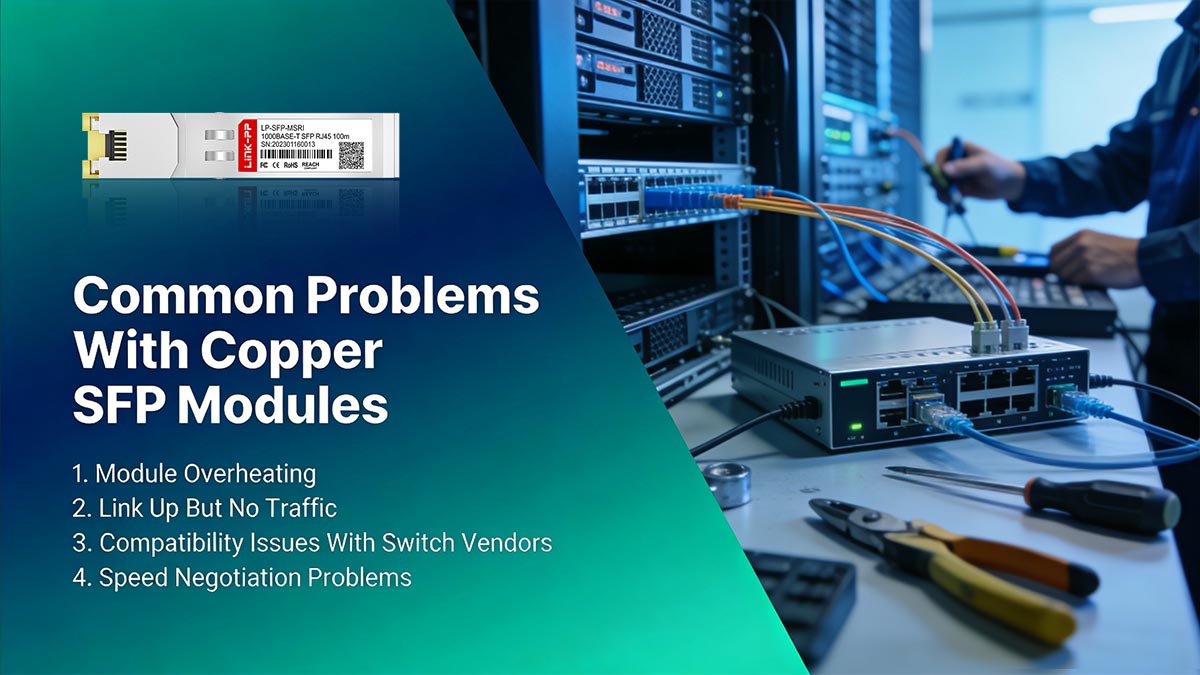
Below are the most common problems network engineers encounter—and how to troubleshoot them quickly.
1. Module Overheating
Symptom
The Copper SFP module becomes noticeably hot
Switch logs show temperature warnings
Link instability occurs after prolonged operation
Why It Happens
Copper SFP modules include a built-in Ethernet PHY and signal processing circuitry. This makes them consume more power than fiber SFP modules, typically around 1–2.5 W, which can generate additional heat inside high-density switches.
How to Fix It
Step-by-step troubleshooting:
Verify the switch supports 1000BASE-T SFP module.
Check the switch airflow and cooling.
Avoid installing copper SFPs in adjacent high-power SFP slots if possible.
Use shorter copper cables when possible.
Consider switching to fiber optical modules for permanent links.
2. Link Up But No Traffic
Symptom
The port LED shows link up
However, no packets are transmitted or received
Possible Causes
VLAN misconfiguration
Duplex mismatch
Switch port security settings
Faulty Ethernet cable
How to Fix It
Step-by-step troubleshooting:
Verify VLAN configuration on both connected devices.
Check port statistics using switch commands (example):
show interface status
show interface counters
Confirm both devices support Gigabit Ethernet.
Replace the Ethernet cable with a tested Cat5e or Cat6 cable.
Disable and re-enable the port to reset negotiation.
3. Compatibility Issues With Switch Vendors
Symptom
The switch reports “unsupported transceiver”
The SFP module is detected but link does not activate
Why It Happens
Some switch vendors implement vendor ID checks in SFP EEPROM memory. If the module does not match the approved vendor list, the switch may block the interface.
How to Fix It
Verify the module supports the target switch model.
Check whether the switch allows third-party optics.
Update switch firmware if compatibility issues appear.
Use vendor-coded or programmable SFP modules.
4. Speed Negotiation Problems
Symptom
Link fails to establish
Link repeatedly drops
Device connects at 100 Mbps instead of 1 Gbps
Why It Happens
Copper Ethernet relies on auto-negotiation to determine speed and duplex settings. Poor cabling or incompatible port configurations may prevent successful negotiation.
How to Fix It
Step-by-step troubleshooting:
Verify both ports support auto-negotiation.
Ensure the Ethernet cable is Cat5e or higher.
Check cable length (should not exceed 100 meters).
Manually set speed if necessary:
interface gi1/0/1
speed 1000
duplex full
Test with a different switch port.
Quick Copper SFP Troubleshooting Checklist
For quick diagnostics, network engineers often follow this checklist:
Confirm switch compatibility with copper SFP modules
Use Cat5e/Cat6 cables under 100 m
Check auto-negotiation settings
Monitor temperature and power consumption
Verify VLAN and port configuration
Following these steps resolves most Copper SFP issues within minutes.
In the next section, we will answer the most common engineer and buyer questions about 1000BASE-T SFP modules, including compatibility, power consumption, and when they should (or should not) be used in modern networks.
✅ How to Choose the Right 1000BASE-T Copper SFP Module
Selecting the correct 1000BASE-T Copper SFP module requires more than simply matching an RJ45 connector. Because copper SFPs contain an integrated Ethernet PHY and consume more power than optical modules, engineers must verify cabling, switch compatibility, and power budget before deployment.
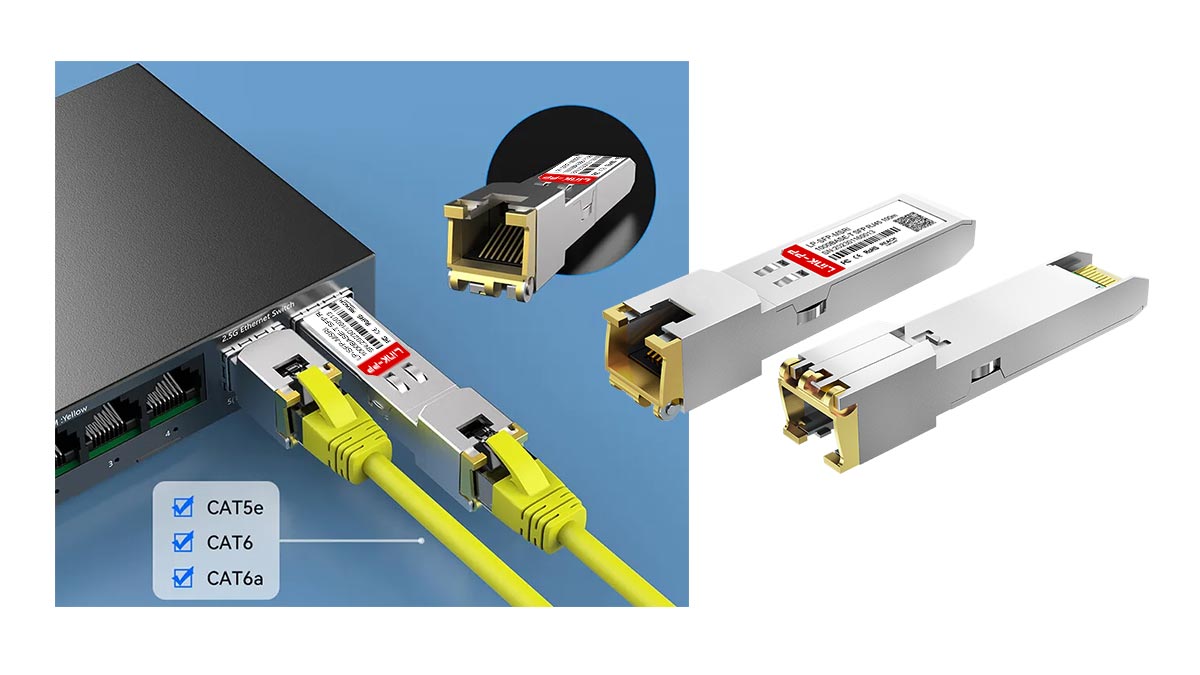
The following factors help ensure reliable operation in enterprise and data-center networks.
Key Selection Factors
Factor | Recommendation |
|---|---|
Cable Type | Use Cat5e or Cat6 Ethernet cable to support stable Gigabit speeds |
Distance | Maximum ≤100 meters according to Ethernet standards |
Switch Compatibility | Verify module EEPROM compatibility with the target switch |
Power Budget | Ensure the SFP port supports higher power consumption of copper modules |
▶ Verify Cable Quality and Category
RJ45 Copper SFP modules rely on standard twisted-pair Ethernet cabling. To achieve stable Gigabit Ethernet performance, the cable should meet at least:
Cat5e (minimum requirement for 1G Ethernet)
Cat6 (recommended for improved signal integrity)
Lower-grade cables or damaged connectors can lead to speed negotiation failures or packet loss.
▶ Check Maximum Link Distance
According to the 1000BASE-T Ethernet specification defined by the Institute of Electrical and Electronics Engineers, copper Ethernet links support a maximum transmission distance of 100 meters over twisted-pair cabling.
When links exceed this length, signal attenuation and interference may cause:
Link instability
Reduced speed negotiation
Intermittent packet loss
If the required distance is greater than 100 m, fiber SFP modules are typically the better solution.
▶ Confirm Switch Compatibility
Some switches enforce strict SFP vendor compatibility checks through the module’s EEPROM identification data.
Before purchasing a copper SFP module, verify:
The switch model supports 1000BASE-T transceiver
The module firmware is coded for the target switch vendor
The network operating system allows third-party optics
Incompatibility may result in errors such as:
“Unsupported transceiver”
Port disabled
Link failing to initialize
▶ Evaluate the SFP Port Power Budget
Copper SFP modules require more electrical power than optical SFP modules because of the integrated PHY chip and signal processing components.
Typical consumption ranges between 1 W and 2.5 W, which is significantly higher than many fiber SFP modules.
Therefore, engineers should verify:
The switch SFP slot supports higher power modules
Adequate cooling and airflow are available
High-density deployments do not exceed the switch power envelope
Quick 1000BASE-T Copper SFP Deployment Checklist
Before deploying a 1000BASE-T Copper SFP, confirm the following:
Cable is Cat5e or Cat6
Cable length is ≤100 m
Module is compatible with the switch vendor
SFP slot supports higher power consumption
Network port configuration allows auto-negotiation
Following these guidelines helps ensure stable copper Ethernet connectivity through SFP interfaces, especially in enterprise access networks and hybrid fiber-copper environments.
In the next section, we will examine an important practical topic for network administrators: compatibility between third-party Copper SFP modules and major switch vendors, including potential vendor lock-in and how to verify module support before deployment.
✅ Third-Party Copper SFP Compatibility and Vendor Lock-In
When deploying 1000BASE-T Copper SFP modules, engineers often face questions about compatibility with different switch vendors and the potential implications for warranties or support.
Cisco-Compatible Copper SFP Modules
Many network professionals rely on Cisco-compatible SFP modules for enterprise deployments. These modules are tested to work with Cisco switches without triggering:
“Unsupported transceiver” warnings
Link negotiation failures
Firmware restrictions
Using a Cisco-compatible module ensures that the EEPROM identification and vendor coding match the switch’s expected profile, allowing the device to operate at full 1 Gbps speed.
OEM vs. Compatible Optics
Copper SFP modules come in two categories:
OEM (Original Equipment Manufacturer) Modules
Manufactured by the switch vendor
Guaranteed compatibility and warranty support
Higher price point
Third-Party Compatible Modules
Produced by independent manufacturers
Often significantly cheaper
Can function fully if EEPROM and firmware coding match the switch vendor requirements
Recommendation: Verify that the third-party module explicitly lists compatibility with your switch model to avoid unexpected link issues or warranty conflicts.
EEPROM Coding
Every SFP module contains EEPROM (Electrically Erasable Programmable Read-Only Memory) that stores critical information, including:
Vendor name and ID
Supported speed and duplex
Media type (copper/fiber)
Power consumption
Switches read this data on insertion to determine whether the module is allowed to activate. If the EEPROM does not match the expected vendor profile, the module may:
Fail to establish a link
Be blocked by the switch
Trigger system warnings
Many third-party SFP manufacturers provide vendor-coded EEPROMs to ensure seamless compatibility with Cisco, Juniper, MikroTik, or other vendors.
Firmware Restrictions and Best Practices
Some switches implement firmware-level checks that restrict the use of non-OEM SFP modules. To prevent operational issues:
Check vendor documentation for approved transceivers.
Update switch firmware to the latest version, as some firmware releases improve support for third-party optics.
Test modules in a lab environment before deploying in production.
Keep a compatibility matrix of all switches and SFP modules in your network.
By following these best practices, organizations can benefit from cost-effective third-party SFP modules while maintaining network reliability and staying compliant with vendor recommendations.
In the next section, we will answer the most common FAQs about 1000BASE-T Copper SFP modules, including compatibility, performance limitations, and when engineers should choose copper SFPs instead of fiber optics.
✅ FAQs About 1000BASE-T Copper SFP Modules
Q1: What is a copper SFP?
A: A copper SFP is a 1000BASE-T transceiver module that allows an SFP port to connect directly to twisted-pair Ethernet cables through an RJ45 connector, enabling Gigabit Ethernet over copper.
Q2: Can SFP use RJ45?
A: Yes. Copper SFP modules provide an RJ45 interface, converting the SFP’s serial 1000BASE-X signal to 1000BASE-T for copper Ethernet connections.
Q3: Why do copper SFP modules run hot?
A: Copper SFPs include an integrated Ethernet PHY that handles signal encoding, auto-negotiation, and error correction. This extra processing consumes more power and generates heat compared with optical SFPs.
Q4: Are copper SFP modules reliable?
A: When used with compatible switches and proper cabling, copper SFP modules are reliable for distances up to 100 meters. Issues can arise from incompatible switches, poor cables, or exceeded distance limits.
Q5: Can you use Cat6 with SFP?
A: Yes. Cat6 cables are recommended for copper SFP connections to ensure stable Gigabit performance. Cat5e cables are also supported for short-distance links.
✅ Conclusion: When to Use 1000BASE-T Copper SFP in Modern Networks
1000BASE-T Copper SFP modules provide a flexible, cost-effective solution for integrating existing Ethernet cabling into modern SFP-based switches. They are ideal for short-distance connections up to 100 meters, such as:
Adding an extra RJ45 port to a switch
Converting an SFP uplink to copper for legacy devices
Lab networks and temporary deployments
However, copper SFPs are not recommended for high-density or high-speed core networks, where fiber SFP modules offer lower latency, lower power consumption, and longer reach. Their higher power draw and heat generation make them less suitable for densely populated switch environments.
For reliable deployment, always verify switch compatibility and power budget before installation. Engineers and network planners can find LINK-PP Official Store for:
Compatible 1000BASE-T Copper SFP modules
Datasheet downloads for technical specifications
Technical support for configuration and troubleshooting
Using copper SFP modules appropriately ensures seamless integration with existing infrastructure while maintaining network reliability and flexibility.



