


The Electrical SFP transceiver is a compact, hot-swappable network module widely used in data communications and telecommunications. Unlike optical SFP modules, which transmit data over fiber using light, electrical SFPs utilize copper interfaces—typically via RJ45 connectors—to transmit data signals electrically over twisted-pair copper cabling. They are available in various standards, including 1000BASE-T for gigabit Ethernet and 10GBASE-T for 10 Gbps applications, supporting distances up to 100 meters for Cat5e/Cat6 cabling in 1 Gbps deployments and up to 30–55 meters at 10 Gbps depending on cable quality.
Electrical SFP transceivers offer the advantage of seamless integration into existing copper infrastructures, enabling cost-effective upgrades without the need for fiber installation. However, their deployment comes with considerations such as higher power consumption compared to fiber SFPs, potential thermal issues under continuous high-speed operation, and susceptibility to electromagnetic interference (EMI) over long runs. Understanding these modules’ specifications, operational limitations, and compatibility with different network switches is critical for network engineers aiming to optimize performance and reliability.
This guide provides a comprehensive overview of electrical SFP modules, covering their definition, advantages and disadvantages, performance comparisons with optical SFPs, practical deployment instructions, troubleshooting strategies, and compatibility insights. By the end of this article, readers will be equipped with the technical knowledge necessary to select, deploy, and maintain electrical SFP modules effectively.
↪️ Definition and Overview of Electrical SFP
This section provides a technical foundation for understanding electrical SFP transceivers, their standards, operational parameters, and real-world deployment considerations, forming the basis for subsequent sections on advantages, comparisons, and practical usage.
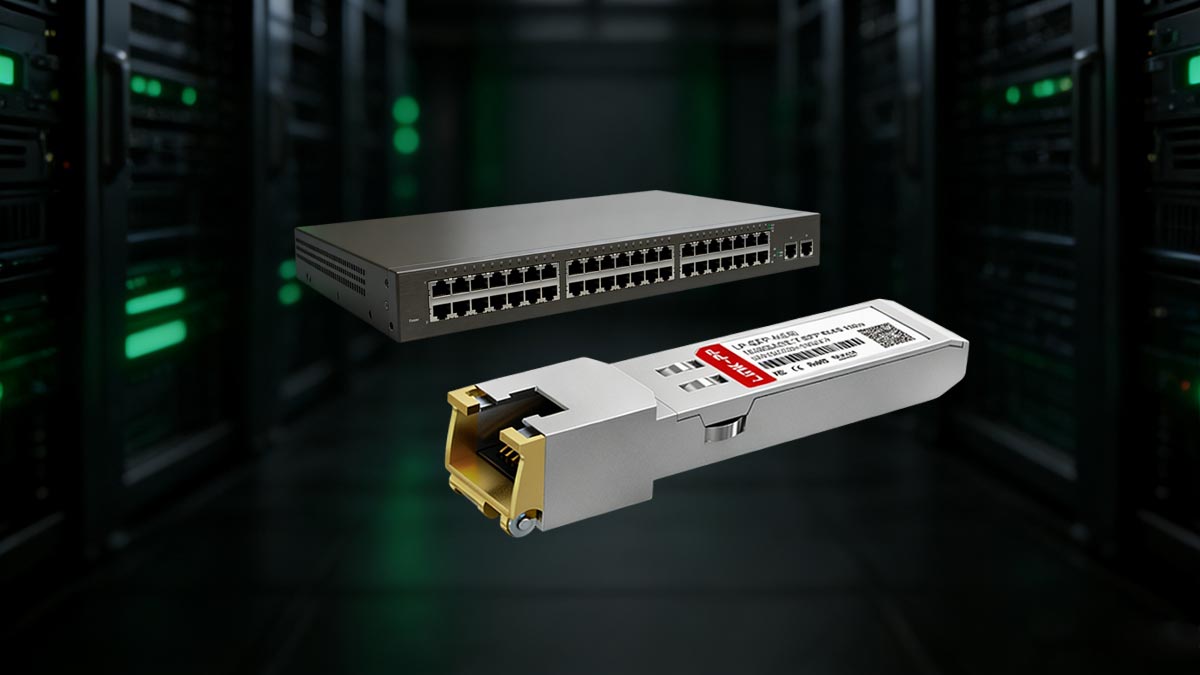
What Is Electrical SFP Transceiver
An Electrical Small Form-factor Pluggable (SFP) transceiver is a modular device designed to interface network equipment, such as switches and routers, with copper cabling for data transmission. Unlike fiber-optic SFPs that rely on light signals, electrical SFPs transmit data electrically over twisted-pair copper cabling, typically using RJ45 connectors. This allows for direct integration with standard Ethernet networks without the need for fiber infrastructure.
Electrical SFPs conform to established Ethernet standards, most commonly:
1000BASE-T: Supports 1 Gbps over Cat5e or higher cabling up to 100 meters.
10GBASE-T: Supports 10 Gbps over Cat6a or Cat7 cabling up to 30–55 meters, depending on cable quality and environmental conditions.
These transceivers are hot-swappable, meaning they can be inserted or removed from network equipment without shutting down the system. They are designed to meet the SFF-8431 and SFF-8432 specifications, ensuring compatibility across multiple vendors’ equipment. Electrical SFP modules also typically consume more power than their optical counterparts, with typical 10GBASE-T modules drawing between 2.5–4.5 W per port.
The primary advantages of electrical SFPs include:
Cost-effectiveness: Lower upfront costs when upgrading existing copper networks.
Ease of deployment: Utilizes pre-installed cabling, avoiding fiber installation.
Compatibility: Supports standard Ethernet protocols and can integrate seamlessly with multi-vendor switches that follow SFP MSA specifications.
However, network designers must account for limitations such as reduced maximum transmission distance at higher speeds, increased power and heat generation, and susceptibility to electromagnetic interference (EMI).
Electrical SFP Overview
Feature | Electrical SFP |
|---|---|
Interface | RJ45 / Copper |
Maximum Speed | 1 Gbps (some 10GBASE-T SFP+) |
Maximum Distance | Up to 100 m |
Medium | Copper Ethernet cable (Cat5e/6/6a) |
Typical Use | Enterprise LAN, top-of-rack, short-distance links |
Is Electrical SFP the Same as Copper SFP?
In most contexts, “Electrical SFP” and “Copper SFP” are used interchangeably, as both refer to SFP modules that transmit data electrically over copper cabling rather than using fiber optics. However, the term “Electrical SFP” emphasizes the transmission method, while “Copper SFP” emphasizes the physical medium (copper cable). Regardless of terminology, these modules function according to Ethernet standards and can support gigabit or multi-gigabit speeds depending on the specific module type and cabling.
In most contexts, Electrical SFP and Copper SFP are used interchangeably. Both refer to SFP modules that transmit electrical Ethernet signals over copper cabling.
Differences in Terminology:
Some vendors may differentiate Electrical SFP as a broader category, including both RJ45 and specialized copper interfaces.
Copper SFP usually refers specifically to RJ45 modules compatible with standard Ethernet cabling.
Practical Tip: When purchasing, check whether the module explicitly supports:
Your switch vendor (Cisco, Juniper, HP, etc.)
The required speed (1G, 10G)
The distance limitation (up to 100 m for copper)
↪️ Advantages and Disadvantages of Electrical SFP
Understanding the strengths and limitations of Electrical (Copper) SFP modules is essential for network engineers, IT managers, and data center operators. This helps in selecting the right transceiver for short-distance connectivity, cost efficiency, and legacy network integration.
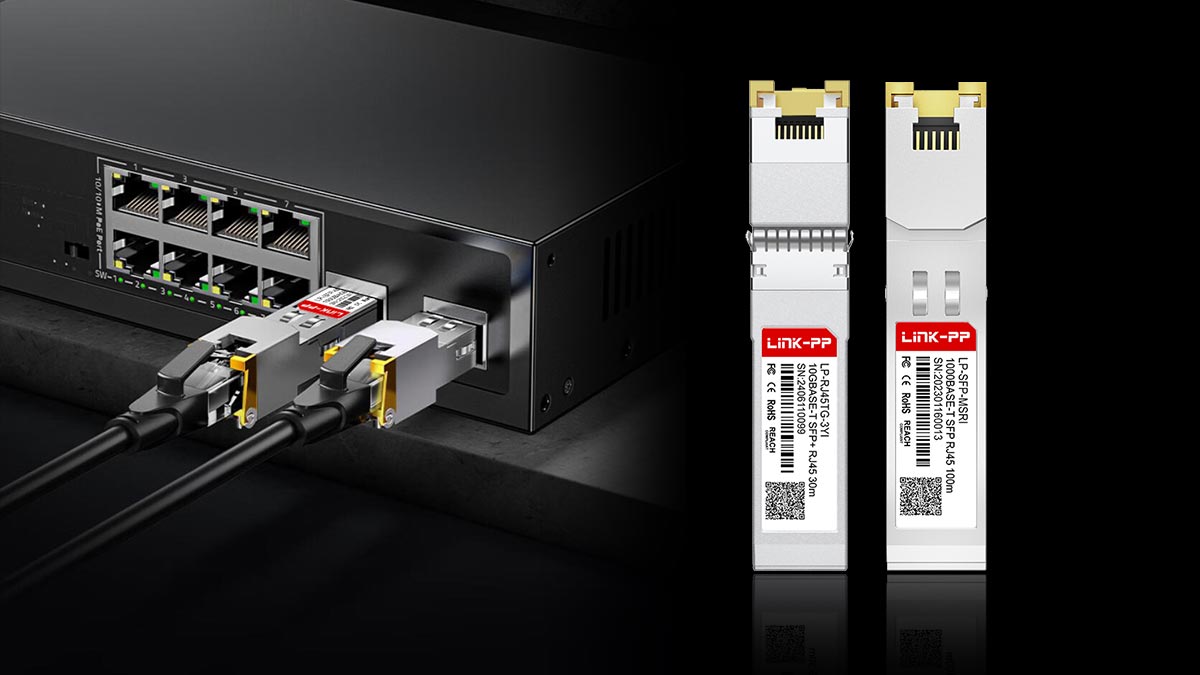
Advantages of Copper SFP Modules
Electrical (copper) SFP modules provide several operational and logistical advantages, particularly for organizations leveraging existing copper-based Ethernet infrastructure:
Cost-Effective Deployment: Copper SFPs eliminate the need for fiber cabling installation, reducing both material and labor costs.
Hot-Swappable Design: Modules can be inserted or removed without powering down switches, minimizing network downtime.
Wide Compatibility: Conformity to SFP Multi-Source Agreement (MSA) standards (SFF-8431/SFF-8432) ensures interoperability across multiple vendors.
Standard Ethernet Support: Electrical SFPs support widely used Ethernet standards:
1000BASE-T: 1 Gbps up to 100 meters over Cat5e/Cat6.
10GBASE-T: 10 Gbps up to 30–55 meters over Cat6a/Cat7, depending on cabling quality.
Simplified Maintenance: Troubleshooting is straightforward with standard copper testing tools and network analyzers.
Quick Advantages Table:
Advantage | Benefit |
|---|---|
Cost-effective | No fiber installation required |
Hot-swappable | Minimal downtime during upgrades |
Legacy compatible | Works with existing RJ45 infrastructure |
Easy deployment | Plug-and-play installation |
Short-distance reliability | Stable connectivity ≤100 m |
Limitations of Electrical SFP
Despite their advantages, copper SFPs present several technical limitations compared to optical SFPs:
Distance Limitation: Maximum transmission distances are significantly shorter than fiber SFPs, particularly at 10 Gbps speeds.
Power Consumption and Heat: Higher-speed copper SFPs (e.g., 10GBASE-T) draw more power (2.5–4.5 W per port) and may require additional thermal management.
Electromagnetic Interference (EMI): Copper cabling is more susceptible to EMI, potentially affecting signal integrity in electrically noisy environments.
Bandwidth Constraints: Performance may degrade over lower-grade cables or longer runs, limiting maximum achievable throughput.
Quick Limitations Table:
Limitation | Impact |
|---|---|
Distance | Not suitable for long-distance links |
Power consumption | Generates heat, requires ventilation |
EMI susceptibility | Signal interference possible |
Speed | Generally limited to 1 Gbps (some 10G) |
Common Performance Issues in Copper SFP Deployment
Network engineers should be aware of typical issues when deploying copper SFPs:
Thermal Throttling: Excessive heat may force switches to reduce speed or disable ports temporarily.
Cabling Quality Impact: Substandard or damaged copper cables can cause packet loss, high latency, or auto-negotiation failures.
Distance Overruns: Attempting to exceed the maximum supported cabling distance can lead to intermittent connectivity or reduced link speed.
Port Compatibility: Some switches may require specific vendor-certified modules to maintain full throughput and reliability.
Practical Tip: Regular monitoring of port LEDs, temperature, and throughput helps identify and resolve performance issues early.
↪️ Electrical vs. Optical SFP: Comparison
Choosing between Electrical (Copper) SFP and Fiber (Optical) SFP modules requires understanding their key differences in speed, distance, power consumption, and deployment cost. This comparison helps network engineers and IT managers select the most suitable transceiver for their infrastructure.
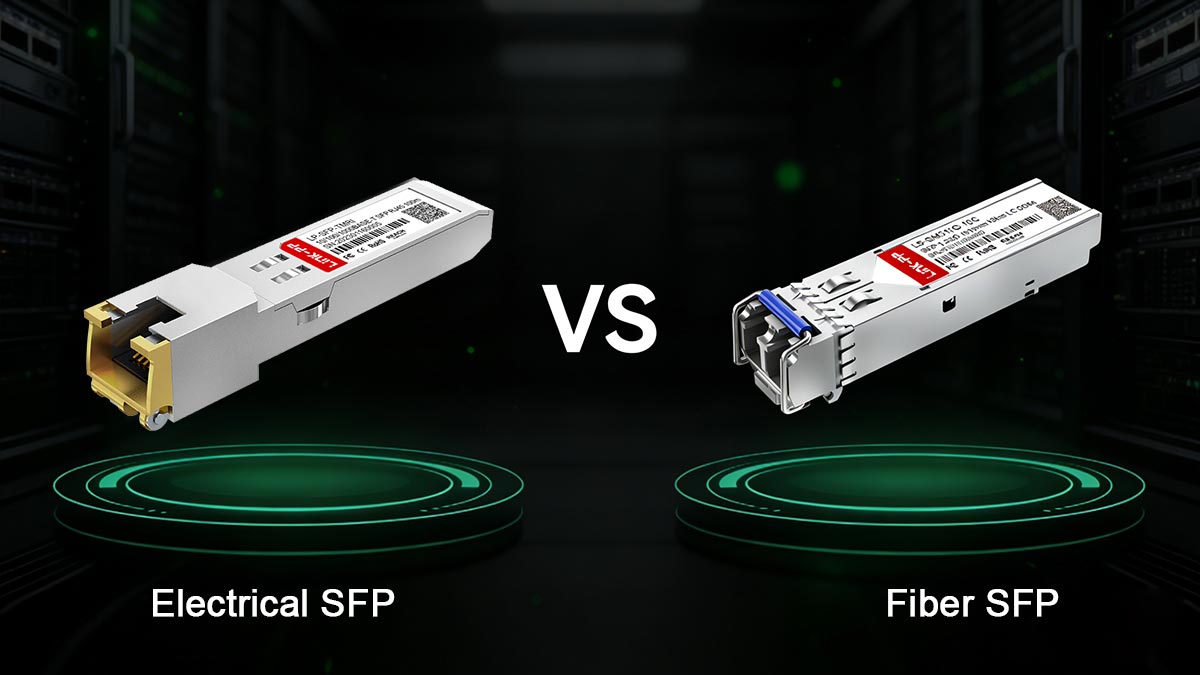
Electrical SFP vs. Fiber SFP
Electrical SFP and fiber-optic SFP Modules serve similar purposes—providing modular, hot-swappable network interfaces—but differ significantly in their transmission medium, performance characteristics, and deployment scenarios:
Feature | Electrical SFP (Copper) | Optical SFP (Fiber) |
|---|---|---|
Transmission Medium | Twisted-pair copper cabling (Cat5e, Cat6, Cat6a, Cat7) | Single-mode or multi-mode fiber optic cables |
Speed Options | 1 Gbps (1000BASE-T), 10 Gbps (10GBASE-T) | 1 Gbps, 10 Gbps, 25 Gbps, 40 Gbps, 100 Gbps |
Maximum Distance | 100 m (1 Gbps), 30–55 m (10 Gbps) | Up to 10 km (single-mode), 300–400 m (multi-mode) |
Power Consumption | 0.5–1.5 W (1G), 2.5–4.5 W (10G) | 0.5–1 W per module (lower than high-speed copper SFPs) |
EMI Susceptibility | High, sensitive to electromagnetic interference | Low, immune to EMI |
Cost | Lower initial cost for short-range connections | Higher cost, fiber installation may be expensive |
Deployment | Ideal for existing copper networks and short-distance links | Preferred for long-distance backbone connections and high-speed links |
Key Insight:
Electrical SFP modules are cost-effective for short-distance enterprise networks, while Fiber SFP modules are essential for long-distance, high-bandwidth, and interference-sensitive environments.
RJ45 SFP vs. Fiber SFP
RJ45 SFP modules are a common type of electrical SFP, optimized for Ethernet over copper cabling. In contrast, fiber SFPs connect via LC, SC, or MPO connectors to fiber optic cables:
RJ45 SFPs:
Plug directly into standard Ethernet ports on switches.
Support auto-negotiation and standard Ethernet features.
Limited by cable quality and distance; higher power draw at 10G speeds.
Fiber SFPs:
Require fiber patch cables and optical transceivers.
Can span longer distances with negligible signal degradation.
Lower power consumption, minimal thermal load, and immunity to EMI.
Feature | RJ45 SFP | Fiber SFP |
|---|---|---|
Connector Type | RJ45 | LC/SC |
Maximum Distance | 100 m | 550 m – 80 km |
Upgrade Potential | Limited | High (10G, 25G, 40G+) |
Cost | Lower for short distance | Higher upfront cost |
Infrastructure | Uses existing copper cabling | Requires fiber cabling |
Summary: Electrical SFPs (including RJ45 modules) are optimal for cost-sensitive, short-range deployments where copper cabling already exists. Fiber SFPs excel in high-speed, long-distance, and interference-prone environments, providing superior scalability and reliability for modern networks.
↪️ How to Use RJ45 Electrical SFP Modules
RJ45 Electrical SFP modules are hot-swappable transceivers that allow standard Ethernet cabling to connect to SFP-enabled switches, routers, or servers. Understanding how to install and use them correctly ensures optimal network performance and prevents issues such as overheating or connectivity errors.
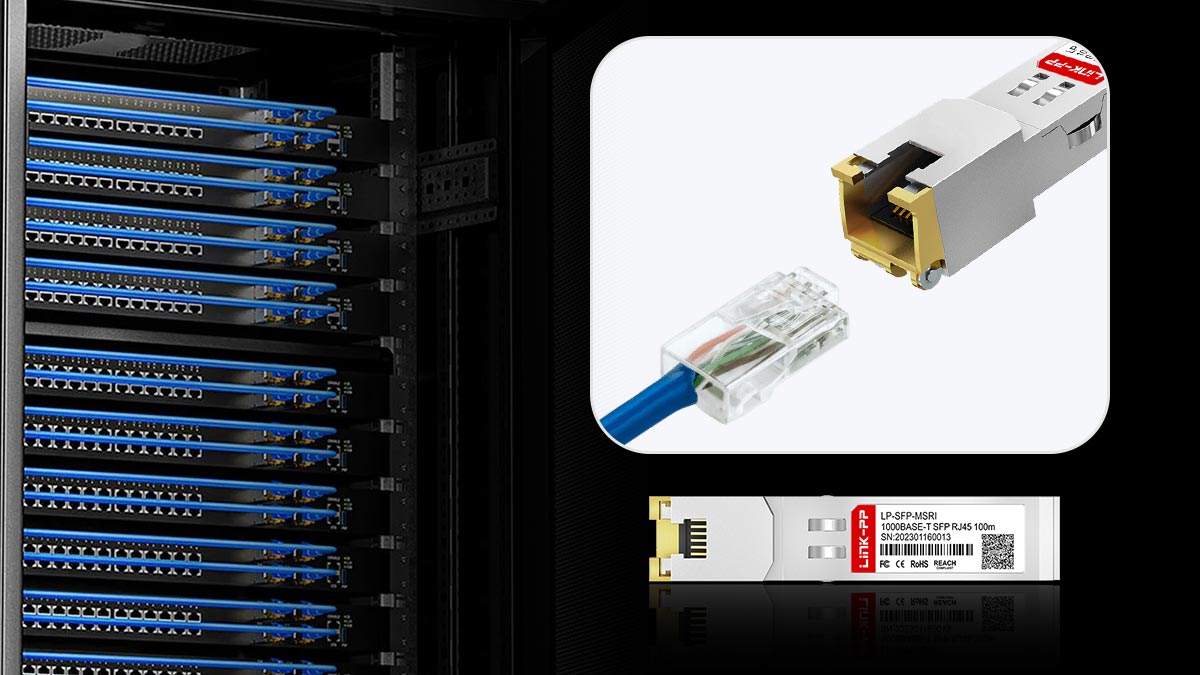
Can Ethernet Plug Into SFP Port?
A common question is whether you can plug a standard Ethernet cable directly into an SFP port. The answer is no—SFP slots on switches or routers do not accept bare RJ45 cables.
How RJ45 SFP solves this:
The RJ45 Electrical SFP module acts as a media converter, allowing the SFP slot to interface with copper Ethernet cabling.
The module plugs directly into the SFP port, providing a standard RJ45 connector on the other side.
Standard Ethernet cables (Cat5e, Cat6, Cat6a) can then be connected to the module.
Quick Tip Table: Ethernet to SFP Connection
Step | Action | Notes |
|---|---|---|
1 | Insert RJ45 SFP module into SFP slot | Ensure correct orientation; hot-swappable |
2 | Connect Ethernet cable | Use appropriate Cat5e/6/6a cable |
3 | Check link status | LED indicator on switch shows connectivity |
4 | Configure switch port if needed | Some switches require enabling auto-negotiation |
How to Use RJ45 SFP
To deploy an RJ45 electrical SFP module safely and effectively, follow these steps:
Check Compatibility: Ensure that the SFP module is compatible with your switch or router. Many devices require vendor-certified modules to guarantee full functionality and avoid errors.
Power Down if Recommended: Although SFP modules are hot-swappable, consult your device’s documentation to verify whether a brief power cycle is recommended during installation.
Insert the SFP Module: Align the module with the SFP cage and gently push until it clicks into place. Avoid forcing it, as excessive pressure can damage the connector.
Connect the Ethernet Cable: Plug the appropriate Cat5e/Cat6/Cat6a cable into the RJ45 port of the module. Ensure the cable is certified for the intended speed (1 Gbps or 10 Gbps).
Verify Link Status: Check LED indicators on both the module and the switch port. A solid or blinking light indicates a successful link.
Test Performance: Run speed and connectivity tests to confirm that the module is operating at the expected throughput and that packet loss is minimal.
Monitor Thermal Performance: RJ45 SFP, especially 10GBASE-T modules, can run hot. Ensure proper airflow in the switch enclosure to maintain optimal performance.
Key Takeaways
RJ45 Electrical SFP modules allow standard Ethernet over copper cabling to connect to SFP-enabled devices.
Always check vendor and speed compatibility before installation.
Proper insertion, cable type, and airflow management are critical to avoid connectivity or thermal issues.
↪️ Troubleshooting Electrical SFP Issues
While RJ45 Electrical SFP modules are reliable for short-distance Ethernet connections, network engineers occasionally encounter issues such as overheating, high power consumption, or connectivity errors. Understanding common problems and their solutions helps maintain stable and efficient network performance.
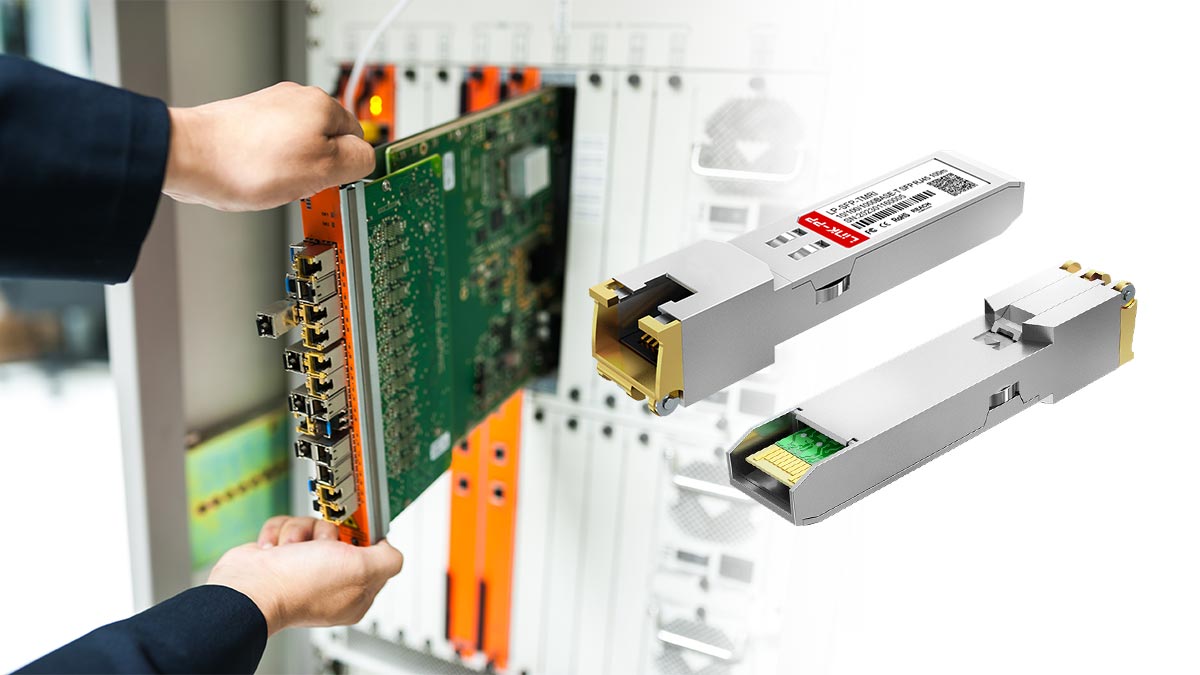
Why RJ45 SFP Runs Hot
High-speed RJ45 SFP modules, particularly 10G Copper modules, can generate significant heat due to increased power consumption. Factors contributing to elevated temperatures include:
High Data Throughput: Continuous operation at near-maximum speeds increases power dissipation.
Insufficient Airflow: Enclosures with poor ventilation or densely packed switches trap heat.
Ambient Temperature: Operating the equipment in environments above recommended limits (typically 0–40°C) can exacerbate heating.
Mitigation: Ensure adequate spacing between modules, use rack-mounted fans or air conditioning, and avoid exceeding recommended ambient temperatures. Regular monitoring of module temperature indicators helps prevent thermal throttling or shutdown.
Power Consumption
Electrical SFP modules consume more power than optical SFPs, especially at higher speeds:
1GBASE-T Modules: Approximately 0.5–1.5 W per port.
10GBASE-T Modules: Approximately 2.5–4.5 W per port.
Excessive power draw may stress the switch’s internal power supply, potentially leading to port disablement or reduced performance. To minimize issues, verify that the switch supports the total power budget for all installed SFP modules.
Common Connectivity Issues
Network engineers may encounter connectivity or performance problems with RJ45 SFP modules:
Link Failures or Negotiation Errors: Often caused by incompatible or substandard cables. Ensure cabling meets the required category (Cat5e/Cat6 for 1G, Cat6a/Cat7 for 10G).
Packet Loss or High Latency: May occur if module distance exceeds specifications, if cables are damaged, or in high-EMI environments.
Vendor Compatibility Issues: Some switches require vendor-certified SFP modules for full functionality. Using third-party modules may trigger errors or reduced throughput.
Port Errors or Flapping: Excessive heat, power limitations, or incorrect speed/duplex settings can cause the port to repeatedly go up and down.
Best Practices:
Always check module and switch documentation for compatibility and recommended configurations.
Test each link with certified cables before full deployment.
Monitor switch logs and interface counters to identify errors early.
Maintain proper cooling and airflow to avoid thermal-related connectivity problems.
↪️ Compatibility and Vendor Support
Ensuring that your Electrical SFP modules are compatible with network equipment is critical for stable connectivity, performance, and warranty compliance. This section highlights considerations for vendor-approved modules and the use of third-party SFP transceivers.
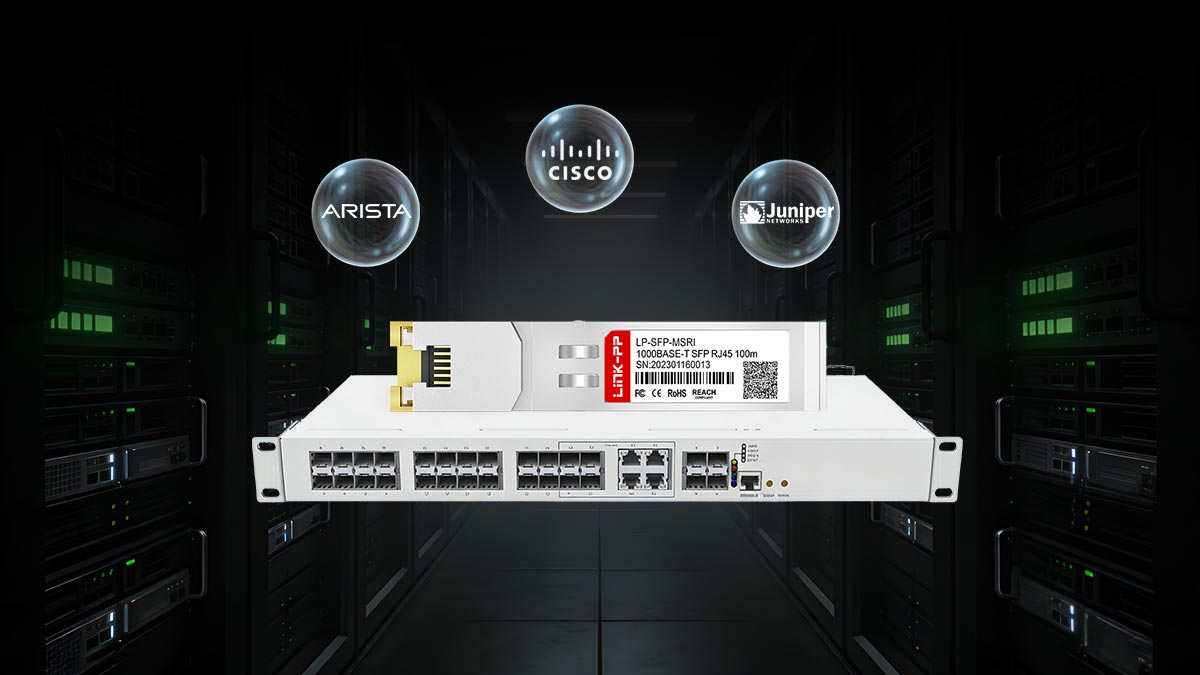
Cisco Compatible SFP
Many enterprise networks rely on Cisco switches and routers, which often require vendor-certified SFP modules to guarantee full functionality. Cisco-compatible electrical SFPs are tested to meet the manufacturer’s standards for:
Auto-negotiation of speed and duplex settings.
Link stability and error reporting on Cisco devices.
Power and thermal limits to avoid triggering port shutdowns.
Using non-certified modules on Cisco equipment may result in:
Port errors or link flapping.
Reduced throughput or loss of auto-negotiation functionality.
Potential voiding of hardware support agreements.
Third-Party SFP
Third-party or multi-vendor SFP modules provide a cost-effective alternative, especially for non-critical applications. Key considerations when using third-party SFPs include:
MSA Compliance: Ensure the module adheres to SFP Multi-Source Agreement (MSA) standards to maintain basic interoperability.
Quality Certification: Purchase from reputable suppliers with clear specifications for speed, power consumption, and maximum cable distance.
Compatibility Testing: Conduct pre-deployment testing to verify performance on your network switches and routers.
While third-party SFPs can reduce costs, network engineers should balance cost savings against potential compatibility risks, particularly in enterprise environments where stability and support are critical.
Third-Party Electrical SFP Practical Tip
Consideration | Recommendation |
|---|---|
Compatibility | Test in lab first, check vendor documentation |
Warranty | Confirm switch vendor policy on third-party modules |
Power/Heat | Monitor module temperature in high-density racks |
Standards Compliance | Ensure IEEE 802.3 certified |
By following these guidelines, network engineers can safely deploy Electrical SFP modules, whether vendor-approved or third-party, minimizing downtime, compatibility issues, and performance risks.
↪️ Frequently Asked Questions About Electrical SFP
Q1: What Is the Maximum Distance for Electrical SFP
Answer:
Electrical SFP modules, typically using 1000BASE-T standards over copper cabling, support a maximum distance of up to 100 meters with Cat5e, Cat6, or Cat6a cables. Beyond this distance, signal quality degrades, making fiber SFP the preferred solution for longer links.
Q2: Is Copper SFP Slower Than Fiber SFP
Answer:
For standard Gigabit Ethernet (1 Gbps), copper (Electrical SFP) and fiber SFP offer similar speeds. However, fiber SFP modules support higher-speed standards such as 10G, 25G, and 40G, whereas copper SFP modules are generally limited to 1 Gbps or 10GBASE-T, depending on PHY and cabling.
Q3: Can Electrical SFP Support 10G Speeds
Answer:
Only specific 10GBASE-T SFP+ modules can support 10 Gigabit Ethernet over copper cables. These modules consume more power and generate more heat compared to fiber SFP modules, and are usually limited to 30–100 meters depending on cable quality.
Q4: Is RJ45 SFP Compatible With All Switches
Answer:
Electrical SFP modules are generally compatible with most SFP-enabled switches. However, some vendors (e.g., Cisco, HP, Juniper) may require vendor-approved modules to ensure full compatibility. Always check switch compatibility lists before deploying third-party SFPs.
Q5: Which Is More Cost-Effective: Copper SFP or Fiber SFP
Answer:
Short-distance (<100 meters): Copper SFP modules are generally more cost-effective, as they use existing copper cabling and require no fiber installation.
Long-distance or high-speed deployments: Fiber SFP modules provide better long-term scalability, lower latency, and reduced power consumption, making them more cost-efficient over time.
Q6. Can You Plug an Ethernet Cable Directly Into an SFP?
Answer: A standard Ethernet cable cannot connect directly to an SFP port.
An RJ45 SFP module acts as an adapter, allowing a Cat5e/Cat6/Cat6a cable to connect to the SFP port on a switch or router.
This enables integration of copper Ethernet networks with SFP-enabled equipment.
↪️ Electrical SFP Transceiver Recommendations
Selecting the right electrical SFP transceiver is critical for ensuring network stability, optimal throughput, and cost-effectiveness. While the choice depends on the specific environment, cabling infrastructure, and switch compatibility, the following recommendations highlight modules that are widely adopted in enterprise and data center networks.
1. Cisco 1G RJ45 SFP (GLC-T)
Speed: 1 Gbps (1000BASE-T)
Distance: Up to 100 meters over Cat5e/Cat6
Power Consumption: ~0.5–1 W per port
Compatibility: Certified for Cisco switches and routers
Key Features: Hot-swappable, MSA-compliant, low-latency operation
Best Use Case: Short- to medium-range copper connections in Cisco-managed networks where vendor certification ensures full support and predictable performance.
2. Cisco 10G RJ45 SFP+ (SFP-10G-T-X)
Speed: 10 Gbps (10GBASE-T)
Distance: 30–55 meters over Cat6a/Cat7
Power Consumption: 2.5–4.5 W per port
Compatibility: Full support on Cisco SFP+ ports
Key Features: High-speed copper connectivity without fiber installation, supports auto-negotiation
Best Use Case: Short-range 10G links in data centers or network aggregation layers where fiber deployment is not practical.
3. Finisar 1G/10G Copper SFP Modules (FNS-1000BASE-T / FNS-10GBASE-T)
Speed: 1 Gbps or 10 Gbps depending on model
Distance: 100 meters (1G), 30–50 meters (10G)
Power Consumption: 1–4 W per port
Compatibility: Multi-vendor support; MSA-compliant
Key Features: Lower cost than vendor-specific modules, certified by multiple enterprise switches
Best Use Case: Multi-vendor networks where cost-effective, reliable copper SFPs are required, with minimal compatibility risk.
4. HPE 1G/10G Copper SFP Modules
Speed: 1 Gbps or 10 Gbps
Distance: Standard Ethernet limits per cabling category
Power Consumption: Similar to Cisco and Finisar modules
Compatibility: Certified for HPE switches, some cross-vendor functionality
Key Features: Designed for seamless integration with HPE networking gear, robust thermal and power management
Best Use Case: HPE enterprise deployments needing predictable support and integrated monitoring.
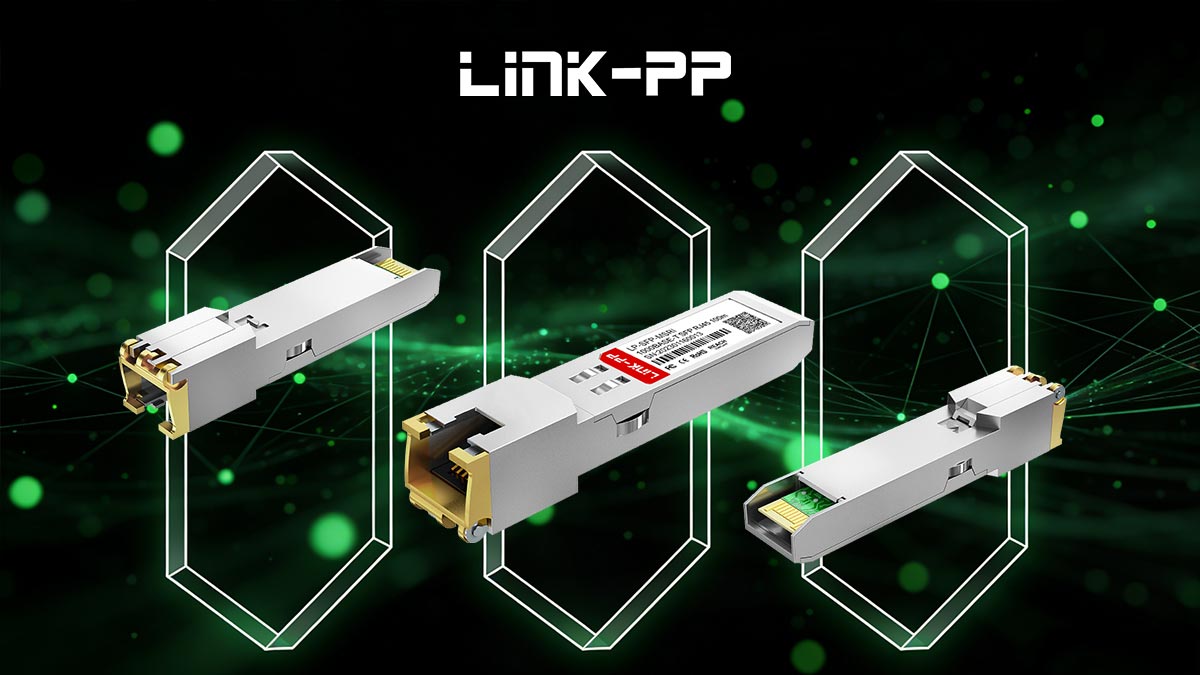
Explore LINK-PP Official Store for Electrical SFP Modules with reliable, high-performance connectivity in enterprise and data center networks.
Recommendation Guidelines
Match Module Speed to Cabling: Ensure the module speed aligns with the cable rating (Cat5e/Cat6 for 1G, Cat6a/Cat7 for 10G).
Check Vendor Compatibility: Certified modules reduce the risk of link errors, port flapping, or unsupported features.
Consider Thermal Management: High-speed modules, especially 10G, require adequate airflow and cooling in dense rack environments.
Power Budget Awareness: Verify that the total power draw of all installed SFPs does not exceed the switch’s power capacity.
Future-Proofing: When possible, select SFP modules that support multi-speed operation (1G/10G auto-negotiation) to accommodate network growth.
Cost vs. Reliability: Third-party modules can reduce cost but always validate performance and compatibility to avoid hidden network issues.
By following these recommendations and selecting modules based on network requirements, cabling infrastructure, and vendor certification, organizations can achieve a balance of performance, reliability, and cost-efficiency while maintaining scalability for future upgrades.



