


In modern network infrastructure, SFP (Small Form-factor Pluggable) transceivers are widely used to provide flexible optical or copper connectivity for switches, routers, and network interface cards. Because these modules are designed as pluggable interfaces, network engineers often ask a practical question during maintenance or upgrades: are SFP modules hot-swappable?
In most enterprise networking environments, the ability to replace hardware without shutting down equipment is essential for maintaining uptime. Data centers, telecom networks, and enterprise switches are typically expected to operate continuously, and even short service interruptions can impact critical applications. As a result, many network devices support hot swapping, allowing certain components to be inserted or removed while the system remains powered on.
According to specifications and hardware installation guides from major networking vendors such as Cisco, Juniper Networks, and Arista Networks, SFP and SFP+ transceiver modules are designed to be hot-swappable I/O devices. This means that, under normal operating conditions, an SFP module can be inserted or removed from a compatible port without powering off the switch or router. The network interface typically detects the new module automatically and initializes the optical or copper link.
However, while SFP hot swapping is supported by design, real-world operation is not always as simple as unplugging a cable. Discussions among network engineers on technical forums and communities such as Reddit and Stack Exchange reveal several practical considerations:
compatibility between switches and third-party transceivers
potential electrostatic discharge (ESD) risks
differences between optical SFP modules and RJ45 copper SFP modules
occasional interface resets or link renegotiation after replacement
These factors mean that SFP modules are generally hot-swappable, but safe replacement still requires proper handling and best practices.
This guide explains how SFP hot swapping works, when it is safe to replace an SFP module without shutting down a switch, and what precautions network engineers should take. By understanding both vendor specifications and real-world operational experience, you can perform SFP replacements efficiently while minimizing the risk of network disruption.
❇️ What Does “Hot-Swappable” Mean in SFP Modules?
In networking hardware, the term hot-swappable refers to the ability to insert or remove a component from a device without shutting down the system or interrupting power. This capability is particularly important in modern network infrastructure, where switches, routers, and servers are expected to operate continuously with minimal downtime.
SFP transceivers were specifically designed to support this modular and serviceable architecture. Because network ports often need to change between fiber types, wavelengths, or transmission distances, removable transceivers provide a flexible way to adapt network interfaces without replacing the entire device.
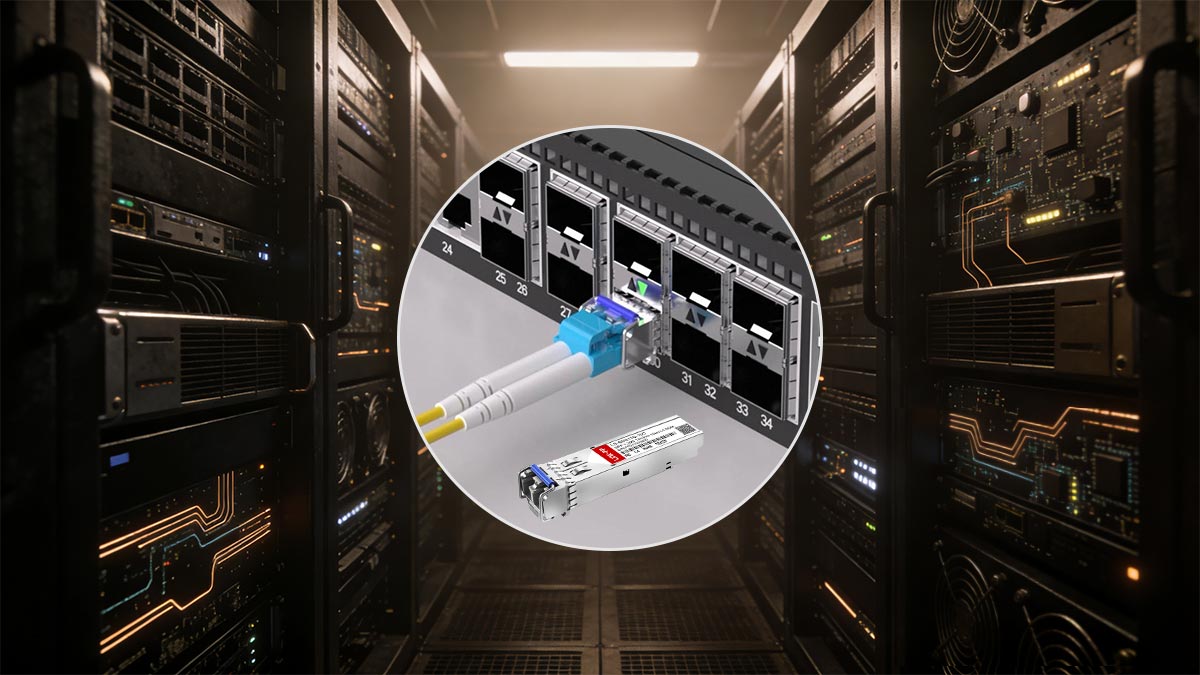
Definition of Hot-Swappable Hardware
Hot-swappable hardware is any component that can be installed or replaced while the equipment remains powered on and operating. In networking environments, this design allows administrators to maintain or upgrade hardware without shutting down critical services.
Typical hot-swappable components in enterprise networking equipment include:
SFP and SFP+ optical transceivers
QSFP transceivers used for high-speed links
Power supply modules in modular switches
Cooling fans in high-availability systems
Networking equipment vendors such as Cisco and Juniper Networks describe SFP transceivers as hot-pluggable I/O devices, meaning the system automatically recognizes the module when it is inserted into the port.
This hot-pluggable architecture is a key reason why SFP modules have become the standard interface for many Ethernet and fiber networking systems.
How Hot Swapping Works in Networking Equipment
Hot swapping works because the hardware and firmware of network devices are designed to detect and initialize transceiver modules dynamically.
When an SFP module is inserted into a switch or router port, several processes occur:
Electrical detection – The device detects that a module has been inserted into the SFP cage.
EEPROM reading – The system reads identification information stored inside the module, such as vendor name, supported data rate, and wavelength.
Interface initialization – The network port configures the appropriate electrical and optical parameters.
Link negotiation – If the remote device is connected, the interface establishes a network link.
This process typically takes only a few seconds, after which the interface becomes operational.
Modern networking operating systems used in platforms from companies like Arista Networks or Cisco automatically log the insertion event and bring the interface online once the module is recognized.
Why SFP Transceivers Are Designed for Hot Swapping
The hot-swappable design of SFP modules is closely tied to the operational requirements of modern networks.
1. Minimizing network downtime
Enterprise networks and data centers operate 24/7. Hot-swappable modules allow administrators to replace faulty transceivers or change connection types without rebooting switches.
2. Flexible network upgrades
Organizations often upgrade link speeds or fiber infrastructure over time. Using hot-swappable SFP modules allows engineers to switch between:
multimode and single-mode fiber
different wavelengths such as 850 nm or 1310 nm
copper and fiber interfaces
This modularity eliminates the need to replace the entire network device.
3. Simplified maintenance
Field technicians can quickly replace defective modules during troubleshooting. If an optical transceiver fails or a link becomes unstable, the module can be swapped in seconds without shutting down the system.
❇️ Are SFP Modules Actually Hot-Swappable?
Yes — in most modern networking equipment, SFP modules are designed to be hot-swappable. This means a network switch or router can remain powered on while an SFP transceiver is inserted or removed, allowing administrators to replace or upgrade connectivity without shutting down the device.
However, the answer requires a bit of nuance. While the majority of enterprise switches support hot swapping, the behavior ultimately depends on device hardware design, firmware implementation, and port configuration. Understanding vendor specifications and industry standards helps clarify when hot swapping is fully supported and how it works in practice.
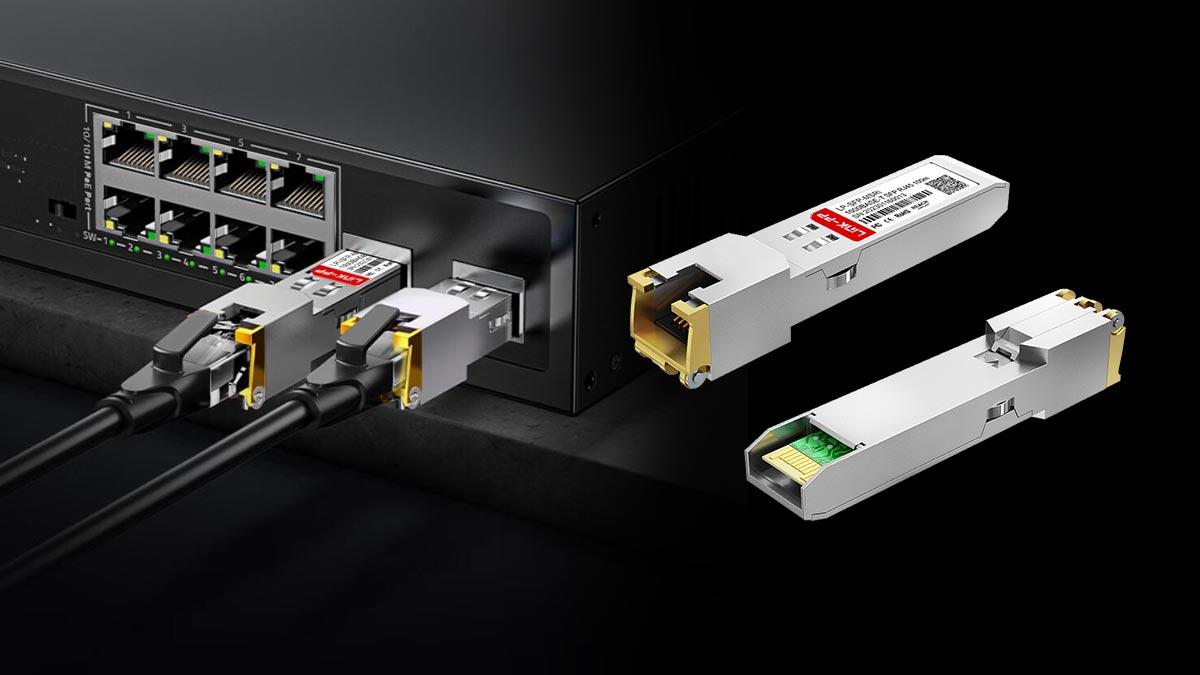
Official Vendor Specifications (Cisco, Juniper, Arista)
Major networking vendors explicitly describe SFP modules as hot-pluggable or hot-swappable input/output devices.
For example, documentation from Cisco states that SFP transceivers are “hot-swappable input/output devices that plug into Gigabit Ethernet ports or slots.” This design allows optical or copper modules to be installed without powering down the switch, helping maximize uptime and simplify maintenance.
Similarly, networking platforms from Juniper Networks and Arista Networks follow the same modular architecture. Their switches and routers are designed to recognize pluggable transceivers dynamically, enabling engineers to replace optical transceivers during normal operation.
This capability applies to many types of optical modules, including:
SFP+ optical modules (10G)
SFP28 optical modules (25G)
Copper RJ45 SFP modules
Because the modules share the same standardized pluggable interface, network operators can mix different optical types on a port-by-port basis.
Industry Standards for SFP Hot Swapping
The hot-swappable behavior of SFP optical modules is supported by the broader industry design defined in the SFP Multi-Source Agreement (MSA).
The MSA standard specifies:
mechanical dimensions of the transceiver
electrical pin assignments
digital identification memory (EEPROM)
insertion and removal behavior
This standardization ensures that compliant switches and modules can safely support hot insertion and removal of SFP modules. In other words, the switch hardware is designed to detect the presence of a transceiver and initialize the interface dynamically.
Because of this standardized architecture, both OEM SFP and compatible third-party optical transceivers typically support hot swapping when used in compliant network equipment.
How Switches Detect SFP Insertion Automatically
When an optical transceiver module is inserted into an SFP cage, the switch performs several automated hardware and software checks.
▶ Physical Module Detection
The switch first detects the presence of the module through dedicated electrical pins in the SFP interface. These pins indicate that a transceiver has been inserted.
▶ Reading Module Identification (EEPROM)
Each SFP optical module contains onboard memory that stores identification data such as:
vendor name
supported data rate
wavelength (e.g., 850 nm or 1310 nm)
transmission distance
compatibility information
The switch reads this EEPROM data to determine how the interface should operate.
▶ Interface Initialization
Once the module is validated, the switch initializes the port by configuring:
link speed (1G / 10G / 25G depending on module type)
laser operation
signal parameters
If fiber cables are connected, the switch then begins link negotiation with the remote device.
▶ Interface State Logging
Modern network operating systems record the event in system logs. Engineers can typically see messages such as:
“SFP inserted”
“transceiver detected”
“interface link up”
This automated process is the reason why optical modules can usually be replaced in seconds without rebooting the switch.
Practical Considerations for SFP Hot-Swappable
Although SFP hot swapping is supported by design, real-world experience sometimes shows unexpected behavior.
For example, discussions among network engineers on Reddit indicate that inserting or removing an SFP module can occasionally trigger temporary link reconvergence or port transitions depending on switch firmware or network topology. One engineer reported that inserting an SFP in a stacked switch caused STP transitions and short network reconvergence events, likely due to software behavior rather than hardware limitations.
These cases are relatively uncommon but illustrate why network administrators often follow operational best practices when replacing optical transceiver modules in production environments.
In summary, SFP modules are genuinely hot-swappable by design, and most enterprise networking equipment supports replacing optical transceivers while the system remains powered on. However, proper handling, compatibility checks, and awareness of network behavior are still important to ensure a smooth replacement process.
❇️ Can You Hot Swap SFP Modules Without Turning Off a Switch?
Yes. In most enterprise networking environments, SFP modules can be inserted or removed while the switch is powered on. This capability is part of the hot-swappable architecture supported by modern switches and routers.
Hardware documentation from multiple vendors confirms that SFP optical transceivers are hot-insertable and hot-removable components, meaning the device continues operating even when a module is replaced. However, the network interface associated with that module will temporarily lose connectivity during the process.
In practice, engineers regularly replace SFP modules without shutting down the entire switch. Understanding what happens during this process helps avoid confusion and unexpected network events.
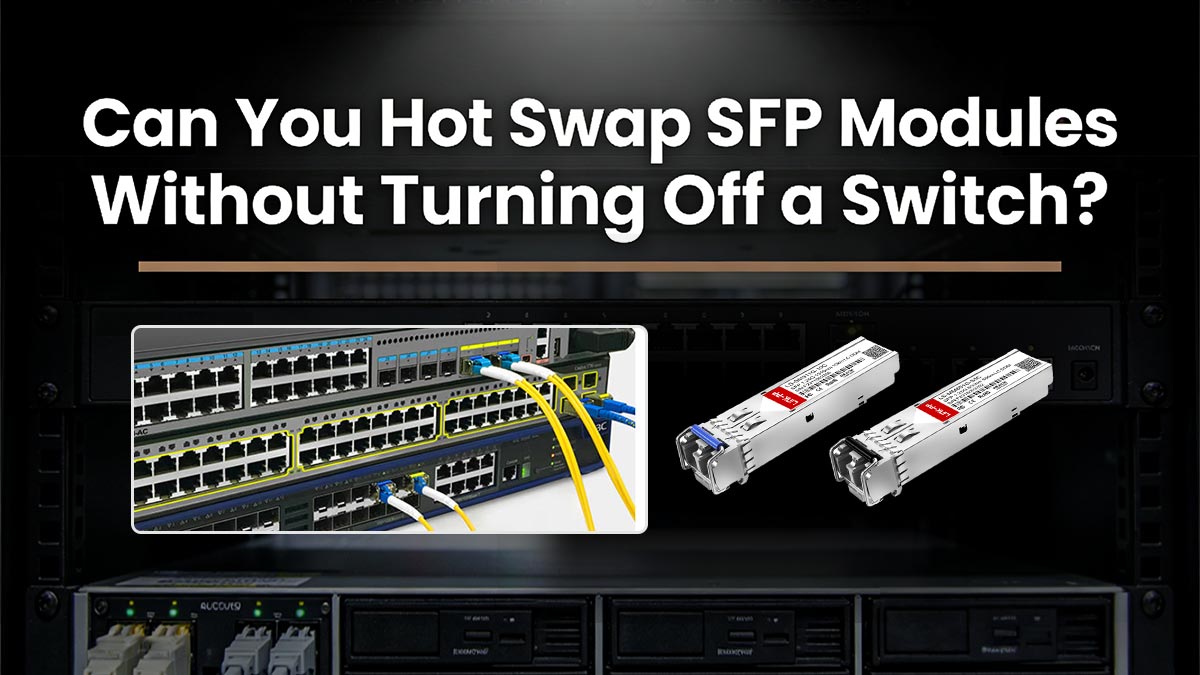
Replacing SFP Modules While the Switch Is Running
When a switch supports hot swapping, replacing an optical module typically follows a straightforward sequence:
Disconnect the fiber patch cable or copper cable.
Unlock the latch on the SFP module (such as a bail-clasp or pull tab).
Remove the module from the SFP cage.
Insert the replacement optical module.
Reconnect the fiber or Ethernet cable.
Because the switch remains powered on, only the specific interface associated with that SFP port is affected. The rest of the switch continues forwarding traffic normally.
However, many vendor installation guides recommend administratively disabling the interface before removal when possible. This reduces the chance of software events such as interface errors or MAC-table changes during replacement.
In high-availability networks, engineers may also schedule maintenance windows or rely on redundant links (such as LACP or spanning-tree redundancy) to avoid service interruptions.
What Happens When an SFP Module Is Removed?
When a optical transceiver is removed from a powered switch, several predictable events occur.
The link immediately drops
The physical connection is broken, so the interface transitions to a link-down state.
Traffic on that port stops
Any network traffic using that interface is interrupted until a new module or cable is installed.
The switch logs an event
The network operating system typically records messages such as:
“transceiver removed”
“interface link down”
The rest of the switch continues operating
Removing an SFP does not normally affect other interfaces or the overall switching process.
In networks with routing protocols or spanning tree enabled, the loss of the link may also trigger failover or reconvergence events as the network recalculates the best path.
How Switches Reinitialize Optical Interfaces
After a new optical module is inserted, the switch automatically begins the initialization process.
♦ Module detection
The switch hardware detects that a transceiver has been inserted into the SFP cage through dedicated detection pins.
♦ EEPROM identification
Every SFP optical module contains EEPROM memory with identification data such as:
vendor information
supported data rate (1G, 10G, etc.)
wavelength (850 nm, 1310 nm, etc.)
supported transmission distance
The switch reads this information to determine whether the module is compatible.
♦ Interface configuration
If the module passes validation checks, the switch initializes the interface and configures parameters such as:
port speed
laser activation
link negotiation
♦ Link establishment
Once fiber or copper connectivity is detected from the remote device, the interface transitions from link down to link up.
In most cases this process completes within a few seconds.
SFP Hot-Swappable Network Engineers Tips
While optical modules are designed for hot swapping, real-world experiences shared by engineers show that behavior can vary depending on hardware models, firmware versions, or network topology.
For example, a discussion on Reddit noted that inserting or removing an SFP module on certain switches triggered temporary STP transitions and reconvergence events in the network, even when no fiber was connected.
Another engineer reported a switch reload after removing a transceiver, which was later suspected to be related to configuration triggers or firmware behavior rather than the SFP hardware itself.
These cases are relatively uncommon but illustrate an important operational principle:
hot-swappable does not always mean zero network impact, especially when critical uplinks or stacked switches are involved.
In summary, most switches allow you to hot swap an SFP module without turning off the device, and this is a standard feature of modern networking hardware. However, understanding how interfaces behave during removal and insertion helps network engineers perform maintenance more safely and avoid unexpected link disruptions.
❇️ Risks of Hot Swapping SFP Modules (Real Engineer Experiences)
Although SFP+ transceivers are designed to be hot-swappable, real-world deployments show that replacing modules in a running switch is not always risk-free. Discussions among network engineers on forums and communities such as Reddit reveal several practical issues that can occur during or after hot swapping.
These issues are relatively uncommon, but they highlight why many engineers still follow cautious operational practices when replacing optical transceiver modules in production networks.
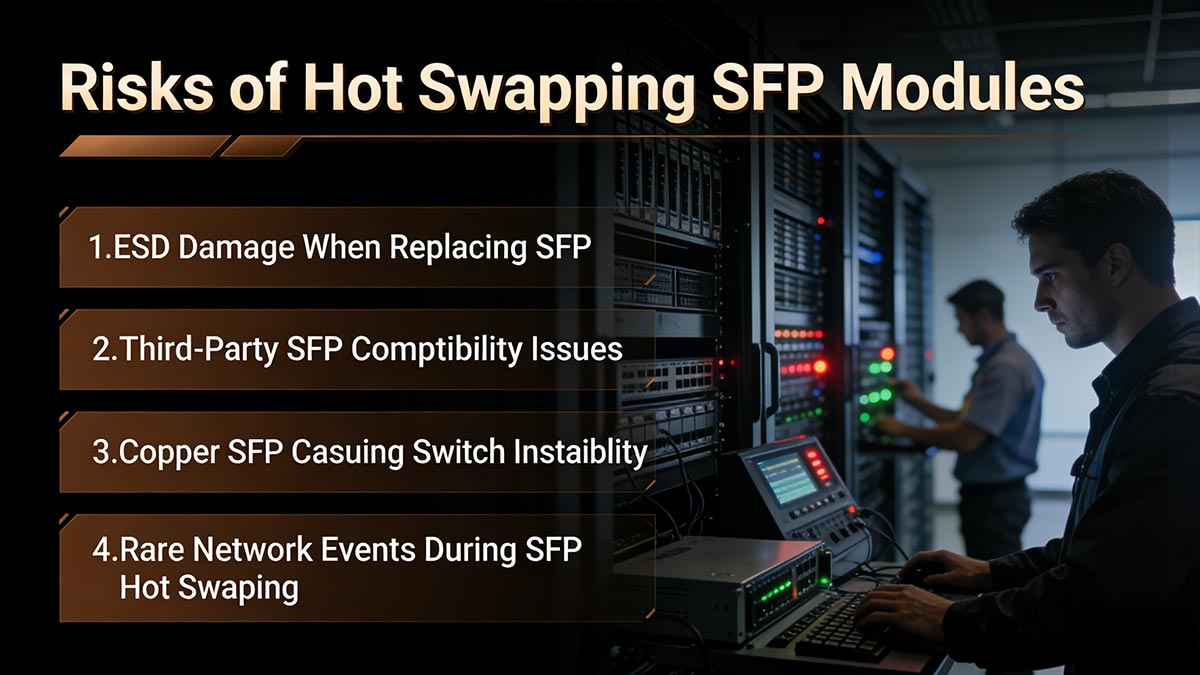
ESD Damage Risks During SFP Replacement
One of the most frequently mentioned risks during hot swapping is electrostatic discharge (ESD).
Because modules expose electrical contacts at the connector edge, they can be vulnerable to static electricity when handled improperly. If a technician inserts or removes a module without grounding precautions, static discharge can potentially damage:
the SFP module electronics
the switch’s SFP cage contacts
the PHY interface circuitry
Community troubleshooting reports show that a module can sometimes appear physically installed but fail to be detected due to damage or poor electrical contact after handling. In such cases, the switch may show no link or fail to recognize the module until it is reseated or replaced.
For this reason, installation guides typically recommend:
grounding yourself before handling optical modules
holding the module by its sides
avoiding contact with the electrical connector pins
Even though hot swapping is supported, safe handling procedures remain important to protect sensitive transceiver electronics.
Compatibility Issues with Third-Party SFP Modules
Another common issue discussed by network engineers involves compatibility between switches and third-party SFP modules.
Many enterprise switches perform vendor verification checks when a transceiver is inserted. These checks read identification data stored in the module’s EEPROM. If the vendor code or configuration does not match the expected values, the switch may:
disable the port
report an unsupported transceiver
prevent the interface from coming online
Industry troubleshooting guides note that these compatibility checks are a frequent cause of SFP connection failures, especially when modules are incorrectly programmed or when firmware does not recognize a particular model.
Engineers often discuss this behavior in networking communities as well.
For example, a Reddit user troubleshooting a copper SFP connection reported that traffic did not pass through the link when using a third-party module, even though both ports appeared active. Replacing it with a branded module restored normal connectivity.
These experiences show that while compatible third-party optical modules can work reliably, they must be properly coded and validated for the target switch platform.
Copper SFP Modules Causing Switch Instability
Another risk frequently discussed in networking forums involves RJ45 copper SFP modules.
Unlike fiber transceivers, copper 10GBASE-T SFP+ modules contain an integrated Ethernet PHY and require significantly higher power. As a result, they can generate more heat and draw more electrical power from the switch port.
Technical troubleshooting documentation notes that copper SFP modules may run hot or experience link instability when power consumption exceeds the supported port budget.
Real-world forum reports reflect this behavior as well.
For example, one Reddit user reported that adding additional copper SFP+ modules caused their firewall appliance to become unresponsive within 30 minutes. Removing the modules immediately restored system stability, and the user noted that the modules were “extremely hot—almost too hot to touch.”
Another engineer described how copper SFP modules can keep the link electrically active even when the switch port is disabled or the device is rebooting, because the module’s internal PHY remains powered. This behavior can interfere with link-based failover detection in redundant network setups.
These examples illustrate that copper SFP modules behave differently from optical transceivers, which can sometimes lead to unexpected network behavior.
Rare Cases of Network Events During SFP Hot Swapping
While uncommon, engineers occasionally report unexpected network behavior when inserting or removing optical modules in active systems.
In one discussion, a network administrator observed that removing an SFP module from a stacked switch unexpectedly triggered a reboot of the primary device during operation.
Another report noted that inserting or removing a module caused temporary spanning-tree transitions in the network due to delayed control packets during the event.
These cases are typically linked to firmware bugs, configuration triggers, or specific hardware conditions, rather than a limitation of the SFP design itself. Nevertheless, they demonstrate why some engineers still prefer to replace modules during maintenance windows in critical environments.
Key Takeaway
Overall, SFP optical modules are designed for hot swapping, and most modern switches support replacing them while the system remains powered on. However, real-world experiences show that several factors can still introduce risk:
static electricity during installation
compatibility checks with third-party modules
high power consumption of RJ45 copper SFP modules
occasional firmware or network protocol side effects
Understanding these potential issues helps network engineers perform SFP hot swapping more safely and predictably, especially in high-availability production networks.
❇️ Best Practices for Safe SFP Hot Swapping
Although SFP modules are designed to be hot-swappable, following proper operational procedures helps prevent network disruptions and hardware damage. In production networks—especially data centers and enterprise switching environments—engineers typically follow a structured approach when replacing modules.
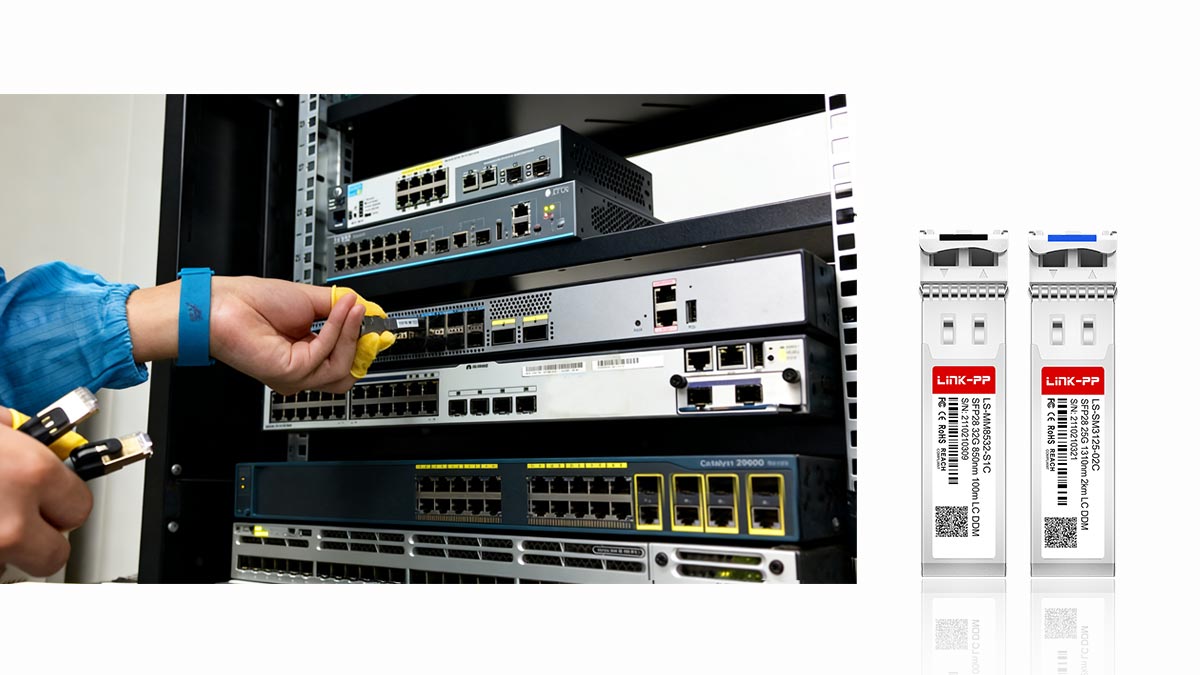
The best practices below are widely recommended in vendor installation guides and commonly shared by network administrators during field operations.
Step-by-Step Safe SFP Replacement
Replacing an SFP module while a switch is powered on should be performed carefully to avoid damage to the module, the port, or connected fiber.
A typical safe replacement procedure includes the following steps:
Identify the correct interface
Verify which port contains the SFP module that needs to be replaced. Check the interface status through the switch CLI or management interface.
Disconnect the network cable
Remove the fiber patch cord or Ethernet cable connected to the module. This prevents stress on the transceiver during removal.
Release the module latch
Most SFP optical modules use a bail-clasp or pull-tab mechanism. Gently pull the latch to unlock the module from the SFP cage.
Remove the transceiver
Carefully pull the optical transceiver module straight out of the port. Avoid twisting or applying excessive force.
Insert the replacement module
Slide the new SFP transceiver module into the SFP cage until it clicks into place.
Reconnect the fiber or copper cable
Attach the network cable and confirm that the connection is secure.
Following these steps helps ensure the switch properly detects and initializes the replacement optical module.
When to Disable the Port Before Removal
In many cases, SFP modules can be removed without disabling the port, because the switch automatically detects the removal event. However, some network engineers prefer to disable the interface first when replacing modules in critical links.
Disabling the port before removing a transceiver can help:
prevent unnecessary error logs
avoid rapid link state changes
reduce protocol reconvergence events
For example, administrators may temporarily shut down the interface using commands such as:
interface ethernet x/x
shutdown
After installing the new module, the interface can be re-enabled.
This precaution is particularly useful when working with uplinks, aggregated links (LACP), or routing interfaces where unexpected link changes could affect network stability.
Cleaning Fiber Connectors Before Reconnecting
One of the most overlooked steps during SFP replacement is cleaning fiber connectors.
Dust or contamination on fiber connectors can significantly degrade optical performance and lead to issues such as:
high optical loss
intermittent links
reduced transmission distance
Before reconnecting fiber cables to an optical module, engineers often perform a quick cleaning procedure:
Inspect the fiber connector if possible.
Use a fiber cleaning pen or lint-free wipe.
Clean both the fiber connector and the port interface.
Even a small particle of dust can affect optical signal quality, so this step is important when installing fiber SFP modules in high-speed networks.
Verifying Link Status After Replacement
After inserting a new optical transceiver module, the final step is confirming that the interface initializes correctly.
Most switches automatically detect the module and bring the interface online within a few seconds. Engineers typically verify the connection using several checks.
1. Check interface status
Using CLI commands or network monitoring tools, confirm the interface state:
link up/down
negotiated speed
error counters
2. Verify transceiver information
Many switches allow administrators to display details of the installed SFP module, including:
module type
vendor name
wavelength
supported distance
3. Confirm optical diagnostics
If the module supports Digital Optical Monitoring (DOM), verify parameters such as:
transmit optical power
receive optical power
module temperature
These values help confirm that the optical transceiver is operating within normal ranges.
4. Test network connectivity
Finally, validate connectivity by sending test traffic or verifying that routing and switching functions are operating normally.
Operational Tip for Replacing SFP Modules
Even though SFP optical modules are hot-swappable, replacing modules on critical network links is often scheduled during maintenance windows or performed with redundant links available. This approach ensures that any unexpected interface behavior does not affect production traffic.
By following these best practices, network administrators can safely replace SFP transceivers while maintaining reliable network operation.
❇️ When Should You Avoid Hot Swapping an SFP Module?
Although SFP modules are designed to support hot swapping, there are situations where replacing a module while the switch is running may introduce unnecessary risk.
In production networks, experienced administrators often evaluate the operational context before removing or inserting a module, especially when the port carries important traffic or when hardware conditions are uncertain.
SFP Hot Swapping vs. Other Transceiver Types
Feature / Module Type | SFP (1G) | SFP+ (10G) | SFP28 (25G) | QSFP+ (40G) | QSFP28 / QSFP-DD (100G / 200G / 400G) |
|---|---|---|---|---|---|
Hot-swappable | ✅ Yes | ✅ Yes | ✅ Yes | ✅ Yes | ✅ Yes (depending on switch support) |
Typical Power Consumption | Low (~1W) | Low-Medium (~1–2.5W) | Medium (~2–3.5W) | High (~3–5W) | Very High (~5–10W) |
Copper Variant Available | ✅ RJ45 SFP | ✅ 10GBASE-T SFP+ | ❌ | ❌ | ❌ |
Fiber Variant Available | ✅ Single-mode / Multi-mode | ✅ Single-mode / Multi-mode | ✅ Single-mode / Multi-mode | ✅ Multi-mode / Single-mode | ✅ Multi-mode / Single-mode |
Switch Port Detection | Automatic | Automatic | Automatic | Automatic | Automatic |
Typical Thermal Considerations | Low | Low-Medium | Medium | High | Very High |
Key Takeaways:
SFP modules are the most flexible and least risky for hot swapping, making them ideal for enterprise and data-center environments.
Copper SFP+ modules need more caution due to higher heat and power requirements.
High-speed QSFP / QSFP28 modules are hot-swappable but often require planning around power and thermal limits in dense switches.
Following best practices (port checks, cleaning fiber connectors, monitoring link status) applies across all module types to minimize downtime and ensure reliable operation.
This comparison highlights why SFP optical modules remain the standard choice for modular, hot-swappable network interfaces in modern networking infrastructures.
The following scenarios are commonly cited by network engineers as situations where hot swapping should be avoided or performed with extra caution.
During Critical Production Traffic
Hot swapping an optical module always causes the associated interface to go down temporarily. When the SFP module is removed, the physical link drops immediately and traffic on that port stops until the replacement module is installed and the link reestablishes.
In networks that rely on a single uplink or backbone connection, this can interrupt services such as:
inter-switch trunk links
data center uplinks
storage or backup traffic
WAN connectivity
Even in networks with redundancy, removing a module can trigger protocol events such as:
link aggregation failover
spanning tree reconvergence
routing protocol recalculation
While these events are usually brief, performing hot swapping during high-traffic production periods increases the likelihood of temporary service disruption.
For this reason, many network operators prefer to replace optical transceiver modules during maintenance windows or after confirming that redundant paths are active.
Unstable Firmware or Unsupported Modules
Another situation where hot swapping should be approached carefully is when the switch firmware or module compatibility is uncertain.
Most switches automatically read identification data from a SFP optical module when it is inserted. If the module is not recognized or fails vendor validation checks, the switch may:
disable the interface
generate compatibility warnings
prevent the link from coming up
In rare cases, network engineers have reported unexpected behavior after inserting unsupported modules, such as repeated port resets or interface errors.
Using properly coded and compatible optical transceiver modules reduces the risk of these issues. Firmware updates from switch vendors may also improve compatibility with newer SFP+ optical modules or third-party transceivers.
When compatibility is uncertain, administrators often test the module on a non-critical port before inserting it into a production uplink.
When Using High-Power Copper SFP Modules
Hot swapping should also be done carefully when working with copper SFP modules, particularly 10GBASE-T.
Unlike fiber-based optical modules, copper SFP modules contain an integrated Ethernet PHY and typically consume more power. This results in:
higher operating temperatures
increased power draw from the SFP port
greater thermal load inside the switch
Some switches limit the number of copper SFP+ modules that can be used simultaneously due to these power and cooling requirements.
Network engineers frequently report that copper SFP modules run noticeably hotter than optical transceivers, and inserting multiple modules in a small switch can sometimes affect thermal stability.
Because of these characteristics, administrators may prefer to:
insert copper modules during planned maintenance
verify switch power specifications
monitor module temperature after installation
Operational Recommendation
Even though SFP optical modules are designed to be hot-swappable, avoiding hot swapping in certain situations can reduce operational risk.
In general, engineers should be cautious when:
the port carries critical production traffic
module compatibility or firmware stability is uncertain
installing high-power RJ45 SFP modules
Evaluating these factors before replacing an optical transceiver module helps ensure that network maintenance is performed safely without causing unexpected service disruptions.
❇️ FAQs About SFP Hot-Swappable Modules
The following frequently asked questions address common concerns engineers and network administrators have when working with transceiver modules in live networking environments.
Are all SFP modules hot-swappable?
Most SFP optical modules are designed to be hot-swappable according to the SFP Multi-Source Agreement (MSA). This means they can generally be inserted or removed while the switch or router remains powered on.
However, the ability to hot swap a module ultimately depends on the network device that hosts the SFP port. Modern enterprise switches typically support hot-swappable optical transceiver modules, but some legacy equipment or specialized hardware platforms may require the interface to be disabled first.
To ensure safe operation, always confirm the hardware documentation for the specific switch model before replacing an SFP module.
Can removing an SFP damage a switch?
Under normal conditions, removing a SFP optical module from a powered switch does not damage the device because the interface is designed to support hot swapping.
However, damage could occur in rare situations such as:
electrostatic discharge (ESD) during handling
forcing the module out incorrectly
inserting incompatible or defective optical transceiver modules
Following proper handling procedures and using compatible SFP transceivers helps prevent these issues.
Do I need to reboot after installing an SFP?
In most cases, no reboot is required.
When a new SFP module is inserted, the switch automatically detects the transceiver, reads the identification information stored in its EEPROM, and initializes the interface. The link typically becomes active within a few seconds after the fiber or Ethernet cable is connected.
However, if the switch firmware does not recognize the module or compatibility checks fail, administrators may need to verify configuration settings or update firmware before the optical module will operate correctly.
Are copper SFP modules hot-swappable?
Yes, most RJ45 copper SFP modules are also designed to be hot-swappable.
However, copper modules behave differently from fiber optical modules because they contain an integrated Ethernet PHY and typically consume more power. As a result, they may run hotter and draw more power from the switch port.
For this reason, administrators sometimes verify switch power specifications before installing multiple copper SFP modules in the same device.
Why does a port go down after inserting an SFP?
A temporary port state change is normal when installing a SFP optical module.
When the module is inserted, the switch must perform several steps before the interface becomes active:
Detect the new optical transceiver module in the SFP cage
Read the module identification data stored in EEPROM
Configure the interface speed and signaling parameters
Establish link negotiation with the remote device
During this initialization process, the port may briefly appear in a link-down state until the connection is fully established. In most networks, the link becomes operational within a few seconds.
❇️ Conclusion: Understanding Safe SFP Hot Swapping in Modern Networks
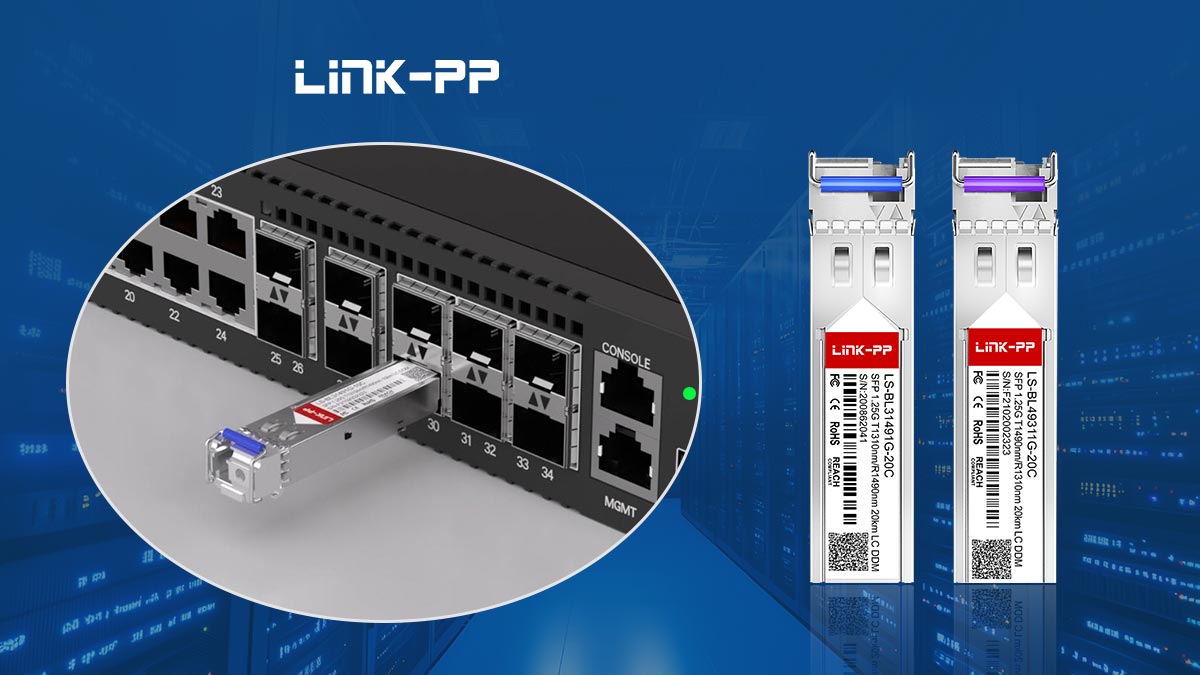
Pluggable transceivers are fundamentally designed to be hot-swappable, enabling network engineers to insert or remove them without powering down switches or routers. This feature is essential in modern networks where uptime, redundancy, and flexible upgrades are critical.
However, safe handling and compatibility remain crucial. Improper installation, electrostatic discharge (ESD), or using unsupported third-party modules can cause interface errors, link instability, or even hardware damage. Copper RJ45 SFP modules also require extra caution due to their higher power consumption and thermal output.
By following structured best practices for SFP hot swapping—such as cleaning fiber connectors, verifying link status, and optionally disabling the port during replacement—network administrators can maintain reliable operation while performing maintenance or upgrades. These measures minimize downtime and reduce the risk of unexpected network issues.
For engineers seeking reliable and compatible SFP transceivers, consider exploring high-quality optical modules from LINK-PP Official Store. Their portfolio of SFP, SFP+, and SFP28 modules is engineered for stable hot-swappable operation in enterprise and data-center networks, helping maintain continuous connectivity while simplifying hardware management.



