Modern IT infrastructure is under constant pressure to become faster, simpler, and easier to scale. Traditional data center architecture—built around separate servers, storage arrays, and networking systems—often creates operational complexity, higher maintenance costs, and slower deployment cycles. As organizations accelerate digital transformation, virtualization, hybrid cloud adoption, AI workloads, and edge computing, many IT teams are searching for a more streamlined infrastructure model. That is where Hyperconverged Infrastructure (HCI) enters the conversation.
Hyperconverged Infrastructure, commonly known as HCI, is a software-defined architecture that combines compute, storage, networking, and virtualization into a unified platform. Instead of managing multiple isolated hardware layers independently, HCI centralizes infrastructure resources into a single system that can be deployed, scaled, and managed more efficiently. This approach reduces infrastructure silos and simplifies data center operations for enterprises, cloud providers, SMBs, and edge environments alike.
Over the past few years, interest in HCI has grown significantly due to the rise of private cloud infrastructure, remote work environments, AI-ready data centers, and the increasing need for operational automation. Organizations evaluating alternatives to legacy virtualization stacks or complex SAN-based environments are especially interested in HCI platforms from vendors such as Nutanix, VMware, Sangfor, and HPE. At the same time, network connectivity components—including high-speed Ethernet switching and SFP/SFP+ optical modules—have become increasingly important in supporting reliable HCI cluster communication and low-latency data transfer.
However, many users still ask important questions before adopting HCI:
What exactly is Hyperconverged Infrastructure?
How does HCI differ from traditional virtualization?
What is the difference between HCI and dHCI?
Is HCI suitable for enterprise workloads, VDI, or edge computing?
What role do SFP modules and high-speed networking play in HCI performance?
Which HCI platform is best for modern data centers?
This guide will answer those questions in detail. You will learn how Hyperconverged Infrastructure works, its core architecture, benefits, challenges, real-world use cases, and how it compares with traditional IT infrastructure models. We will also explore the role of networking hardware such as SFP modules in HCI environments and explain how to evaluate different HCI platforms for scalability, performance, and long-term operational efficiency.
🔴 What Is Hyperconverged Infrastructure (HCI)?
Hyperconverged Infrastructure (HCI) is a software-defined IT architecture that integrates compute, storage, networking, and virtualization into a unified platform. Instead of relying on separate physical servers, dedicated storage arrays, and independent network management systems, HCI consolidates these infrastructure components into tightly integrated nodes managed through centralized software.
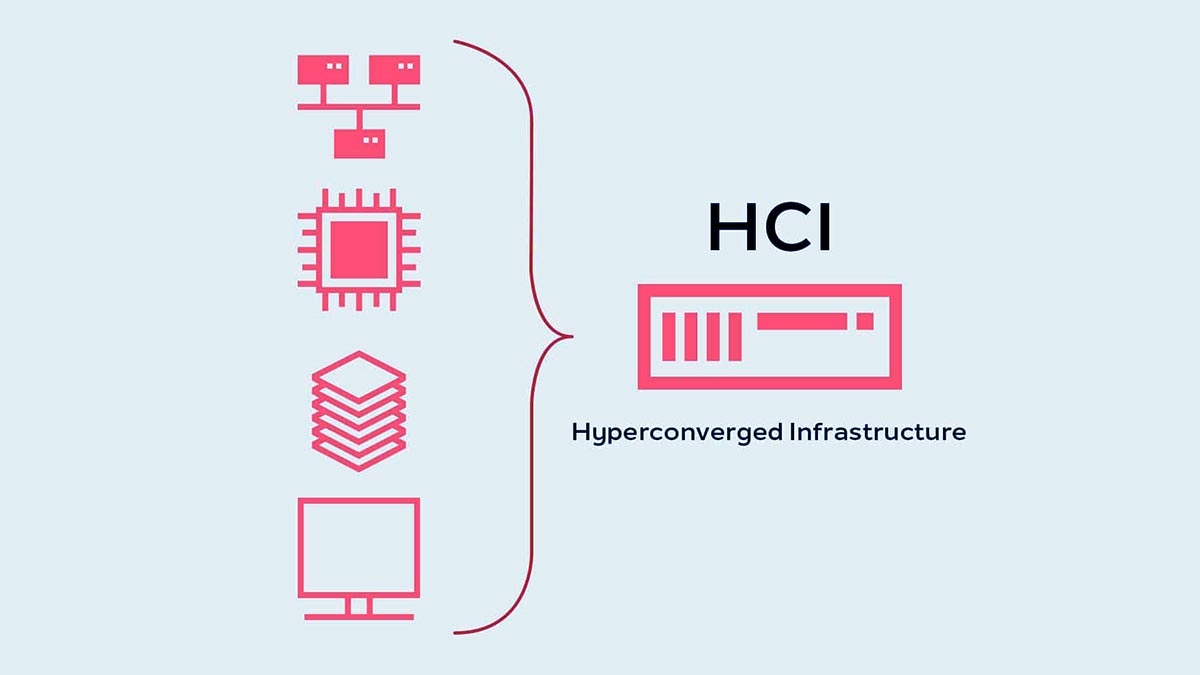
In a traditional three-tier architecture, IT teams often need to configure and maintain multiple hardware layers separately. Servers handle compute workloads, SAN or NAS devices provide storage, and networking equipment connects everything together. While this design can be powerful, it also introduces operational complexity, scaling limitations, and higher maintenance costs. HCI was developed to simplify this model by creating a more flexible and scalable infrastructure environment.
At its core, HCI transforms physical infrastructure resources into virtualized, software-managed pools that can be dynamically allocated based on workload requirements. This enables organizations to deploy applications faster, simplify infrastructure management, and improve scalability without depending heavily on siloed hardware systems.
Today, Hyperconverged Infrastructure is widely used in enterprise data centers, private cloud deployments, virtual desktop infrastructure (VDI), edge computing, AI-ready infrastructure, and hybrid cloud environments. As modern workloads continue to demand agility and automation, HCI has become a key foundation for digital transformation strategies.
What HCI Combines
One of the biggest differences between Hyperconverged Infrastructure and traditional IT architecture is the way HCI consolidates multiple infrastructure layers into a single platform.
A typical HCI environment combines:
Compute Resources
Physical servers provide CPU and memory resources for virtual machines and applications.Software-Defined Storage (SDS)
Local storage devices inside each node are pooled together and managed as a shared distributed storage system.Virtualization Layer
Hypervisors allow multiple virtual machines (VMs) to run efficiently on shared hardware infrastructure.Networking Infrastructure
High-speed Ethernet connectivity links HCI nodes together to ensure fast data synchronization, workload mobility, and cluster communication.Centralized Management Software
A unified management interface simplifies deployment, monitoring, scaling, automation, and lifecycle management.
Because all these resources operate within a unified software-defined environment, HCI significantly reduces infrastructure complexity compared to legacy server-and-SAN architectures.
Modern HCI deployments also rely heavily on high-bandwidth network connectivity. Technologies such as 10G, 25G, 40G, and 100G Ethernet are commonly used between HCI nodes, while optical transceivers such as SFP, SFP+, SFP28, and QSFP modules help provide reliable low-latency communication across switches and data center fabrics. In many enterprise deployments, network performance becomes a critical factor influencing HCI scalability and storage synchronization efficiency.
Why Organizations Adopt It
Organizations adopt Hyperconverged Infrastructure because it simplifies IT operations while improving scalability, agility, and resource efficiency.
One of the primary reasons businesses move toward HCI is to reduce the operational burden associated with managing separate infrastructure silos. Traditional environments often require specialized teams for servers, storage, and networking. HCI consolidates management into a centralized platform, enabling smaller IT teams to manage infrastructure more efficiently.
Another major advantage is scalability. In traditional architectures, expanding infrastructure may require upgrading storage arrays, reconfiguring SAN networks, or redesigning compute clusters independently. HCI simplifies this process by allowing organizations to scale out incrementally through additional nodes. This modular design makes infrastructure growth more predictable and easier to manage.
Organizations also adopt HCI to support:
Private cloud infrastructure
Hybrid cloud integration
Virtual Desktop Infrastructure (VDI)
Disaster recovery and backup
Remote office and branch office deployments
AI and data-intensive workloads
Edge computing environments
Cost optimization is another important factor. By reducing dependency on proprietary storage hardware and simplifying deployment, HCI can lower both capital expenditures (CapEx) and operational expenditures (OpEx) over time. Additionally, centralized automation features help reduce manual administrative tasks and improve operational consistency.
For many enterprises evaluating alternatives to traditional virtualization environments or aging SAN-based infrastructure, HCI offers a modernized path toward more agile and software-defined data center operations.
🔴 How Hyperconverged Infrastructure Works
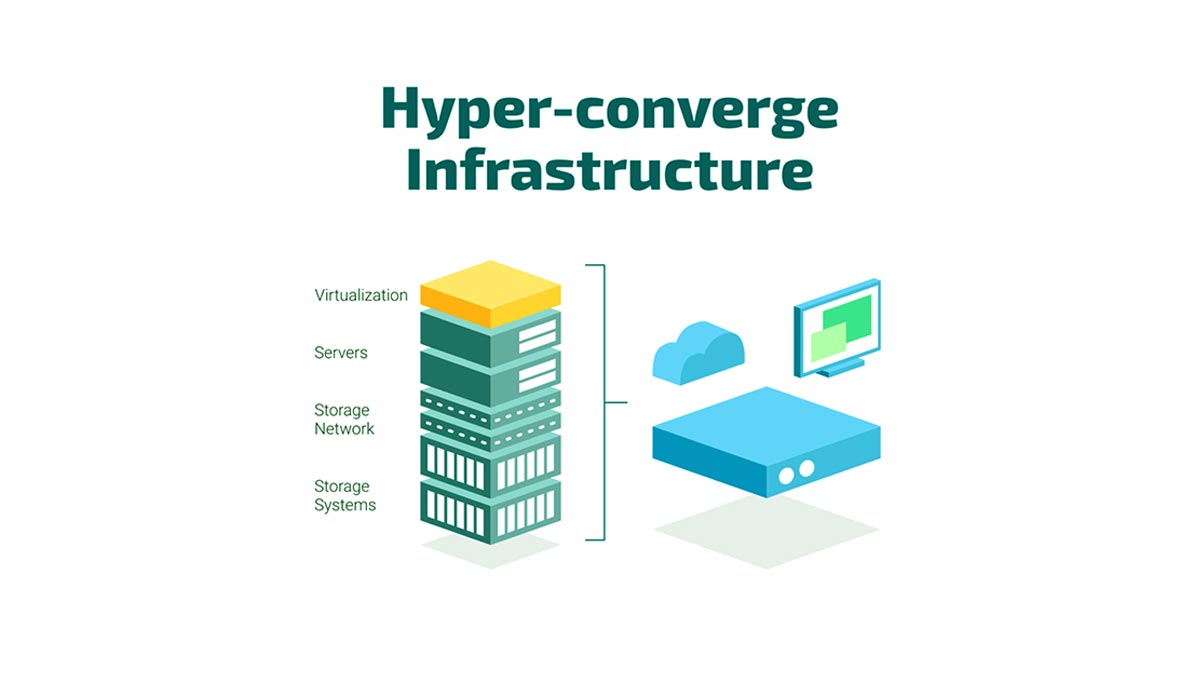
Hyperconverged Infrastructure (HCI) combines compute, storage, networking, and virtualization into a unified software-defined platform. Instead of relying on separate servers, storage arrays, and SAN networks, HCI uses interconnected nodes that work together as a single cluster managed through centralized software.
Each HCI node contributes CPU, memory, storage, and networking resources to the environment. The HCI software layer pools these resources, distributes workloads, automates storage management, and ensures high availability across the cluster. This architecture simplifies deployment, improves scalability, and reduces infrastructure complexity.
Nodes, Virtualization, and Software-Defined Storage
An HCI cluster is built from multiple nodes containing:
Using software-defined storage (SDS), HCI combines local storage from all nodes into a shared distributed storage pool. This eliminates the need for traditional SAN or NAS systems while improving flexibility and scalability.
Virtualization platforms such as VMware ESXi, Nutanix AHV, Hyper-V, or KVM allow multiple virtual machines to run on shared hardware. The HCI software integrates with the hypervisor to automate workload balancing, failover, and storage management.
High-speed networking is also essential for HCI performance. Technologies such as 10G, 25G, and 100G Ethernet, along with SFP+, SFP28, and QSFP optical modules, help ensure fast node-to-node communication and reliable storage synchronization.
Centralized Management and Scalability
One of the main advantages of HCI is centralized management. Administrators can manage compute, storage, virtualization, and networking resources from a single interface instead of operating separate infrastructure platforms.
HCI also uses a scale-out architecture, allowing organizations to expand capacity by simply adding more nodes. This approach simplifies infrastructure growth, improves flexibility, and supports modern workloads such as virtualization, private cloud, VDI, and edge computing.
Why HCI Reduces Infrastructure Silos
Traditional IT environments often separate server, storage, and networking management into different operational silos. HCI reduces this complexity by integrating infrastructure resources into a unified software-defined platform.
This centralized model helps organizations:
Simplify infrastructure operations
Reduce management overhead
Improve deployment speed
Increase resource efficiency
Automate routine tasks
By reducing dependency on separate hardware systems and management tools, HCI enables more agile and efficient data center operations.
🔴 Hyperconverged Infrastructure vs. Virtualization vs. dHCI
Organizations modernizing their data centers often compare traditional virtualization, Hyperconverged Infrastructure (HCI), and disaggregated HCI (dHCI). While these technologies are related, they differ in architecture, scalability, and management approach.
Traditional virtualization focuses on abstracting compute resources through hypervisors, while HCI combines compute, storage, networking, and virtualization into a unified software-defined platform. dHCI takes a hybrid approach by providing centralized HCI-style management while allowing compute and storage resources to scale independently.
Virtualization vs. HCI
Virtualization enables multiple virtual machines (VMs) to run on a single physical server using hypervisors such as VMware ESXi, Hyper-V, or KVM. However, traditional virtualized environments still rely on separate storage arrays and networking infrastructure.
HCI extends virtualization by integrating:
Compute
Software-defined storage
Networking
Centralized management
into a single platform.
Compared with traditional virtualization, HCI offers:
Simplified infrastructure management
Easier scalability
Reduced hardware complexity
Faster deployment
Feature | Traditional Virtualization | HCI |
|---|---|---|
Compute Virtualization | Yes | Yes |
Separate Storage Array | Usually Required | Not Required |
Management | Multiple Tools | Unified |
Scalability | Moderate | Simple Scale-Out |
Infrastructure Complexity | Higher | Lower |
HCI vs. Disaggregated HCI (dHCI)
In traditional HCI, compute and storage resources scale together by adding additional nodes. dHCI separates compute and storage scaling while maintaining centralized management.
This makes dHCI more flexible for environments where storage and compute growth occur at different rates.
Feature | HCI | dHCI |
|---|---|---|
Architecture | Fully Integrated | Partially Separated |
Compute & Storage Scaling | Together | Independent |
Flexibility | Moderate | Higher |
Management | Unified | Unified |
HCI is often preferred for simplified virtualization, VDI, and branch deployments, while dHCI is better suited for enterprise environments requiring flexible storage expansion.
Which Model Fits Which Environment
1. Traditional Virtualization
Best for:
Existing SAN-based environments
Smaller virtualization deployments
Organizations wanting separate storage control
2. HCI
Best for:
Private cloud infrastructure
VDI environments
Edge computing
Simplified data center operations
3. dHCI
Best for:
Enterprise-scale workloads
Storage-intensive applications
Flexible compute and storage scaling
At the same time, high-speed networking remains critical across all three models. Ethernet connectivity using 10G SFP+, 25G SFP28, 40G QSFP+, and 100G QSFP28 optical modules helps support low-latency communication, storage synchronization, and scalable data center networking in both HCI and dHCI environments.
🔴 Common HCI Use Cases and Business Benefits
Hyperconverged Infrastructure (HCI) is widely adopted because it simplifies IT operations while supporting modern workloads that require scalability, flexibility, and centralized management. Its software-defined architecture makes HCI suitable for organizations looking to modernize traditional data centers, support hybrid work environments, and improve infrastructure agility.
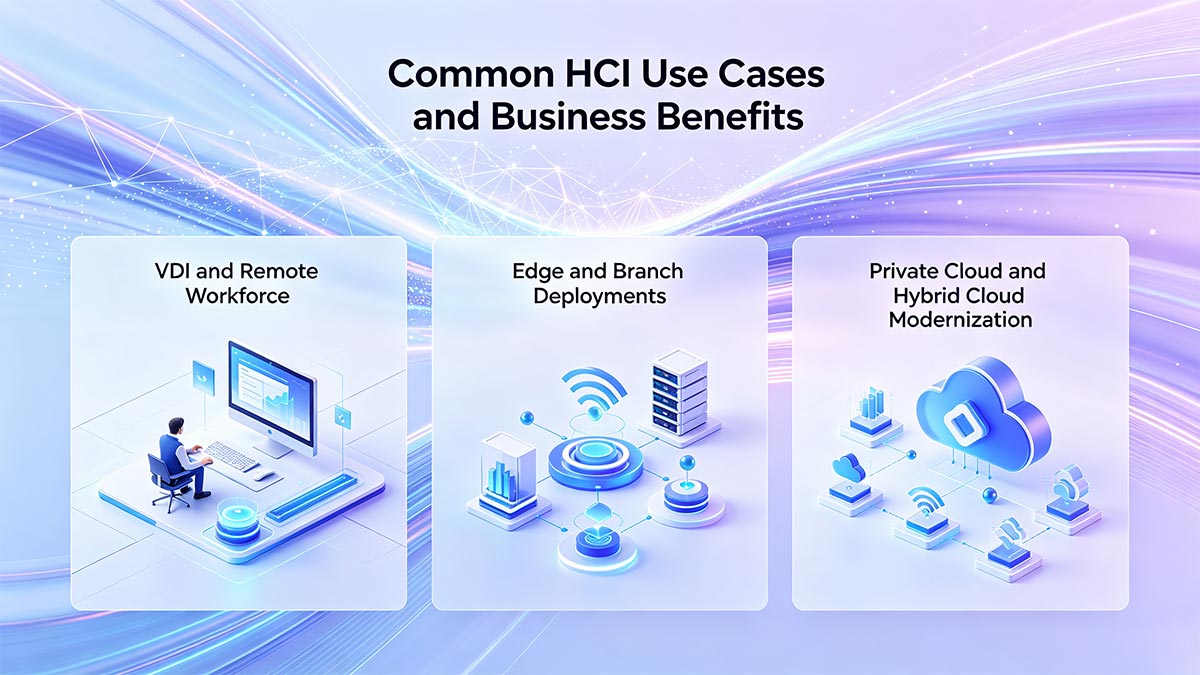
By integrating compute, storage, networking, and virtualization into a unified platform, HCI helps reduce infrastructure complexity, accelerate deployment, and improve operational efficiency.
Some of the most common HCI use cases include Virtual Desktop Infrastructure (VDI), edge computing, branch office deployments, private cloud infrastructure, and hybrid cloud modernization.
VDI and Remote Workforce
One of the most popular use cases for HCI is Virtual Desktop Infrastructure (VDI).
VDI environments often require high-performance storage, predictable scalability, and centralized management to support large numbers of virtual desktops. Traditional infrastructure can become difficult to scale and manage as remote workforces grow.
HCI simplifies VDI deployments by providing:
Centralized resource management
Fast virtual desktop provisioning
Simplified scalability
High availability and redundancy
Better workload balancing
Because HCI uses distributed storage and virtualization, organizations can scale VDI environments more efficiently by adding additional nodes as user demand increases.
The rise of remote and hybrid work has also increased demand for flexible infrastructure that supports secure access to applications and desktops from multiple locations. HCI helps IT teams deploy and manage these environments more efficiently while reducing operational overhead.
Edge and Branch Deployments
HCI is also highly effective for edge computing and remote branch office deployments.
Traditional infrastructure models often require dedicated storage systems, networking hardware, and on-site management resources, which may not be practical for distributed locations. HCI simplifies deployment by consolidating infrastructure into compact, software-managed nodes.
Benefits of HCI for edge and branch environments include:
Smaller hardware footprint
Simplified remote management
Reduced operational complexity
Faster deployment
Improved scalability
Better disaster recovery support
Retail stores, manufacturing facilities, healthcare locations, financial branches, and remote enterprise offices commonly use HCI to support local applications and workloads without deploying full-scale data center infrastructure.
Private Cloud and Hybrid Cloud Modernization
Many organizations adopt HCI as part of their private cloud or hybrid cloud modernization strategy.
Traditional infrastructure often struggles to deliver the agility and automation required for modern cloud operations. HCI provides a software-defined foundation that supports virtualization, workload automation, and cloud integration.
Key business benefits include:
Faster application deployment
Simplified infrastructure scaling
Improved resource utilization
Centralized management
Automation and orchestration support
Better workload mobility between environments
HCI platforms are commonly integrated with public cloud services to support hybrid cloud architectures, enabling organizations to move workloads between on-premises infrastructure and cloud environments more efficiently.
As AI workloads, big data applications, and cloud-native services continue to grow, HCI has become an important foundation for modern software-defined data centers and next-generation enterprise infrastructure.
🔴 The Role of SFP Module in HCI
Although Hyperconverged Infrastructure (HCI) is primarily known for combining compute, storage, virtualization, and networking into a unified platform, network connectivity remains one of the most critical factors affecting overall cluster performance. In modern HCI environments, high-speed Ethernet connectivity is essential for storage synchronization, VM migration, workload balancing, and node-to-node communication.

This is where SFP and SFP+ optical modules play an important role.
As HCI clusters scale, the amount of east-west traffic inside the data center increases significantly. Reliable optical interconnects help ensure low latency, high bandwidth, and stable communication between servers, switches, and storage layers. Choosing the right transceivers and uplink architecture can directly impact HCI scalability, redundancy, and application performance.
Where SFP and SFP+ Fit in an HCI Network
SFP (Small Form-factor Pluggable) and SFP+ modules are commonly used in HCI networking environments to connect:
HCI nodes to Top-of-Rack (ToR) switches
Leaf-spine data center networks
Storage traffic uplinks
Virtualization clusters
Core aggregation switches
In smaller HCI deployments, 10G SFP+ connections are still widely used for virtualization and storage traffic. In larger enterprise or AI-ready environments, organizations increasingly adopt 25G SFP28, 40G QSFP+, and 100G QSFP28 connectivity to support higher throughput and lower latency.
These optical modules help support critical HCI operations such as:
Distributed storage synchronization
Live VM migration
High-availability failover
Backup and disaster recovery
East-west traffic optimization
Because HCI environments depend heavily on internal cluster communication, network bottlenecks can significantly affect workload performance and storage efficiency.
Why Uplink Design Matters for Performance
In HCI architecture, storage and compute traffic often share the same Ethernet network. Poor uplink planning can create congestion, latency spikes, and synchronization delays across the cluster.
A properly designed HCI network should prioritize:
High-bandwidth uplinks
Low-latency switching
Redundant network paths
Balanced east-west traffic
Scalable leaf-spine architecture
As organizations expand HCI clusters, network traffic between nodes grows rapidly due to distributed storage replication and workload mobility. This makes uplink design a key factor in maintaining stable performance.
Many modern HCI deployments use:
10G SFP+ for small and mid-sized clusters
25G SFP28 for newer enterprise deployments
40G/100G QSFP uplinks for high-density data centers
Selecting the correct transceiver type, cable distance, and switch compatibility helps reduce packet loss and improve infrastructure reliability.
Choosing Optics for HCI Switches and Nodes
When selecting optical modules for HCI infrastructure, organizations should consider:
Network speed requirements
Switch compatibility
Transmission distance
Fiber type (single-mode or multimode)
Power consumption
Thermal performance
Vendor interoperability
For short-range data center connections, multimode optics such as 10G SR or 25G SR are commonly used. Longer-distance deployments may require single-mode LR transceivers for stable long-haul connectivity.
Compatibility is also critical in HCI environments because switches, servers, and storage systems often come from multiple vendors. Using reliable, fully tested optical modules helps reduce deployment issues and improves long-term network stability.
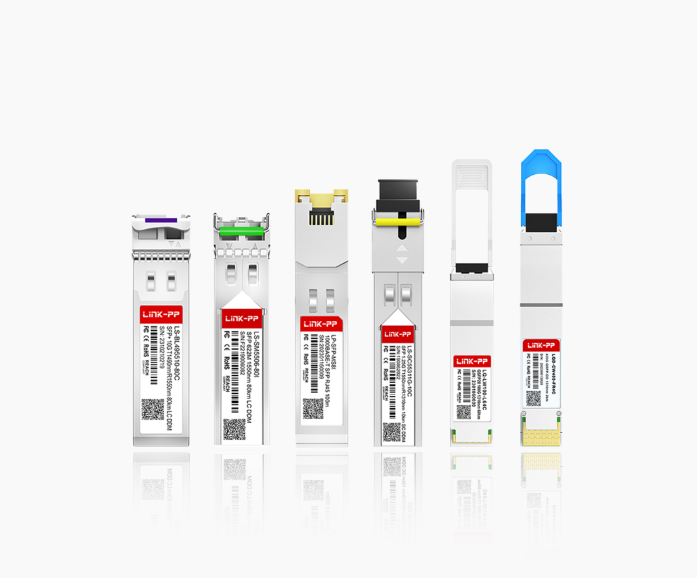
For organizations building scalable HCI infrastructure, sourcing high-quality compatible optical transceivers is just as important as selecting the right servers and switches. The LINK-PP Official Store provides a wide range of compatible SFP, SFP+, SFP28, QSFP+, and QSFP28 optical modules designed for enterprise networking, virtualization, and modern data center deployments.
🔴 HCI Challenges, Risks, and Considerations
While Hyperconverged Infrastructure (HCI) offers simplified management and scalable infrastructure, it is not the right solution for every environment. Organizations evaluating HCI should carefully consider factors such as licensing costs, scalability limitations, vendor dependency, and migration complexity before deployment.
Understanding these challenges helps businesses make more informed infrastructure decisions and avoid unexpected operational issues as workloads grow.
Cost and Licensing
Although HCI can reduce hardware complexity and operational overhead, the total cost of ownership depends heavily on licensing models, software subscriptions, and long-term scalability requirements.
Common cost considerations include:
Hypervisor licensing
HCI software subscriptions
Support contracts
Hardware refresh cycles
Network infrastructure upgrades
Cloud integration costs
Some HCI platforms require bundled licensing models that may increase costs as clusters expand. In addition, high-performance environments often require faster Ethernet switching and optical connectivity, which can further increase infrastructure investment.
Organizations should evaluate both short-term deployment costs and long-term operational expenses before selecting an HCI platform.
Scaling and Architecture Trade-Offs
HCI simplifies infrastructure scaling through a scale-out architecture, but this model also introduces trade-offs.
In many HCI environments, compute and storage resources scale together. If an organization only needs additional storage capacity, it may still need to add full nodes containing unused compute resources. This can reduce resource efficiency in some workloads.
Other architectural considerations include:
Storage-heavy workload optimization
Network bandwidth requirements
Cluster size limitations
Performance consistency under heavy east-west traffic
Backup and disaster recovery planning
For large enterprise deployments with uneven compute and storage growth, dHCI or traditional architectures may provide greater flexibility.
Proper network planning is also critical. Insufficient uplink capacity or poorly designed switching infrastructure can create bottlenecks that negatively affect storage synchronization and VM performance.
Support, Lock-In, and Migration Risk
Vendor dependency is another important consideration in HCI environments.
Many HCI platforms use tightly integrated software ecosystems that simplify management but may increase vendor lock-in. Migrating workloads between platforms can become complex depending on hypervisor compatibility, storage formats, and licensing restrictions.
Organizations should evaluate:
Vendor interoperability
Hardware compatibility
Migration tools and support
Long-term product roadmap
Ecosystem flexibility
Migration from traditional virtualization or SAN-based environments may also require infrastructure redesign, staff retraining, and temporary operational overlap during deployment.
Despite these challenges, many organizations still adopt HCI because the operational simplicity, centralized management, and scalability benefits outweigh the risks for modern virtualized and cloud-focused environments.
🔴 FAQs About Hyperconverged Infrastructure HCI
1. What is the difference between virtualization and HCI?
Virtualization is a technology that allows multiple virtual machines (VMs) to run on a single physical server using a hypervisor such as VMware ESXi, Hyper-V, or KVM. It mainly focuses on abstracting compute resources.
Hyperconverged Infrastructure (HCI) goes beyond virtualization by integrating compute, storage, networking, and management into a unified software-defined platform. Unlike traditional virtualized environments that often require separate SAN or NAS storage systems, HCI uses distributed software-defined storage and centralized management to simplify infrastructure operations.
In short:
Virtualization = virtual machines on shared hardware
HCI = virtualization + integrated storage + networking + centralized management
2. What is the difference between HCI and dHCI?
The main difference between HCI and disaggregated HCI (dHCI) is how compute and storage resources scale.
In traditional HCI, compute and storage are tightly integrated inside each node. Expanding the cluster usually means adding both compute and storage resources together.
dHCI separates compute and storage scaling while still maintaining centralized management. This allows organizations to expand storage or compute independently based on workload requirements.
3. What is hyperconverged infrastructure HCI Nutanix?
Nutanix is one of the most recognized Hyperconverged Infrastructure vendors in the market.
Nutanix HCI combines:
Compute
Virtualization
Software-defined storage
Networking management
into a unified platform designed to simplify data center operations.
The Nutanix platform is widely used for:
Private cloud infrastructure
Virtualization environments
VDI deployments
Hybrid cloud integration
Enterprise application workloads
Nutanix also offers its own hypervisor called AHV, which helps organizations reduce dependency on traditional virtualization licensing models.
4. What is HCI in Sangfor?
Sangfor HCI is a hyperconverged infrastructure platform developed by Sangfor Technologies that integrates compute, storage, networking, virtualization, and security into a centralized software-defined environment.
Sangfor HCI is commonly positioned for:
Enterprise virtualization
SMB infrastructure modernization
Branch office deployments
Private cloud environments
Simplified IT management
One of Sangfor HCI’s key focuses is operational simplicity, allowing organizations to manage infrastructure resources through a centralized interface while reducing hardware complexity and deployment time.
🔴 How to Choose the Right HCI Platform
Choosing the right Hyperconverged Infrastructure (HCI) platform requires more than simply comparing hardware specifications or licensing costs. Organizations should evaluate workload requirements, scalability goals, network architecture, management complexity, and long-term operational flexibility before making a decision.
The best HCI platform is the one that aligns with both current infrastructure needs and future business growth.
Decision Checklist
Before selecting an HCI solution, organizations should evaluate the following factors:
Workload type and performance requirements
Virtualization platform compatibility
Storage capacity and scalability needs
Network bandwidth requirements
Cloud and hybrid cloud integration
Centralized management capabilities
High availability and disaster recovery features
Vendor ecosystem and interoperability
Long-term licensing and support costs
Networking infrastructure should also be part of the evaluation process. Modern HCI environments often rely on 10G, 25G, or 100G Ethernet connectivity, making switch compatibility and optical transceiver selection important for overall cluster performance.
Questions to Ask Before Buying
Before deploying HCI, IT teams should ask several critical questions:
Will compute and storage scale at the same rate?
Does the platform support existing workloads and hypervisors?
How easy is migration from current infrastructure?
What are the long-term licensing costs?
Does the vendor provide strong technical support?
Is the networking infrastructure ready for HCI traffic demands?
How well does the platform integrate with hybrid cloud environments?
Organizations should also evaluate compatibility between servers, switches, and optical connectivity components such as SFP+, SFP28, QSFP+, and QSFP28 modules to ensure stable and scalable cluster communication.
When HCI Is the Wrong Choice
Although HCI works well for many modern data center environments, it is not ideal for every workload or organization.
HCI may not be the best fit for:
Extremely storage-heavy environments
Organizations requiring independent compute and storage scaling
Legacy applications with specialized hardware dependencies
Very small environments with limited virtualization needs
Businesses heavily invested in traditional SAN infrastructure
In some enterprise deployments, dHCI or traditional three-tier architectures may offer better flexibility and resource optimization.
The key is to match the infrastructure model to actual business and workload requirements rather than adopting HCI simply because it is a popular modernization trend.