


Selecting the right Ethernet cable is critical for ensuring reliable network performance, especially when using Copper SFP (RJ45) modules. With multiple cable standards available—Cat5e, Cat6, and Cat6A—it can be challenging to decide which is the best choice for your deployment. Each cable type differs in bandwidth, maximum transmission distance, shielding, and cost, all of which directly impact Copper SFP performance, particularly for 10GBASE-T and future-proof upgrades.
In this guide, we will compare Cat5e, Cat6, and Cat6A, examining their technical specifications, real-world performance, and installation considerations. You’ll learn how to choose the most suitable cable for home networks, enterprise environments, and data centers, while ensuring your Copper SFP modules operate at optimal speed and reliability.
By reading this article, you will gain:
A clear understanding of Cat5e, Cat6, and Cat6A differences
Insights into Copper SFP compatibility and maximum distance per cable type
Practical guidance for deployment, cost optimization, and future-proofing
➡️ Overview of Cat5e, Cat6, and Cat6A Ethernet Cables
Ethernet cabling standards have evolved to meet the growing demand for higher network speeds and reliable connections. Cat5e, Cat6, and Cat6A are the most widely used copper cables today, each with distinct specifications and performance characteristics. These differences become especially important when deploying Copper SFP (RJ45) modules, as cable choice directly affects link speed, distance, and signal integrity.
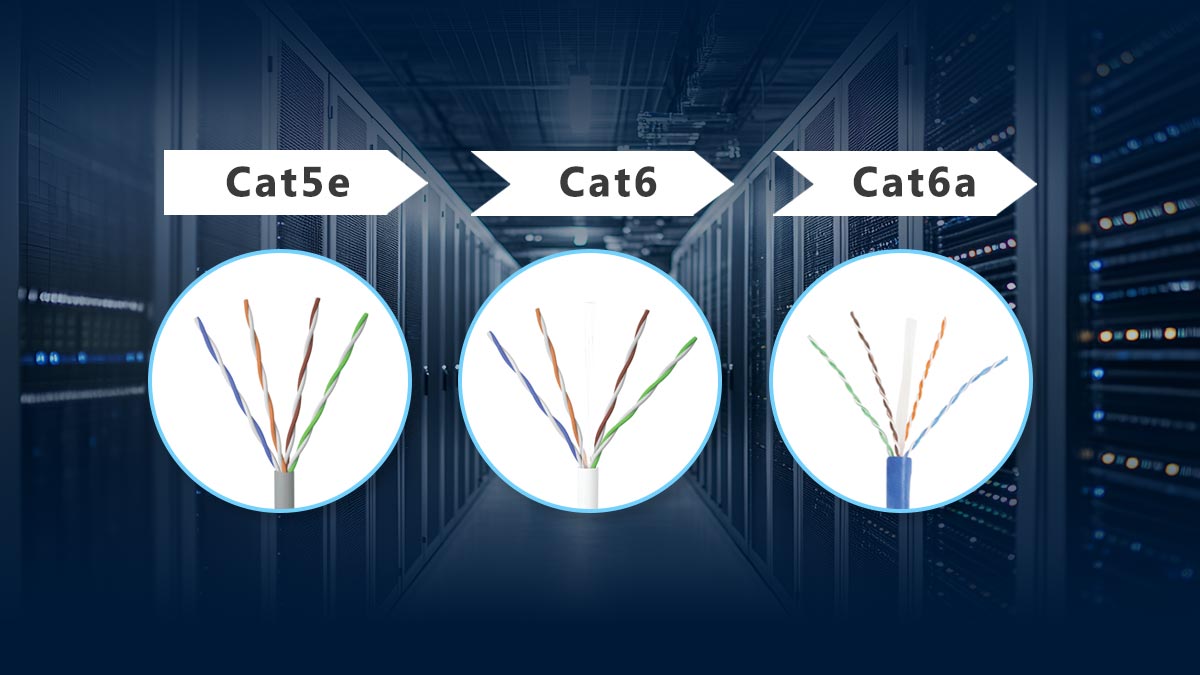
Cat5e vs. Cat6 vs. Cat6A Technical Comparison
Cable Type | Bandwidth | Max 10G Distance | Conductor | Typical Use Case |
|---|---|---|---|---|
Cat5e | 100 MHz | 1G: 100 m / 10G: ~45 m | 24 AWG | Home networks, small offices, basic Copper SFP links |
Cat6 | 250 MHz | 1G: 100 m / 10G: ~55 m | 23 AWG | Medium-density networks, short 10G links, Copper SFP |
Cat6A | 500 MHz | 1G: 100 m / 10G: 100 m | 23 AWG, better shielding | Enterprise, data centers, full 10G Copper SFP deployments |
Note: Maximum distances for 10G depend on cable quality, installation practices, and environmental factors like EMI and crosstalk.
Key Differences Between Cat5e, Cat6, and Cat6A
Bandwidth:
Cat5e supports up to 100 MHz, suitable for 1G networks, while Cat6 doubles that to 250 MHz. Cat6A reaches 500 MHz, reducing alien crosstalk and allowing full 10GBASE-T performance.Transmission Distance for 10G:
Copper SFP modules can leverage Cat6 for short 10G links (~55 m), but Cat6A is required for stable 10G over full 100 m channels.Shielding and Construction:
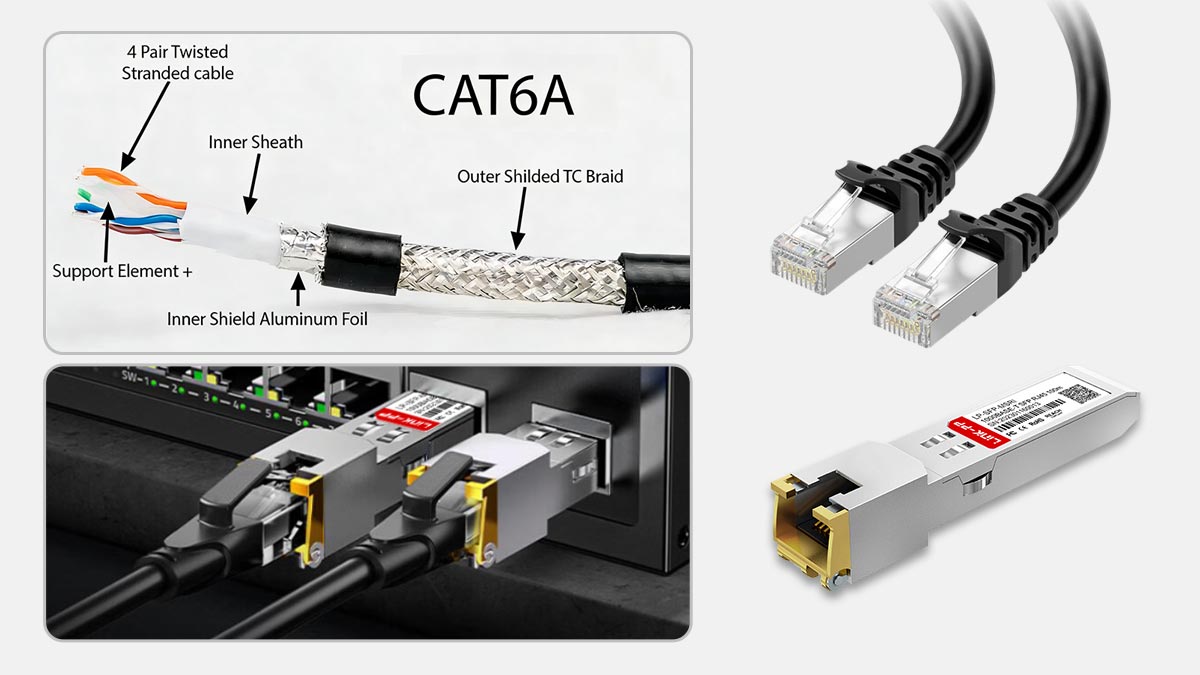
Cat6A cables often include shielding (F/UTP or S/FTP) to protect against EMI, which is crucial in high-density racks and Copper SFP deployments.Cost and Flexibility:
Cat5e is the most budget-friendly, Cat6 is a moderate upgrade, and Cat6A offers the highest performance with slightly higher installation complexity due to cable thickness and bend radius.
Historical Context and Typical Use Cases
Cat5e: Introduced as an enhancement to Cat5, Cat5e became the standard for gigabit Ethernet in homes and small offices. It is cost-effective and compatible with most Copper SFP modules for short-range links.
Cat6: Developed for higher-speed networks, Cat6 doubled bandwidth and added stricter crosstalk control, making it suitable for 10GBASE-T over short distances and mid-sized office deployments.
Cat6A: “Augmented” Cat6 was designed for full 10G performance at 100 meters, with improved shielding to combat alien crosstalk. It is ideal for data centers and enterprise networks, ensuring reliable Copper SFP performance in high-density, EMI-prone environments.
➡️ Copper SFP Modules and Cable Requirements
Copper SFP modules, also known as RJ45 or electrical SFPs, enable network devices to transmit Ethernet signals over standard copper cables instead of fiber. Choosing the right cable type—Cat5e, Cat6, or Cat6A—is critical for achieving the expected link speed, distance, and reliability.
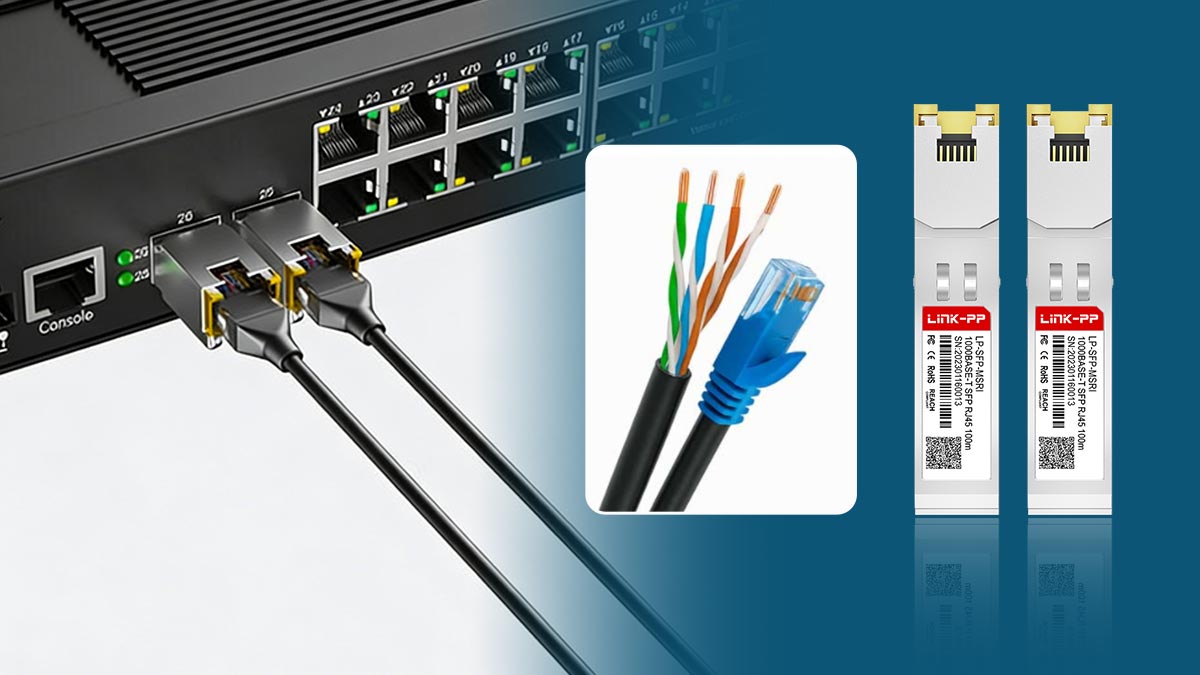
How Copper SFP Works Over Cat5e/Cat6/Cat6A
Copper SFP modules convert the network signal from the switch or router into electrical signals suitable for twisted-pair copper cabling. The module’s performance depends on the cable category:
Cat5e: Suitable for 1G Copper SFP links, limited for 10G over short distances (~45 m).
Cat6: Can support 10GBASE-T Copper SFP modules but typically only up to 55 meters.
Cat6A: Optimized for 10G Copper SFP over the full 100-meter channel, with improved shielding against crosstalk and EMI.
Using a lower-grade cable with a higher-speed Copper SFP module will default to the cable’s maximum supported performance, potentially limiting throughput and reliability.
Maximum Supported Distance by Cable Type and Speed
Cable Type | 1GBASE-T | 10GBASE-T | Notes |
|---|---|---|---|
Cat5e | 100 m | ~45 m | Suitable for home or small office 1G; short-range 10G only |
Cat6 | 100 m | ~55 m | Medium-density deployments; careful consideration of EMI required |
Cat6A | 100 m | 100 m | Enterprise and data center environments; stable 10G performance |
Tip: Environmental factors like high EMI, bundled cables, or long patch runs can reduce effective distances, even for Cat6A.
Deployment Examples: Homelabs vs Data Centers
Homelabs / Small Offices:
Cat5e or Cat6 is often sufficient for short 1G or occasional 10G Copper SFP links. Budget-friendly and flexible, these environments rarely require shielded Cat6A.Enterprise / Data Centers:
Cat6A is recommended to guarantee full 10G performance over 100 m. Shielded cables, proper grounding, and careful channel planning are essential to prevent crosstalk and maintain signal integrity. High-density racks often combine Copper SFP modules with structured cabling for reliability and future-proofing.
➡️ Real-World 10G Performance and Distance Limitations
While theoretical specifications provide a baseline, real-world 10G performance over copper cabling—especially with Copper SFP modules—depends heavily on distance, installation quality, and environmental conditions. In practice, engineers often apply more conservative limits than standard values to ensure stable operation.
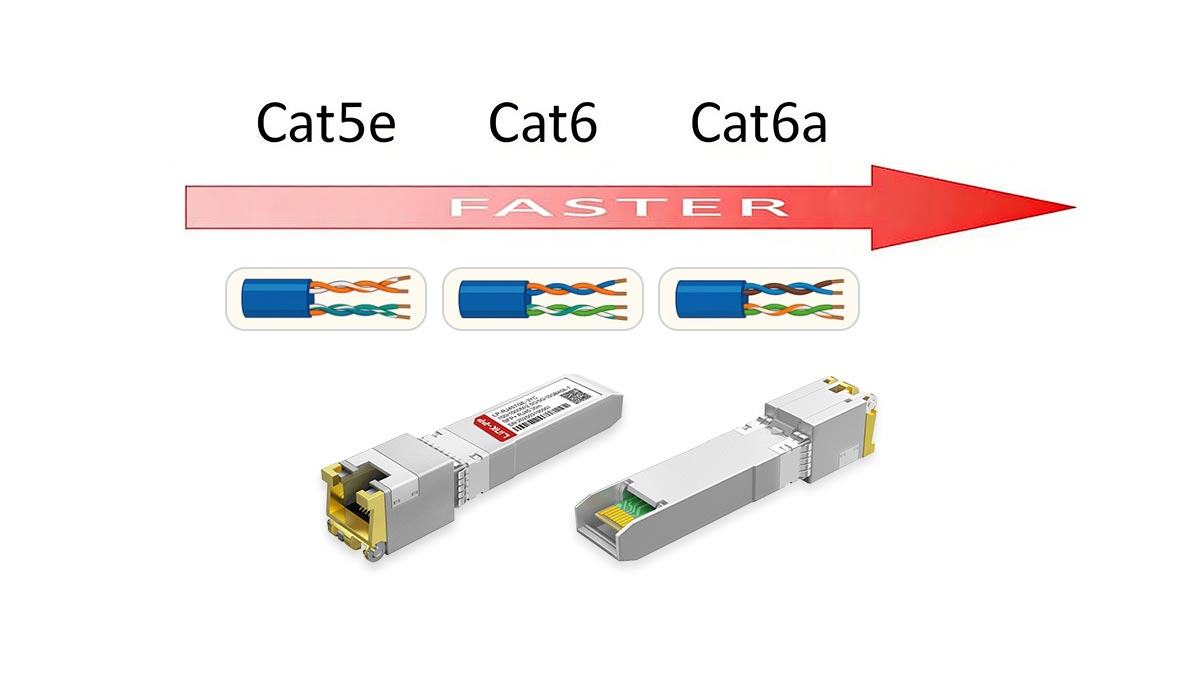
Cat5e/Cat6/Cat6A Distance by Speed for Copper SFP
Cable Type | 1GBASE-T | 2.5G/5GBASE-T | 10GBASE-T | Practical Recommendation |
|---|---|---|---|---|
Cat5e | 100 m | 100 m | ~30–45 m | Use for 1G; limited 10G in short links |
Cat6 | 100 m | 100 m | ~37–55 m | Suitable for short 10G runs with good installation |
Cat6A | 100 m | 100 m | 100 m | Recommended for full 10G Copper SFP deployments |
Engineering Note: Copper SFP modules operating at 10GBASE-T are more sensitive to signal degradation than 1G links, making cable quality and installation practices critical.
Environmental Factors Affecting Signal Quality (EMI, Crosstalk, Patching)
In real deployments, multiple external and internal factors can significantly reduce achievable 10G distances:
1. Alien Crosstalk (AXT)
The primary reason Cat6 cannot reliably reach 100 m at 10G
Occurs when signals from adjacent cables interfere with each other in high-density bundles
Cat6A is specifically designed to mitigate AXT through improved shielding and spacing
2. Electromagnetic Interference (EMI)
Common in data centers, industrial environments, and rack-dense setups
Poor shielding (or unshielded Cat6) can lead to packet loss or unstable links
Shielded Cat6A (F/UTP or S/FTP) is preferred in these environments
3. Patch Panels and Connectors
Each additional connection point introduces insertion loss
Low-quality keystone jacks or patch cords can degrade 10G performance
For Copper SFP deployments, use certified Cat6A components end-to-end
4. Installation Quality
Tight bends, improper termination, or excessive cable bundling can reduce performance
Cat6 is especially sensitive to installation quality at 10G speeds
This is why engineers often derate Cat6 to ~40–50 m for reliable 10G links
Why Cat6 10G Distance Is Shorter in Real Deployments
Although Cat6 is rated for 10GBASE-T up to ~55 meters under ideal conditions, real-world environments introduce noise, interference, and loss. As a result:
High cable density → increased crosstalk
Longer patch runs → more insertion loss
Mixed-quality components → inconsistent performance
👉 Engineering best practice:
Use Cat6 only for short, controlled 10G links
Use Cat6A for predictable, full-distance 10G Copper SFP deployments
➡️ Deployment Scenarios: Homelab, Enterprise, and Data Center Recommendations
Choosing between Cat5e, Cat6, and Cat6A is not just about specifications—it depends heavily on the deployment environment, link distance, and long-term scalability requirements, especially when using Copper SFP modules for 1G or 10G connectivity.
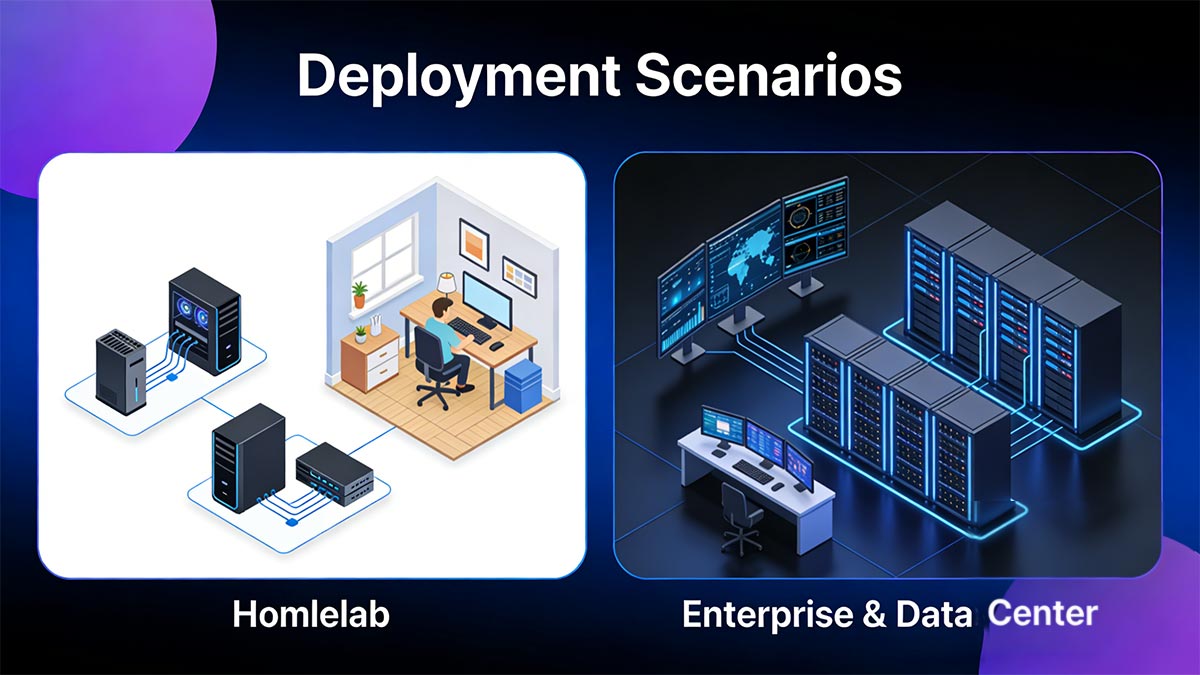
Homelab & Small Office Guide
For homelabs and small office networks, flexibility and cost-efficiency are usually the top priorities:
Typical setup:
Short cable runs (≤30–50 m)
Low cable density
Minimal EMI interference
Recommended cable choices:
Cat5e: Suitable for 1G networks and occasional short-range 10G Copper SFP links
Cat6: Ideal balance for users planning short-distance 10G upgrades
Why not always Cat6A?
Thicker and less flexible
Higher cost (cable + connectors + installation)
Often unnecessary for short runs
👉 Best practice:
Use Cat6 for new homelab builds if you anticipate upgrading to 10G Copper SFP in the future, while Cat5e remains acceptable for purely gigabit environments.
Enterprise & Data Center Guide (Rack Density, Conduit, Cooling)
In enterprise networks and data centers, the priorities shift to reliability, scalability, and predictable performance:
Typical challenges:
High cable density (bundled runs in trays or racks)
Significant EMI from power systems and equipment
Strict uptime and performance requirements
Recommended cable choice:
Cat6A (preferred standard) for all new 10G Copper SFP deployments
Why Cat6A is critical in these environments:
Designed to reduce alien crosstalk (AXT) in dense bundles
Supports full 100 m 10GBASE-T links
Better compatibility with structured cabling systems
Infrastructure considerations:
Rack density: Larger cable diameter affects airflow and cable management
Conduit fill: Cat6A requires more space; plan pathways accordingly
Cooling: Dense cabling can restrict airflow—important in high-performance racks
👉 Engineering recommendation:
For enterprise and data center environments, always design with Cat6A + compatible patch panels + shielded components to ensure long-term stability of Copper SFP links.
Key Takeaway: Matching Cable to Environment
Scenario | Recommended Cable | Reason |
|---|---|---|
Homelab / Small Office | Cat5e / Cat6 | Cost-effective, short distance, low interference |
Office Networks | Cat6 | Good balance for 1G/short 10G |
Enterprise / Data Center | Cat6A | Full 10G support, high-density reliability |
➡️ Cost Comparison & Total Cost of Ownership (TCO)
When choosing between Cat5e, Cat6, and Cat6A, focusing only on the price per meter can be misleading. For Copper SFP deployments, the real decision should consider the total cost of ownership (TCO)—including installation, infrastructure impact, and future upgrade costs.
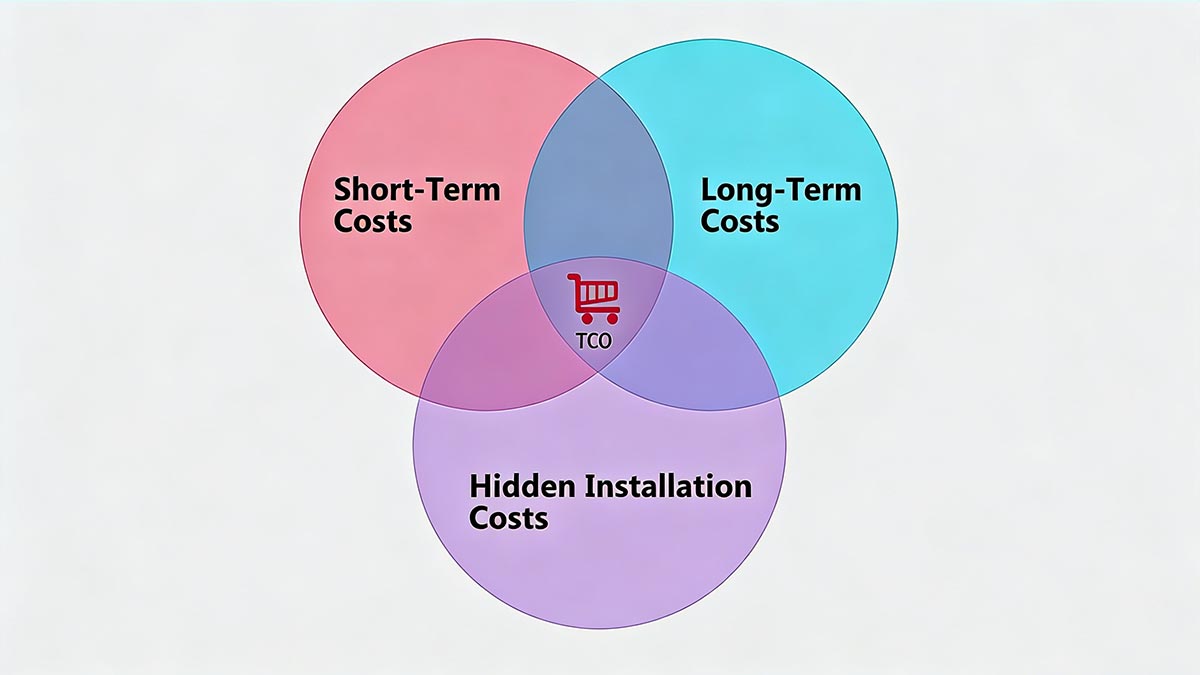
Short-Term vs. Long-Term Cost Model
Short-Term Costs (Initial Investment)
Cost Factor | Cat5e | Cat6 | Cat6A |
|---|---|---|---|
Cable price per meter | Lowest | Medium | Highest |
Connectors & patch panels | Low | Medium | Higher (shielded components) |
Installation difficulty | Easy | Moderate | More complex |
Cable diameter / conduit fill | Small | Medium | Large |
Cat5e: Lowest upfront cost, easy to install
Cat6: Moderate cost, widely used for balanced performance
Cat6A: Higher cost due to thicker cables, shielding, and stricter installation requirements
Hidden Installation Costs (Often Overlooked)
For Cat6A, additional factors can increase deployment cost:
Larger cable diameter → reduces conduit capacity
Higher bend radius → requires careful routing
Shielding requirements → grounding and compatible hardware needed
Labor cost → more time-consuming termination and testing
👉 In high-density environments, these factors can significantly increase per-link deployment cost.
Long-Term Costs (Lifecycle & Upgrade Impact)
This is where Cat6A often becomes more cost-effective:
Avoids re-cabling for 10G upgrades
Reduces troubleshooting and maintenance costs
Provides stable performance for Copper SFP 10GBASE-T links
Supports future bandwidth growth without infrastructure changes
👉 Key insight:
Choosing a lower-grade cable (e.g., Cat5e or Cat6) may lead to full reinstallation costs later, which far exceed initial savings.
ROI Example for 10G Migration
Scenario:
A company deploys Cat6 today for cost savings but plans to upgrade to 10G Copper SFP within 2–3 years.
Outcome comparison:
Option 1 — Cat6 (short-term saving):
Lower initial cost
Limited to ~55 m for 10G
May require partial or full re-cabling
Option 2 — Cat6A (future-proof):
Higher upfront investment
Supports full 100 m 10G immediately
No re-cabling needed
👉 ROI conclusion:
Cat6 saves cost initially but increases future upgrade risk and cost
Cat6A delivers better long-term ROI, especially for enterprise and data center environments
Practical Recommendation for Copper SFP Deployments
Scenario | Best Choice | Reason |
|---|---|---|
Budget-limited, short-term use | Cat5e / Cat6 | Lowest upfront cost |
Small office with possible 10G upgrade | Cat6 | Balanced cost and performance |
Enterprise / data center / long-term | Cat6A | Best TCO and future-proofing |
Key Takeaway
Cat5e = lowest cost, limited future scalability
Cat6 = balanced option, but limited for long 10G links
Cat6A = highest upfront cost, lowest long-term risk
👉 For Copper SFP 10G deployments, Cat6A is typically the most cost-effective choice over time, despite higher initial investment.
➡️ Testing, Certification and Patching Best Practices
For Copper SFP (RJ45) 10G deployments, cable selection alone is not enough. Even with Cat6A cabling, improper termination, poor-quality components, or lack of certification testing can lead to link instability, packet loss, or failure to achieve 10G speeds.
To ensure reliable performance, end-to-end testing, certification, and high-quality patching components are essential.
Required Tests (Level III/IIIe Certification, NEXT/ACR/FEXT)
Professional network installations require certification testing using industry-standard tools such as those from Fluke Networks.
Key certification levels:
Level III / IIIe testers
Required for certifying Cat6 / Cat6A installations
Validate full channel performance up to 10GBASE-T
Critical parameters tested:
NEXT (Near-End Crosstalk)
Measures interference between pairs at the transmitting end
FEXT (Far-End Crosstalk)
Measures interference at the receiving end
ACR (Attenuation-to-Crosstalk Ratio)
Indicates overall signal quality margin
Reflects impedance mismatches caused by poor termination
👉 Why this matters for Copper SFP:
Copper SFP modules operating at 10G are highly sensitive to signal degradation. Without proper certification, even a Cat6A link may fail to deliver stable performance.
Why End-to-End Certification Is Critical
Ensures the entire channel (cable + patch cords + connectors) meets standards
Identifies hidden issues like poor crimping, excessive untwist, or cable damage
Provides documented proof of performance (important for enterprise deployments)
👉 Best practice:
Always certify the full link, not just individual cable segments.
Recommended Patch Panels & Keystone Jacks for Cat6A
To maintain 10G reliability, all components in the channel must match the cable category:
1. Use Category-Matched Components
Cat6A cable → Cat6A patch panel + Cat6A keystone jacks
Avoid mixing lower-category components, which can bottleneck performance
2. Prefer Shielded Components for Cat6A
Especially in high-density or high-EMI environments
Includes:
Shielded patch panels
Shielded RJ45 keystone jacks
Shielded patch cords
3. Ensure Proper Grounding
Required for shielded systems (F/UTP, S/FTP)
Ground through patch panels and racks
Poor grounding can increase noise instead of reducing it
4. Maintain Consistent Channel Quality
Avoid mixing brands or inconsistent quality levels
Use certified components designed for 10GBASE-T applications
Common Patching Mistakes to Avoid
Excessive pair untwist during termination
Using Cat5e patch cords in a Cat6A channel
Overloading patch panels in high-density racks
Ignoring bend radius requirements
Skipping certification testing
Key Takeaway for 10G Copper SFP Reliability
Cable + connectors + installation + testing = total link performance
Certification testing is not optional for enterprise-grade 10G networks
High-quality patching components are essential to fully utilize Cat6A and Copper SFP capabilities
👉 Engineering recommendation:
For any 10G Copper SFP deployment, use Cat6A end-to-end with certified components and full channel testing to ensure long-term stability.
➡️ FAQs about Cat5e vs. Cat6 vs. Cat6A
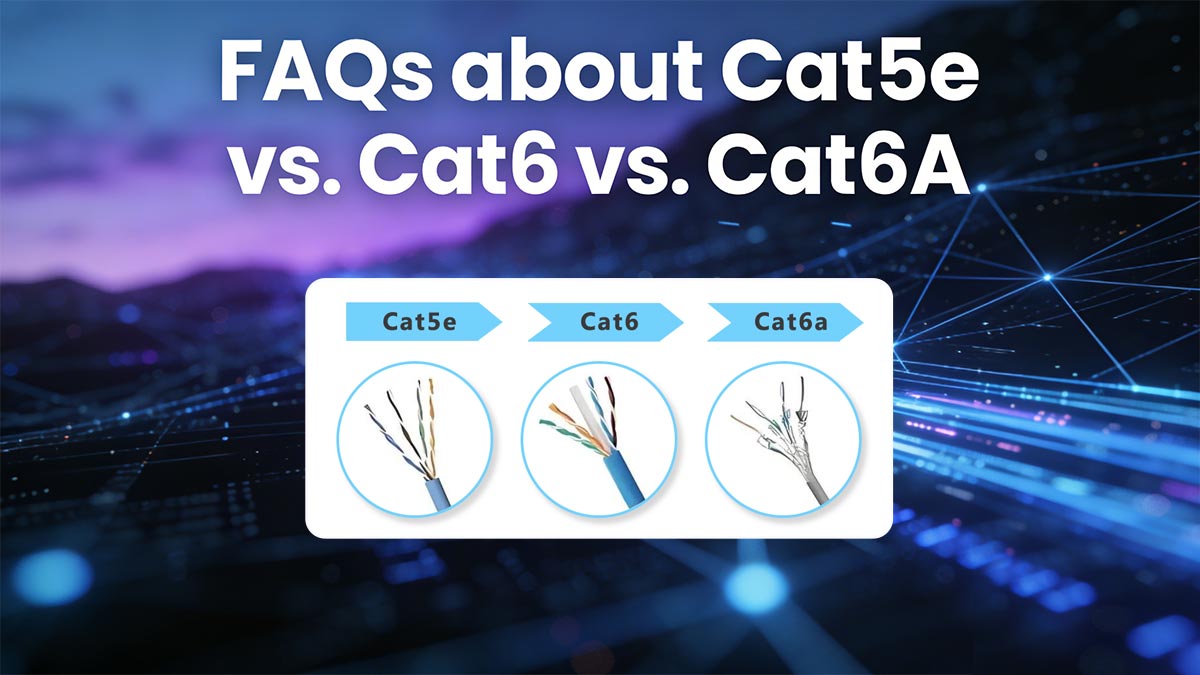
Q1: Is Cat6 better than Cat5e?
Yes. Cat6 offers higher bandwidth (250 MHz vs 100 MHz) and better crosstalk control, making it more suitable for 10G short-distance links and future upgrades.
Q2: Can Cat6 support 10G?
Yes, but typically only up to ~55 meters under ideal conditions. For full 100 m 10G performance, Cat6A is recommended.
Q3: Can I use Copper SFP with Cat5e / Cat6 / Cat6A?
Yes. Copper SFP modules work with all three, but speed and distance depend on the cable type—Cat6A is best for stable 10G.
Q4: Why use Cat6A instead of Cat6?
Cat6A supports 10GBASE-T up to 100 meters and provides better protection against alien crosstalk (AXT), making it ideal for enterprise and data centers.
Q5: Do I need shielded cable for Cat6A?
Not always, but shielded Cat6A is recommended in high-density or high-EMI environments to ensure stable 10G performance.
➡️ Choosing the Right Ethernet Cable for Copper SFP
Selecting between Cat5e, Cat6, and Cat6A is ultimately a balance of distance, target bandwidth, installation environment, and long-term scalability—especially when deploying Copper SFP modules for 1G or 10G networks.
Quick Decision Tree (How to Choose Cat5e, Cat6 and Cat6A)
Use this simplified decision path to select the right cable:
Distance ≤ 30–50 m + 1G / light 10G use →
👉 Cat5e or Cat6 is sufficientShort-distance 10G (≤ 55 m) →
👉 Cat6 is the best cost-performance optionFull 10G up to 100 m or high-density environment →
👉 Cat6A is strongly recommendedHigh EMI / data center / future-proof design →
👉 Shielded Cat6A + certified components
Engineer Tips and Recommendations
Based on aggregated discussions from network engineers (including high-engagement Reddit threads and lab testing reports):
Many homelab users successfully run 10G over Cat6 at short distances, but often report instability beyond ~40–50 m
In enterprise deployments, engineers consistently recommend Cat6A due to its predictable performance and reduced troubleshooting risk
Field reports show that termination quality and patching components often impact performance more than the cable category itself
Lab tests confirm that alien crosstalk (AXT) is a major limiting factor for Cat6 in dense installations
👉 Key takeaway:
Real-world performance is often more conservative than theoretical specs, especially for 10G Copper SFP links.
For new installations, avoid designing to the minimum requirement
Always consider future bandwidth upgrades (10G → 25G migration paths)
Use end-to-end Cat6A + certified testing for business-critical networks
Standardize components (cable + patch panel + keystone + patch cord) to avoid weak links
Choose the Right Copper SFP Solution
To fully leverage your cabling infrastructure, selecting a reliable Copper SFP module is just as important as choosing the right cable.
👉 Explore Copper SFP & Ethernet Connectivity Solutions at LINK-PP Official Store
Compatible with Cat5e, Cat6, and Cat6A
Designed for stable enterprise and data center deployments
👉 Recommended next actions:
Review product datasheets for compatibility
Validate your cable infrastructure (Cat6 vs. Cat6A)
Test links using certified tools before deployment
About the Author
This guide is based on real-world deployment practices, structured cabling standards, and field feedback from network engineers, combined with hands-on experience in Ethernet connectivity components and Copper SFP solutions.
References & Further Reading
TIA/EIA structured cabling standards (Cat5e / Cat6 / Cat6A)
IEEE 802.3an (10GBASE-T)
Vendor implementation guides and lab validation reports



