


In today’s bandwidth-driven world—where Wi-Fi 6/6E access points, NAS systems, and high-performance workstations are becoming standard—traditional Gigabit Ethernet (1G) is increasingly a bottleneck. At the same time, upgrading directly to 10G infrastructure often requires costly fiber deployment, new switches, and higher power consumption.
This is exactly where 2.5G Copper SFP (2.5GBASE-T) emerges as the most practical and cost-effective solution.
A 2.5GBASE-T SFP module is a hot-pluggable RJ45 transceiver that allows you to deliver 2.5 Gbps Ethernet over existing Cat5e or Cat6 copper cabling, typically up to 100 meters. Built on the IEEE 802.3bz standard, it bridges the performance gap between 1G and 10G Ethernet, offering a 2.5× speed improvement without requiring a full network overhaul.
From an upgrade perspective, this makes 2.5GBASE-T uniquely attractive:
✅ No rewiring — reuse existing copper infrastructure
✅ Lower cost than 10G deployments
✅ Backward compatible with 1G and 100M networks
✅ Ideal for modern workloads like NAS, cloud backup, and high-density Wi-Fi
But beyond the technical specs, most users searching for “2.5G Copper SFP” are really asking deeper questions:
Is 2.5G Ethernet worth upgrading from 1G?
Will it work with my switch or NAS?
How far can it run over Cat5e?
Is it stable enough for real-world deployment?
This guide is designed to answer those exact questions—clearly and practically.
What You’ll Learn in This Guide
By reading this complete guide, you will:
Understand what 2.5GBASE-T is and how it works
Learn how 2.5G Copper SFP modules integrate with existing networks
Evaluate performance vs cost vs compatibility
Discover real-world use cases (NAS, Wi-Fi 6, SMB networks)
Follow a practical buying and deployment checklist
Whether you are an IT engineer planning a network upgrade, a business optimizing infrastructure costs, or a power user building a high-speed home network, this article will help you determine when and how to adopt 2.5G Copper SFP with confidence.
🌐 What Is 2.5G Copper SFP (2.5GBASE-T)?
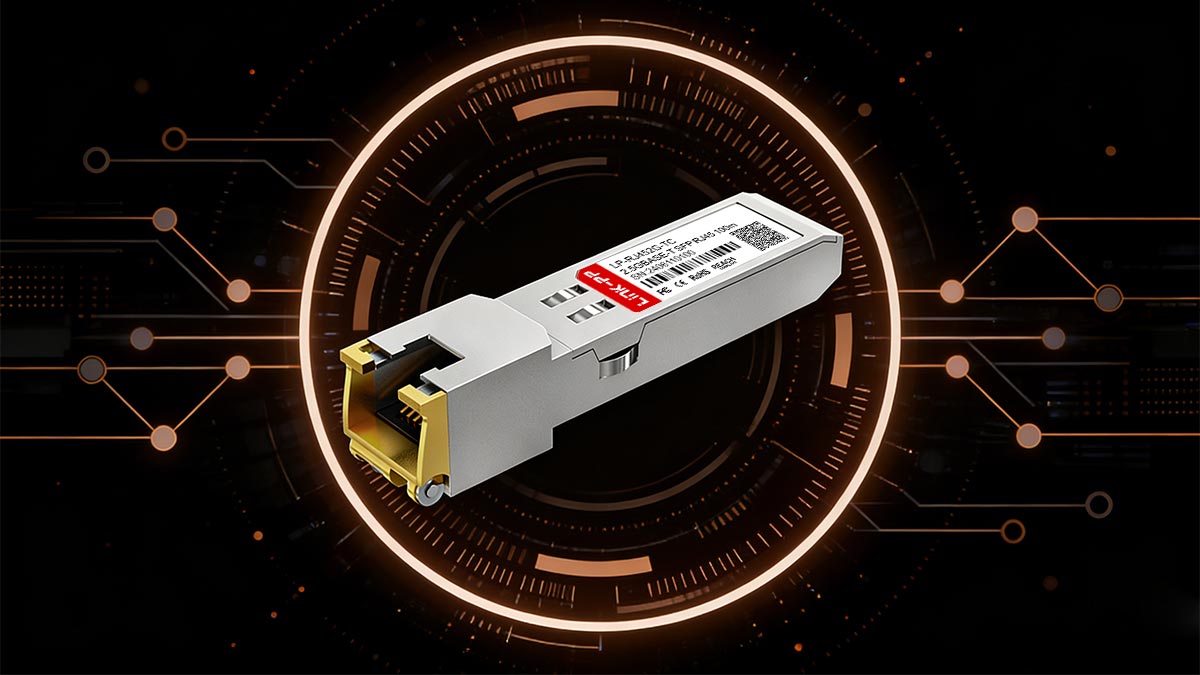
2.5GBASE-T is a multi-gigabit Ethernet standard defined by IEEE 802.3bz, designed to deliver 2.5 Gbps speeds over standard copper cabling. When implemented in an RJ45 SFP transceiver, it allows network devices with SFP/SFP+ ports to connect directly to Ethernet cables—combining flexibility, compatibility, and higher performance.
In this section, we’ll break down how 2.5GBASE-T works, where it fits between 1G and 10G Ethernet, and why it has become the preferred upgrade path for many modern networks.
Definition of 2.5GBASE-T (IEEE 802.3bz)
2.5GBASE-T is an Ethernet standard defined by IEEE 802.3bz, designed to deliver 2.5 Gbps data transmission over standard twisted-pair copper cabling such as Cat5e and Cat6.
Unlike traditional Gigabit Ethernet (1G), which is limited to 1 Gbps, 2.5GBASE-T increases bandwidth by 2.5× while maintaining the same cabling infrastructure and maximum distance of up to 100 meters. It is part of the broader multi-gigabit Ethernet evolution, often referred to as NBASE-T technology, created to meet the growing demand for higher throughput without the cost of full 10G upgrades.
How RJ45 SFP Modules Enable Copper-Based 2.5GbE
A 2.5G Copper SFP module is essentially a plug-and-play RJ45 transceiver that converts an SFP or SFP+ port on a switch into a standard Ethernet copper interface.
Here’s how it works in practice:
The SFP side connects directly to your network switch or router
The RJ45 port connects to Cat5e/Cat6 Ethernet cables
The module internally handles signal conversion and speed negotiation
This allows network devices that only have SFP/SFP+ ports to communicate over copper Ethernet at 2.5 Gbps, eliminating the need for fiber optics in many scenarios.
In simple terms: It turns a fiber-style port into a high-speed copper Ethernet port.
Position Between 1G and 10G Ethernet
2.5GBASE-T sits strategically between two widely used standards:
Standard | Speed | Cabling | Cost | Typical Use |
|---|---|---|---|---|
1G (1000BASE-T) | 1 Gbps | Cat5e | Low | Legacy networks |
2.5GBASE-T | 2.5 Gbps | Cat5e/Cat6 | Moderate | Modern upgrades |
10G (10GBASE-T / SFP+) | 10 Gbps | Cat6a / Fiber | High | Data centers |
This positioning makes 2.5GBASE-T the “sweet spot” upgrade:
Faster than 1G (removes bottlenecks)
Much cheaper and simpler than 10G
No need for new cabling in most environments
Why 2.5GBASE-T Exists in Modern Networking Evolution
The rise of 2.5GBASE-T is not accidental—it directly responds to real-world network pressure points:
1. Wi-Fi 6 / 6E Bottlenecks
Modern access points can exceed 1 Gbps throughput, making 1G uplinks insufficient.
2. NAS and High-Speed Storage Growth
Large file transfers, backups, and media workflows require more than Gigabit speeds.
3. Cost Barrier of 10G
While 10G offers higher performance, it often requires:
New cabling (Cat6a or fiber)
Expensive switches and NICs
Higher power consumption
4. Infrastructure Reuse Demand
Organizations prefer to extend the life of existing Cat5e/Cat6 cabling rather than replace it.
2.5G Copper SFP (2.5GBASE-T) exists because it solves a critical gap:
It delivers multi-gigabit performance using existing copper infrastructure, making it the most practical upgrade path for modern networks.
In the next section, we’ll break down how 2.5GBASE-T actually works over copper cabling—including signaling, auto-negotiation, and real-world performance behavior.
🌐 How 2.5GBASE-T Works Over Copper Cabling
To fully understand the value of 2.5G Copper SFP (2.5GBASE-T), it’s important to look at how it actually delivers multi-gigabit speeds over traditional copper Ethernet cabling. Unlike fiber-based solutions, 2.5GBASE-T is engineered to maximize existing infrastructure, using advanced signaling and intelligent negotiation to achieve higher throughput without changing your cables.
Role of Cat5e, Cat6, and Cat6a Infrastructure
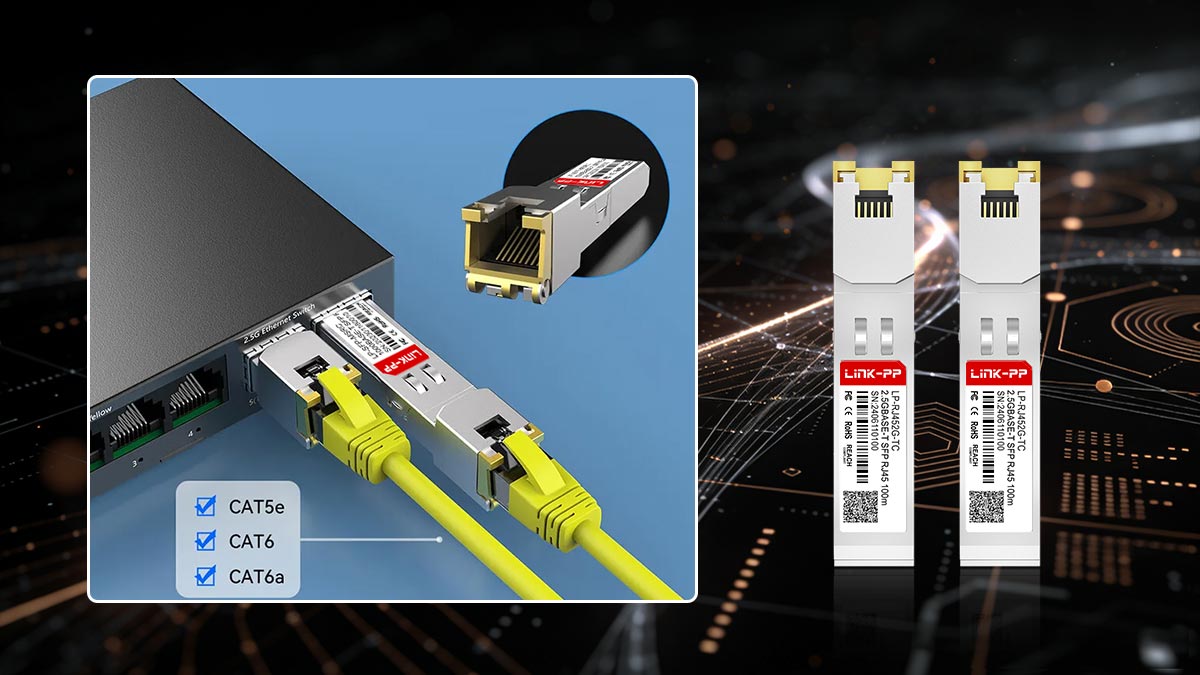
One of the biggest advantages of 2.5GBASE-T is its ability to run on widely deployed Ethernet cabling:
Cat5e: Supports 2.5Gbps up to 100 meters (most common scenario)
Cat6: Offers better noise resistance and stability at 2.5G speeds
Cat6a: Optimized for higher frequencies and future 10G upgrades
This backward compatibility is a core reason why the IEEE 802.3bz standard gained rapid adoption—it allows organizations to upgrade network speed without costly rewiring.
In practical terms: If your network already runs on Cat5e or Cat6, you are likely ready for 2.5G today.
NBASE-T Signaling Technology Overview
2.5GBASE-T relies on advanced signaling techniques derived from NBASE-T technology, which enhances data transmission over copper cables without increasing bandwidth requirements dramatically.
Key technical concepts include:
Improved modulation schemes to increase data rate
Better noise cancellation to handle interference in copper cables
Efficient use of existing frequency ranges (unlike 10GBASE-T, which requires higher frequencies)
These innovations allow 2.5GBASE-T to deliver stable multi-gigabit performance over cables originally designed for 1G Ethernet.
Auto-Negotiation with 1G / 100M Devices
A major strength of 2.5GBASE-T is its seamless backward compatibility.
2.5G Copper SFP modules support auto-negotiation, meaning they can automatically match the highest supported speed between connected devices:
2.5 Gbps
1 Gbps (1000BASE-T)
100 Mbps
This ensures:
Smooth integration into existing networks
No manual configuration required in most cases
Reduced risk of compatibility issues
Example: If your switch supports 2.5G but your device only supports 1G, the connection will automatically fall back to 1G.
Real-World Throughput vs. Theoretical Speed
While 2.5GBASE-T is rated at 2.5 Gbps, actual performance depends on several real-world factors:
Typical Real-World Throughput:
~2.2–2.35 Gbps effective data rate (after overhead)
Influencing Factors:
Cable quality (Cat5e vs Cat6)
Cable length and installation quality
Switch and NIC performance
Thermal conditions of RJ45 SFP modules
Important Insight: Even with minor losses, 2.5G still provides more than double the usable bandwidth of Gigabit Ethernet, making it a highly efficient upgrade.
2.5GBASE-T works by combining advanced signal processing with existing copper cabling, delivering multi-gigabit speeds without requiring infrastructure replacement.
It is not just faster Ethernet—it is optimized Ethernet designed for real-world deployment constraints.
In the next section, we’ll explore the key features of 2.5G Copper SFP modules, including power consumption, compatibility design, and hardware architecture.
🌐 Key Features of 2.5G Copper SFP Modules
When evaluating whether a 2.5G Copper SFP (2.5GBASE-T) module fits your network, understanding its core features is essential. These modules are designed not only to deliver higher speeds, but also to ensure flexibility, compatibility, and efficient deployment in real-world environments.
2.5Gbps Full-Duplex Performance
At its core, a 2.5G Copper SFP module provides:
2.5 Gbps transmit and receive simultaneously (full-duplex)
Up to 2.5× the bandwidth of Gigabit Ethernet
Smooth handling of high-demand workloads such as:
NAS file transfers
Video streaming and editing
Wi-Fi 6/6E backhaul traffic
This makes it a practical upgrade for networks experiencing 1G bottlenecks but not requiring full 10G capacity.
Hot-Swappable SFP / SFP+ Compatibility
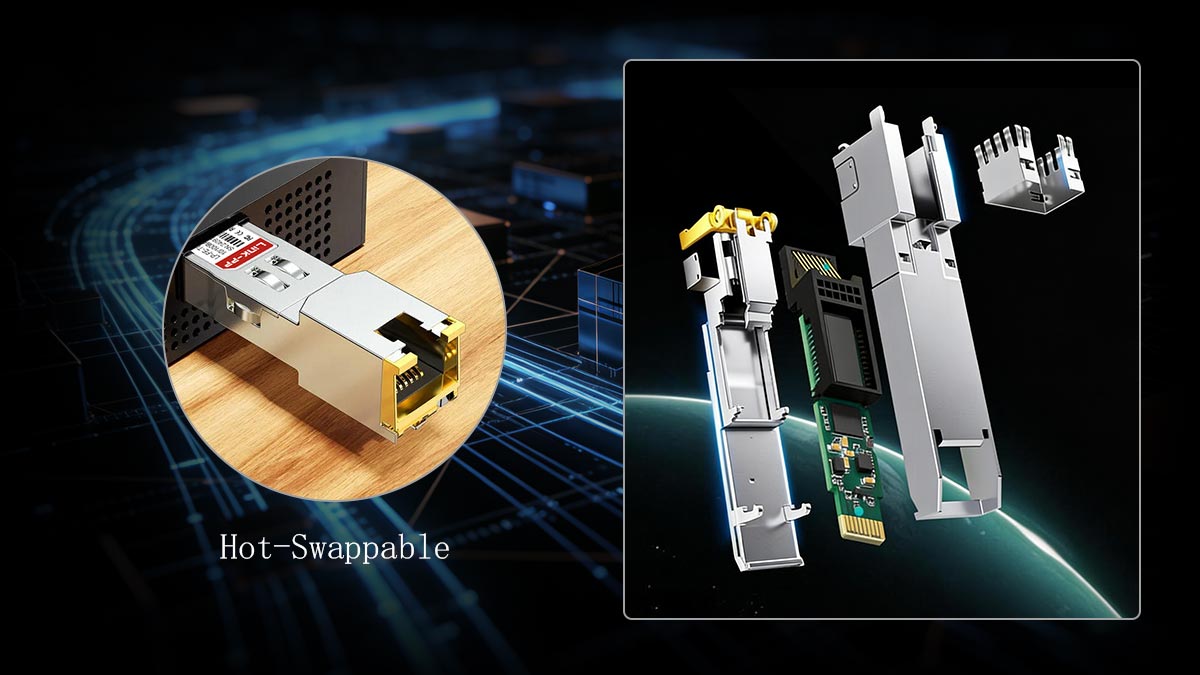
One of the biggest operational advantages is hot-pluggability:
Modules can be inserted or removed without powering down the switch
Compatible with both SFP and SFP+ ports (depending on vendor support)
Enables flexible scaling and easy maintenance in live networks
This is especially valuable in enterprise or ISP environments where downtime must be minimized.
RJ45 Copper Interface Design
Unlike fiber-based transceivers, 2.5G Copper SFP modules feature a standard RJ45 Ethernet port, allowing:
Direct connection to Cat5e / Cat6 / Cat6a cables
Seamless integration with existing copper infrastructure
Simplified deployment without fiber optics or additional converters
In essence, it combines the modularity of SFP with the simplicity of Ethernet.
Low Power Consumption (~2W Typical)
Compared to higher-speed copper modules (especially 10GBASE-T), 2.5G Copper SFPs are relatively efficient:
Typical power consumption: ~1.5W to 2.5W
Lower heat generation than 10G RJ45 modules
Suitable for dense switch deployments with multiple ports
However, due to the compact SFP form factor, thermal design still matters—especially in high-temperature environments or fully populated switches.
MSA Compliance and Chipset Integration
Most high-quality 2.5G Copper SFP modules follow MSA (Multi-Source Agreement) standards, ensuring interoperability across different vendors.
In addition, they rely on proven Ethernet chipsets commonly used in:
Systems based on Realtek RTL8125
Platforms using Intel I225/I226
These chipsets enable:
Stable 2.5GBASE-T signal processing
Auto-negotiation across multiple speeds
Broad compatibility with switches, NICs, and embedded systems
The strength of 2.5G Copper SFP modules lies in their balanced design:
They deliver multi-gigabit performance, plug-and-play flexibility, and infrastructure compatibility—all in a compact, efficient form factor.
In the next section, we’ll dive into one of the most critical concerns for buyers: compatibility with switches, NICs, and real-world network environments.
🌐 Compatibility Guide — Switches, NAS, and NICs
Compatibility is one of the most critical decision factors when deploying a 2.5G Copper SFP (2.5GBASE-T) module. While the technology is standardized, real-world performance depends heavily on switch support, port type, firmware, and chipset alignment.
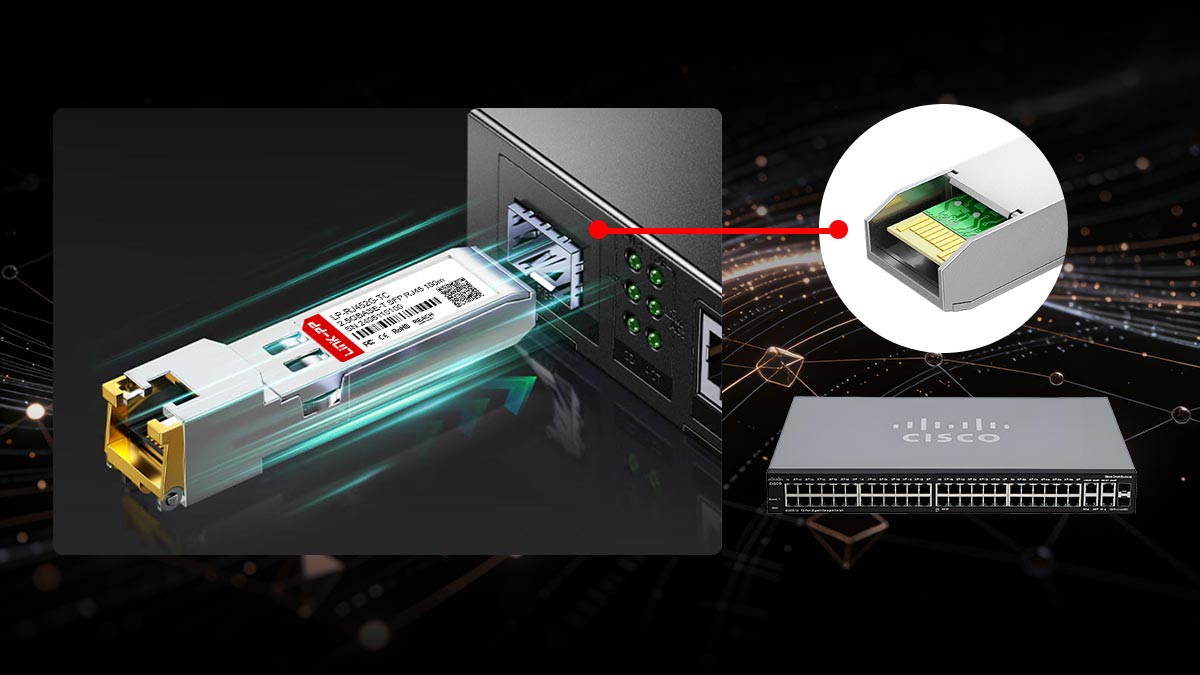
This section breaks down where 2.5G Copper SFP modules work best—and how to avoid common deployment issues.
Compatible Platforms (Switch Ecosystem Overview)
Most modern networking brands support 2.5GBASE-T either natively or via SFP modules. Popular compatible platforms include:
Ubiquiti UniFi
MikroTik (e.g., S+RJ10 compatibility scenarios)
NETGEAR
Fortinet
However, compatibility is not universal by default. Many switches enforce:
Vendor-locked firmware
Power limits on SFP ports
Module recognition requirements
Best practice: Always verify compatibility lists or use MSA-compliant modules tested for your switch model.
SFP vs. SFP+ Port Compatibility Considerations
A common question is whether 2.5G Copper SFP modules work in both SFP (1G) and SFP+ (10G) ports.
Key differences:
SFP ports (1G):
May limit operation to 1G only
Some newer models support multi-gig (check vendor specs)
SFP+ ports (10G):
More likely to support 2.5G auto-negotiation
Provide sufficient bandwidth and power for RJ45 modules
Important insight: Many 2.5G Copper SFP modules are designed primarily for SFP+ ports, not legacy SFP-only ports.
NIC Chipsets (Endpoint Compatibility)
End-device compatibility is equally important. Most 2.5G networks rely on widely adopted Ethernet controllers such as:
Intel I225/I226
Realtek RTL8125
These chipsets support:
2.5GBASE-T auto-negotiation
Backward compatibility with 1G/100M
Stable operation across NAS, PCs, and embedded systems
If your endpoint uses one of these chipsets, 2.5G connectivity is typically plug-and-play.
NAS and Wi-Fi 6 / 6E Deployment Use Cases
2.5G Copper SFP modules are widely used in modern network scenarios:
1. NAS (Network Attached Storage)
Enables faster file transfers (2×–2.5× vs 1G)
Ideal for media editing, backups, and virtualization
2. Wi-Fi 6 / Wi-Fi 6E Access Points
Prevents uplink bottlenecks from high-speed wireless traffic
Matches real throughput of modern APs (>1Gbps)
3. SMB and Home Lab Networks
Cost-effective upgrade without fiber deployment
Works with existing Cat5e infrastructure
These use cases highlight why 2.5GBASE-T is often called the “real-world upgrade standard”.
Common Compatibility Issues (and How to Avoid Them)
Despite its advantages, users often encounter the following issues:
❌ 1. Module Not Recognized
Cause: Vendor lock-in or unsupported EEPROM coding
Solution: Use vendor-coded or MSA-compatible modules
❌ 2. Speed Drops to 1G
Cause: Port limitation or cable quality
Solution: Verify:
SFP+ port supports 2.5G
Cable is Cat5e or better
❌ 3. Overheating or Instability
Cause: High power RJ45 modules in dense environments
Solution:
Ensure adequate airflow
Choose low-power (~2W) modules
❌ 4. Inconsistent Auto-Negotiation
Cause: Firmware mismatch or chipset differences
Solution:
Update switch firmware
Use tested combinations (switch + module + NIC)
Compatibility is not just about standards—it’s about real-world ecosystem alignment.
A successful 2.5G deployment depends on switch support, port capability, chipset compatibility, and proper module selection.
In the next section, we’ll explore distance, speed stability, and real-world performance limits of 2.5G Copper SFP modules—helping you understand what to expect beyond datasheet specifications.
🌐 2.5G Copper SFP Distance, Speed & Stability Limits
While 2.5G Copper SFP (2.5GBASE-T) modules are designed for simplicity and compatibility, their real-world performance depends on several physical and environmental factors. Understanding distance limits, cable quality, and thermal behavior is essential for stable deployment.
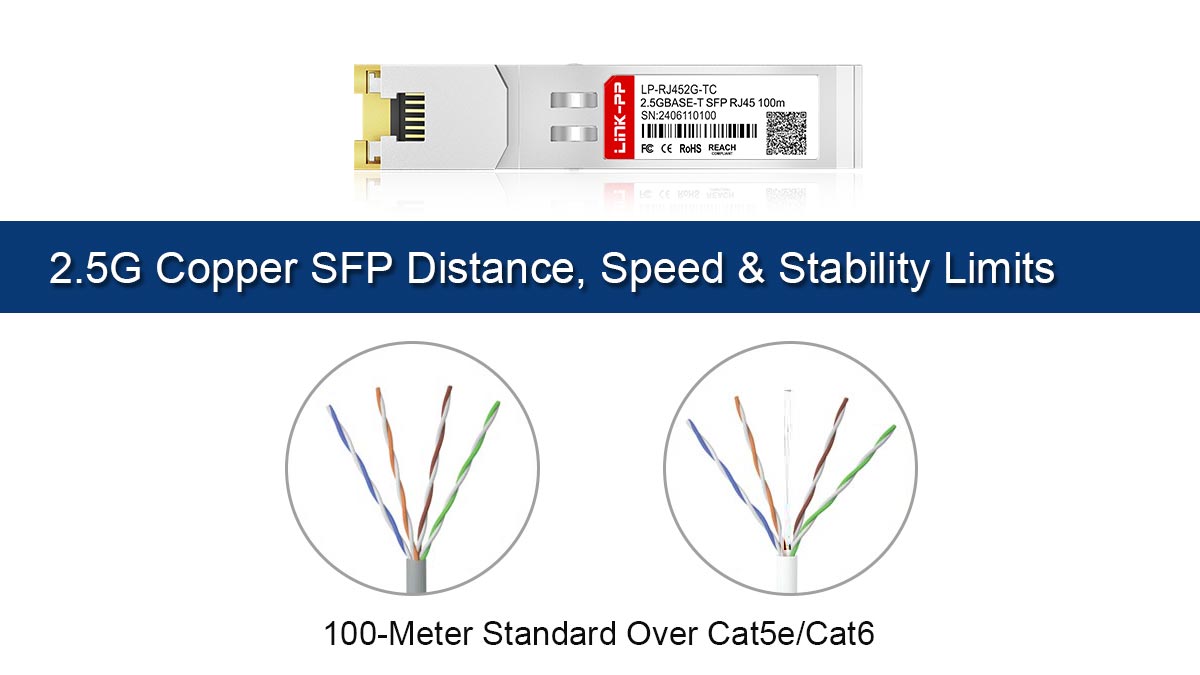
100-Meter Standard Over Cat5e/Cat6
According to the IEEE 802.3bz specification:
Maximum distance: 100 meters (328 feet)
Supported cables: Cat5e, Cat6, Cat6a
This is a major advantage over 10GBASE-T, which often requires Cat6a for full distance.
Practical implication: Most existing Ethernet installations can support 2.5G speeds without modification, making it ideal for upgrades in offices, homes, and data closets.
Signal Quality vs Cable Category Impact
Although 2.5GBASE-T works on Cat5e, not all cables perform equally.
Performance by cable type:
Cat5e
Fully supports 2.5G up to 100m
More sensitive to interference and installation quality
Cat6
Better shielding and reduced crosstalk
More stable performance under load
Cat6a
Best signal integrity
Future-proof for 10G upgrades
Key insight: Cable installation quality (termination, bending, interference) often matters more than category alone.
Heat Generation and Thermal Considerations
RJ45-based SFP modules, including 2.5G models, generate more heat than optical modules due to electrical signal processing inside a compact form factor.
Typical characteristics:
Power consumption: ~1.5W to 2.5W
Heat concentrated in a small metal enclosure
Limited airflow inside dense switch environments
Potential risks:
Overheating in fully populated switches
Reduced lifespan or instability
Automatic speed throttling in extreme cases
Best practices:
Ensure proper switch ventilation and airflow
Avoid stacking too many copper SFP modules in adjacent ports
Choose low-power, thermally optimized designs
Real-World Speed Stability vs. Lab Specifications
Although rated at 2.5 Gbps, actual performance can vary depending on environment.
Typical real-world results:
2.2–2.35 Gbps effective throughput
Stable under normal conditions with quality cabling
Factors affecting stability:
Cable length (closer to 100m = higher attenuation)
Electromagnetic interference (EMI)
Switch buffer and processing capability
NIC driver and firmware optimization
Important perspective: Even with slight overhead losses, 2.5G still delivers over double the usable bandwidth of Gigabit Ethernet.
Why RJ45 SFP Modules May Vary by Vendor Design
Not all 2.5G Copper SFP modules are created equal. Differences between vendors can significantly impact performance and reliability.
Key variations include:
Chipset quality
Determines signal processing efficiency and compatibility
Thermal design
Heat dissipation materials and internal layout
Power optimization
Lower power = better stability in dense deployments
Firmware tuning
Affects auto-negotiation and switch compatibility
This is why some modules:
Run cooler and more stable
Maintain 2.5G speeds consistently
Work seamlessly across different switch brands
The performance of 2.5G Copper SFP modules is not just defined by the standard—it is shaped by cable quality, environment, and hardware design.
While 100m at 2.5Gbps is achievable in most cases, optimal results depend on using quality cables, proper cooling, and reliable module vendors.
In the next section, we’ll compare 2.5G vs. 1G vs. 10G Ethernet, helping you decide which upgrade path makes the most sense for your network.
🌐 2.5G vs. 1G vs. 10G Ethernet — Which Should You Choose?
Choosing between 1G, 2.5G, and 10G Ethernet is not just about speed—it’s a balance of performance needs, budget, and infrastructure readiness. This section provides a clear framework to help you decide which upgrade path fits your environment.
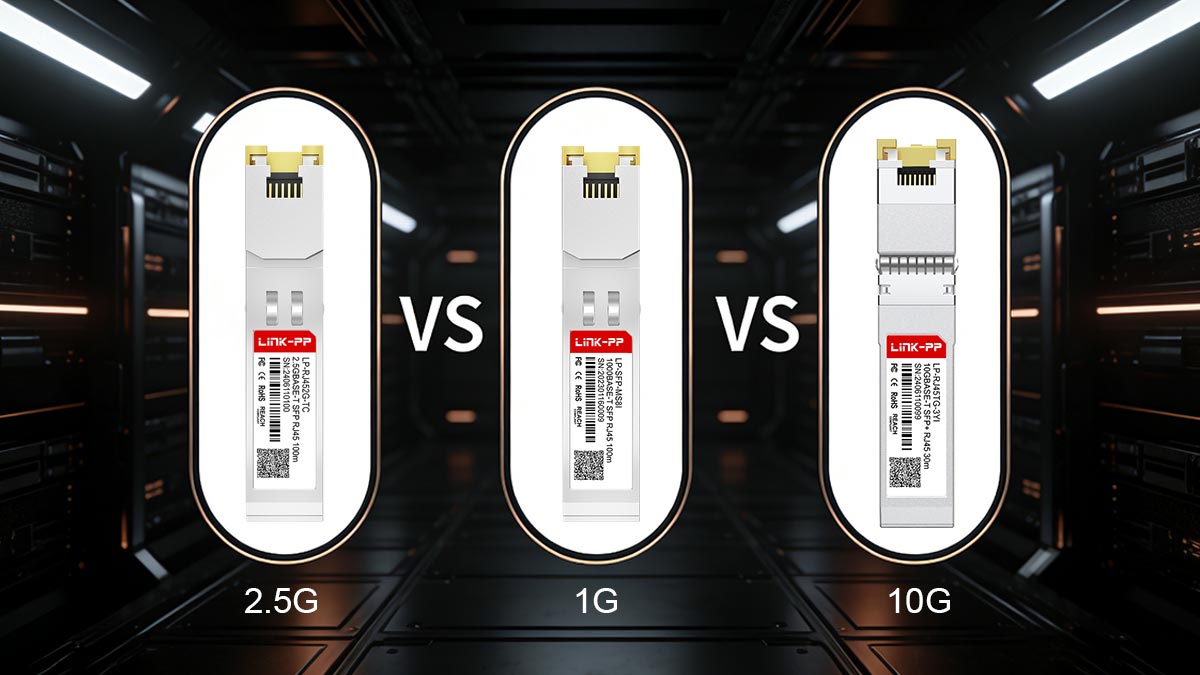
Performance Comparison Matrix
Standard | Speed | Cable Requirement | Max Distance | Typical Use Case |
|---|---|---|---|---|
1G (1000BASE-T) | 1 Gbps | Cat5e | 100m | Basic networks, legacy systems |
2.5GBASE-T | 2.5 Gbps | Cat5e / Cat6 | 100m | SMB, NAS, Wi-Fi 6 |
10G (10GBASE-T / SFP+) | 10 Gbps | Cat6a / Fiber | 100m (Cat6a) | Data centers, high-performance LAN |
Key takeaway: 2.5G delivers 2.5× speed improvement over 1G while maintaining the same cabling, making it a highly efficient mid-tier upgrade.
Cost vs. Infrastructure Upgrade Trade-Offs
1G → 2.5G Upgrade
✅ Minimal cost increase
✅ No cabling replacement required
✅ Works with existing switches (if multi-gig supported)
❗ Requires compatible SFP modules or ports
1G → 10G Upgrade
❌ Higher equipment cost (switches, NICs, optics)
❌ Often requires Cat6a or fiber rewiring
❌ Higher power consumption and heat
✅ Maximum performance for demanding workloads
Insight: For most users, 2.5G offers the best ROI (Return on Investment).
When 2.5G Is the “Sweet Spot” Upgrade
2.5GBASE-T is the ideal choice when:
You are currently limited by 1G bottlenecks
Your infrastructure is based on Cat5e/Cat6 cabling
You want a cost-effective performance boost
Your applications include:
NAS file transfers
Wi-Fi 6 / 6E access points
SMB network upgrades
In these scenarios, 2.5G provides noticeable real-world speed gains without major investment.
When to Skip Directly to 10G
Despite its cost, 10G is the better option if:
You need maximum throughput (e.g., 4K/8K video editing, virtualization clusters)
Your environment already uses fiber or Cat6a infrastructure
You are building a future-proof network from scratch
Budget is less of a constraint than performance
In short: If your workload consistently exceeds 2.5Gbps demand, skipping to 10G makes sense.
Home vs. Enterprise Decision Framework
Home / Power Users
Best choice: 2.5GBASE-T
Why:
Affordable upgrade
Works with existing cables
Ideal for NAS, gaming, streaming
SMB / Enterprise Networks
High-Performance / Data Center
Best choice: 10G or higher
Why:
High-density traffic
Performance-critical applications
There is no one-size-fits-all answer—but for most modern networks:
2.5GBASE-T is the most practical upgrade path, offering a strong balance of speed, cost, and infrastructure compatibility.
It effectively bridges the gap between legacy Gigabit and high-end 10G networks—making it the default choice for incremental upgrades.
In the next section, we’ll explore real-world use cases of 2.5G Copper SFP modules, showing where this technology delivers the most value in actual deployments.
🌐 Use Cases of 2.5G Copper SFP in Modern Networks
The real value of 2.5G Copper SFP (2.5GBASE-T) becomes clear when applied to practical network scenarios. It is not just a theoretical upgrade—it directly solves real bottlenecks across modern environments where Gigabit Ethernet is no longer sufficient.
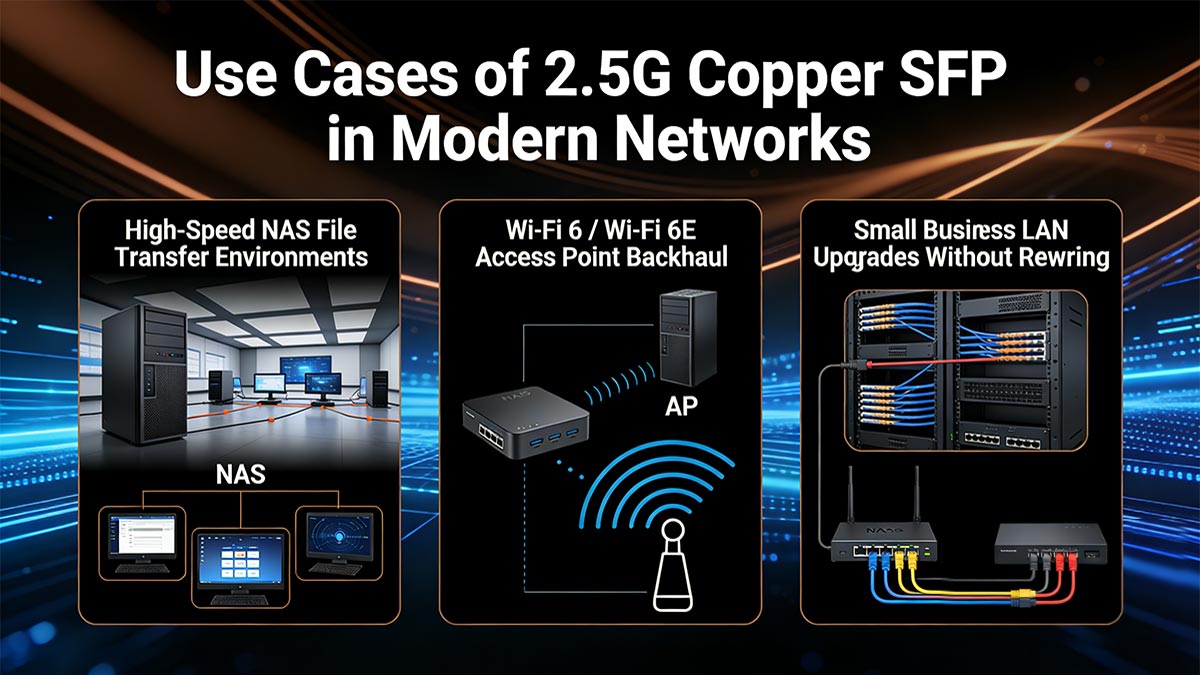
Below are the most common and high-impact use cases.
High-Speed NAS File Transfer Environments
Network Attached Storage (NAS) systems are one of the primary drivers behind 2.5G adoption.
Why 2.5G matters:
Large file transfers (videos, backups, datasets) quickly saturate 1G
2.5G provides 2×–2.5× faster transfer speeds
No need to upgrade to expensive 10G infrastructure
Typical scenario:
Home lab or SMB NAS connected via RJ45 SFP to a switch
Multiple users accessing shared storage simultaneously
Result: Smoother workflows, faster backups, and reduced network congestion
Wi-Fi 6 / Wi-Fi 6E Access Point Backhaul
Modern wireless standards such as Wi-Fi 6 and 6E can easily exceed 1 Gbps real throughput, creating uplink bottlenecks.
Why 2.5G is critical:
Matches real-world wireless speeds
Prevents congestion between access points and switches
Supports high-density device environments
Deployment example:
Ceiling-mounted AP connected via Cat6 to a switch using 2.5G Copper SFP
Result: Fully utilized wireless performance without uplink limitations
Small Business LAN Upgrades Without Rewiring
For SMBs, cost and simplicity are key constraints.
Challenges:
Existing infrastructure is typically Cat5e
Limited budget for full network overhaul
Why 2.5GBASE-T fits:
Works on existing cabling (no rewiring)
Incremental upgrade via SFP modules
Minimal disruption to operations
Result: Cost-effective performance boost with minimal deployment effort
ISP Edge and Aggregation Deployments
Internet Service Providers often need flexible, scalable solutions at the network edge.
Use cases:
Customer premises equipment (CPE) connections
Aggregation switches handling multi-gig traffic
Bridging copper infrastructure with higher-speed uplinks
Why 2.5G Copper SFP is useful:
Lower cost than fiber for short-distance links
Flexible deployment in mixed environments
Supports gradual multi-gig rollout
Result: Efficient scaling of bandwidth at the edge without overbuilding infrastructure
Content Creation and Gaming Network Optimization
High-performance home users and creators increasingly demand more than Gigabit speeds.
Typical workloads:
4K/8K video editing over network storage
Large asset transfers (design, media production)
Low-latency online gaming
Benefits of 2.5G:
Faster file access from NAS or servers
Reduced latency and buffering
Better multi-device performance in home networks
Result: A noticeable improvement in responsiveness and productivity
Across all these scenarios, a clear pattern emerges:
2.5G Copper SFP is not just an upgrade—it is a targeted solution for modern bandwidth bottlenecks.
It enables users to:
Unlock higher performance from existing infrastructure
Avoid unnecessary 10G investment
Deploy multi-gig networking in a practical, scalable way
In the next section, we’ll move from use cases to action—providing a practical buying guide to help you choose the right 2.5GBASE-T SFP module for your specific environment.
🌐 How to Choose a Reliable 2.5GBASE-T SFP Module
Selecting the right 2.5G Copper SFP (2.5GBASE-T) module is not just about speed—it’s about long-term stability, compatibility, and thermal reliability. Poor-quality modules can lead to link drops, overheating, or failed deployments, especially in multi-vendor environments.
Below is a practical framework to help you choose a reliable module with confidence.
MSA Compliance Importance
A key baseline for compatibility is adherence to the MSA (Multi-Source Agreement).
Why MSA matters:
Ensures interoperability across different switch vendors
Standardizes electrical and mechanical interfaces
Reduces risk of “module not recognized” errors
However, MSA alone is not enough—some vendors still implement firmware restrictions.
Best practice: Choose modules that are both MSA-compliant and vendor-tested.
Chipset Stability and Compatibility Testing
The internal chipset determines how well the module handles:
Signal processing
Auto-negotiation
Heat and power efficiency
Common, proven chipsets include:
Intel I225/I226
Realtek RTL8125
What to look for:
Verified compatibility with your switch brand
Stable operation under sustained load
Minimal link drops or renegotiation issues
Insight: Modules using well-supported chipsets tend to have fewer firmware conflicts and better long-term stability.
Industrial Temperature vs. Commercial Grade Modules
Not all environments are equal. Choosing the right temperature rating is critical.
Typical range: 0°C to 70°C
Suitable for offices, data rooms, home networks
Typical range: -40°C to 85°C
Designed for:
Outdoor deployments
Factories and harsh environments
Edge network installations
Choosing the wrong grade can result in unexpected failures under temperature stress.
Power Efficiency and Heat Control
Even though 2.5G modules are more efficient than 10G copper modules, thermal management still matters.
Key considerations:
Typical power consumption: ~2W
Higher power = more heat = potential instability
What to prioritize:
Low-power design (≤2W preferred)
Efficient internal heat dissipation
Compatibility with switch cooling design
In dense deployments, poor thermal design can lead to:
Port shutdowns
Reduced lifespan
Network instability
Vendor Selection Strategy (Quality vs. Cost Balance)
Price differences between vendors can be significant—but cheaper is not always better.
Reliable vendor characteristics:
Proven compatibility testing (multi-brand switches)
Transparent specifications (power, chipset, temperature)
Positive field feedback and deployment history
Technical support and documentation
Cost vs. risk insight:
Low-cost modules may work initially
But can introduce hidden risks (downtime, replacement cost, troubleshooting time)
Strategy:
For critical networks → prioritize quality and tested compatibility
For non-critical use → balance cost with verified reviews
Pre-Deployment Testing Checklist
Before full deployment, always validate your setup.
✔ Compatibility Check
Confirm switch supports 2.5G over SFP/SFP+
Verify module recognition (no errors)
✔ Cable Validation
Use Cat5e or better
Check cable quality and termination
✔ Performance Test
Run throughput test (expect ~2.2–2.35 Gbps)
Monitor for packet loss or instability
✔ Thermal Observation
Check module temperature under load
Ensure adequate airflow
✔ Firmware & Driver Update
Update switch firmware
Ensure NIC drivers are up to date
Choosing the right 2.5GBASE-T SFP module is about minimizing risk:
Focus on MSA compliance, proven chipset stability, proper thermal design, and vendor reliability—not just price.
A well-chosen module ensures:
Stable multi-gig performance
Long-term reliability
Seamless integration into your existing network
🌐 Conclusion — Is 2.5GBASE-T SFP the Right Bridge Upgrade for Your Network?
The 2.5GBASE-T SFP module delivers a practical middle ground between legacy 1G Ethernet and higher-cost 10G upgrades. It enables:
2.5× performance improvement over 1G without infrastructure replacement
Full reuse of existing Cat5e/Cat6 cabling
Lower upgrade cost compared to fiber-based 10G deployments
Simple drop-in integration via SFP/SFP+ ports
From both a technical and financial perspective, it significantly improves bandwidth while keeping deployment complexity low.
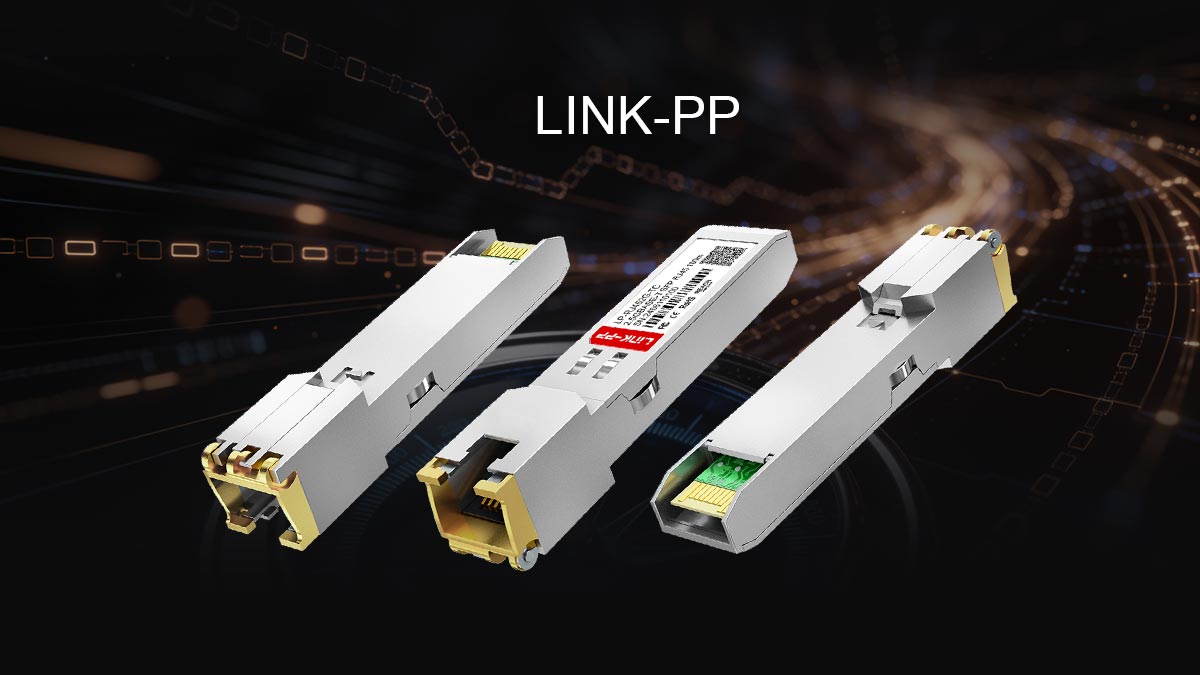
Why 2.5G Is the “Bridge Standard” of Modern Ethernet
2.5G has become a transition layer technology between legacy and high-speed networks.
It bridges:
Legacy 1G infrastructure (still widely deployed)
Emerging high-bandwidth demands (Wi-Fi 6/6E, NAS, cloud workloads)
Cost-sensitive environments that cannot justify full 10G migration
In many modern deployments, 2.5G is not just an upgrade—it is a stability-focused standardization step before moving to 10G.
Decision Framework: Upgrade Timing and Environment Fit
Before choosing 2.5GBASE-T SFP modules, evaluate your network based on:
Current bottleneck: Is 1G limiting file transfer or AP throughput?
Infrastructure readiness: Do you already have Cat5e/Cat6 cabling?
Device ecosystem: Do your switches/NICs support multi-gig speeds?
Growth requirement: Will bandwidth needs increase within 2–3 years?
Upgrade logic:
If 1G is sufficient → no upgrade needed
If moderate congestion exists → 2.5G is ideal
If heavy server/NAS or virtualization workloads → consider 10G directly
Final Recommendation for Enterprise and Home Users
For enterprise and SMB networks:
2.5G is best used for:
Access layer upgrades
Wi-Fi 6/6E AP backhaul
Cost-efficient incremental scaling
It reduces congestion without requiring a full network redesign.
For home and prosumer users:
2.5G is ideal for:
High-speed NAS systems
Gaming and content creation setups
Multi-device gigabit-overload environments
It provides a noticeable real-world performance boost at minimal cost.
Choosing a Reliable Supply Source Matters
The performance of a 2.5GBASE-T SFP module depends heavily on chipset quality, thermal design, and vendor validation, not just specifications on paper.
For stable deployment and long-term reliability, always source from a trusted supplier such as the LINK-PP Official Store, where modules are designed and tested for multi-vendor compatibility, industrial stability, and real-world networking environments.
👉 A reliable module ensures your upgrade delivers not just speed—but consistent, predictable network performance.



