


The demand for higher network speeds without fully upgrading to 10G infrastructure has made the 2.5 Gbps SFP module an increasingly important solution in modern networking. Positioned between traditional 1G SFP and high-performance 10G SFP+ optics, the 2.5G SFP module is designed to deliver a practical balance of speed, cost-efficiency, and compatibility for enterprise, ISP, and even advanced home lab environments.
In theory, deploying a 2.5 Gbps SFP transceiver sounds straightforward: plug it into an SFP or SFP+ slot, connect the cable, and enjoy faster throughput. However, real-world deployments often tell a different story. As seen in many user discussions across networking communities, compatibility is not always guaranteed. Switches may downshift to 1G, refuse to negotiate 2.5G speeds, or require specific firmware or chipset support to function correctly. This gap between specification and actual behavior is one of the most common challenges users face when working with 2.5G optical modules.
To address these issues, this guide will break down everything you need to know about the 2.5 Gbps SFP module, including how it works, the underlying IEEE 802.3bz standard, compatibility considerations with SFP+ ports, and the most common performance issues encountered in real deployments. You will also learn how to evaluate whether a module is truly compatible with your network hardware and how to avoid costly deployment mistakes.
By the end of this article, you will have a clear understanding of where 2.5G SFP modules fit into modern network design—and whether they are the right choice for your specific use case.
📌 What Is a 2.5 Gbps SFP Module?
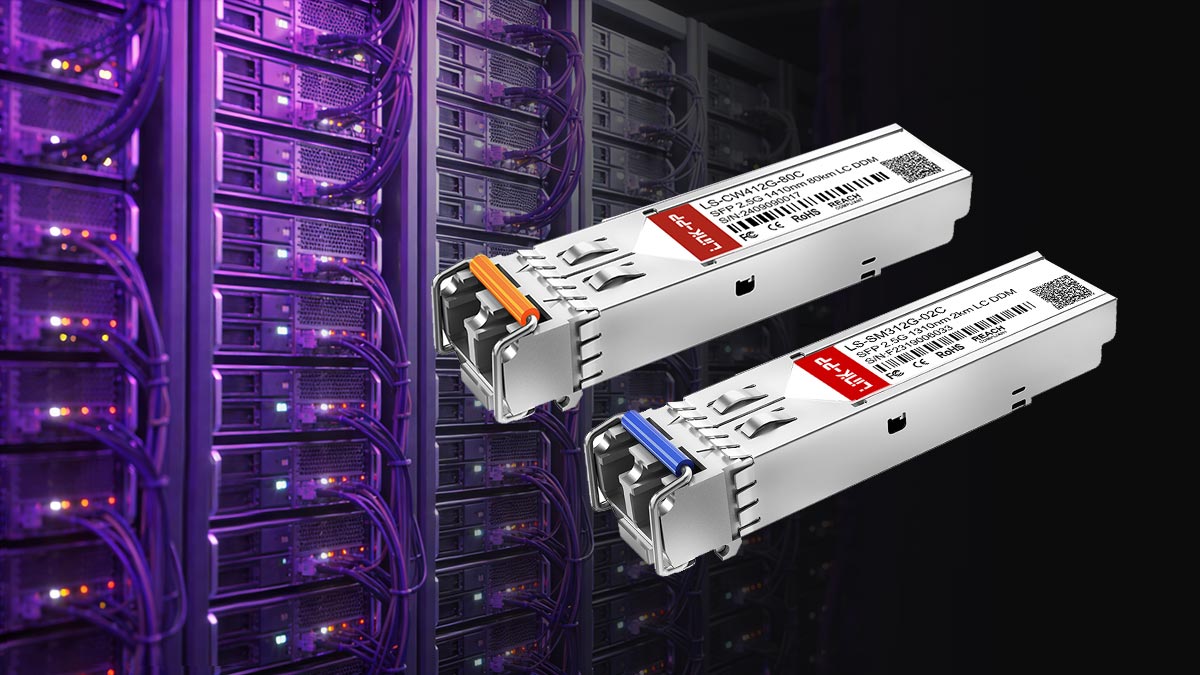
A 2.5G SFP module is a hot-swappable network transceiver designed to transmit and receive data at 2.5 Gigabits per second (Gbps) over either fiber optic or copper cabling, depending on the module type. It is part of a newer generation of “multigigabit” networking solutions developed to bridge the performance gap between legacy 1G Ethernet and higher-cost 10G infrastructure.
Unlike traditional 1G SFP modules that are widely used in access networks, or 10G SFP+ modules used in high-performance data centers, the 2.5G SFP module is optimized for cost-efficient bandwidth scaling in environments where 1G is no longer sufficient but 10G is unnecessary or too expensive.
Definition and Purpose
The primary purpose of a 2.5 Gbps SFP transceiver is to enable network upgrades without requiring a complete hardware overhaul. It allows organizations to:
Increase bandwidth from 1G to 2.5G using existing SFP/SFP+ cages (when supported)
Improve performance for Wi-Fi 6/6E access points, NAS systems, and edge switches
Reduce upgrade costs compared to full 10G migration
Maintain flexibility in mixed-speed network environments
In practice, it is often used as a “middle layer” speed option in modern access and aggregation networks.
How It Differs from 1G and 10G SFP Modules
The key differences between 1G, 2.5G, and 10G SFP modules are not just speed—they also involve signal processing, compatibility, and hardware requirements.
1G SFP (1000BASE-X / 1000BASE-T)
Designed for stable, legacy Ethernet connections. Widely compatible but limited in throughput.2.5G SFP (2.5GBASE-X / 2.5GBASE-T)
A multigigabit intermediate standard designed to reuse existing cabling while increasing bandwidth.10G SFP+ (10GBASE-SR/LR or 10GBASE-T)
High-performance modules used in data centers, requiring stronger PHY support and often higher power consumption.
A critical real-world insight is that not all SFP+ ports support 2.5G speeds, even though they physically accept the module. This is one of the most common causes of compatibility confusion in deployments.
SFP vs. SFP+ Form Factor Clarification
Although both SFP and SFP+ modules share the same physical form factor, their electrical and protocol capabilities differ significantly:
SFP (Small Form-factor Pluggable)
Originally designed for 1G Ethernet and Fibre Channel applications.SFP+ (Enhanced Small Form-factor Pluggable)
Designed for 10G Ethernet, with improved signal integrity and higher bandwidth capability.
The 2.5G SFP module sits in a compatibility gray zone:
Physically compatible with both SFP and SFP+ cages
Electrically dependent on host device support for 2.5G negotiation
Not guaranteed to auto-negotiate correctly across all vendors
This is why real-world compatibility varies significantly between switch brands such as Ubiquiti, MikroTik, and enterprise-grade Cisco systems.
IEEE 802.3bz Standard Overview
The 2.5G Ethernet standard is defined under IEEE 802.3bz, also known as “2.5G/5GBASE-T”. It was introduced to address the need for higher speeds over existing copper cabling without requiring Cat6a infrastructure upgrades.
Key characteristics of IEEE 802.3bz include:
Supports 2.5 Gbps and 5 Gbps speeds
Designed to run over Cat5e and Cat6 cables
Backward compatible with 1G Ethernet infrastructure
Optimized for energy efficiency compared to early 10GBASE-T implementations
In the context of SFP modules, this standard enables manufacturers to develop transceivers that bridge traditional optical networking with multigigabit copper PHY technologies, though actual performance still depends heavily on switch-side support.
📌 How 2.5 Gbps SFP Modules Work in Real Networks
In real-world deployments, a 2.5 Gbps SFP module does not simply “run at 2.5G by default.” Instead, its performance depends on a combination of link negotiation behavior, host hardware capability, firmware support, and PHY chipset design. This is why two identical modules can behave very differently across different switches or routers.
Understanding how these modules actually operate in live networks is essential for avoiding the most common deployment issues such as link falling back to 1G, unstable connections, or complete incompatibility.
Signal Negotiation Process
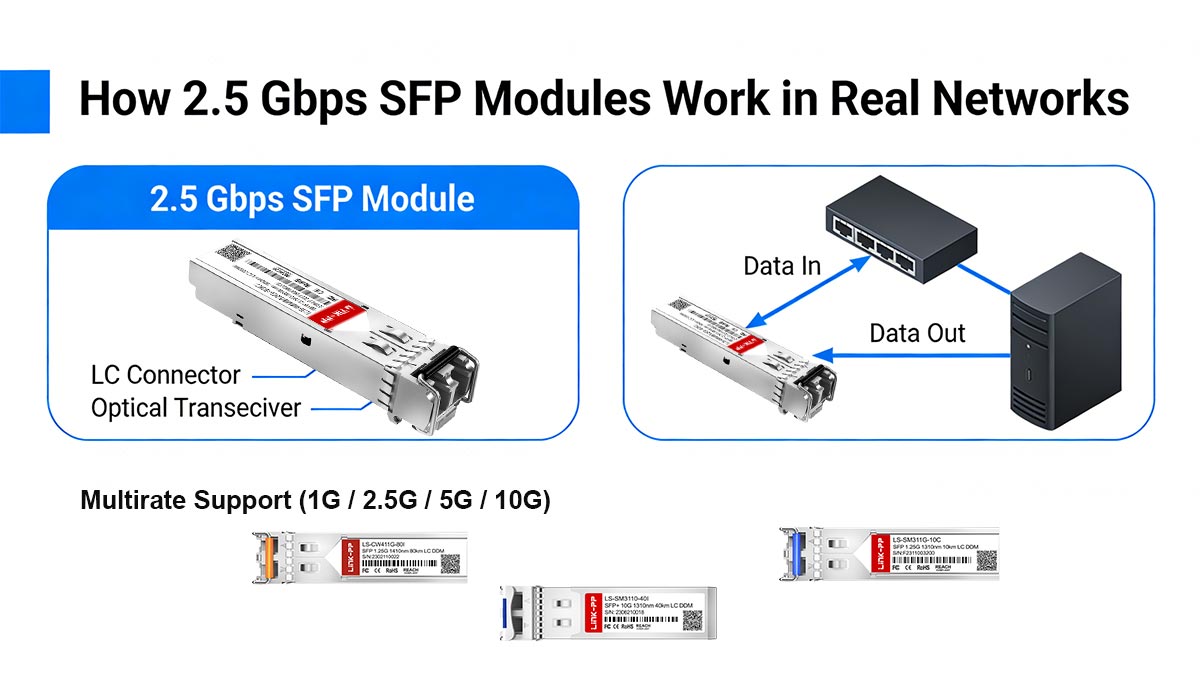
When a 2.5 Gbps SFP module is inserted into a switch or router, the first step is link initialization and negotiation between three components:
The SFP module (transceiver)
The switch port (SFP/SFP+ cage)
The PHY chipset inside the switch
The negotiation process typically follows this sequence:
Module detection
The host device identifies the inserted SFP module type (vendor, optics, or copper PHY capability).Capability exchange
The module and switch advertise supported speeds (1G / 2.5G / 10G depending on hardware).Link training (if supported)
Electrical or optical parameters are adjusted for signal stability.Speed selection and lock
The system selects the highest mutually supported stable speed.
In theory, this should result in a stable 2.5 Gbps link. In practice, however, mismatched capability advertisement often causes fallback to lower speeds.
Multirate Support (1G / 2.5G / 5G / 10G)
Modern networking devices may support multigigabit Ethernet, meaning a single port can operate at multiple speeds:
1 Gbps (legacy compatibility)
2.5 Gbps (access layer upgrade target)
5 Gbps (intermediate performance tier)
10 Gbps (high-performance uplink)
However, it is critical to understand:
Not all SFP or SFP+ ports are truly multirate-capable.
Many SFP+ ports are designed primarily for:
Fixed 1G mode (legacy SFP compatibility), or
Fixed 10G mode (SFP+ native design)
In these cases, even if a 2.5G SFP module is installed, the port may:
Force a downgrade to 1G
Reject the link entirely
Or ignore 2.5G capability altogether
Why Auto-Negotiation Often Fails in Real Devices
One of the most frequently reported issues in user communities is that auto-negotiation does not behave reliably for 2.5G SFP modules.
Common failure patterns include:
Link stuck at 1 Gbps instead of 2.5 Gbps
Link flapping between speeds
No link detected despite physical connection
Negotiation defaulting to the lowest common denominator
This happens because:
2.5G support is not uniformly implemented across vendors
Some devices only support fixed-speed SFP modes (1G/10G only)
Auto-negotiation behavior differs between copper (BASE-T) and optical (BASE-X) implementations
Firmware may not expose 2.5G as an allowed operational mode
In short, auto-negotiation is not guaranteed to interpret 2.5G correctly unless both ends explicitly support IEEE 802.3bz behavior.
Role of Switch Firmware and PHY Chipsets
The most overlooked factor in 2.5G SFP module performance is switch firmware and PHY chipset design.
PHY chipset (hardware layer)
The PHY chip determines:
Whether 2.5G signaling is physically supported
How many speed modes are available
How signal encoding/decoding is handled
If the PHY does not support 2.5G:
The module cannot operate at 2.5G regardless of capability
Firmware (software layer)
Firmware controls:
Speed advertisement rules
Auto-negotiation logic
Vendor-specific compatibility tables
SFP module validation behavior
Firmware limitations can result in:
2.5G mode being hidden or disabled
Forced fallback to 1G
Compatibility restrictions for third-party modules
Key Real-World Insight
Even if a 2.5 Gbps SFP module is fully compliant, actual performance depends on:
✔ Switch PHY capability
✔ Firmware support for multigig modes
✔ Proper speed advertisement alignment
This is why users often report inconsistent results across brands like Ubiquiti, MikroTik, and enterprise switches—even when using identical modules.
📌 Compatibility Challenges with SFP+ Ports
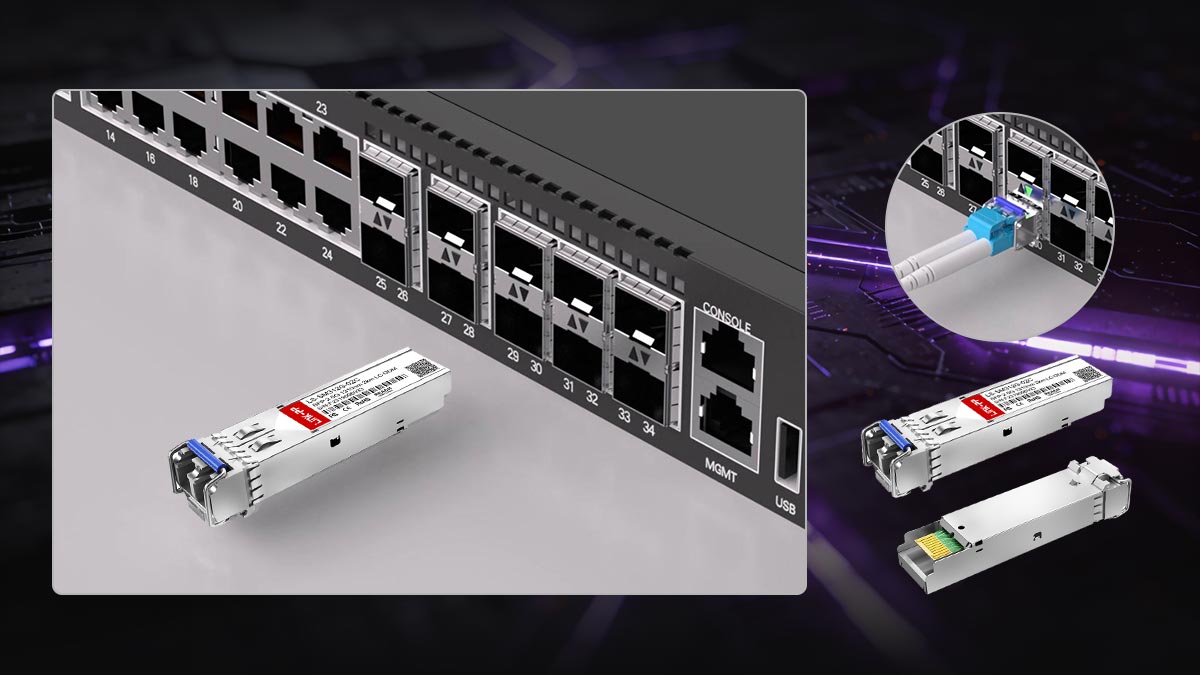
One of the most important and frequently misunderstood aspects of the 2.5 Gbps SFP module is its behavior in SFP+ ports. Although SFP+ cages are physically compatible with SFP and SFP+ transceivers, electrical capability and speed support are not guaranteed. This creates significant confusion for users expecting plug-and-play 2.5G performance.
In real deployments, compatibility is the single biggest factor determining whether a 2.5G SFP module will function correctly or fail to negotiate properly.
Does SFP+ Support 2.5G Speed?
Technically, an SFP+ port can support multiple speeds, but only if the switch PHY chipset and firmware explicitly enable multirate operation.
In practice:
Some SFP+ ports support: 1G / 2.5G / 10G (multigig capable)
Many SFP+ ports support only: 1G or 10G fixed modes
A significant number of enterprise switches do NOT support 2.5G on SFP+ cages at all
SFP+ compatibility with 2.5G is device-dependent, not standard-guaranteed
This is why users often experience unexpected behavior even when the module itself is fully compliant with IEEE 802.3bz.
Why Many Ports Only Support 1G or 10G
A major root cause of compatibility issues is that SFP+ was originally designed for 10G Ethernet, not multigigabit speeds.
Most hardware falls into one of these categories:
Legacy SFP ports
Designed for 1G only (1000BASE-X)
Will not support 2.5G under any condition
Standard SFP+ ports
Designed for 10G only (10GBASE-SR/LR)
May reject 2.5G links or force fallback
Multigig-capable SFP+ ports
Support 1G / 2.5G / 5G / 10G
Require specific PHY chips and firmware enablement
The issue: Most users assume SFP+ = “all speeds up to 10G,” but in reality:
Many SFP+ ports are not multirate-aware
Vendor Differences (Ubiquiti, MikroTik, Cisco Behavior)
Compatibility behavior varies significantly between vendors, which is a major source of confusion in real-world deployments.
🟣 Ubiquiti
Often supports multigig on newer devices
Some models still restrict SFP+ to 1G/10G only
Firmware updates may change speed negotiation behavior
Common issue: 2.5G module works but locks at 1G only
🔵 MikroTik
Better multigig support in newer CRS/CCR series
Still inconsistent across older models
Some SFP+ ports require manual speed configuration
Common issue: Requires explicit configuration to enable 2.5G mode
🔴 Cisco
Enterprise-grade consistency but strict compatibility rules
Many SFP+ ports are fixed-speed (1G or 10G only)
Unsupported optics often blocked or downgraded
Common issue: Module detected but 2.5G not negotiated or rejected
Real-World Reddit User Failure Cases
Community feedback consistently highlights recurring problems when using 2.5G SFP modules in SFP+ ports.
Case 1: Link falls back to 1G
Users report:
“My 2.5G SFP module only connects at 1G even though both devices support 2.5G.”
✔ Root cause:
SFP+ port does not advertise 2.5G capability
Auto-negotiation defaults to safest speed (1G)
Case 2: No link established
Some users experience:
“The module is detected but no link comes up at all.”
✔ Root cause:
Incompatible PHY signaling mode
Unsupported 2.5GBASE-X implementation on switch
Case 3: Link instability / flapping
Another common issue:
“The connection keeps dropping between 1G and 2.5G.”
✔ Root cause:
Firmware instability in speed negotiation
Poor multirate handling in switch chipset
Key Insight
The most important lesson from real-world deployments is:
A 2.5 Gbps SFP module is only as good as the SFP+ port’s multigig capability
Even high-quality modules will not function correctly if the switch:
Does not support IEEE 802.3bz properly
Has limited firmware support for 2.5G
Uses fixed-rate SFP+ architecture
📌 Common Problems and Troubleshooting for 2.5G SFP Modules
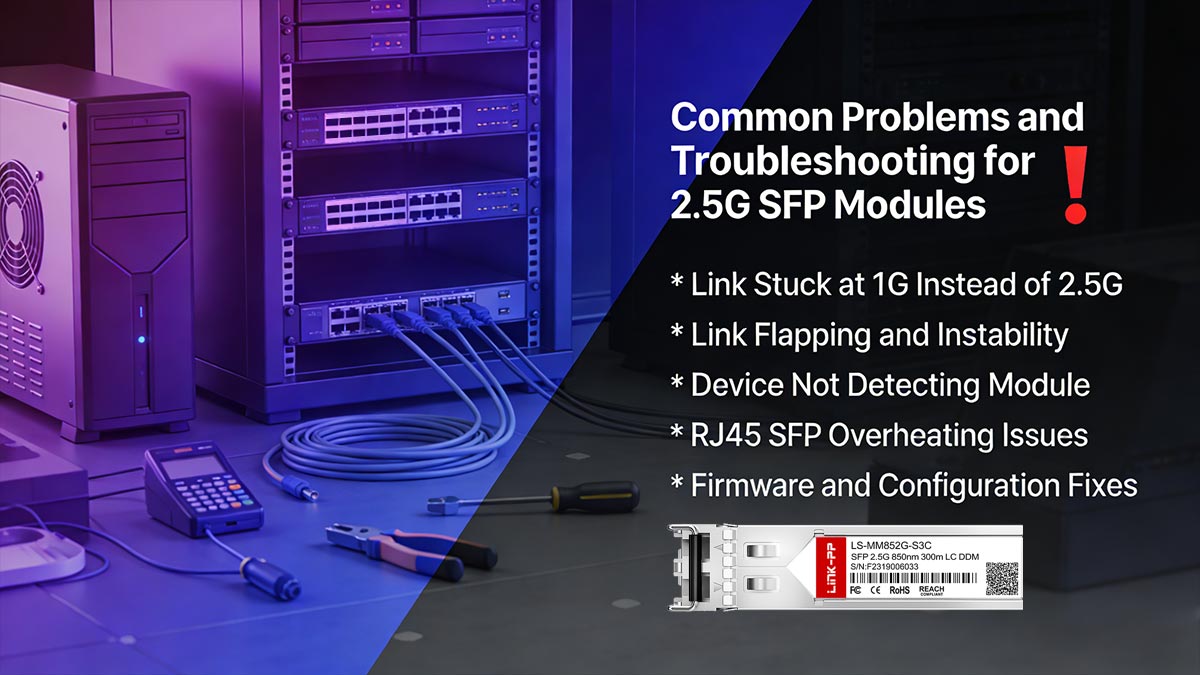
Despite the growing adoption of 2.5 Gbps SFP modules, real-world deployments frequently encounter performance and stability issues. These problems are especially common in mixed-vendor environments or when using SFP+ ports that do not fully support multigigabit speeds. Based on community feedback and practical deployment reports, most issues fall into a few recurring categories that can usually be traced back to compatibility, configuration, or hardware limitations.
Link Stuck at 1G Instead of 2.5G
One of the most frequently reported issues is that the connection only establishes at 1 Gbps instead of 2.5 Gbps, even when both the module and switch are expected to support higher speeds.
Common causes:
SFP+ port only supports 1G/10G fixed modes
Multigig (2.5G) not enabled in switch firmware
Auto-negotiation defaults to safest fallback speed (1G)
Incompatible PHY chipset on either end
Troubleshooting steps:
Check switch datasheet for IEEE 802.3bz support
Manually set port speed (if supported)
Update switch firmware to latest version
Test with a known multigig-capable device
If the port is not explicitly multigig-enabled, the module will almost always fall back to 1G.
Link Flapping and Instability
Another common issue is intermittent connectivity, where the link repeatedly drops and reconnects between speeds.
Common causes:
Poor compatibility between module and switch PHY
Inconsistent auto-negotiation behavior
Overheating (especially RJ45 SFP modules)
Power delivery instability in SFP cages
Troubleshooting steps:
Disable auto-negotiation (if supported)
Lock port speed to 2.5G manually
Ensure proper airflow around transceivers
Replace low-quality or unverified modules
Link flapping is often not a cable issue—it is usually a negotiation or chipset mismatch problem.
Device Not Detecting Module
In some cases, the switch or router does not recognize the 2.5G SFP module at all.
Common causes:
Vendor lock-in (proprietary SFP validation)
Unsupported EEPROM coding on third-party modules
Incompatible SFP vs SFP+ electrical expectations
Firmware blocking unknown optics
Troubleshooting steps:
Check for vendor compatibility restrictions
Use coded/compatible modules for the switch brand
Try another SFP port on the same device
Update firmware or enable “unsupported transceiver” mode (if available)
Detection failure is often caused by vendor restrictions, not hardware failure.
RJ45 SFP Overheating Issues
Copper-based 2.5GBASE-T SFP modules are particularly prone to heat-related problems.
Common causes:
High power consumption of copper PHY chips
Poor airflow in dense switch environments
Continuous high traffic load
Incompatibility with switch thermal design
Troubleshooting steps:
Ensure adequate switch ventilation
Avoid stacking multiple RJ45 SFP modules side-by-side
Prefer fiber SFP modules for high-density deployments
Monitor temperature via switch diagnostics (if supported)
RJ45 SFP modules often run significantly hotter than fiber optics, even at 2.5G speeds.
Firmware and Configuration Fixes
Many 2.5G SFP issues are ultimately resolved through software configuration rather than hardware replacement.
Recommended fixes:
Upgrade switch firmware to latest stable version
Enable multigig support in port configuration
Manually set port speed to 2.5G full duplex
Disable strict transceiver validation (if enterprise switch allows)
Ensure correct port mode (SFP vs. SFP+ vs. Ethernet hybrid mode)
Key Troubleshooting Summary
Most 2.5G SFP module issues fall into predictable categories:
Speed fallback to 1G → compatibility limitation
Link instability → PHY or negotiation mismatch
No detection → vendor or firmware restriction
Overheating → hardware design limitation (RJ45 SFP)
Fixable issues → firmware/configuration adjustment
📌 Fiber vs. Copper 2.5G SFP Modules (Which Should You Choose?)
When selecting a 2.5 Gbps SFP module, one of the most important decisions is choosing between copper (2.5GBASE-T RJ45 SFP modules) and fiber-based SFP transceivers. While both deliver the same nominal 2.5 Gbps speed, their real-world behavior differs significantly in terms of heat, stability, power consumption, and deployment scenarios.
Understanding these differences is critical for avoiding performance issues and ensuring long-term network reliability.
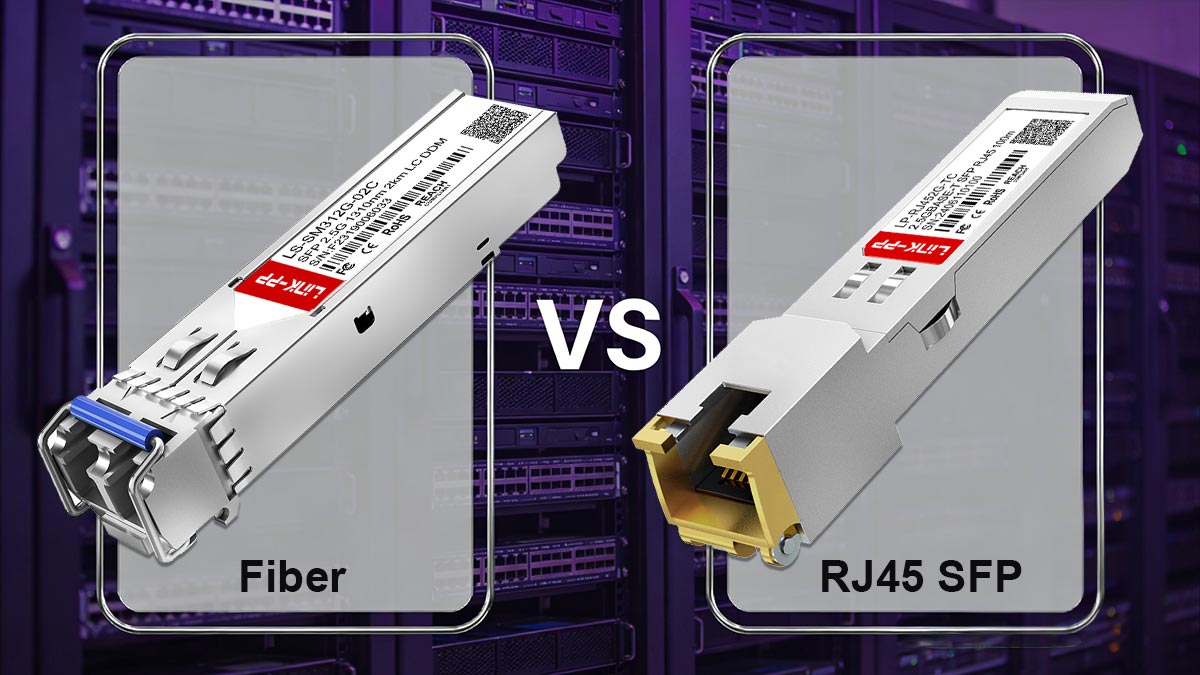
2.5GBASE-T RJ45 SFP Modules (Copper)
2.5GBASE-T RJ45 SFP modules use standard Ethernet copper cabling (Cat5e or Cat6) to deliver 2.5G speeds over short-to-medium distances.
Key characteristics:
Uses RJ45 interface (Ethernet copper)
Supports up to ~100 meters (depending on cable quality)
Compatible with existing structured cabling
Commonly used in access layer upgrades
Advantages:
Easy migration from 1G Ethernet
No need to replace existing copper infrastructure
Lower installation cost in small networks
Simple plug-and-play for end devices
Limitations:
Higher power consumption
Significant heat generation inside SFP cages
More sensitive to electromagnetic interference (EMI)
Stability issues under high-density deployments
Copper 2.5G SFP modules are convenient, but they are often the least thermally efficient option.
Fiber-Based 2.5G SFP Transceivers
Fiber-based SFP modules use optical signaling instead of electrical copper transmission. They are typically paired with LC fiber connectors.
Key characteristics:
Uses optical fiber (multimode or single-mode)
Lower latency and cleaner signal transmission
Supports longer distances than copper
Physically identical SFP form factor
Advantages:
Much lower heat output
Higher signal stability and reliability
Immune to electromagnetic interference
Better suited for long-distance links
Limitations:
Requires fiber cabling infrastructure
Higher initial deployment complexity
Connector cleanliness and handling sensitivity
Slightly higher upfront cost in some cases
Fiber SFP modules are generally preferred for stable, long-term, or enterprise-grade deployments.
Heat, Power, and Stability Comparison
One of the most important real-world differences between copper and fiber 2.5G SFP modules is thermal behavior and stability under load.
Feature | Copper (RJ45 2.5GBASE-T) | Fiber 2.5G SFP |
|---|---|---|
Heat generation | High | Low |
Power consumption | Higher | Lower |
Stability under load | Medium | High |
EMI resistance | Low | High |
Maximum distance | ~100m | Up to kilometers |
Deployment complexity | Low | Medium |
Copper modules often run noticeably hotter even at 2.5G speeds
Fiber modules maintain more stable performance in dense environments
Heat buildup is a common cause of link flapping in RJ45 SFP deployments
Use-Case Scenarios (Home, Enterprise, ISP)
🏠 Home / Small Office
Best choice:
✔ Copper 2.5GBASE-T SFP modules
Why:
Easy plug-and-play upgrade
Works with existing Cat5e/Cat6 cabling
Cost-effective for short distances
Ideal for:
Home NAS upgrades
Wi-Fi 6/6E routers and access points
Small office switches
🏢 Enterprise Networks
Best choice:
✔ Fiber-based 2.5G SFP modules
Why:
Higher stability and lower heat
Better scalability and structured cabling
Reduced maintenance risk
Ideal for:
Access layer uplinks
Campus networks
Server-to-switch connections
🌐 ISP / Service Provider Networks
Best choice:
✔ Primarily fiber-based 2.5G SFP modules
Why:
Long-distance transmission required
High reliability and uptime expectations
Environmental interference minimization
Ideal for:
FTTH aggregation
Edge distribution networks
Metro Ethernet deployments
Key Decision Insight
Choosing between copper and fiber 2.5G SFP modules depends on more than just speed:
✔ Copper = convenience and retrofit flexibility
✔ Fiber = stability, scalability, and long-term reliability
In real deployments, thermal stability and compatibility matter more than theoretical bandwidth, especially in mixed-vendor environments.
📌 Best Practices for Selecting a Reliable 2.5G SFP Module
Selecting a reliable 2.5 Gbps SFP module is not just about choosing a product with the right speed rating. As real-world deployments show, success depends heavily on switch compatibility, chipset behavior, vendor implementation, and validation testing. A poorly chosen module can result in link fallback, instability, overheating, or complete incompatibility—especially in SFP+ environments.
This section provides a practical, deployment-focused checklist to help ensure stable and predictable performance.

Compatibility Checklist Before Purchase
Before buying any 2.5G SFP module, verify the following critical compatibility points:
Hardware compatibility
Confirm whether the switch supports 2.5G (IEEE 802.3bz)
Check if the port is true multigig (1G/2.5G/5G/10G) or fixed-rate
Verify SFP vs. SFP+ cage behavior (not all SFP+ ports support 2.5G)
Protocol support
Ensure support for:
2.5GBASE-T (RJ45 copper modules)
2.5GBASE-X (fiber modules)
Confirm auto-negotiation behavior for multirate operation
Physical constraints
Check power budget per SFP cage
Verify thermal limits (especially for RJ45 SFP modules)
Ensure correct cable type (Cat5e/Cat6 or LC fiber)
Key insight: Compatibility must be confirmed at both the hardware PHY level and firmware level, not just the module specification.
Vendor and OEM Selection Strategy
The quality of a 2.5G SFP module varies significantly depending on the OEM design and firmware coding.
Recommended selection approach:
Prefer OEM-tested or switch-validated modules
Choose vendors with multi-brand compatibility testing
Avoid unbranded modules with no EEPROM or coding details
Look for documented compatibility with:
Ubiquiti
MikroTik
Cisco (enterprise environments)
Why this matters:
Many switches perform EEPROM validation checks
Incorrect coding may cause:
Module rejection
Limited speed negotiation
False detection issues
Key insight: A “compatible” module is not just electrical—it must also be logically recognized by the switch firmware.
Testing Before Deployment
Before deploying at scale, always perform controlled validation testing.
Recommended test steps:
Install module in a test switch port
Verify detected speed (1G / 2.5G / 10G behavior)
Run sustained traffic tests (iperf or real workload)
Monitor:
Link stability
Temperature (especially RJ45 modules)
Error counters (CRC, drops)
Perform reboot and re-validation test
What to watch for:
Unexpected fallback to 1G
Link flapping under load
Heat buildup over time
Inconsistent auto-negotiation behavior
Avoiding Counterfeit or Unstable Modules
The 2.5G SFP market includes a wide range of low-quality or counterfeit modules, which often cause deployment failures.
Risk indicators:
No brand or inconsistent labeling
Missing EEPROM coding or invalid ID
Extremely low pricing compared to market average
Lack of compatibility documentation
No thermal or compliance specifications
How to reduce risk:
Buy from verified OEM suppliers
Request compatibility matrix or test reports
Avoid mixed unknown vendor environments in production networks
Standardize module sourcing across deployments
Most “mysterious network issues” in SFP deployments are caused by low-quality optics, not switches.
Switch Compatibility Matrix Approach
For stable long-term deployments, professionals use a compatibility matrix strategy instead of ad-hoc purchasing.
What is a compatibility matrix?
A structured mapping of:
Switch model
Port type (SFP / SFP+)
Supported speeds (1G / 2.5G / 10G)
Approved transceiver list
Firmware version dependency
Benefits:
Eliminates guesswork in procurement
Reduces deployment failure rate
Standardizes multi-site installations
Improves long-term maintenance efficiency
Example structure:
Ubiquiti Switch → 2.5G supported on specific firmware
MikroTik CRS series → selective SFP+ multigig support
Enterprise switches → strict transceiver validation rules
Selecting a reliable 2.5 Gbps SFP module requires a system-level approach:
✔ Verify hardware + firmware compatibility
✔ Choose validated OEM-grade modules
✔ Test before production deployment
✔ Avoid unverified or counterfeit optics
✔ Build a compatibility matrix for scalability
📌 Conclusion — Is a 2.5 Gbps SFP Module Worth It?
The 2.5 Gbps SFP module plays a critical role in modern network upgrades, especially for organizations and users who need more bandwidth than 1G can provide but are not ready to invest in full 10G infrastructure. However, as shown throughout this guide, its real-world value depends heavily on device compatibility, firmware support, and deployment environment rather than just its advertised speed.
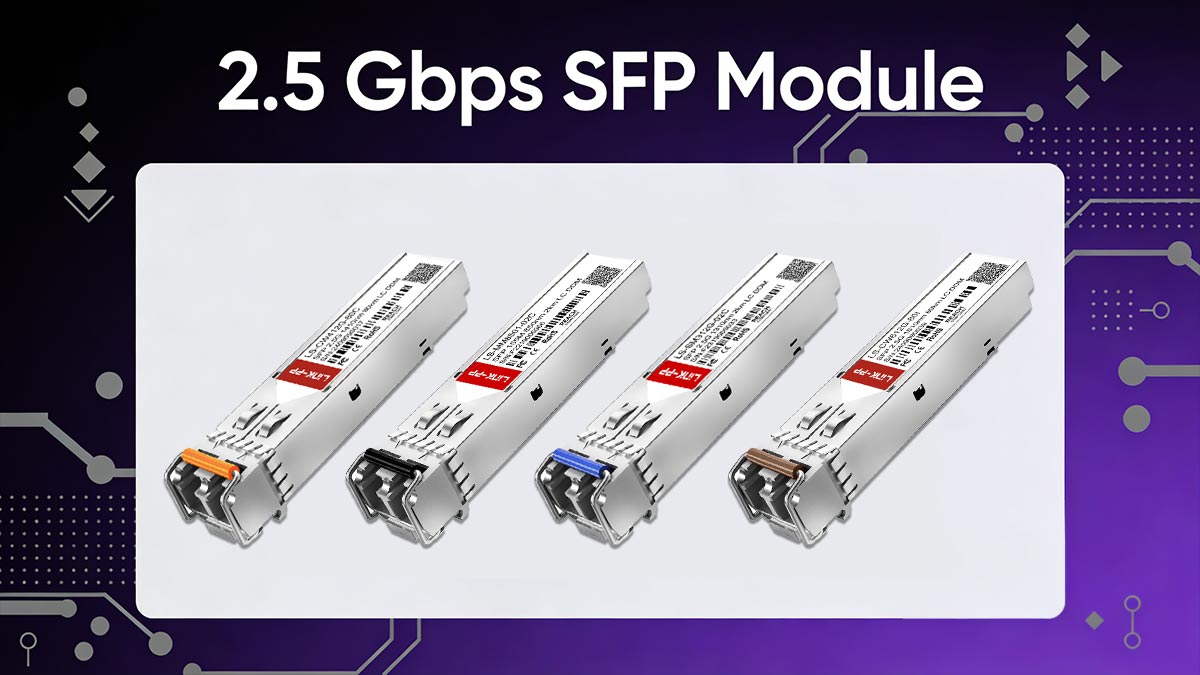
In practice, 2.5G SFP modules are best understood as a transition technology—bridging legacy Ethernet systems and higher-speed networks while maintaining cost efficiency.
From both technical standards and real-world deployment feedback, several key conclusions stand out:
2.5G is not universally supported on SFP+ ports — compatibility depends on PHY chipset and firmware
Auto-negotiation is inconsistent across vendors, often defaulting to 1G fallback
RJ45 (2.5GBASE-T) modules generate significantly more heat than fiber alternatives
Switch firmware plays a critical role in enabling or restricting multigig speeds
Most failures are compatibility-related, not module defects
Key takeaway: The performance of a 2.5G SFP module is defined more by the host device than the module itself.
Decision Framework: Compatibility vs. Cost vs. Stability
When deciding whether to deploy 2.5 Gbps SFP modules, it helps to evaluate three core factors:
Compatibility
Does your switch explicitly support 2.5G (IEEE 802.3bz)?
Is the SFP+ port multirate capable or fixed-speed?
Are vendor restrictions present?
Cost Efficiency
Lower cost than upgrading to 10G infrastructure
Reuses existing Cat5e/Cat6 or fiber cabling
Reduces need for full hardware replacement
Stability
Fiber modules provide higher long-term stability
Copper modules may introduce heat-related risks
Mixed-vendor environments increase unpredictability
Practical rule: If compatibility is uncertain, stability should take priority over cost savings.
When to Choose 2.5G vs. 1G vs. 10G
🟢 Choose 1G if:
Existing infrastructure is stable and sufficient
Low bandwidth applications (basic office, IoT, management networks)
Compatibility risk must be minimized
🟡 Choose 2.5G if:
Upgrading Wi-Fi 6 / 6E access points
Existing Cat5e/Cat6 cabling is in place
Need moderate performance increase without full redesign
Budget-conscious network scaling
🔴 Choose 10G if:
Data center or high-throughput workloads
NAS, virtualization, or heavy east-west traffic
Long-term infrastructure modernization is planned
Full compatibility and switch support is available
Because 2.5G SFP module performance depends heavily on compatibility, firmware behavior, and OEM quality, choosing a reliable supplier is critical for stable deployments.
For consistent performance and verified compatibility across different switch platforms, it is recommended to source from experienced OEM providers such as LINK-PP, which focuses on:
✔ Tested 2.5G SFP transceivers for major switch brands
✔ Stable EEPROM coding for cross-vendor compatibility
✔ Fiber and copper module options for different deployment needs
✔ Enterprise-grade quality control and reliability testing
👉 If you are planning a deployment or upgrade, selecting the right module from a trusted source like the LINK-PP official store can significantly reduce compatibility risks and long-term maintenance issues.
Final Thought
The 2.5 Gbps SFP module is not just a speed upgrade—it is a compatibility-sensitive networking decision. When properly matched with supported hardware, it offers an excellent balance between performance, cost, and scalability. However, without proper validation, it can become one of the most unpredictable components in a network.



