


In modern network infrastructure, choosing the right optical transceiver is not just a technical detail—it directly impacts performance, cost efficiency, and long-term scalability. Among the most widely used solutions for short-distance data transmission is the MMF SFP module (Multimode Fiber Small Form-factor Pluggable), a compact, hot-swappable transceiver designed to deliver reliable, high-speed connectivity over multimode fiber.
If you’re researching MMF SFP modules, you’re likely trying to answer one (or more) of these critical questions:
What exactly is a multimode SFP module, and how does it work?
What is the difference between MMF and single-mode (SMF) SFP modules?
How can I tell if an SFP is multimode?
Can I use a single-mode SFP with multimode fiber without issues?
These are not just theoretical concerns. In real-world deployments, mismatching fiber types, wavelengths, or transceiver specifications is one of the most common causes of network failure—leading to link loss, performance degradation, or unnecessary hardware costs.
What You’ll Learn in This Guide
By reading this complete guide, you will:
Understand what an MMF SFP module is and when it should be used
Learn the key differences between MMF and SMF SFP modules
Avoid common compatibility mistakes that cause link failures
Quickly identify multimode SFP modules in your network
Follow a practical selection framework to choose the right module
Why MMF SFP Modules Still Matter
Despite the growing adoption of single-mode fiber in large-scale networks, multimode solutions remain highly relevant—especially in:
Data centers (rack-to-rack connections)
Enterprise LAN environments
Short-range, high-density deployments
Their advantages are clear:
Lower overall system cost for short distances
Simplified deployment
Proven reliability in high-speed environments (1G, 10G, and beyond)
However, these benefits only apply when the module is selected and deployed correctly.
To help you navigate efficiently, this guide is structured around real user challenges and search intent, combining:
Clear technical explanations
Practical troubleshooting insights
Decision-making frameworks
👉 Whether you’re a network engineer, system integrator, or procurement specialist, this article will help you make the right choice—and avoid costly mistakes—when working with Multimode Transceivers.
🔴 What Is an MMF SFP Module?
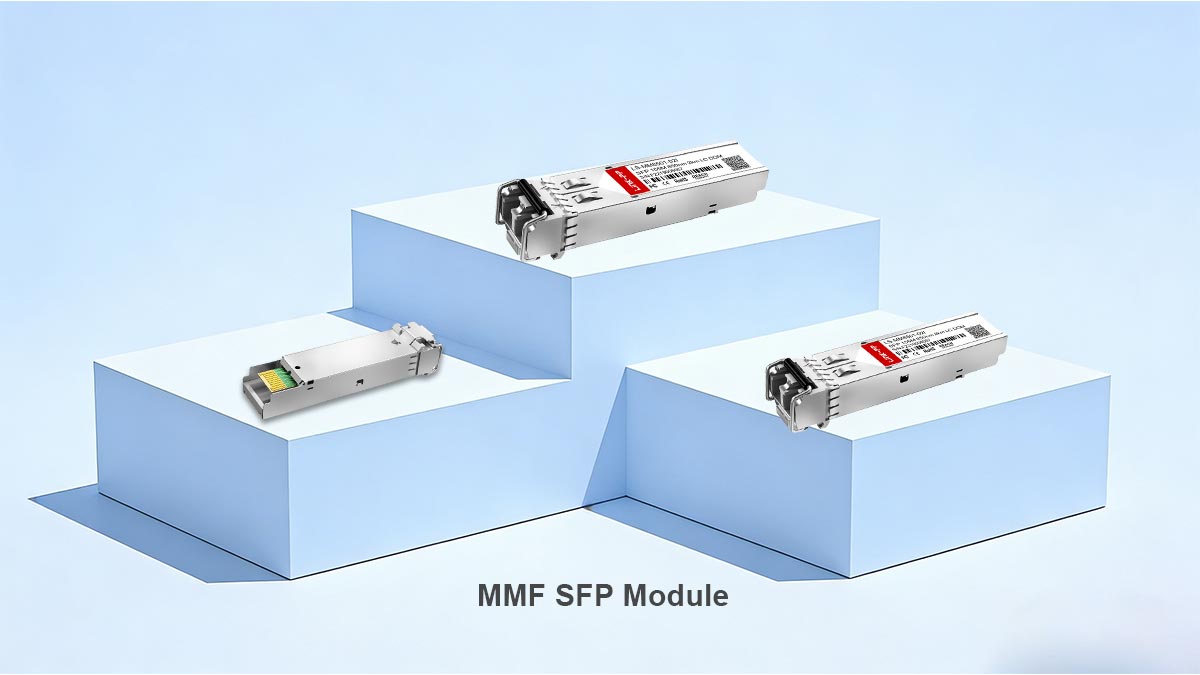
An MMF SFP module is a compact, hot-swappable optical transceiver designed to transmit and receive data over multimode fiber (MMF) for short-distance, high-speed network connections.
An MMF SFP module converts electrical signals from a switch or router into optical signals and sends them over multimode fiber—typically using an 850 nm wavelength—for distances up to a few hundred meters.
How an MMF SFP Module Works
Inside an MMF SFP module are two essential components:
Transmitter (TX): Converts electrical signals into light signals
Receiver (RX): Converts incoming light back into electrical signals
Most MMF SFP modules use a duplex LC connector, meaning:
One fiber strand is used for transmitting (TX)
One fiber strand is used for receiving (RX)
This is why standard MMF SFP modules require two fibers, not one—a common point of confusion for beginners.
What Is Multimode Fiber (MMF)?
Multimode fiber is a type of optical fiber designed to carry multiple light signals (modes) simultaneously through a larger core.
Key characteristics of multimode fiber:
Core size: 50 µm or 62.5 µm
Light source: Typically LED or VCSEL laser
Wavelength: Usually 850 nm
Distance: Short-range (e.g., 100m–300m for 10G links)
Because multiple light paths are used, signals can experience modal dispersion over long distances—this is why MMF is best suited for short-distance applications.
Common Types of MMF SFP Modules
MMF SFP modules are typically categorized by speed and standard:
Type | Speed | Standard | Typical Distance |
|---|---|---|---|
1G | IEEE 802.3z | Up to 550 m | |
10G | Up to 300 m (OM3) | ||
25G | Up to 100 m |
The “SX” and “SR” naming conventions usually indicate multimode (short-reach) optics.
Typical Use Cases of MMF SFP Modules
MMF SFP modules are widely used in environments where short-distance, high-density connections are required:
Data center interconnects (rack-to-rack)
Enterprise LAN networks
Server-to-switch connections
Storage area networks (SAN)
These scenarios benefit from:
Lower optical cost compared to single-mode solutions
Easier installation in confined environments
An MMF SFP module is the go-to solution for short-range optical networking, offering a balance of cost, performance, and simplicity—as long as it is matched correctly with multimode fiber and compatible network equipment.
In the next section, we’ll compare MMF SFP with single-mode alternatives to help you decide which is right for your application.
🔴 MMF SFP vs. SMF SFP: What’s the Difference?
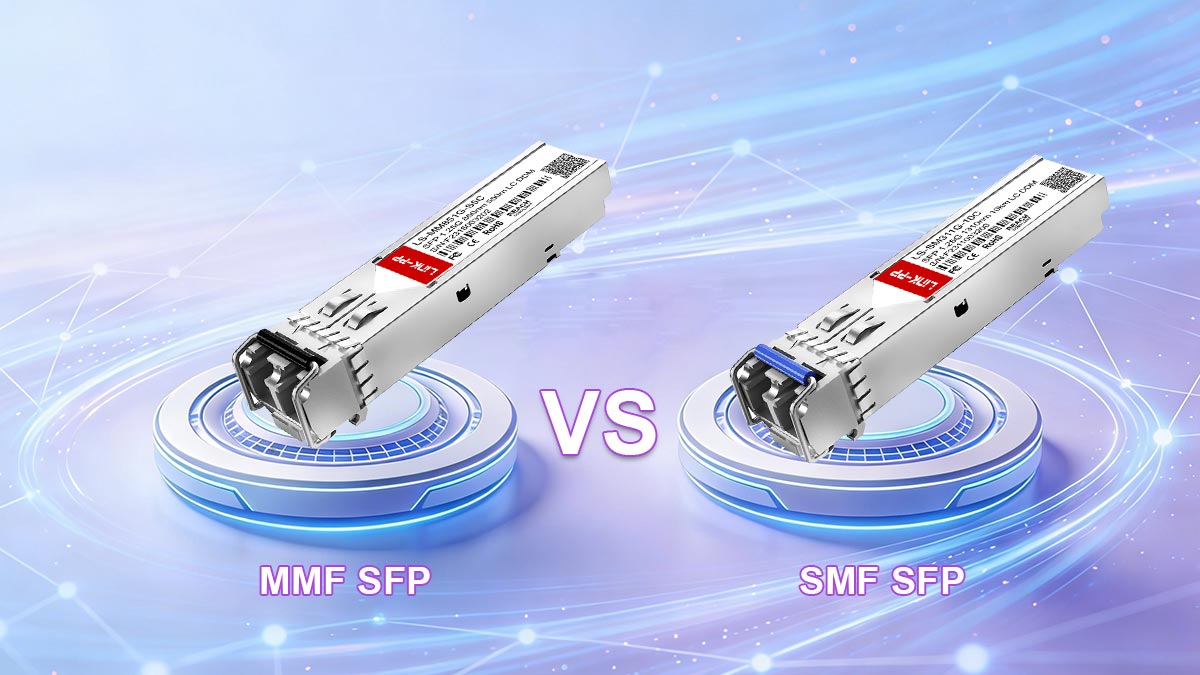
When selecting an optical transceiver, one of the most important decisions is choosing between MMF SFP (Multimode Fiber) and SMF SFP (Single-mode Fiber) modules. Although they look identical on the outside, they are designed for very different network environments.
MMF SFP modules are optimized for short-distance, lower-cost connections inside buildings or data centers, while SMF SFP modules are designed for long-distance transmission over kilometers using laser-focused light signals.
1. Fiber Type: The Core Structural Difference
The most fundamental difference lies in the type of optical fiber used.
Feature | MMF SFP | SMF SFP |
|---|---|---|
Fiber type | Multimode fiber (OM1–OM4) | Single-mode fiber (OS1–OS2) |
Core size | 50–62.5 µm | ~9 µm |
Light behavior | Multiple light paths (modes) | Single light path |
Impact:
MMF = easier coupling, but more signal dispersion
SMF = highly focused signal, minimal dispersion
2. Wavelength: 850 nm vs. 1310/1550 nm
Wavelength determines how light travels through fiber.
Feature | MMF SFP | SMF SFP |
|---|---|---|
Typical wavelength | 850 nm | 1310 nm / 1550 nm |
Light source | VCSEL / LED |
Why it matters:
850 nm works efficiently in short distances (MMF)
Longer wavelengths reduce loss over long distances (SMF)
3. Transmission Distance
Distance capability is one of the most important practical differences.
Real-world insight (from deployment feedback):
MMF is ideal for rack-to-rack or room-to-room
SMF is required for building-to-building or campus networks
4. Cost Considerations
Factor | MMF SFP | SMF SFP |
|---|---|---|
Module cost | Lower | Higher |
Fiber installation cost | Higher (bulk fiber, more cores) | Lower per distance unit |
Overall system cost (short range) | More economical | Overkill for short links |
Key insight:
MMF is cost-effective only when distance is short
SMF becomes more economical as distance increases
5. Typical Use Cases
MMF SFP Modules (Short-Range Focus)
Data centers (top-of-rack to aggregation switch)
Enterprise LAN networks
Server interconnects
Storage networks (SAN short links)
SMF SFP Modules (Long-Range Focus)
Campus networks between buildings
Metro-area networks
Telecom infrastructure
ISP backbone links
6. Practical Deployment Insight (Real-World Mistake)
From field experience and common engineering discussions, a frequent mistake is:
❌ Using MMF SFP with SMF fiber (or vice versa)
This typically results in:
No link detection
High error rates
Signal loss or instability
Key rule: MMF must always match MMF fiber, and SMF must match SMF fiber. They are not interchangeable.
The difference between MMF SFP and SMF SFP is not just technical—it directly determines network distance, cost structure, and deployment design.
Choose MMF SFP for short, high-density, cost-sensitive environments
Choose SMF SFP for long-distance, scalable infrastructure
🔴 How to Tell If an SFP Is Multimode
In real network environments, one of the most common challenges is quickly identifying whether an SFP module is multimode (MMF) or single-mode (SMF)—especially when modules are already installed or unlabeled inventory is mixed.
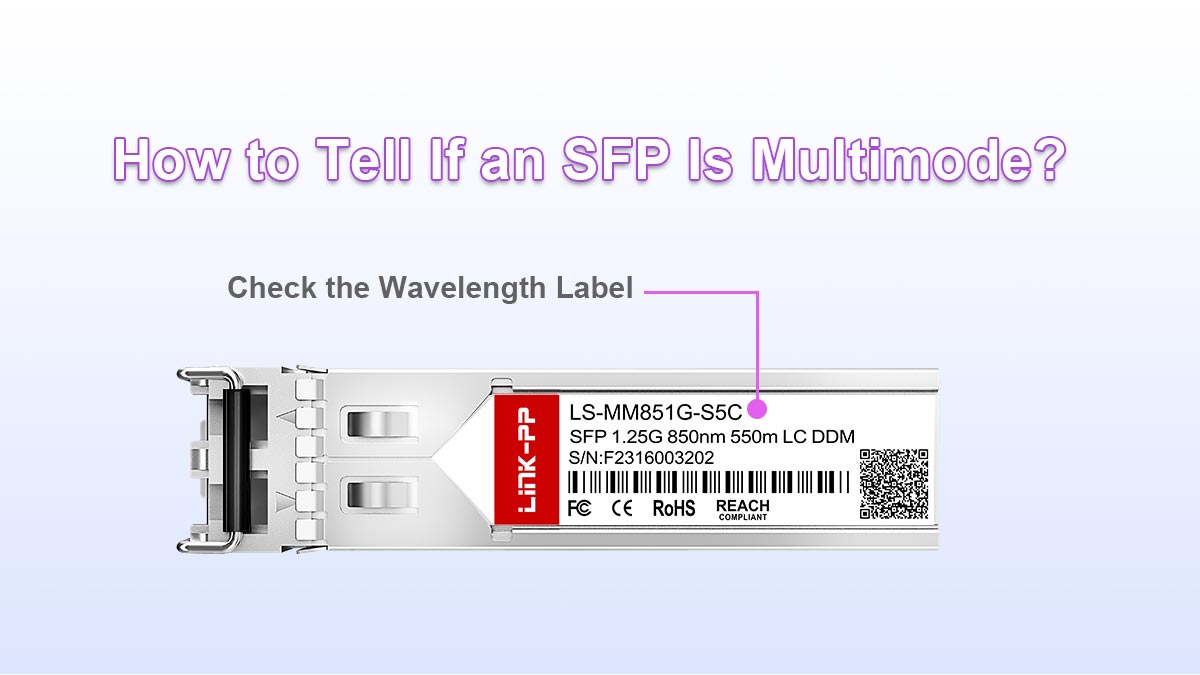
You can usually identify a multimode SFP module by checking its wavelength (850 nm), labeling (SR/SX), connector type (LC duplex), and fiber compatibility (OM1–OM4).
Below are the most reliable, field-tested ways to confirm it.
1. Check the Wavelength Label (Most Reliable Method)
The fastest and most accurate identifier is the wavelength marking printed on the module.
Fiber Type | Typical Wavelength | Meaning |
|---|---|---|
MMF SFP | 850 nm | Multimode fiber |
SMF SFP | 1310 nm / 1550 nm | Single-mode fiber |
Key rule:
850 nm = Multimode (MMF)
Higher wavelengths (1310/1550 nm) = Single-mode (SMF)
This is the most technically reliable indicator and is used across all vendors.
2. Look at the Module Labeling (SR vs. LR Naming)
Most SFP modules follow IEEE naming conventions that directly indicate fiber type.
Standard | Meaning | Fiber Type |
|---|---|---|
SX / SR | Short Reach | Multimode (MMF) |
LX / LR | Long Reach | Single-mode (SMF) |
Examples:
1000BASE-SX → MMF (multimode)
10GBASE-SR → MMF (multimode)
10GBASE-LR → SMF (single-mode)
Practical insight: If you see “SR” or “SX”, it is almost always multimode.
3. Inspect the Connector Type (Physical Clue)
Most MMF SFP modules use a duplex LC connector, meaning two fiber ports side-by-side.
One fiber = TX (transmit)
One fiber = RX (receive)
Feature | MMF SFP | SMF SFP |
|---|---|---|
Connector | LC duplex (most common) | LC duplex or simplex (BiDi variants) |
Fiber count | 2 fibers | 1 or 2 fibers (depends on type) |
Important note: Connector type alone is NOT definitive—but it is a strong supporting clue.
4. Check Fiber Compatibility (OM Standards)
Multimode SFP modules are always paired with multimode fiber types:
Fiber Type | Classification |
|---|---|
OM1 | Legacy multimode |
OM2 | Improved multimode |
OM3 | 10G optimized |
OM4 | High-performance 10G/25G |
Rule: If the module documentation mentions OM3 or OM4, it is MMF.
5. Check the Model Number (Vendor-Specific Clue)
Many manufacturers embed fiber type into part numbers.
Typical patterns:
“-SR” → MMF (Short Reach)
“-SX” → MMF (1G multimode)
“-LR” → SMF (Long Reach)
Example:
SFP-10G-SR → Multimode
SFP-10G-LR → Single-mode
6. Real-World Quick Checklist (Field Method)
When you don’t have documentation, use this fast 5-second checklist:
✔ Label shows 850 nm → MMF
✔ Name contains SR or SX → MMF
✔ Uses OM3/OM4 fiber → MMF
✔ Short-distance application (≤300m) → likely MMF
✔ Duplex LC with two fibers → often MMF
Common Mistake (From Real Deployments)
A frequent issue reported by engineers is:
“It fits physically, but there is no link.”
This often happens when:
MMF SFP is used with SMF fiber (or vice versa)
Wavelength mismatch prevents signal propagation
Key reminder: Physical compatibility does NOT guarantee optical compatibility.
To quickly identify a multimode SFP module, focus on:
850 nm wavelength (most reliable indicator)
SR/SX naming convention
OM3/OM4 fiber compatibility
Short-reach design purpose
Together, these indicators allow you to confidently distinguish MMF SFP modules in seconds—even in mixed or undocumented environments.
🔴 Can You Use Single-Mode SFP with Multimode Fiber?
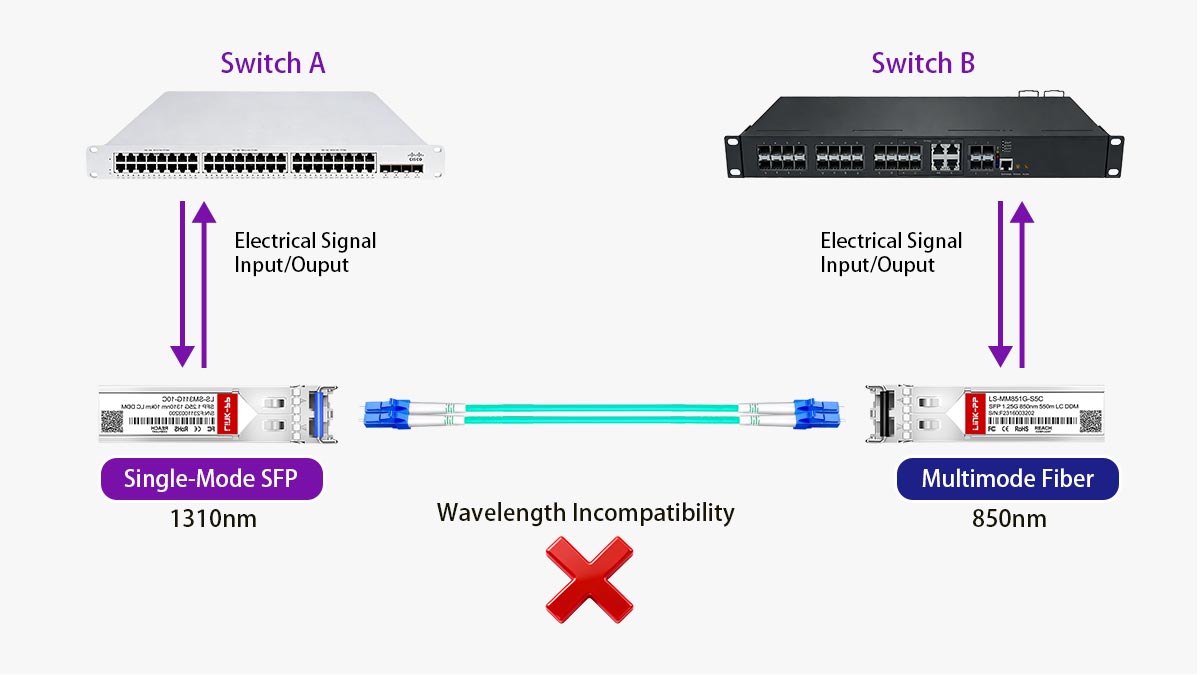
In most cases, you cannot reliably use a single-mode SFP (SMF SFP) with multimode fiber (MMF). Even if it physically connects, the link will typically fail or perform very poorly due to optical incompatibility.
Why This Matters
This is one of the most common real-world mistakes in fiber deployments. Many users assume that because the connector fits (usually LC), the modules and fiber are interchangeable.
They are not.
Single-mode and multimode systems are designed around fundamentally different optical principles.
Why It Usually Fails
There are three main technical reasons:
1. Mismatch in Light Source and Fiber Core
Type | Fiber Core Size | Light Behavior |
|---|---|---|
SMF SFP | ~9 µm | Single, focused light beam |
MMF | 50–62.5 µm | Multiple light paths |
Problem:
Single-mode lasers are designed to travel through a very narrow core
Multimode fiber has a much larger core with multiple reflection paths
This causes:
Signal dispersion
Power loss
Unstable transmission
2. Wavelength Incompatibility
Type | Typical Wavelength |
|---|---|
SMF SFP | 1310 nm / 1550 nm |
MMF SFP | 850 nm |
Problem:
Multimode fiber is optimized for 850 nm light, while single-mode optics operate at much longer wavelengths.
Result:
Light is not efficiently guided through MMF
Significant attenuation occurs
3. Modal Dispersion and Signal Integrity Loss
Multimode fiber allows multiple light paths (modes), which already introduces dispersion.
When a single-mode signal is injected:
It spreads unevenly across multiple modes
Causes timing distortion
Leads to high bit error rates or complete link failure
When It Might “Seem” to Work (But Still Isn’t Correct)
In rare cases, users report temporary or unstable connectivity when mixing SMF SFP with MMF fiber.
This can happen when:
Very short cable distances are used
Low-speed links (1G) are involved
High-quality OM3/OM4 fiber is present
However: This is not a compliant or reliable solution and should never be used in production environments.
Industry Best Practice
To ensure stable and standards-compliant operation:
✔ Use MMF SFP (SR/SX) with multimode fiber (OM1–OM4)
✔ Use SMF SFP (LR/ER) with single-mode fiber (OS1/OS2)
✔ Never mix fiber types unless using specialized conversion equipment
Although single-mode SFP modules may physically fit into multimode systems, they are optically incompatible in standard network design.
The rule is simple:
SMF SFP → SMF fiber only
MMF SFP → MMF fiber only
Mixing them leads to signal loss, instability, or complete link failure.
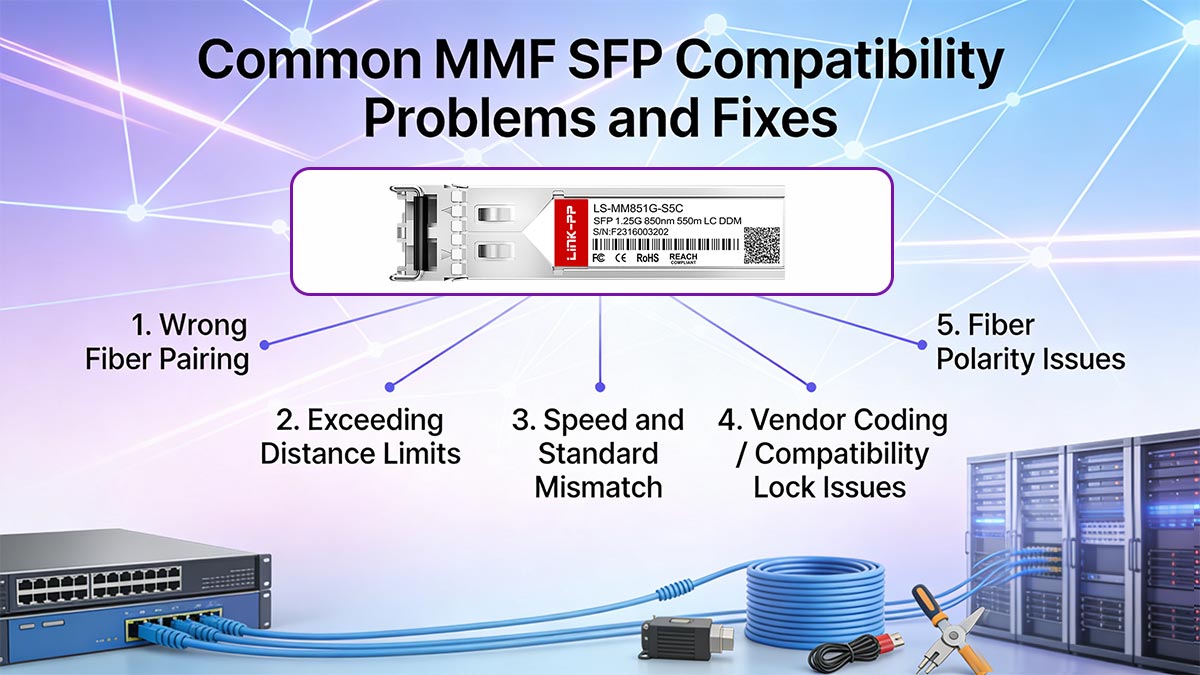
🔴 Common MMF SFP Compatibility Problems and Fixes
In real network deployments, MMF SFP modules are generally reliable—but most failures are not hardware defects. Instead, they come from compatibility mismatches between fiber, transceivers, speed standards, and vendor restrictions.
Most MMF SFP issues are caused by wrong fiber pairing, exceeding distance limits, speed mismatches, or vendor-coded incompatibility—not by the module itself.
1. Wrong Fiber Pairing (MMF vs. SMF Mismatch)
❌ Problem
One of the most common deployment errors is mixing:
MMF SFP with single-mode fiber
SMF SFP with multimode fiber
Symptoms:
No link light
No signal detection
High error rates or unstable link
🔧 Fix:
Ensure MMF SFP (850 nm) is paired with OM1–OM4 multimode fiber
Ensure fiber connectors match (usually LC duplex for MMF)
Rule: MMF always = multimode fiber only
2. Exceeding Distance Limits
❌ Problem
MMF SFP modules are designed for short-range transmission only.
Typical limits:
Symptoms:
Intermittent connection drops
Packet loss under load
Link instability over time
🔧 Fix:
Reduce fiber length
Upgrade to higher-grade fiber (OM3 → OM4 for better performance)
Switch to single-mode SFP (LR) for long distances
3. Speed and Standard Mismatch
❌ Problem
Not all SFP modules operate at the same Ethernet speed.
Examples:
1G SX cannot communicate with 10G SR
10G SR cannot auto-negotiate with 1G ports (in most cases)
Symptoms:
Link not established
Port stays “down”
Auto-negotiation failure
🔧 Fix:
Match both ends with the same speed standard:
1G ↔ 1G
10G ↔ 10G
Confirm switch port capability before deployment
4. Vendor Coding / Compatibility Lock Issues
❌ Problem
Many switch vendors (Cisco, HP, Juniper, etc.) enforce transceiver coding restrictions, meaning:
Only “approved” or vendor-coded SFPs are accepted
Symptoms:
“Unsupported transceiver” warning
Port disabled automatically
Link not activated despite correct hardware
🔧 Fix Options:
✔ Use vendor-approved modules
✔ Use coded-compatible third-party SFPs
✔ Disable compatibility check (on some managed switches, not always recommended)
Industry trend: Modern third-party manufacturers now offer multi-vendor coded MMF SFPs to solve this issue.
5. Fiber Polarity Issues (TX/RX Swap)
❌ Problem
Multimode links require correct fiber alignment:
TX must connect to RX
RX must connect to TX
Symptoms:
Link light is off
One side shows activity, the other does not
🔧 Fix:
Swap fiber pair ends (simple crossover correction)
Verify LC duplex orientation
6. Dirty or Poor-Quality Fiber Connections
❌ Problem
MMF SFP performance is highly sensitive to contamination:
Dust
Oil
Poor polishing
Symptoms:
Intermittent errors
High CRC error rates
Reduced throughput
🔧 Fix:
Clean connectors using fiber cleaning tools
Inspect using fiber scope (best practice: “Inspect → Clean → Inspect”)
Replace damaged patch cables
7. Mixed Optical Standards in the Same Link
❌ Problem
Using different optical standards on each end:
SX on one side, SR on the other
Different wavelengths or fiber types
Symptoms:
No link establishment
Unstable or degraded performance
🔧 Fix:
Always match:
Standard (SX ↔ SX, SR ↔ SR)
Wavelength (850 nm both sides)
Fiber type (MMF only)
Most MMF SFP compatibility issues are not complex hardware failures—they are configuration and matching errors.
✔ To ensure stable deployment:
Match MMF SFP with OM1–OM4 fiber only
Keep within distance limits
Ensure speed consistency
Verify vendor compatibility
Maintain clean fiber connections
🔴 850nm Fiber Multimode Transceivers FAQ
Q1. What is an MMF SFP module used for?
An MMF SFP module is used for short-distance optical data transmission over multimode fiber, typically within data centers or enterprise LAN environments. It connects switches, servers, and storage devices over distances usually ranging from 100 meters to 550 meters, depending on the optical standard and fiber grade.
Q2. What does “multimode” mean in SFP modules?
“Multimode” refers to the type of optical fiber used, where multiple light paths (modes) travel through a larger fiber core. This design allows efficient short-distance transmission using 850 nm light sources, making it suitable for high-speed, short-reach network links.
Q3. Is MMF SFP the same as 10G SR or 1000BASE-SX?
Yes, in most cases. MMF SFP modules are commonly implemented as 1000BASE-SX (1G) and 10GBASE-SR (10G) standards. These “SR” and “SX” designations indicate short-reach multimode fiber operation using 850 nm wavelength optics.
Q4. What fiber type is compatible with MMF SFP modules?
MMF SFP modules are compatible with multimode optical fiber types such as OM1, OM2, OM3, and OM4. These fibers are designed with larger core diameters to support multiple light paths, optimized for short-distance transmission.
Q5. What is the typical distance of an MMF SFP module?
The transmission distance depends on the optical standard and fiber quality, but typically:
Up to 550 meters for 1G (SX)
Around 300 meters for 10G (SR) on OM3 fiber
Up to 400 meters on OM4 fiber
MMF SFP modules are therefore best suited for in-building or rack-to-rack connections.
Q6. Do MMF SFP modules support long-distance transmission?
No. MMF SFP modules are designed for short-reach applications only. For long-distance links beyond several hundred meters, single-mode SFP modules (e.g., LR or ER types) are required due to their lower signal dispersion and higher optical efficiency.
Q7. Are MMF SFP modules interchangeable between vendors?
Not always. While the optical standards are universal, some switches enforce vendor coding restrictions, which may require compatible or certified modules. However, many third-party MMF SFPs are now designed with multi-vendor compatibility coding to support broader interoperability.
🔴 How to Choose the Right MMF SFP Module for Your Network
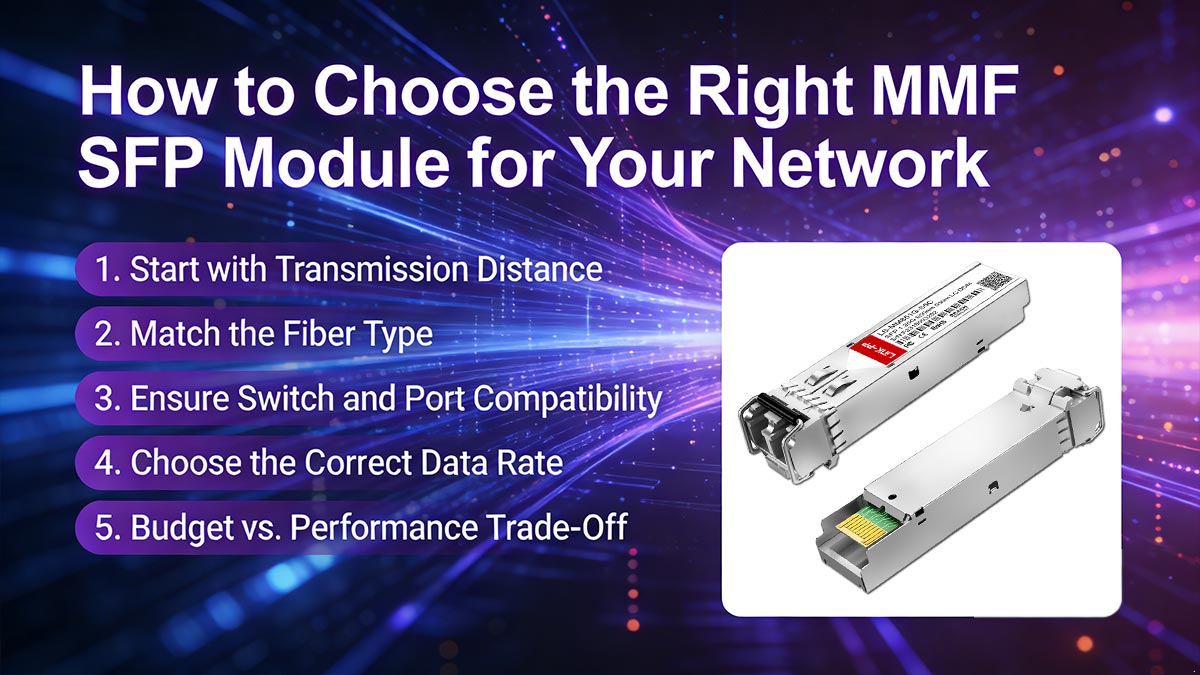
Selecting the right MMF SFP module is not just about picking a compatible transceiver—it is about ensuring optimal performance, cost efficiency, and long-term network stability. A poor selection can lead to signal loss, limited scalability, or unnecessary replacement costs.
Choose an MMF SFP module based on transmission distance, fiber type (OM1–OM4), switch compatibility, and required data rate (1G/10G/25G) to ensure stable short-reach network performance.
1. Start with Transmission Distance (Most Critical Factor)
Distance is the first and most important decision point when selecting an MMF SFP module.
Requirement | Recommended MMF SFP Type |
|---|---|
Up to 550m | 1G SX (1000BASE-SX) |
Up to 300m | 10G SR (OM3 fiber) |
Up to 400m | 10G SR (OM4 fiber) |
Key rule:
Short rack-to-rack links → MMF is ideal
If distance exceeds ~500m → consider single-mode SFP instead
2. Match the Fiber Type (OM1–OM4 Compatibility)
MMF SFP modules must match the correct multimode fiber standard.
Fiber Type | Performance Level | Typical Use |
|---|---|---|
OM1 | Legacy | Low-speed/older installations |
OM2 | Improved legacy | Small office networks |
OM3 | 10G optimized | Modern data centers |
OM4 | High-performance | High-density 10G/25G links |
Practical insight:
OM3 is the minimum recommended standard for 10G MMF deployments
OM4 provides better future-proofing and longer reach
3. Ensure Switch and Port Compatibility
Even if the optical side is correct, the module must match the switch environment.
Check:
Supported SFP speed (1G / 10G / 25G)
Vendor compatibility (Cisco, Juniper, HP, etc.)
Whether third-party optics are allowed
Common issue:
Some switches block non-coded modules and show:
“Unsupported transceiver” warning
Port disabled state
4. Choose the Correct Data Rate (Future Scalability)
MMF SFP modules are available in multiple speeds:
Speed | Typical Module Type |
|---|---|
1G | SX |
10G | SR |
25G | SR / SR4 |
Recommendation:
New deployments → prioritize 10G or higher
Legacy systems → 1G SX still widely used
5. Budget vs. Performance Trade-Off
MMF SFP modules are generally cost-effective for short-range links, but total cost depends on deployment scale.
Factor | Consideration |
|---|---|
Module cost | MMF is lower than SMF |
Fiber infrastructure | More cores may be needed |
Maintenance | Easier for short-range troubleshooting |
Insight: MMF is most cost-efficient when distance is short and density is high (e.g., data centers).
Practical MMF SFP Selection Checklist
Before purchasing, confirm:
✔ Required transmission distance (<550m)
✔ Fiber type (OM3 or OM4 recommended for 10G+)
✔ Matching speed (1G / 10G / 25G)
✔ Switch compatibility (vendor or multi-vendor coded)
✔ Connector type (LC duplex standard)
The right MMF SFP module is not just a component—it is a system-level decision. The best choice balances:
✔ Distance requirements
✔ Fiber infrastructure quality
✔ Switch compatibility
✔ Future scalability
When all factors align, MMF SFP modules deliver a high-performance, low-latency, and cost-efficient solution for short-range optical networking.
Final Recommendation
If you are planning a new deployment or upgrading your existing network, always choose high-quality, fully compatible MMF SFP modules to avoid interoperability issues and ensure long-term stability.
👉 For reliable and tested optical transceivers, explore the
LINK-PP Official Store for a full range of MMF SFP modules, including 1G, 10G, and high-speed SR solutions designed for enterprise and data center applications.



