


As data center traffic continues to grow and enterprise networks demand higher bandwidth, the QSFP+ 40GBASE-LR4 transceiver remains a widely deployed solution for reliable 40Gbps connectivity over long distances. Whether you're upgrading a campus backbone, building a data center interconnect (DCI), or optimizing an existing fiber infrastructure, understanding how QSFP+ LR4 works—and how to choose the right module—is critical for stable network performance.
Unlike short-range optics, 40GBASE-LR4 uses wavelength division multiplexing (WDM) to transmit four separate 10Gbps signals over a single pair of single-mode fibers. This design enables transmission distances of up to 10 km while reducing fiber complexity compared to parallel optics like SR4. However, this also introduces new challenges around compatibility, fiber requirements, and deployment accuracy—areas where many real-world issues occur.
“What is QSFP+ 40GBASE-LR4?” Means:
Will this module work with my switch or router?
Can I use existing fiber infrastructure?
Why is my LR4 link not working as expected?
Is LR4 still worth deploying compared to 100G solutions?
This guide is designed to answer those exact questions.
What You’ll Learn in This Guide
By reading this article, you will gain:
A clear understanding of QSFP+ 40GBASE-LR4 specifications and working principles
A practical compatibility checklist to avoid costly deployment mistakes
A comparison of LR4 vs. SR4 vs. ER4 to support better decision-making
Troubleshooting strategies based on real-world network issues
A step-by-step framework to choose a reliable QSFP+ LR4 module
Whether you are planning a new deployment or troubleshooting an existing link, this guide will help you make informed, low-risk decisions when working with QSFP+ 40GBASE-LR4 optical transceivers.
📌 What Is QSFP+ 40GBASE-LR4? (Technical Overview)
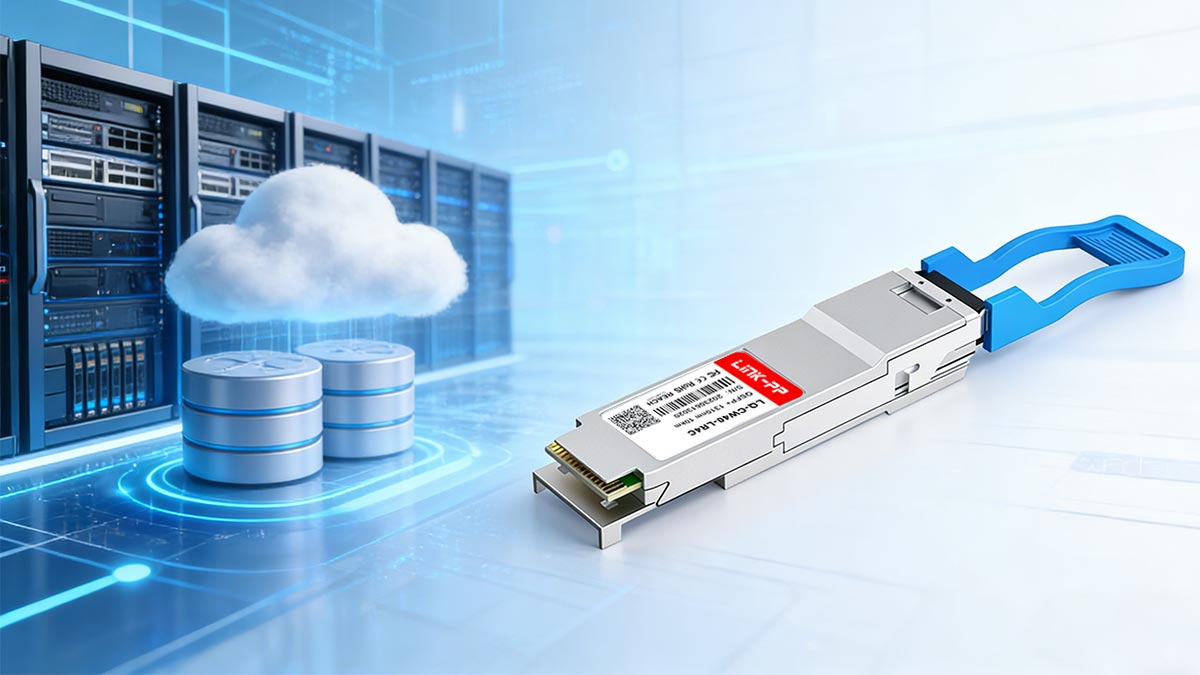
QSFP+ 40GBASE-LR4 is a 40Gbps optical transceiver standard defined by IEEE 802.3ba, designed for long-distance data transmission over single-mode fiber (up to 10 km). It uses Wavelength Division Multiplexing (WDM) to combine four 10Gbps signals into a single link, enabling high-speed connectivity with just two fibers (LC duplex).
Definition and IEEE Standard
40GBASE-LR4 is a long-reach optical transceiver standard defined under the IEEE 802.3ba specification for 40 Gigabit Ethernet. It is designed to deliver 40Gbps high-speed data transmission over single-mode fiber (SMF) with a maximum reach of up to 10 kilometers.
The “QSFP+” form factor (Quad Small Form-factor Pluggable Plus) allows four electrical lanes to operate within a compact module, making it a widely adopted solution in:
Data centers
Enterprise backbone networks
Telecom infrastructure
Unlike short-range modules, LR4 is specifically engineered for long-distance, high-reliability links, where signal integrity and stability are critical.
How LR4 Uses WDM (4×10G Wavelengths)
One of the most important technical characteristics of 40GBASE-LR4 is its use of Wavelength Division Multiplexing (WDM).
Instead of transmitting 40Gbps over a single channel, LR4 works by:
Splitting the signal into four independent 10Gbps lanes
Assigning each lane a different wavelength (typically around 1310 nm range)
Combining (multiplexing) them into a single optical signal for transmission
Separating (demultiplexing) them again at the receiver
This means:
Only 2 fibers (duplex LC) are required
No need for parallel fiber infrastructure (like MPO used in SR4)
Why WDM Matters
This WDM-based architecture provides several practical advantages:
Simplifies cabling (LC vs. MPO)
Enables longer transmission distances
Improves flexibility in network design
However, it also introduces:
Higher cost compared to SR4
Greater sensitivity to fiber quality and link loss
Key Features and Use Cases
Core Features
Data rate: 40 Gbps
Transmission distance: Up to 10 km
Fiber type: Single-mode fiber (SMF only)
Connector: Duplex LC
Optical technology: WDM (4×10G lanes)
Typical Use Cases
1. Data Center Interconnect (DCI)
Connecting buildings or facilities across distances beyond SR4 limits
2. Campus Backbone Networks
Linking core switches across large enterprise environments
3. Telecom and Metro Networks
Providing stable long-distance aggregation links
QSFP+ 40GBASE-LR4 is not just a “40G module”—it is a long-distance, wavelength-based optical solution designed for scenarios where:
Distance exceeds multimode capabilities
Fiber resources need to be minimized
Stability and compatibility are mission-critical
Understanding this foundation is essential before moving into specifications, compatibility, and real-world deployment decisions in the next sections.
📌 QSFP+ 40GBASE-LR4 Specifications and Distance Limits
To ensure a stable and predictable deployment, engineers must understand the core specifications and physical limitations of QSFP+ 40GBASE-LR4. These parameters directly determine whether the module will work reliably in your network environment.
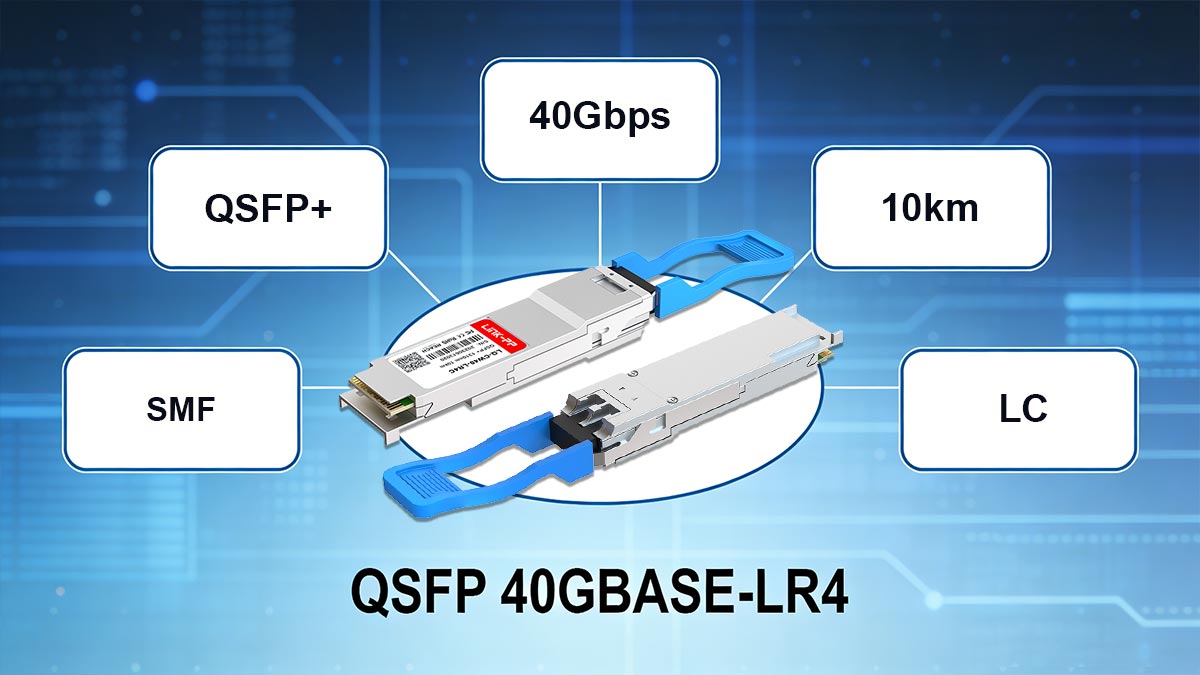
QSFP+ 40GBASE-LR4 Key Specifications
Item | Specification |
|---|---|
Standard | IEEE 802.3ba |
Form Factor | QSFP+ (Quad Small Form-factor Pluggable Plus) |
Data Rate | 40 Gbps |
Transmission Technology | Wavelength Division Multiplexing (4 × 10G lanes) |
Wavelength | ~1310 nm (WDM grid) |
Fiber Type | Single-Mode Fiber (SMF, OS2) |
Maximum Distance | Up to 10 km |
Connector Type | LC Duplex |
Number of Fibers | 2 (Tx/Rx pair) |
Typical Power Budget | ~6–9 dB |
TX Power Range | ~ -7 dBm to +2.3 dBm |
RX Sensitivity | ~ -11.5 dBm |
Hot-Pluggable | Yes |
Primary Use Case | Data center interconnect, campus backbone, metro links |
Transmission Distance: Up to 10 km
According to IEEE 802.3ba, QSFP+ 40GBASE-LR4 is designed for:
Maximum reach: up to 10 kilometers
Over single-mode fiber (SMF) under standard conditions
In real deployments:
Typical use range: 500 m – 10 km
Works even at very short distances (e.g., 2–10 m), but requires power consideration
⚠️ Short Distance Consideration (Often Overlooked)
At very short distances (e.g., <10 m):
Signal may be too strong (RX overload)
In rare cases, an optical attenuator may be needed
However:
Most modern LR4 modules handle short links safely
Fiber Type: Single-Mode Fiber Only (SMF)
QSFP+ LR4 is strictly designed for:
Single-mode fiber (OS2 recommended)
Operating wavelength: ~1310 nm range (WDM channels)
❌ Not recommended:
Multimode fiber (OM3 / OM4)
Why this matters:
LR4 relies on precise wavelength transmission
Multimode fiber introduces modal dispersion → unstable signal
Connector Type: Duplex LC
Unlike SR4 modules that use MPO connectors, QSFP+ LR4 uses:
LC duplex connector (2 fibers total)
1 fiber for transmit (Tx)
1 fiber for receive (Rx)
Practical advantages:
Easier cable management
Compatible with existing SMF infrastructure
Lower cabling complexity
Power Budget Overview (Critical for Stability)
The optical power budget defines how much signal loss the link can tolerate.
Typical QSFP+ LR4 values:
Transmit power (Tx): ~ -7 dBm to +2.3 dBm
Receiver sensitivity (Rx): ~ -11.5 dBm
Total power budget: ~ 6–9 dB
What Affects Power Budget?
In real-world deployments, signal loss comes from:
Fiber attenuation (distance)
Connector loss
Splice loss
Dirty or damaged interfaces
Example:
10 km SMF ≈ ~3–4 dB loss
Connectors/splices ≈ ~1–2 dB
✔ Still within LR4 tolerance
❌ Poor installation can exceed budget → link failure
QSFP+ 40GBASE-LR4 offers a balanced combination of distance, simplicity, and performance, but only when:
Correct fiber type (SMF) is used
Link loss stays within power budget
Physical layer quality is maintained
📌 QSFP+ 40GBASE-LR4 vs. SR4 vs. ER4: Key Differences
Choosing between QSFP+ 40GBASE-LR4, SR4, and ER4 is one of the most important decisions in 40G network design. Although they all deliver 40Gbps connectivity under the IEEE 802.3ba, their architecture, fiber requirements, and cost structure are significantly different.
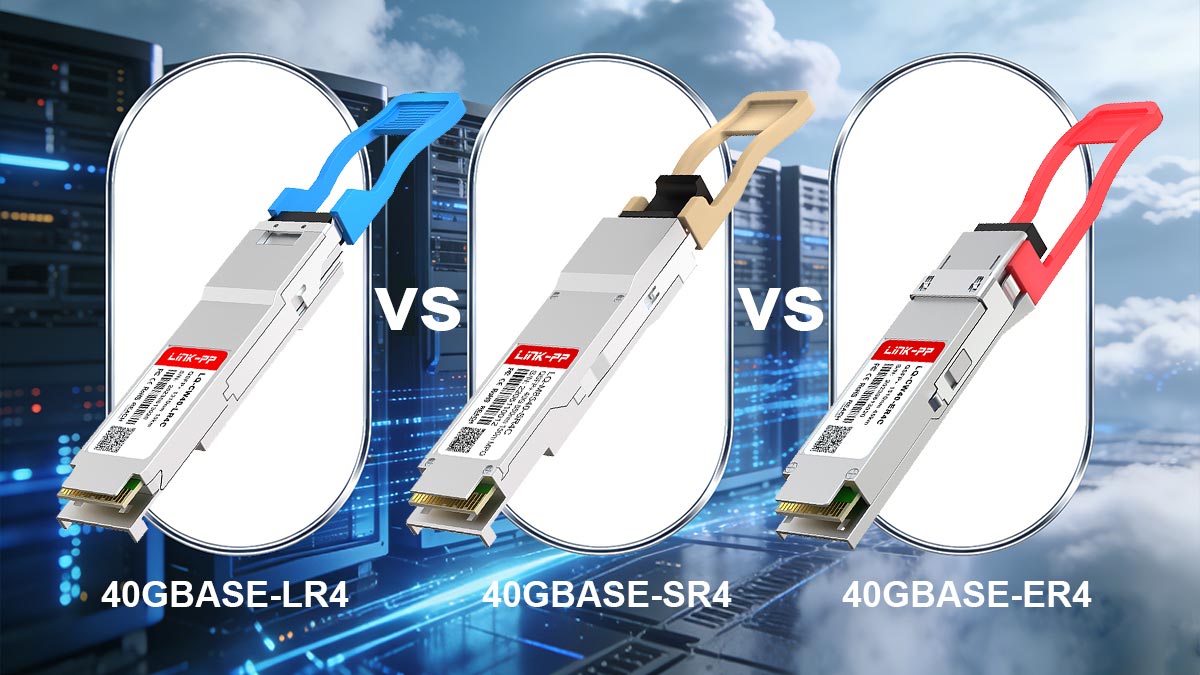
Architecture Comparison (How They Work)
Type | Transmission Method | Fiber Type | Core Concept |
|---|---|---|---|
Parallel optics (4×10G lanes) | Multimode fiber (MMF) | Short-range parallel transmission | |
Wavelength Division Multiplexing (4 wavelengths) | Single-mode fiber (SMF) | WDM-based long-reach transmission | |
Advanced WDM (longer reach optics) | Single-mode fiber (SMF) | Extended reach long-haul transmission |
Key insight:
SR4 = parallel lanes
LR4 = wavelength multiplexing
ER4 = boosted long-distance WDM
Distance vs. Cost vs. Cabling Comparison
Type | Max Distance | Relative Cost | Cabling Complexity | Typical Use Case |
|---|---|---|---|---|
SR4 | ~100–400 m | ⭐ Lowest | High (MPO required) | Inside data centers |
LR4 | Up to 10 km | ⭐ Medium | Low (LC duplex) | Campus / DCI links |
ER4 | Up to 40 km | ⭐ Highest | Low (LC duplex) | Metro / long-haul networks |
Cabling Differences (Practical Impact)
🔹 SR4 (Parallel Optics)
Uses MPO/MTP connectors
Requires 8 or 12 fiber strands
More complex cable management
Best for short-range high-density racks
🔹 LR4 (WDM-based)
Uses LC duplex connectors
Only 2 fibers required
Easier installation and maintenance
Ideal when fiber resources are limited
🔹 ER4 (Extended Reach)
Also uses LC duplex
Designed for long-distance amplification scenarios
Often used in telecom backbone links
When to Choose Each Type
✅ Choose SR4 if:
You are connecting switch-to-switch inside a rack or row
Distance is under 100–300 meters
You want lowest-cost optics
✅ Choose LR4 if:
You need up to 10 km reach
You only have single-mode fiber infrastructure
You want simpler LC cabling instead of MPO
You are building campus or DCI links
✅ Choose ER4 if:
You need longer than 10 km (metro networks)
You require high-reliability long-haul transmission
Budget allows for higher-cost optics
Key Engineering Insight
While all three modules deliver 40Gbps, the real decision is not speed—it is:
fiber type + distance + infrastructure complexity
In many real deployments:
SR4 is chosen for density and cost efficiency
LR4 is chosen for balance of distance and simplicity
ER4 is chosen for long-haul stability
QSFP+ 40GBASE-LR4 sits in the “sweet spot” of 40G networking:
Longer reach than SR4
Simpler cabling than SR4
Lower cost than ER4
Strong compatibility for enterprise and DCI networks
📌 QSFP+ 40GBASE-LR4 Compatibility Guide (Checklist + Real Failure Cases)
One of the most critical aspects when deploying QSFP+ 40GBASE-LR4 is compatibility across switches, transceivers, and optical infrastructure. Even when specifications look identical on paper, real-world interoperability issues can still occur—especially in multi-vendor environments.
This section provides a practical, engineer-focused compatibility guide to reduce deployment risks and avoid costly network failures.
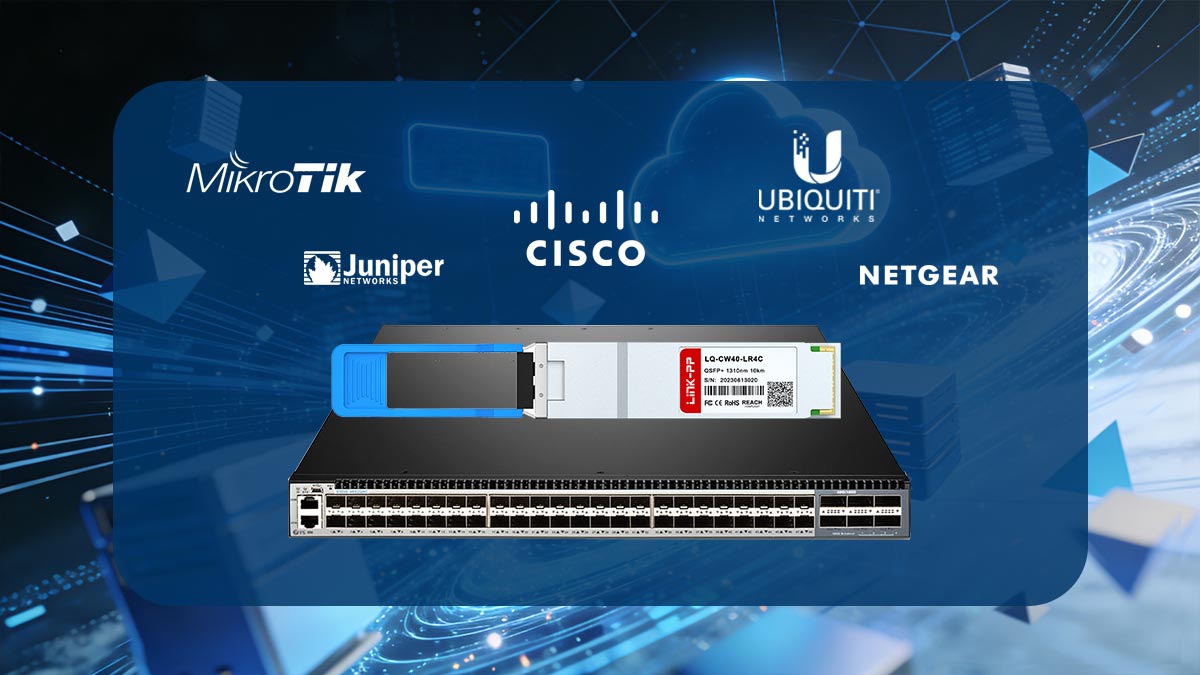
Switch & Vendor Compatibility (Cisco, Juniper, etc.)
QSFP+ LR4 modules are widely supported across major networking vendors, including:
However, compatibility depends on three key layers:
1. Hardware Support
QSFP+ port must support 40G mode
Some platforms require firmware updates
2. Vendor Coding (EEPROM)
OEMs often lock optics via coding
“Generic” LR4 modules may be blocked unless unsupported mode is enabled
3. Interface Configuration
Correct speed setting (40G)
No forced breakout mode enabled
Key takeaway: Even if the module is physically compatible, software restrictions can still block it.
MSA Compliance Importance
A key factor in compatibility is adherence to the Multi-Source Agreement (MSA) standards.
Why MSA matters:
Ensures mechanical and electrical interoperability
Defines optical specifications (power, wavelength, modulation)
Allows multi-vendor usage in theory
In practice:
Fully MSA-compliant modules = higher success rate
Non-compliant or “proprietary tuned” optics = higher risk of mismatch
Engineering insight: MSA compliance reduces—but does not eliminate—vendor compatibility issues.
Common Interoperability Issues (Real Deployment Problems)
Based on real network deployments and field reports, the most common issues include:
1. Link Down After Insertion
Cause: Vendor coding mismatch
Symptom: Module not recognized
2. Flapping Link (Up/Down instability)
Cause: Marginal optical power or dirty connectors
Symptom: Intermittent connectivity
3. No Light / No Signal Detection
Cause: TX/RX lane misalignment or faulty fiber polarity
Common in multi-fiber migration projects
4. Speed Negotiation Failure
Cause: Port not set to 40G mode
Common in mixed-generation switches
Mixing Optics Risks (High-Risk Area)
One of the most overlooked risks in QSFP+ LR4 deployments is mixing different optical types or vendors.
❌ Risk scenarios:
1. Mixing OEM + third-party optics
May trigger vendor lock
May reduce link stability
2. Mixing LR4 with incompatible LR variants
Example: LR4 vs. LX4 confusion
Can cause wavelength mismatch
3. Mixing SMF and MMF infrastructure
Severe signal degradation
Often results in complete link failure
⚠️ Engineering warning: LR4 may appear “compatible,” but optical mismatch issues often only show up under load or distance.
QSFP+ LR4 Compatibility Checklist (Pre-Purchase)
Before deploying QSFP+ 40GBASE-LR4, verify the following:
✅ Hardware Checklist
QSFP+ port supports 40G mode
Single-mode fiber (OS2) available
LC duplex patch cords installed
✅ Vendor Checklist
Module is MSA-compliant
Vendor coding is supported or unlocked
Switch firmware is updated
✅ Optical Checklist
Link distance within 10 km limit
Power budget within tolerance (~6–9 dB)
No excessive splice/connector loss
✅ Configuration Checklist
Port forced to 40G mode
No breakout configuration enabled
Optical diagnostics (DOM) enabled
QSFP+ 40GBASE-LR4 compatibility is not just a hardware issue—it is a multi-layer validation process involving:
Hardware support
Vendor firmware restrictions
MSA compliance
Optical power budget
Configuration correctness
In real deployments, most failures are not caused by the module itself, but by: misconfiguration, vendor restrictions, or fiber-layer issues
Now that compatibility risks are clear, the next step is understanding how to select a reliable QSFP+ LR4 module that minimizes deployment failure risk and maximizes long-term stability.
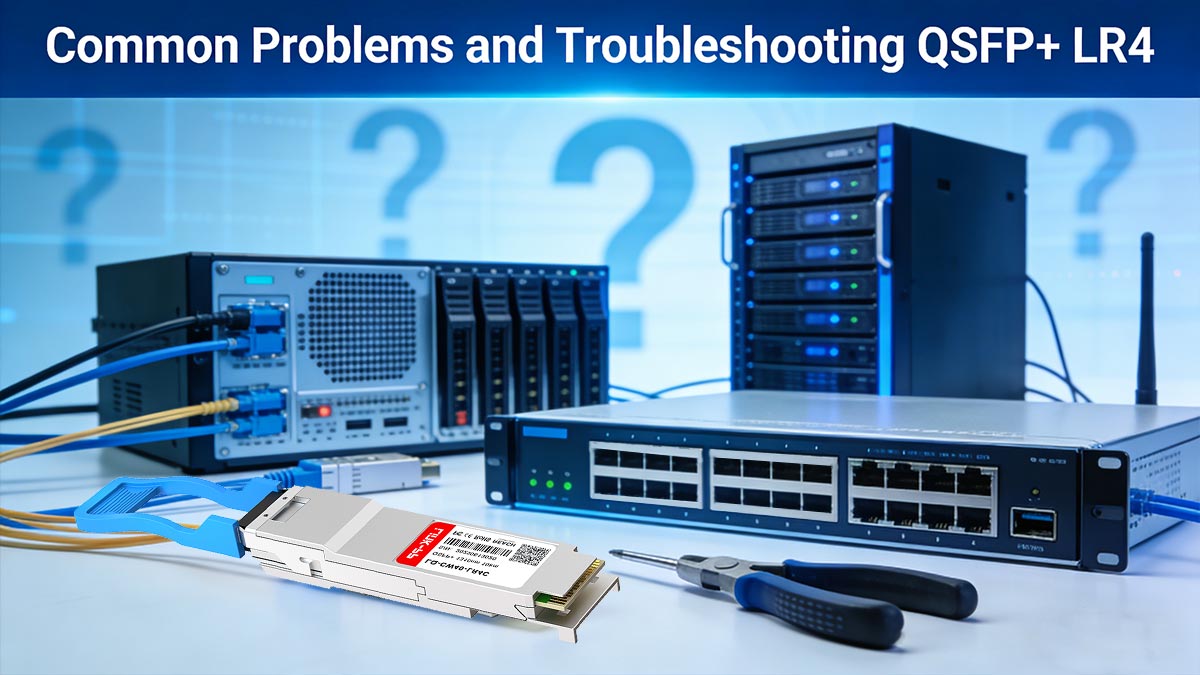
📌 Common Problems and Troubleshooting QSFP+ LR4
Even though QSFP+ 40GBASE-LR4 is a mature and widely deployed optical standard, real-world installations often face issues that are not related to the module design itself, but to fiber infrastructure, configuration, or physical layer quality. This section focuses on practical troubleshooting scenarios commonly reported by engineers in production environments.
▶ LR4 Not Working: Most Common Causes
When a QSFP+ LR4 link fails to come up, the issue usually falls into one of the following categories:
1. Vendor or Port Compatibility Block
Switch does not recognize third-party optics
Port is locked to OEM-coded transceivers
Firmware mismatch after upgrade
Symptom:
Module not detected or “unsupported transceiver” error
2. Incorrect Port Configuration
Port not set to 40G mode
Breakout mode accidentally enabled (4×10G split configuration)
Auto-negotiation mismatch
Symptom:
Link remains down even though optics are detected
3. Optical Power Imbalance
TX power too low or RX overload
Fiber attenuation exceeds power budget
Symptom:
Link flaps or stays unstable under load
▶ Fiber Mismatch (SMF vs. MMF Issue)
One of the most frequent deployment mistakes is using the wrong fiber type.
QSFP+ LR4 is designed for:
Single-mode fiber (SMF / OS2) only
Incorrect usage:
Multimode fiber (OM3 / OM4)
What happens:
Severe signal degradation
Unpredictable link behavior
Sometimes partial connectivity at very short distances
Engineering insight: Even if the link appears to work temporarily, it is not production-stable.
▶ Short-Distance Concerns (Unexpected but Real Issue)
Although LR4 is designed for up to 10 km, many engineers deploy it in:
Data center rack-to-rack links
Sub-10 meter connections
Potential issues:
RX optical overload (signal too strong)
Rare instability in poorly balanced links
Reality check:
Most modern QSFP+ LR4 modules handle short distances without issues
But older or low-cost modules may require optical attenuation
Rule of thumb: If link is extremely short (<2–5 m), verify RX power levels using DOM diagnostics
▶ Signal Loss & Dirty Connectors (Most Overlooked Issue)
In real deployments, the most common root cause of LR4 failure is not the module—it is the fiber path.
Common physical layer issues:
Dirty LC connectors
Poor polishing quality
Micro-bends in fiber cable
Excessive splice loss
Typical symptoms:
Link comes up but drops intermittently
High bit error rate (BER)
Flapping under traffic load
Best practice fixes:
Clean all LC connectors before installation
Use inspection scope if available
Avoid tight cable bends (<30 mm radius)
Re-test with known-good patch cable
▶ Diagnostic Tools (Engineer-Level Debugging)
To troubleshoot QSFP+ LR4 effectively, use:
Digital Optical Monitoring (DOM)
TX power
RX power
Temperature
Interface error counters
OTDR (for fiber fault location)
▶ Key Insight (From Real Deployments)
Across real-world networks, LR4 issues typically fall into this distribution:
50–60% → Fiber cleanliness / physical layer issues
20–30% → Configuration / port settings
10–20% → Vendor compatibility / coding issues
<10% → Actual transceiver failure
Conclusion: Most LR4 “failures” are not optical design problems—they are deployment quality issues.
Now that common issues and troubleshooting methods are clear, the next step is understanding how to select a reliable QSFP+ 40GBASE-LR4 module to avoid these problems before deployment even begins.
📌 How to Choose a Reliable QSFP+ 40GBASE-LR4 Module
Selecting the right QSFP+ 40GBASE-LR4 module is not just a procurement decision—it directly impacts network stability, uptime, and long-term maintenance cost. With many third-party and OEM options on the market, engineers must evaluate both technical compliance and real-world reliability factors before deployment.
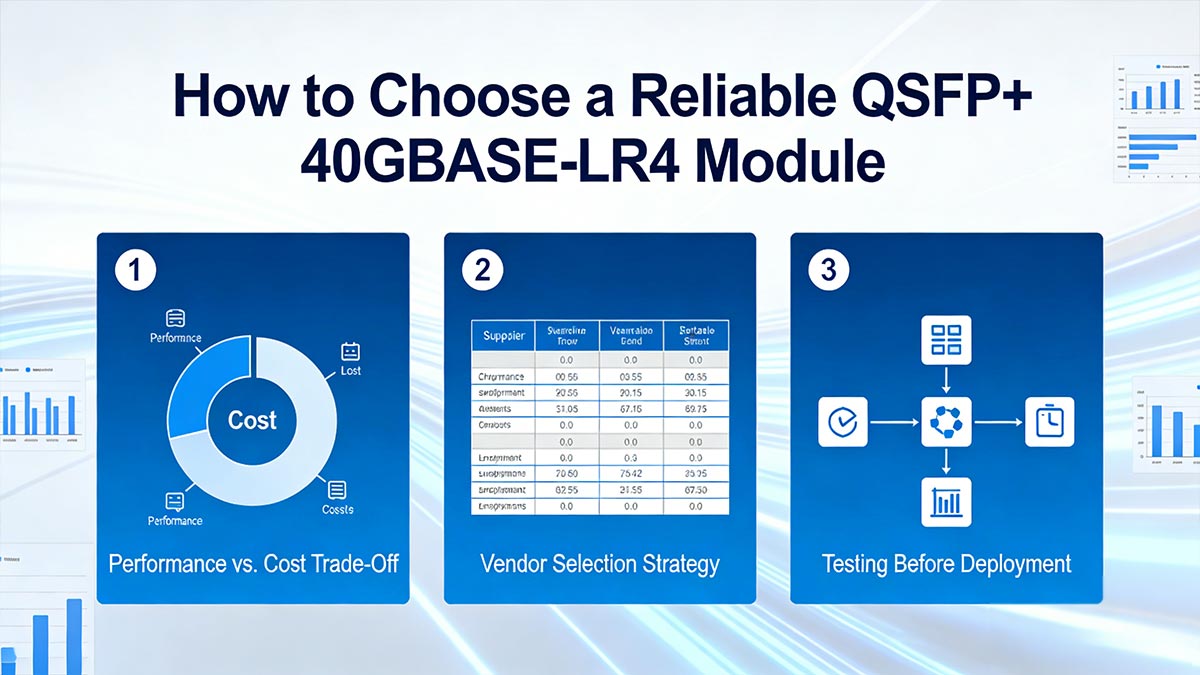
Performance vs. Cost Trade-Off
When choosing QSFP+ LR4 modules, buyers usually fall into three categories:
Low-cost third-party optics
Pros: Budget-friendly, widely available
Cons: Higher compatibility risk, inconsistent quality
OEM-branded modules (Cisco/Juniper original)
Pros: Maximum compatibility, guaranteed support
Cons: High cost, vendor lock-in
MSA-compliant high-quality compatible optics (recommended)
Pros: Balanced cost, strong interoperability, stable performance
Cons: Requires careful vendor selection
Engineering recommendation: For most enterprise and data center environments, MSA-compliant third-party LR4 modules offer the best ROI.
Vendor Selection Strategy (Avoiding Failure Risk)
Choosing the right supplier is as important as the module itself.
What to look for:
Proven track record in optical transceivers
Strict manufacturing testing (burn-in, stress testing)
Clear compliance with IEEE standards
Strong technical support and RMA policy
Real compatibility lists (not generic marketing claims)
Red flags to avoid:
No specification transparency
No DOM reporting support
Missing compliance certifications
“Universal compatibility” claims without testing evidence
Testing Before Deployment (Critical Step)
Even high-quality QSFP+ LR4 modules should be validated before production use.
Step-by-step validation:
1. Physical Inspection
Clean LC connectors
No visible fiber damage or dust
2. Interface Detection Test
Confirm module is recognized by switch
Check vendor coding status
3. Optical Power Check (DOM)
TX/RX power within expected range
No overload or underpower condition
4. Stress Testing
Run traffic load for extended time
Monitor for link flapping or BER increase
5. Cross-Vendor Testing (if applicable)
Validate interoperability in mixed environments
Ensure stable performance under real workloads
The most reliable QSFP+ 40GBASE-LR4 module is not necessarily the most expensive one—it is the one that is fully compliant, properly tested, and correctly matched to your switch environment.
With selection and validation covered, the final step is understanding how all technical and business factors come together to make the right deployment decision for QSFP+ 40GBASE-LR4 networks.
📌 Is QSFP+ 40GBASE-LR4 Still Worth It?
As networks rapidly evolve toward 100G, 200G, and even 400G architectures, many engineers and procurement teams ask a critical question: is QSFP+ 40GBASE-LR4 still a viable investment?
The answer depends on deployment scale, lifecycle strategy, and existing infrastructure compatibility. While 40G is no longer the newest standard, LR4 remains highly relevant in many real-world enterprise and data center environments.
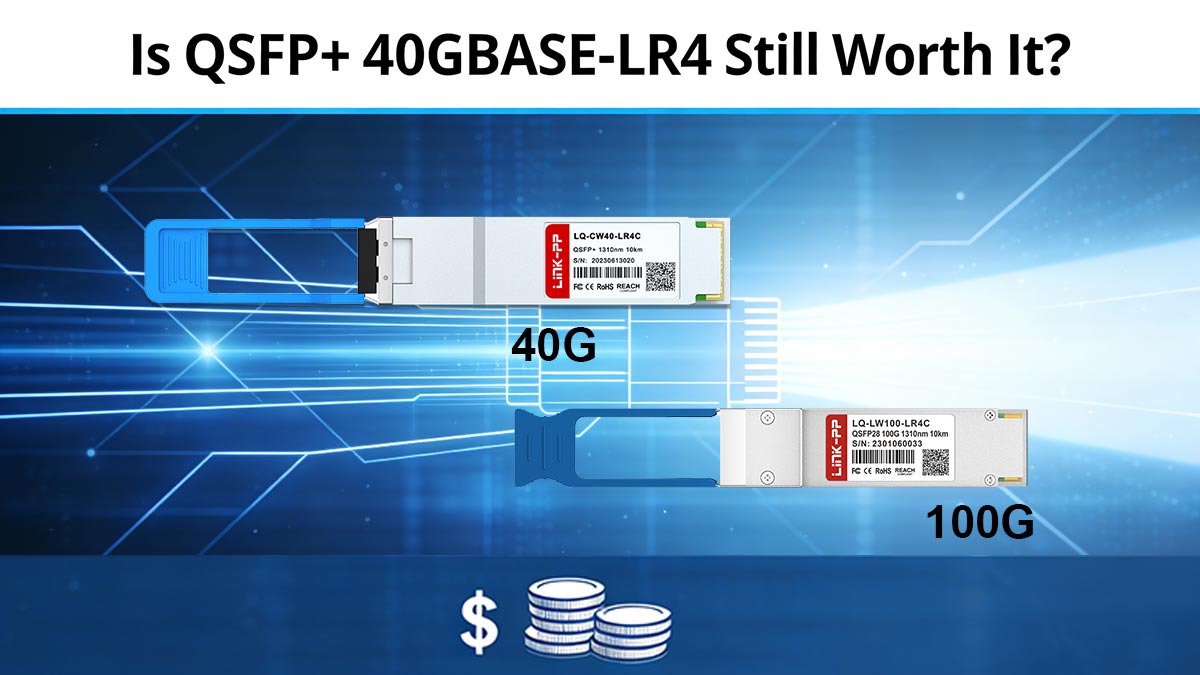
40G vs. 100G Trend Analysis
The industry is clearly shifting toward higher bandwidth optics:
100G (QSFP28) is now the mainstream for new data center builds
40G (QSFP+) is increasingly used in legacy expansion and mid-tier aggregation layers
Hyperscalers are moving toward 200G/400G for spine-core architecture
However, the transition is not uniform. Many networks still operate mixed-speed environments due to:
Long hardware refresh cycles (5–10 years)
Cost constraints in enterprise IT
Existing fiber infrastructure limitations
Gradual backbone upgrades instead of full replacement
Key insight: 40G is not disappearing—it is stabilizing as a legacy-but-essential interoperability layer.
When QSFP+ 40GBASE-LR4 Still Makes Sense
Despite newer standards, LR4 remains a strong choice in several scenarios:
Enterprise campus backbones
Inter-building connections up to 10 km
Stable, long-distance aggregation links
Data center interconnect (DCI – mid-scale)
Connecting separate data halls or nearby facilities
Cost-effective alternative to 100G over long distances
Budget-optimized upgrades
Reusing existing QSFP+ infrastructure
Avoiding full migration to QSFP28
Mixed-generation networks
Hybrid environments with 10G / 40G / 100G coexistence
Gradual migration strategies
Upgrade Decision Framework
Before choosing LR4, evaluate your network using this practical framework:
1. Bandwidth Requirement
If sustained traffic < 30–35 Gbps → 40G LR4 is sufficient
If growth beyond 50 Gbps expected → consider 100G
2. Infrastructure Readiness
Existing QSFP+ ports → LR4 is cost-efficient
New deployments → 100G future-proofing is better
3. Distance Requirement
Up to 10 km single-mode fiber → LR4 ideal
Higher capacity over same distance → 100G LR4/ER4 alternatives
4. Budget vs Lifecycle Strategy
Short-term cost optimization → 40G wins
Long-term scalability → 100G preferred
Final Recommendation
If your network is still operating on QSFP+ infrastructure, 40GBASE-LR4 remains a practical and cost-effective solution for stable long-distance optical transmission.
However, if you are planning a new architecture or major refresh, consider evaluating a gradual migration toward 100G Ethernet to ensure long-term scalability.
For engineers and procurement teams looking for reliable, MSA-compliant QSFP+ LR4 modules with stable performance and strong interoperability, you can explore trusted solutions at the:
Final Engineering Insight
QSFP+ 40GBASE-LR4 is no longer the “future standard,” but it remains a strategic bridge technology that continues to deliver strong ROI in stable or legacy network environments.
It is especially valuable when:
You need long-distance 10 km links
You want to extend existing QSFP+ infrastructure
You require cost-efficient backbone connectivity
📌 QSFP+ 40GBASE-LR4 FAQ
1. Can LR4 work on multimode fiber?
No. QSFP+ 40GBASE-LR4 is designed only for single-mode fiber (SMF / OS2).
LR4 uses wavelength division multiplexing (4×10G signals), which requires low-loss transmission characteristics that multimode fiber (OM3/OM4) cannot support over standard distances.
Using multimode fiber may result in:
High signal loss
Unstable link behavior
Complete link failure in long-distance setups
2. What is the minimum distance for LR4?
There is no strict minimum distance requirement for LR4.
However, in real deployments:
Typical designed range: 2 m to 10 km
Very short links (<2–5 m) may cause optical power imbalance in some environments
Best practice:
If using very short fiber runs, check DOM (Digital Optical Monitoring) values to ensure RX power is within safe range.
3. Does LR4 support breakout?
No, QSFP+ 40GBASE-LR4 does not natively support breakout into 4×10G lanes.
Although LR4 internally uses 4×10G wavelengths, it is:
Aggregated into a single 40G Ethernet link
Not designed for fan-out to multiple 10G ports
If breakout is required, use:
QSFP+ SR4 with MPO-based breakout cables
Or dedicated 4×10G SFP+ architecture
4. Do LR4 modules need attenuators?
Usually no, LR4 does not require attenuators in standard deployments.
However, attenuators may be needed in rare cases where:
TX power is too high for short-distance links
RX overload occurs in very short patch connections
High-sensitivity receivers are used in controlled lab environments
Practical rule:
If RX power exceeds specification range → add optical attenuator
Otherwise → no attenuation is required for standard 10 km links



