


In modern networking, SFP Ethernet Modules play a critical role in connecting switches, routers, and servers over both copper and fiber links. These small but powerful transceivers allow network engineers to flexibly scale and adapt networks, supporting speeds from 1Gb to 10Gb and beyond. Whether you are managing a data center, enterprise campus, or small home lab, choosing the right SFP module can directly impact network performance, compatibility, and reliability.
This guide is designed to help IT professionals, engineers, and procurement specialists understand all aspects of SFP Ethernet Modules — from types and compatibility to installation, testing, and troubleshooting. You will also find community-tested feedback and practical tips drawn from real-world deployments, ensuring your decisions are informed and low-risk.
Through reading this article, you will learn:
The differences between fiber and copper SFP modules, including SFP, SFP+, and SFP28 variants.
How to select the right SFP module based on device compatibility, speed, and distance.
Common issues, troubleshooting steps, and real user experiences from forums like Reddit and ServeTheHome.
Key considerations when buying OEM vs. third-party SFP modules.
Best practices for installation, monitoring, and maximizing network reliability.
By following this comprehensive guide, you can confidently choose, deploy, and manage SFP Ethernet Modules, ensuring your network runs efficiently while avoiding common pitfalls.
👀 What is an SFP Ethernet Module?
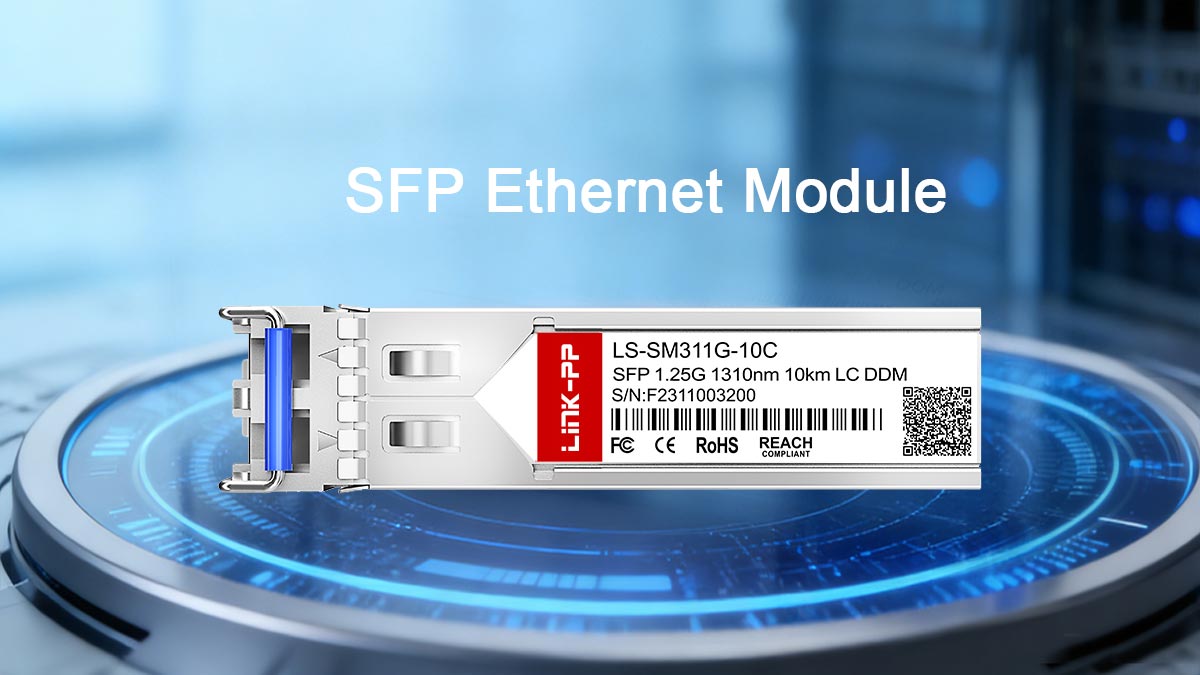
An SFP Ethernet Module (Small Form-Factor Pluggable) is a compact, hot-swappable transceiver used to connect networking devices such as switches, routers, firewalls, and servers. It enables Ethernet communication over different transmission media, including fiber optic cables and copper Ethernet cables, allowing network administrators to choose the most suitable connection type for their infrastructure.
SFP modules are widely used because they provide flexibility and scalability. Instead of using fixed ports with a single interface type, devices equipped with SFP slots allow users to insert different modules depending on the required speed, distance, or cable type. This modular approach makes it easy to upgrade network links without replacing the entire switch or router.
Most modern Ethernet SFP modules support speeds ranging from 1 Gigabit per second (SFP) to 10 Gigabits per second (SFP+), and newer form factors such as SFP28 can support up to 25Gbps in high-performance data center environments.
Quick Definition
An SFP Ethernet Module is a small, pluggable transceiver that converts electrical signals from networking equipment into optical or copper Ethernet signals, enabling high-speed communication between network devices.
These modules are designed to be hot-swappable, meaning they can be inserted or removed while the network device is powered on. This capability simplifies maintenance and allows network upgrades with minimal downtime.
Typical Applications
SFP Ethernet modules are commonly used in a wide range of networking environments:
Data centers – connecting top-of-rack switches to aggregation or core switches
Enterprise networks – linking switches across buildings or floors
Telecommunications infrastructure – enabling long-distance fiber connections
Industrial networking – supporting reliable connections in harsh environments
Home labs and server racks – providing flexible high-speed networking for testing and development
Because SFP modules support both fiber and copper connections, they are often used when network engineers need to balance distance, bandwidth, and cost.
Why SFP Ports Are Preferred in Modern Networks
Compared with fixed Ethernet ports, SFP slots offer several advantages that make them standard in enterprise and data center equipment:
Media flexibility
A single SFP port can support multiple connection types, including single-mode fiber, multi-mode fiber, or copper Ethernet modules.
Distance scalability
Fiber-based SFP modules can support transmission distances from a few meters to tens of kilometers, depending on the optical standard used.
Upgrade capability
Network administrators can upgrade from 1G to 10G or higher speeds simply by replacing the SFP module rather than replacing the entire switch.
Simplified maintenance
Hot-swappable modules allow technicians to replace or test transceivers without shutting down the network device.
For these reasons, SFP Ethernet modules have become a fundamental component of modern network architecture, providing the flexibility required for rapidly evolving Ethernet infrastructures.
👀 SFP Module Types: Fiber, Copper (RJ45), and Form-Factor Comparison
SFP Ethernet modules are available in several types depending on the transmission medium, supported speed, and form factor. Understanding these differences helps network engineers choose the correct module for specific applications such as short-distance data center links, long-distance fiber connections, or copper Ethernet uplinks.
In general, SFP modules fall into three major categories: fiber optic SFP modules, copper (RJ45) SFP modules, and different SFP form-factor generations such as SFP, SFP+, and SFP28.
Fiber SFP Modules
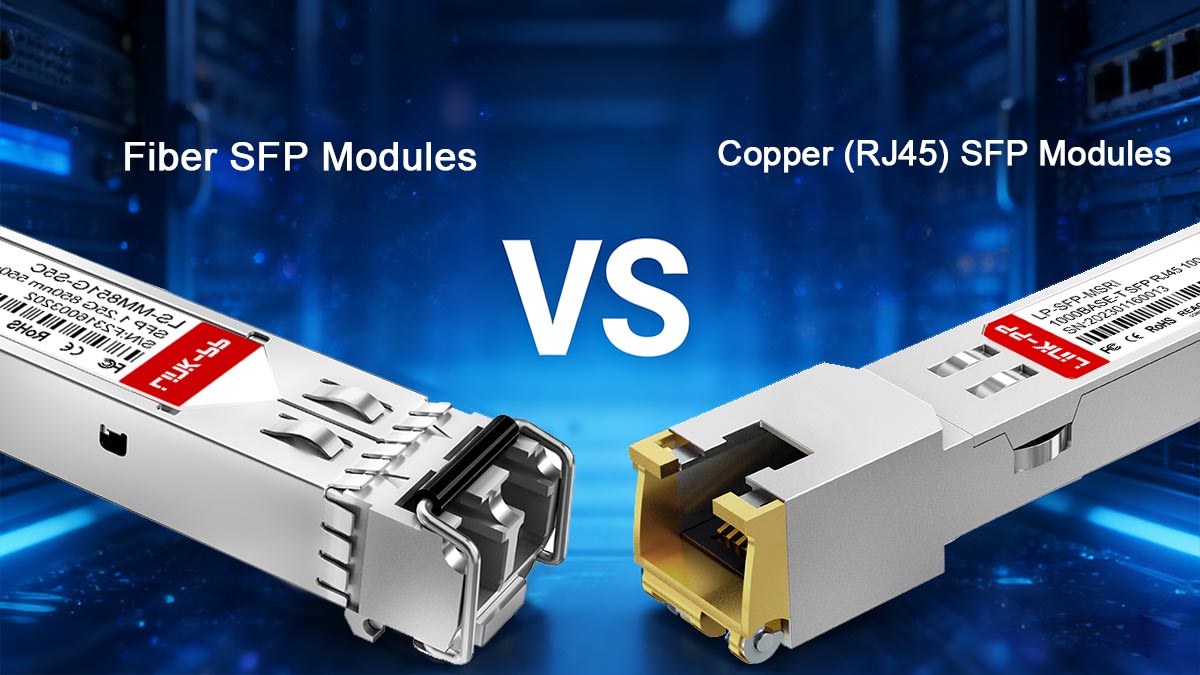
Fiber-optic SFP modules transmit Ethernet data using optical signals. They are commonly used for long-distance communication, high bandwidth links, and environments where electromagnetic interference must be minimized.
Fiber SFP modules typically connect using LC connectors and are available in two main fiber types:
Multi-Mode Fiber (MMF)
Designed for short-range links within buildings or data centers.
Common examples include:
1000BASE-SX — up to ~550 m on OM2/OM3 fiber
10GBASE-SR — up to ~300 m on OM3 fiber or ~400 m on OM4
These modules are widely used for switch-to-switch connections inside data centers or enterprise networks.
Single-Mode Fiber (SMF)
Used for longer distances across campuses, metropolitan networks, or telecom infrastructure.
Typical standards include:
1000BASE-LX — up to ~10 km
10GBASE-LR — up to ~10 km
10GBASE-ER — up to ~40 km
Single-mode modules use more powerful lasers and narrower fiber cores, enabling much longer transmission distances.
Copper (RJ45) SFP Modules
Copper SFP modules allow Ethernet connections over standard twisted-pair cables such as Cat5e, Cat6, or Cat6A. Instead of an optical interface, these modules include an RJ45 Ethernet port.
The most common copper SFP types include:
1000BASE-T SFP — supports 1G Ethernet up to 100 m
10GBASE-T SFP+ — supports 10G Ethernet up to 30–100 m depending on cable quality
Copper SFP modules are popular in environments where existing Ethernet cabling infrastructure is already deployed.
However, they typically have higher power consumption and generate more heat compared with optical modules. In high-density switches, manufacturers may limit the number of copper SFP+ modules used simultaneously due to thermal constraints.
Community discussions among network engineers frequently highlight this behavior. Users running dense 10G networks in home labs or small data centers often report that RJ45 SFP+ modules run significantly hotter than fiber SFP+ modules, especially in compact switches with limited airflow. As a result, fiber SFP+ modules with DAC cables are often preferred for short-distance 10G links.
SFP Form-Factor Generations
Beyond transmission media, SFP modules are also categorized by their form factor generation and supported speeds. Newer generations provide higher bandwidth while maintaining a similar physical footprint.
Form Factor | Typical Speed | Common Standards | Typical Applications |
|---|---|---|---|
SFP | 1 Gbps | 1000BASE-SX, 1000BASE-LX, 1000BASE-T | Enterprise networks, legacy infrastructure |
SFP+ | 10 Gbps | 10GBASE-SR, 10GBASE-LR, 10GBASE-T | Data centers, server uplinks |
SFP28 | 25 Gbps | High-performance cloud and data center networks |
One important detail is backward compatibility. Many switches with SFP+ ports can support 1G SFP modules, although the reverse is not true—an SFP port cannot operate a 10G SFP+ module.
Fiber vs. Copper SFP Modules
The following comparison highlights the main differences between fiber-based and copper-based SFP modules.
Feature | Fiber SFP Modules | Copper RJ45 SFP Modules |
|---|---|---|
Transmission Medium | Optical fiber | Twisted-pair Ethernet cable |
Maximum Distance | Up to tens of kilometers | Typically up to 100 meters |
Power Consumption | Lower | Higher |
Heat Generation | Lower | Higher |
Latency | Lower | Slightly higher |
Typical Use | Data centers, telecom, long links | Office networks, copper infrastructure reuse |
In many modern deployments—especially 10G networks inside racks or data centers—engineers prefer fiber modules or direct-attach copper (DAC) cables because they provide lower power consumption and improved thermal efficiency compared with RJ45 SFP+ modules.
Understanding these SFP module types and form factors is essential before selecting the right transceiver for a network device. In the next section, we will explore how to choose the correct SFP Ethernet module, including compatibility checks, vendor limitations, and practical deployment considerations.
👀 How to Choose the Right SFP Ethernet Module (Compatibility Checklist)
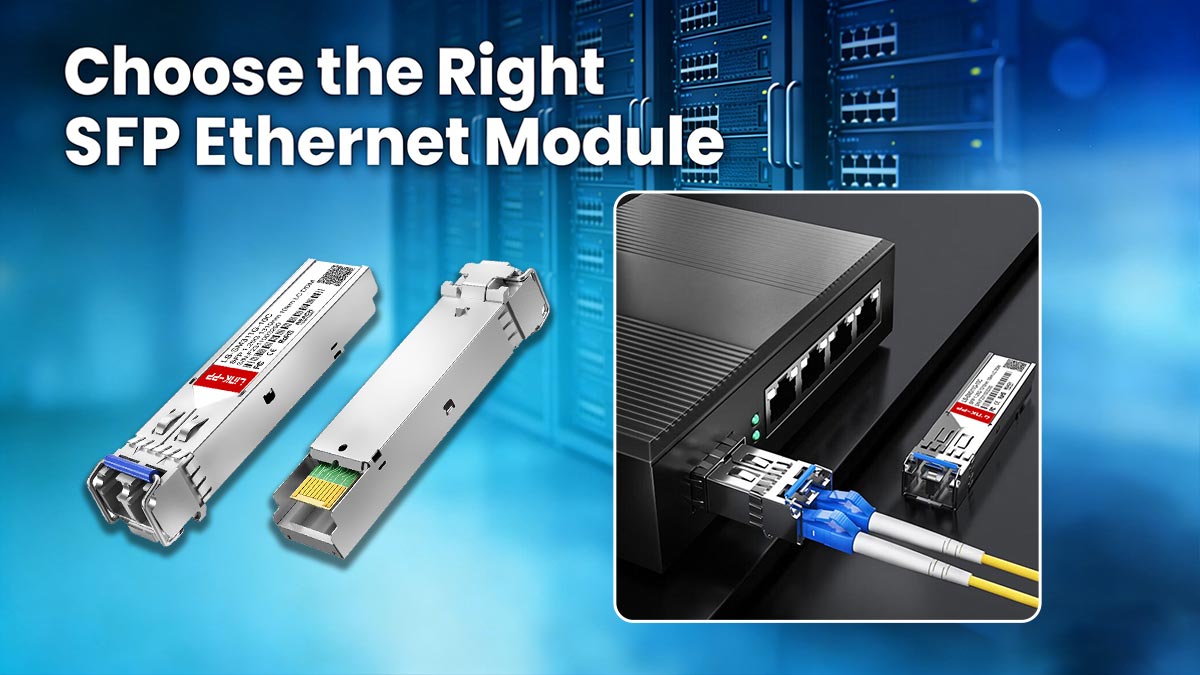
Selecting the correct SFP Ethernet module is essential for ensuring stable network performance and avoiding compatibility issues. Although many SFP modules follow common Ethernet standards, differences in speed, cable type, firmware compatibility, and diagnostics support can affect whether a module works properly with a particular switch or router.
Before purchasing or deploying an SFP module, network engineers typically verify several key factors, including port speed, connector type, supported fiber standard, and device compatibility. The following checklist can help ensure a successful installation.
Match Speed, Duplex, Connector Type, and Fiber Type
The first step when choosing an SFP module is to confirm that the module specifications match the capabilities of the network device and cabling infrastructure.
Important parameters include:
Supported speed
The SFP module must match the speed supported by the port. Common examples include:
1G ports: require standard SFP modules (e.g., 1000BASE-SX, 1000BASE-LX)
10G ports: require SFP+ modules (e.g., 10GBASE-SR, 10GBASE-LR)
25G ports: require SFP28 modules
Some SFP+ ports support both 1G and 10G modules, but standard SFP ports cannot run SFP+ modules.
Connector type
Most fiber SFP modules use LC connectors, while copper modules use RJ45 connectors. Ensure the connector matches the available cable.
Fiber type and wavelength
For optical modules, the fiber type must match the transceiver standard.
Examples:
Standard | Fiber Type | Typical Distance |
|---|---|---|
1000BASE-SX | Multi-mode fiber | up to ~550 m |
1000BASE-LX | Single-mode fiber | up to ~10 km |
10GBASE-SR | Multi-mode fiber | up to ~300–400 m |
10GBASE-LR | Single-mode fiber | up to ~10 km |
Using the wrong fiber type may result in unstable links or no connection.
Check Vendor Compatibility Lists and Firmware Notes
Many networking vendors maintain compatibility lists that specify which SFP modules are officially supported on their switches or routers. Checking these lists is recommended before installing third-party modules.
Some devices may restrict unsupported transceivers through firmware checks. In other cases, the module may function normally but produce warning messages in the system logs.
Network administrators can verify installed modules using diagnostic commands. For example, on many Cisco switches, the following commands display detailed transceiver information.
Example command:
show interface transceiverDetailed diagnostic command:
show interface transceiver detailTypical output includes:
Vendor name
Module part number
Serial number
Temperature
Voltage
Transmit optical power
Receive optical power
These commands help confirm that the SFP module is recognized correctly and operating within normal parameters.
Check Transceiver DDM/DOM Support and Diagnostic Values
Many modern SFP modules support Digital Diagnostic Monitoring (DDM), also called Digital Optical Monitoring (DOM). This feature provides real-time information about the health and performance of the transceiver.
Typical diagnostic parameters include:
Module temperature
Supply voltage
Transmit optical power
Receive optical power
Laser bias current
Monitoring these values allows engineers to detect potential problems before link failures occur. For example:
Low receive power may indicate fiber attenuation or connector contamination.
High module temperature may suggest insufficient airflow in the switch.
Abnormal voltage levels could signal hardware issues.
When deploying SFP modules in critical infrastructure such as data centers or telecom networks, choosing modules that support DDM/DOM diagnostics can significantly simplify troubleshooting.
Buy-One-Test-Many Approach: Testing, RMA, and Seller Policies
In environments using third-party SFP modules, many network engineers follow a “buy-one-test-many” strategy before purchasing large quantities.
This approach involves:
Purchasing a small number of modules.
Testing them in the target switch or router model.
Verifying link stability, diagnostics data, and compatibility.
Expanding the purchase once the modules are confirmed to work properly.
This strategy helps avoid large-scale compatibility issues, especially in networks using mixed hardware from different vendors.
It is also important to review the supplier’s return (RMA) policy and warranty coverage. Reputable vendors typically provide:
compatibility guarantees
replacement support for defective modules
documentation or compatibility matrices for common switches
Quick Compatibility Checklist
The following checklist summarizes the key factors to verify before selecting an SFP Ethernet module.
Item to Check | What to Verify |
|---|---|
Device port type | SFP, SFP+, or SFP28 |
Supported speed | 1G, 10G, or 25G |
Cable type | Fiber or copper Ethernet |
Connector | LC for fiber, RJ45 for copper |
Fiber type | Single-mode or multi-mode |
Distance requirement | Short-range, long-range, or extended reach |
Vendor compatibility | Check switch documentation |
Diagnostics support | DDM/DOM monitoring available |
By following this compatibility checklist, network engineers can significantly reduce the risk of deployment issues and ensure that the selected SFP module performs reliably within the intended network environment.
In the next section, we will explore OEM vs. third-party SFP modules, including cost differences, compatibility considerations, and practical recommendations for enterprise networks.
👀 Third-Party vs. OEM SFP Modules: Risks, Costs, and Support
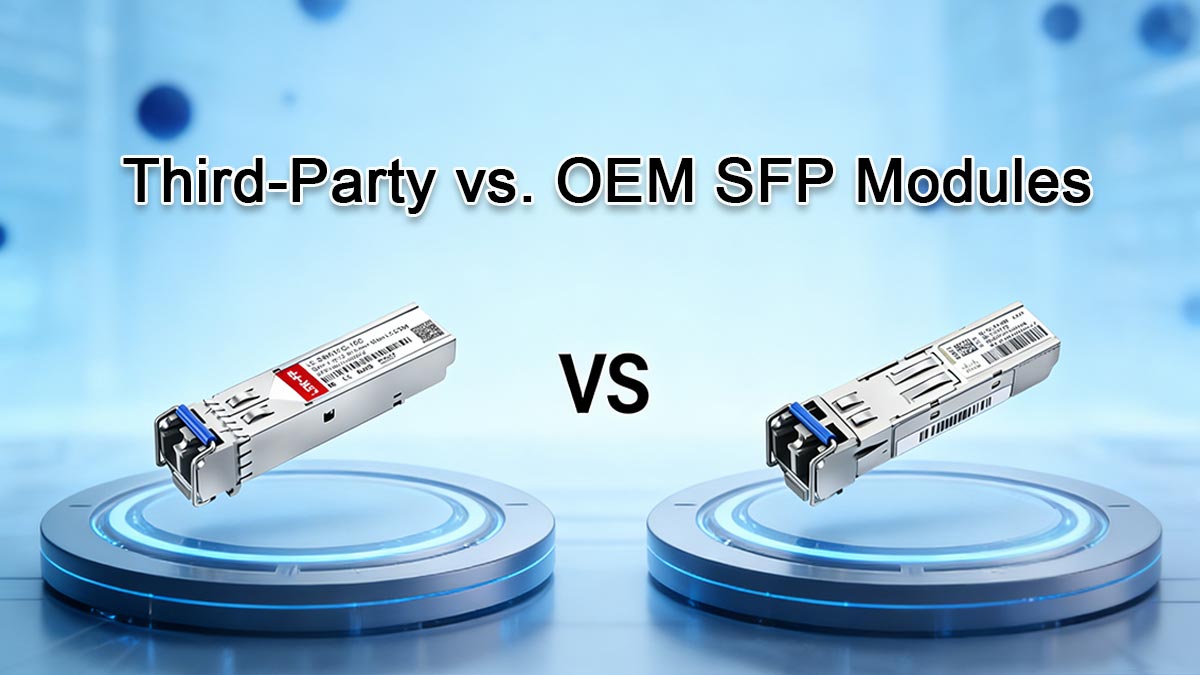
When purchasing SFP Ethernet modules, network engineers often face a key decision: whether to use OEM transceivers supplied by the switch vendor or third-party compatible modules. Both options are widely used in enterprise networks, data centers, and telecom infrastructure, but they differ significantly in cost, vendor support, and compatibility policies.
Understanding these differences helps organizations balance budget efficiency with operational reliability.
OEM SFP Modules
OEM SFP modules are manufactured or certified by the same vendor that produces the networking equipment, such as Cisco, Juniper, Arista, or other switch manufacturers. These modules are typically designed and tested specifically for the vendor’s hardware platform.
Key advantages include:
Guaranteed compatibility
OEM modules are officially supported by the switch vendor and are included in the vendor’s hardware compatibility list.
Full technical support
If a network issue occurs, vendors are more likely to provide troubleshooting assistance when certified transceivers are used.
Firmware alignment
OEM modules are less likely to encounter firmware restrictions or warning messages from the network device.
However, the main drawback of OEM modules is price. OEM optics often cost several times more than compatible third-party modules with similar technical specifications.
Third-Party Compatible SFP Modules
Third-party SFP modules are produced by independent manufacturers and designed to be compatible with equipment from major networking vendors. These modules are commonly used in enterprise networks, service provider environments, and home labs where cost efficiency is important.
Advantages include:
Lower cost
Third-party optics are often significantly cheaper than OEM modules while providing similar technical performance.
Wide availability
Compatible modules are available for a large range of devices, including legacy hardware that may no longer be supported by the original manufacturer.
Vendor-coded compatibility
Many third-party suppliers program the EEPROM of the module so it is recognized as compatible with specific switch brands.
Despite these advantages, compatibility can sometimes vary depending on switch model, firmware version, or vendor restrictions.
Potential Risks When Using Third-Party Modules
Although many compatible modules work reliably, certain risks should be considered before deployment.
Firmware restrictions
Some switch vendors implement firmware checks that generate warning messages or limit functionality when unsupported transceivers are detected.Limited vendor support
If network problems occur, equipment vendors may request that unsupported modules be removed before providing technical support.Quality variation
The reliability of third-party optics can vary between manufacturers, making it important to purchase from reputable suppliers.
For these reasons, many organizations test compatible modules on a small scale before deploying them widely across production networks.
Cost Comparison and Practical Considerations
The cost difference between OEM and third-party modules can be substantial, especially in large deployments.
Factor | OEM Modules | Third-Party Modules |
|---|---|---|
Price | Higher | Lower |
Vendor support | Fully supported | May be limited |
Compatibility assurance | Officially certified | Depends on vendor coding |
Firmware restrictions | Rare | Possible in some devices |
Availability | Limited to vendor catalog | Broad selection |
In many real-world deployments, network administrators adopt a hybrid approach. Critical infrastructure links or environments requiring official vendor support may use OEM optics, while less sensitive connections may use compatible third-party modules to reduce costs.
Best Practices When Buying Compatible SFP Modules
To minimize risk when selecting third-party modules, network engineers often follow several practical guidelines:
Verify that the module is coded for the target switch vendor.
Check whether the supplier provides compatibility matrices for common switch models.
Confirm that the module supports DDM/DOM diagnostics for monitoring performance.
Purchase a small number of modules for testing before large deployments.
Choose suppliers that provide warranty coverage and RMA support.
Following these practices allows organizations to take advantage of the cost benefits of compatible optics while maintaining stable and reliable network operations.
In the next section, we will examine practical testing and troubleshooting methods for SFP modules, including command-line diagnostics, monitoring optical power levels, and identifying common causes of link failures.
👀 Practical Testing & Troubleshooting SFP Modules (Commands, DDM Values, and Failure Modes)
Even when an SFP Ethernet module is correctly installed, link issues can still occur due to compatibility problems, fiber faults, incorrect speed settings, or hardware failures. Knowing how to quickly test and troubleshoot SFP modules helps network engineers identify problems and restore connectivity with minimal downtime.
Most modern network devices provide CLI commands and digital diagnostic monitoring (DDM/DOM) data that reveal detailed information about the installed transceiver, including temperature, voltage, and optical power levels. These tools are essential for identifying abnormal conditions and diagnosing link failures.
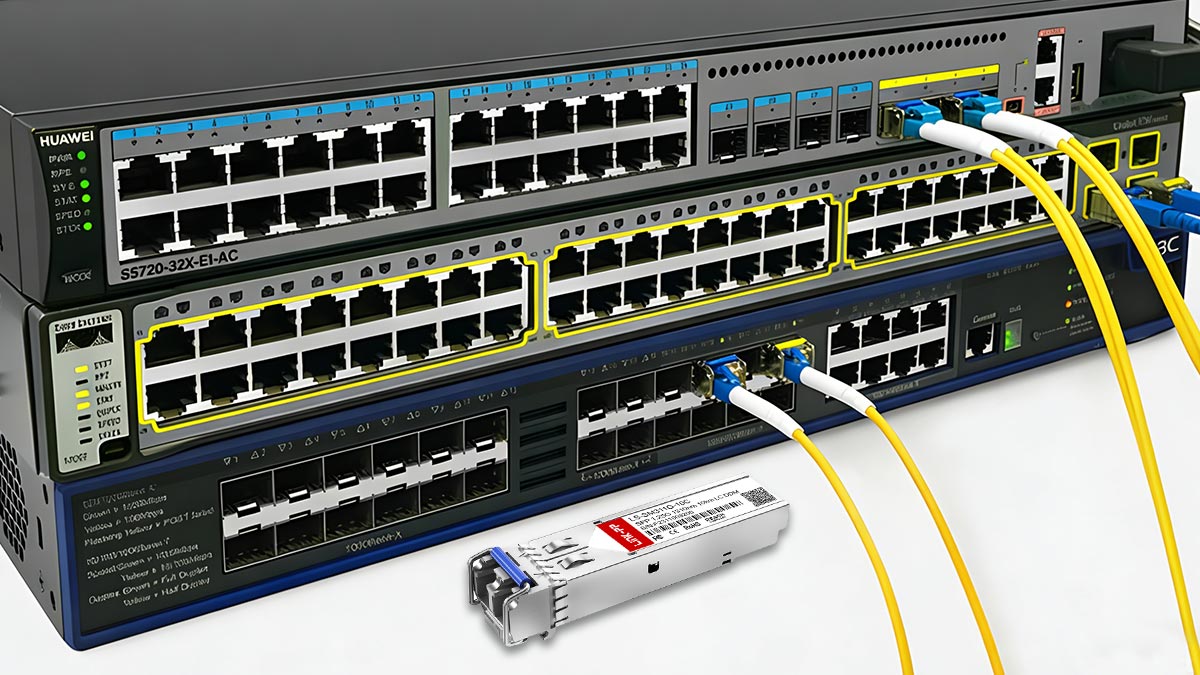
Quick CLI Recipes to Inspect Transceiver Information
Network switches from major vendors provide commands that allow administrators to view detailed information about installed SFP modules.
These commands typically display:
Vendor name
Module model and part number
Serial number
Module temperature
Supply voltage
Transmit optical power (TX)
Receive optical power (RX)
Below are common examples used in enterprise networks.
Cisco switches
show interface transceiverDetailed diagnostics:
show interface transceiver detailJuniper devices
show interfaces diagnostics opticsArista switches
show interfaces transceiverTypical output from these commands may include values such as:
Parameter | Description |
|---|---|
Temperature | Operating temperature of the transceiver |
Voltage | Power supply level for the module |
TX Power | Optical transmit power |
RX Power | Optical receive power |
Bias Current | Laser drive current |
Monitoring these values helps identify conditions such as overheating, weak optical signals, or failing lasers.
For additional command references and syntax details, consult official vendor documentation such as:
Cisco optics diagnostics documentation
Juniper optical diagnostics guides
Arista transceiver monitoring documentation
Common SFP Failure Symptoms
Several common symptoms indicate potential SFP module or connectivity issues. Recognizing these patterns helps narrow down the root cause more quickly.
No link detected
Possible causes include:
incompatible module type
incorrect fiber polarity
damaged cable or connector
unsupported transceiver in the switch firmware
Mismatched speed or negotiation problems
A link may fail to establish if one side uses a 1G module while the other side expects 10G operation, or if the port configuration forces an incompatible speed.
High error counters
Switch statistics may show rising values for:
CRC errors
input errors
packet drops
These symptoms can indicate optical signal degradation, damaged cables, or excessive attenuation.
Optical power out of range
DDM/DOM readings may reveal abnormal transmit or receive optical power levels. For example:
Low RX power may indicate long fiber distance, dirty connectors, or fiber bends.
High RX power may occur when optical attenuation is insufficient in short-distance links.
Monitoring these values helps identify physical layer problems before they cause a complete link failure.
Step-by-Step Troubleshooting Flow
When diagnosing SFP module issues, engineers typically follow a structured troubleshooting process. This approach helps isolate whether the problem is caused by the module, the cable, or the network device.
1. Verify module recognition
Check whether the switch correctly detects the installed module using diagnostic commands.
2. Inspect optical diagnostics
Review DDM/DOM values such as temperature, voltage, and optical power levels to confirm they are within normal operating ranges.
3. Swap the cable
Replace the fiber patch cable or Ethernet cable to eliminate the possibility of a faulty cable or connector.
4. Swap the module
Test with another SFP module known to be working properly.
5. Test the port
Move the module to a different port on the same switch to determine whether the original port may be faulty.
6. Test on a known-good device
If possible, install the module in another compatible switch or router to verify whether the transceiver itself is defective.
This systematic approach allows engineers to quickly identify the root cause of most SFP connectivity problems, whether they are related to hardware compatibility, fiber infrastructure, or environmental conditions.
In the next section, we will examine recommended SFP module choices for different networking scenarios, including data center interconnects, enterprise networks, and short-distance server connections.
👀 Recommended SFP Ethernet Modules for Common Network Scenarios
Choosing the right SFP Ethernet module depends heavily on the specific network environment and connection distance. Data centers, enterprise campuses, telecom infrastructure, and small server rooms often have very different performance requirements.
Instead of selecting a module purely based on speed, network engineers typically consider distance, cabling infrastructure, power consumption, and switch compatibility. The following recommendations summarize commonly used SFP solutions for typical deployment scenarios.
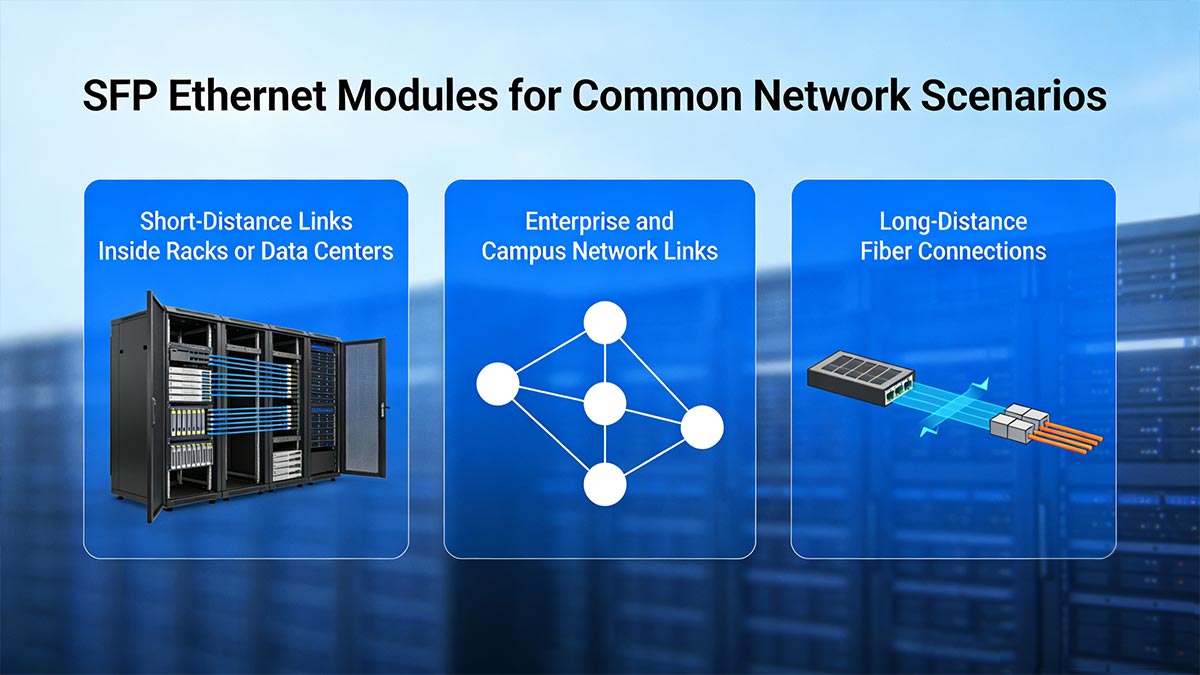
Short-Distance Links Inside Racks or Data Centers
For connections within the same rack or between nearby switches in a data center, Direct Attach Copper (DAC) cables or short-range fiber modules are typically the most efficient options.
Recommended solutions include:
Connection Type | Typical Distance | Recommended Option |
|---|---|---|
Server to switch (same rack) | 1–7 m | SFP+ DAC cable |
Switch to switch (same rack) | 1–10 m | Passive DAC cable |
Short optical link | up to ~300 m |
Why these are preferred
Low latency
Lower power consumption compared with RJ45 modules
Lower cost for short-distance links
DAC cables are especially common in top-of-rack switching architectures in modern data centers.
Enterprise and Campus Network Links
In enterprise environments where switches are located across floors or buildings, multi-mode fiber (MMF) or single-mode fiber (SMF) modules are typically deployed.
Common choices include:
Standard | Fiber Type | Typical Distance | Typical Use |
|---|---|---|---|
1000BASE-SX | Multi-mode fiber | up to ~550 m | Enterprise switch uplinks |
10GBASE-SR | Multi-mode fiber | up to ~300–400 m | Building backbone |
10GBASE-LR | Single-mode fiber | up to ~10 km | Campus interconnects |
These modules offer stable performance and relatively low power consumption, making them suitable for large enterprise networks.
Long-Distance Fiber Connections
For metropolitan networks, telecom infrastructure, or large campus environments, single-mode fiber modules with extended reach are commonly used.
Examples include:
Standard | Typical Distance | Application |
|---|---|---|
10GBASE-LR | ~10 km | Campus or city fiber links |
10GBASE-ER | ~40 km | Telecom or long-haul links |
CWDM/DWDM SFP | 40–80 km or more | High-capacity optical transport |
These modules use more powerful optical transmitters and narrower wavelengths to support long-distance transmission.
When to Use RJ45 Copper SFP Modules
Copper SFP modules (such as 1000BASE-T SFP or 10GBASE-T SFP+) are typically used when an organization wants to reuse existing Ethernet copper cabling infrastructure.
Typical use cases include:
Connecting switches to devices that only have RJ45 Ethernet ports
Upgrading existing Cat6/Cat6A networks to higher speeds
Temporary network expansions where fiber installation is not practical
However, copper SFP modules generally have higher power consumption and heat output than optical modules. In high-density switches, manufacturers may limit the number of RJ45 SFP+ modules that can operate simultaneously.
For short-distance 10G connections in data centers, many engineers prefer DAC cables or fiber modules due to their improved thermal efficiency and lower latency.
Quick Selection Table
The following table provides a simplified reference when selecting an SFP Ethernet module for common deployment scenarios.
Scenario | Recommended Module Type |
|---|---|
Same rack server connection | SFP+ DAC cable |
Data center switch uplink | 10GBASE-SR |
Enterprise building backbone | 10GBASE-SR or 10GBASE-LR |
Campus fiber link | 10GBASE-LR |
Long-distance telecom link | 10GBASE-ER or DWDM SFP |
Existing copper Ethernet infrastructure | 1000BASE-T or 10GBASE-T SFP |
By selecting the appropriate module for each deployment scenario, network administrators can ensure optimal performance, efficient power usage, and long-term network reliability.
In the next section, we will answer the most frequently asked questions about SFP Ethernet modules, covering compatibility, speed limitations, installation tips, and troubleshooting guidance.
👀 FAQ About SFP Ethernet Module
Below are answers to common questions about SFP Ethernet modules, based on real deployment practices and common network engineering guidelines.
1. Can I use third-party SFP modules in my switch?
Yes, many switches support third-party SFP modules as long as they are correctly coded for the device vendor. However, some manufacturers may show compatibility warnings or limit technical support when non-OEM optics are installed.
2. Do SFP modules require drivers?
No, SFP modules do not require separate drivers. The networking device (switch or router) already contains the firmware needed to communicate with the transceiver through standardized interfaces defined by the SFP specification.
3. How far can an SFP module reach?
Transmission distance depends on the optical standard. Short-range modules such as 10GBASE-SR typically reach about 300–400 meters, while long-range single-mode modules such as 10GBASE-LR can reach around 10 kilometers.
4. Do third-party SFP modules void a switch warranty?
Using third-party SFP modules usually does not automatically void hardware warranties. However, vendors may request that unsupported optics be removed during troubleshooting before providing technical support.
5. Can SFP+ ports support 1G SFP modules?
Many SFP+ ports are backward compatible and can operate with standard 1G SFP modules. However, standard SFP ports cannot run 10G SFP+ modules because the hardware does not support higher speeds.
6. What is the difference between SFP and SFP+?
The main difference is speed. Standard SFP modules support 1 Gigabit Ethernet, while SFP+ modules support 10 Gigabit Ethernet. Both share a similar physical size but operate at different data rates.
7. How do I know if an SFP module is working correctly?
You can verify module status using switch diagnostic commands that display transceiver information such as temperature, voltage, and optical power levels. Normal readings typically indicate that the module and link are operating properly.
8. Why do some SFP modules run hot?
Copper-based SFP modules, especially 10GBASE-T RJ45 transceivers, often consume more power than optical modules. Higher power consumption generates more heat, particularly in switches with many densely packed ports.
9. Can SFP modules be hot-swapped?
Yes. SFP modules are designed to be hot-swappable, meaning they can be inserted or removed while the switch or router is powered on without shutting down the device.
10. Are all SFP modules compatible with all switches?
No. While SFP modules follow industry standards, compatibility can vary depending on switch firmware and vendor restrictions. Checking device compatibility lists or testing modules before large deployments is recommended.
👀 Final Thoughts for SFP Ethernet Modules
Understanding how SFP Ethernet modules work—and how to select the right type—can significantly improve network performance, flexibility, and long-term scalability. From choosing between fiber and copper modules to verifying compatibility and monitoring diagnostics, proper planning helps avoid common deployment issues.
SFP Ethernet modules provide a flexible way to connect switches, routers, and servers using interchangeable transceivers that support different speeds, media types, and transmission distances. By selecting modules that match the correct speed, fiber type, connector interface, and compatibility requirements, network administrators can ensure stable and efficient Ethernet connectivity.
If you are evaluating deployment options, reviewing detailed SFP module specifications, compatibility information, and optical standards can help guide purchasing decisions and avoid interoperability problems. For deeper technical references, engineers often consult SFP datasheets, compatibility charts, and deployment guides before installing modules in production environments.
For additional resources, explore:
SFP module product specifications and technical documentation
Optical transceiver compatibility guides
Networking tutorials covering SFP installation and troubleshooting
These resources can help confirm that the selected modules match your network architecture and device requirements.
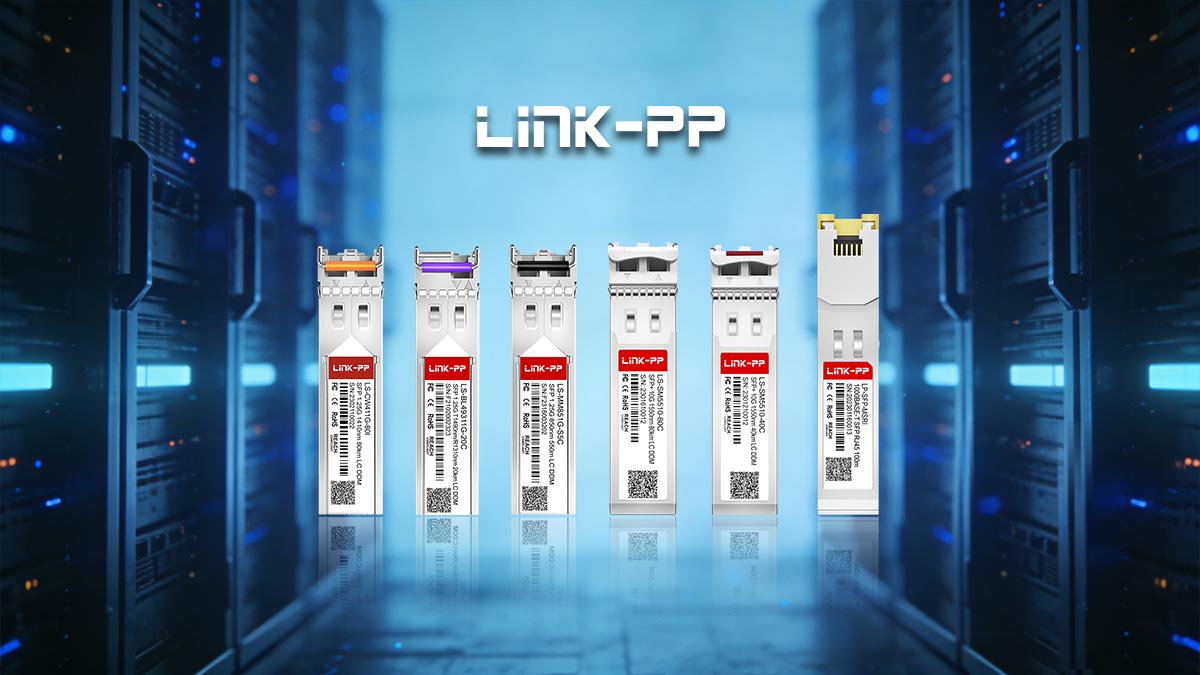
Compatibility Checklist and Product Resources
Before deploying new SFP modules, it is helpful to verify device compatibility and deployment requirements using a structured checklist. A printable checklist can simplify the evaluation process when comparing different transceiver options.
Recommended next steps:
Review a compatibility matrix to confirm supported modules for your switch model.
Download a printable SFP module selection checklist for procurement and network planning.
Compare specifications such as transmission distance, wavelength, connector type, and DOM support before purchasing.
For product specifications, compatibility information, and downloadable resources, visit the LINK-PP Official Store, where you can explore a full range of Ethernet SFP modules along with detailed technical documentation and compatibility references.



