

QSFP data rate ranges from 40G to 800G depending on the module generation.
QSFP+ supports 40Gbps (4 × 10G)
QSFP28 supports 100Gbps (4 × 25G)
QSFP56 supports 200Gbps (4 × 50G, PAM4)
QSFP-DD supports 400Gbps to 800Gbps (8 lanes, PAM4)
In simple terms, QSFP is not a single speed standard—it is a scalable transceiver form factor used in data centers and telecom networks. The total bandwidth is determined by per-lane speed × number of lanes, which is why newer QSFP modules achieve higher data rates without drastically changing the physical interface.
Why Understanding QSFP Data Rate Matters
Choosing the correct QSFP data rate is critical for:
Network performance and scalability
Switch and port compatibility
Cost-efficient upgrades (40G → 100G → 400G)
Whether you are designing a data center network or upgrading existing infrastructure, understanding how QSFP data rates evolve will help you avoid compatibility issues and optimize long-term investment.
What You’ll Learn in This Guide
By reading this article, you will:
Understand the exact data rates of QSFP, QSFP+, QSFP28, and QSFP-DD
Compare 40G vs. 100G vs. 400G vs. 800G architectures
Learn how lane speed and modulation impact performance
Identify the best QSFP module for your deployment scenario
Now let’s break down the QSFP family and how each generation defines its data rate.
➡️ What Is QSFP? A Family of High-Speed Form Factors
QSFP (Quad Small Form-factor Pluggable) is a hot-swappable optical or copper transceiver form factor used to transmit high-speed data in networking equipment such as switches, routers, and servers.
The most important concept to understand: QSFP is not a fixed data rate—it is a scalable hardware platform that supports multiple speeds across different generations.
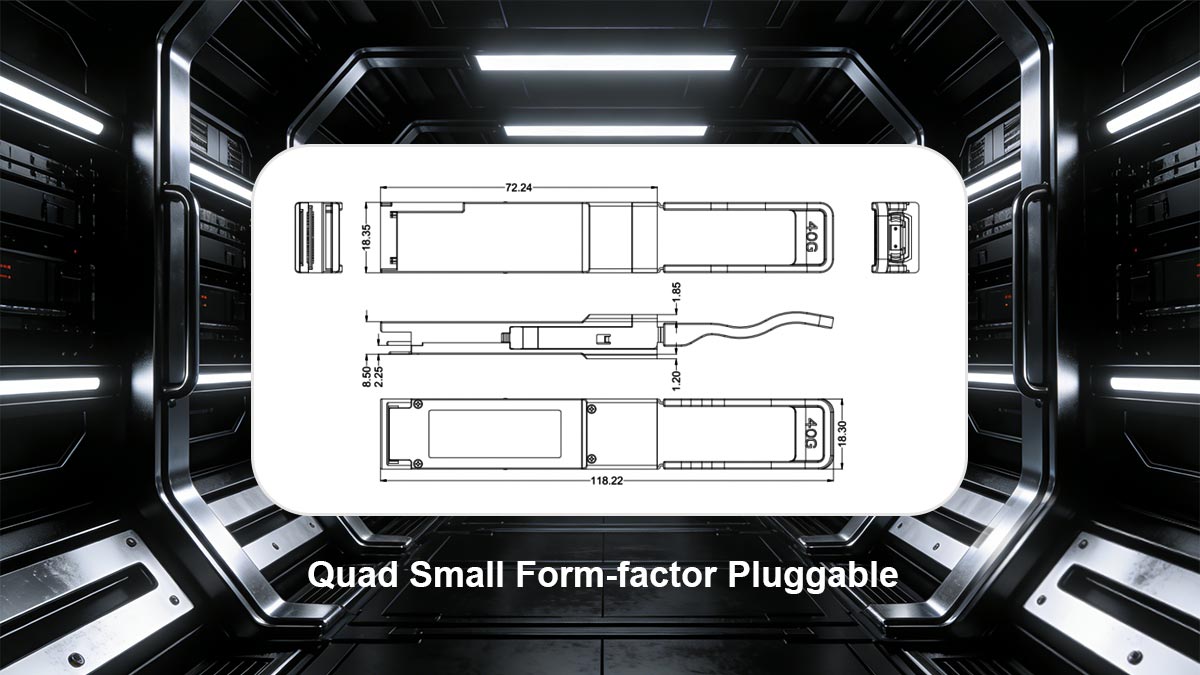
QSFP = Form Factor, Not Speed
Many users assume “QSFP” equals a specific speed (like 40G), but that’s not accurate.
Instead, QSFP defines:
A physical size and connector standard
A multi-lane electrical interface (typically 4 or 8 lanes)
A pluggable design for flexible upgrades
The actual data rate depends on the generation of the QSFP module, not the name “QSFP” itself.
How QSFP Achieves Different Data Rates
QSFP modules scale performance using a simple formula:
Total Data Rate = Per-Lane Speed × Number of Lanes
For example:
QSFP+ → 4 lanes × 10G = 40G
QSFP28 → 4 lanes × 25G = 100G
QSFP56 → 4 lanes × 50G = 200G
QSFP-DD → 8 lanes × 50G / 100G = 400G / 800G
This modular lane-based architecture is what allows QSFP to evolve from 40G to 800G+ without completely redesigning the interface.
Key Characteristics of QSFP Form Factors
High Density
QSFP ports allow multiple high-speed links in a compact space, making them ideal for data centers.Hot-Swappable Design
Modules can be inserted or removed without powering down the system.Backward Compatibility (Partial)
Some QSFP generations can support lower-speed modules depending on switch design.Flexible Deployment
Supports optical fiber and DAC (Direct Attach Copper) cables.
Why QSFP Became the Industry Standard
QSFP is widely adopted because it offers:
Scalable bandwidth (from 40G to 800G)
Cost efficiency per bit
Flexibility for network upgrades
This is why QSFP dominates modern:
Data center networks
Cloud infrastructure
High-performance computing (HPC) environments
QSFP is a pluggable transceiver form factor that supports multiple data rates, not a single fixed speed. Its performance scales by increasing lane speed and lane count across generations like QSFP+, QSFP28, and QSFP-DD.
Next, let’s look at the first widely deployed generation: QSFP+ and its 40G data rate.
➡️ What Is the Data Rate of QSFP+ ?
QSFP+ supports a data rate of 40Gbps (40G Ethernet). QSFP+ supports 40Gbps by using 4 lanes of 10Gbps each, making it the standard transceiver for 40G Ethernet networks.
It achieves this using a 4-lane architecture, where each lane runs at approximately 10Gbps (4 × 10G).
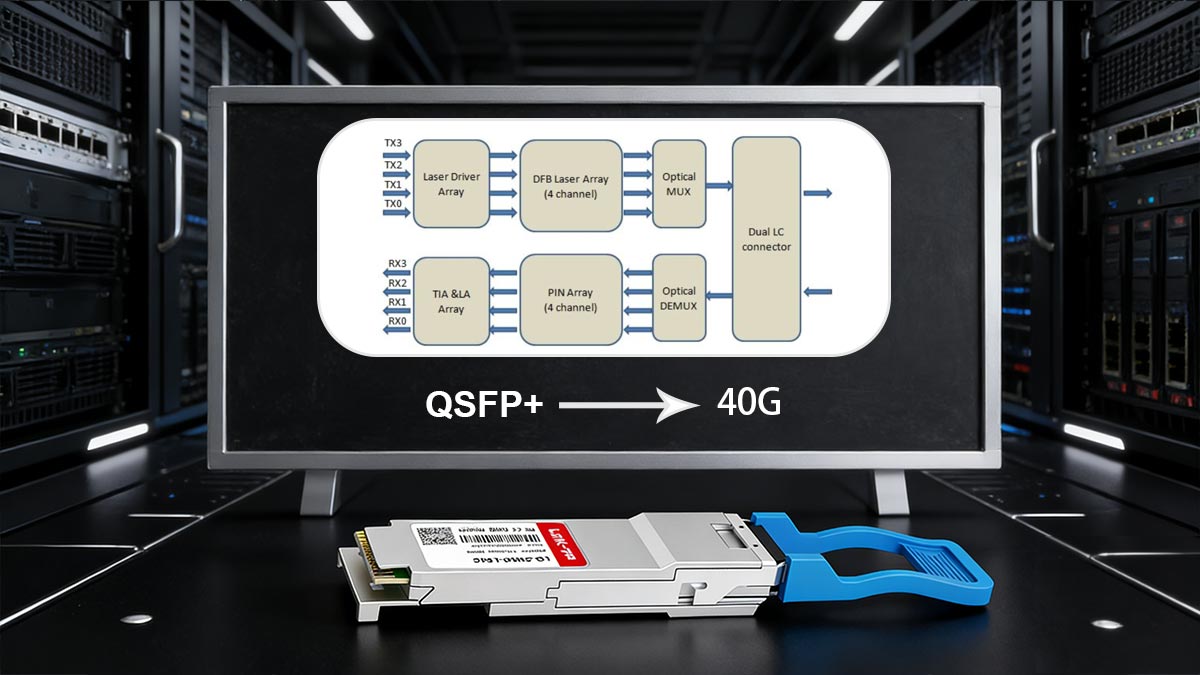
QSFP+ Lane Structure Explained
QSFP+ uses NRZ (Non-Return-to-Zero) modulation, which transmits 1 bit per signal cycle. The structure is:
Total lanes: 4
Per-lane speed: ~10.3125 Gbps
Aggregate bandwidth: ~40–41.25 Gbps
This lane-based design is what defines QSFP+ as the standard solution for 40G networking.
Typical QSFP+ Applications
QSFP+ is widely deployed in:
Data center aggregation layers
Switch-to-switch interconnects
Enterprise backbone upgrades from 10G to 40G
It became popular because it delivers 4× the bandwidth of SFP+ (10G) while maintaining relatively low cost and power consumption.
Common QSFP+ Module Types
Some widely used QSFP+ transceivers include:
Multimode fiber (MMF)
Typical distance: up to 100–150m
Single-mode fiber (SMF)
Typical distance: up to 10km
40GBASE-CR4 (DAC)
Direct Attach Copper
Short-range, cost-effective connections
QSFP+ Breakout Capability (Important)
One of the key advantages of QSFP+ is its ability to break out into multiple lower-speed links:
1 × 40G → 4 × 10G (SFP+)
This is commonly used to:
Increase port flexibility
Connect multiple 10G servers to a single 40G switch port
When Should You Use QSFP+ Modules?
QSFP+ is still relevant for:
Legacy 40G infrastructure
Cost-sensitive deployments
Short- to medium-distance links in existing networks
However, in new deployments, many networks are shifting toward:
QSFP28 100G for better scalability
Higher efficiency per bit
Next, let’s look at how QSFP28 increases the data rate to 100G and why it has become the dominant standard in modern data centers.
➡️ What Is the Data Rate of QSFP28 ?
QSFP28 supports a data rate of 100Gbps (100G Ethernet).
QSFP28 supports 100Gbps by using 4 lanes of 25Gbps each, making it the standard transceiver for 100G Ethernet networks. It achieves this using a 4-lane architecture, where each lane runs at approximately 25Gbps (4 × 25G).
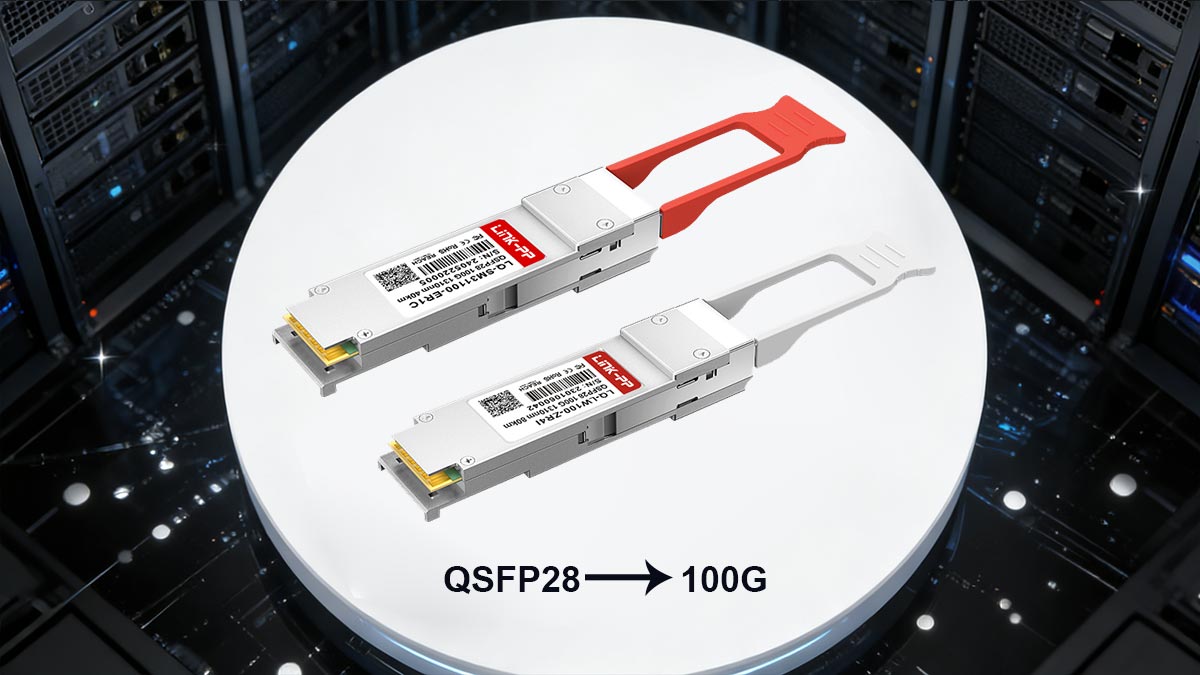
QSFP28 Lane Structure Explained
QSFP28 builds on the same physical form factor as QSFP+, but significantly increases per-lane speed:
Total lanes: 4
Per-lane speed: ~25.78125 Gbps
Aggregate bandwidth: ~100–103 Gbps
Modulation: NRZ (in most 100GBASE standards)
This allows QSFP28 to deliver 2.5× the bandwidth of QSFP+ without increasing the number of lanes.
Why QSFP28 Became the Standard for 100G
QSFP28 is widely adopted because it strikes the best balance between:
High bandwidth (100G)
Port density (same size as QSFP+)
Power efficiency per bit
Cost-effective scaling from 40G
This makes QSFP28 the dominant choice for modern data center networks, especially in spine-leaf architectures.
Typical QSFP28 Modules Applications
QSFP28 is commonly used in:
Data center spine and core layers
Leaf-to-spine interconnects
High-performance computing (HPC)
Cloud and hyperscale infrastructure
It is the default upgrade path for networks moving from:
10G → 25G → 100G architectures
Common QSFP28 Module Types
Some of the most widely deployed QSFP28 transceivers include:
Multimode fiber (MMF)
Typical distance: up to 70–100m
Single-mode fiber (SMF)
Typical distance: up to 10km
SMF, cost-optimized
Typical distance: up to 2km
100GBASE-CR4 (DAC)
Copper cable
Short-range, low-cost connectivity
QSFP28 Breakout and Flexibility
One of the biggest advantages of QSFP28 is its flexible breakout capability:
1 × 100G → 4 × 25G (SFP28)
1 × 100G → 2 × 50G (less common)
This enables:
Efficient server connectivity
Gradual migration from 25G to 100G
Better port utilization in high-density switches
Why QSFP28 Is the Most Common Upgrade Path
QSFP28 is considered the natural upgrade from QSFP+ (40G) because:
It uses the same physical port size
It delivers 2.5× higher bandwidth
It aligns with modern 25G server NIC ecosystems
It offers lower cost per Gbps over time
For most networks, 100G is the sweet spot between performance, cost, and scalability.
Next, we’ll compare QSFP, QSFP+, and QSFP28 side by side to clearly understand how their data rates, lane structures, and use cases differ.
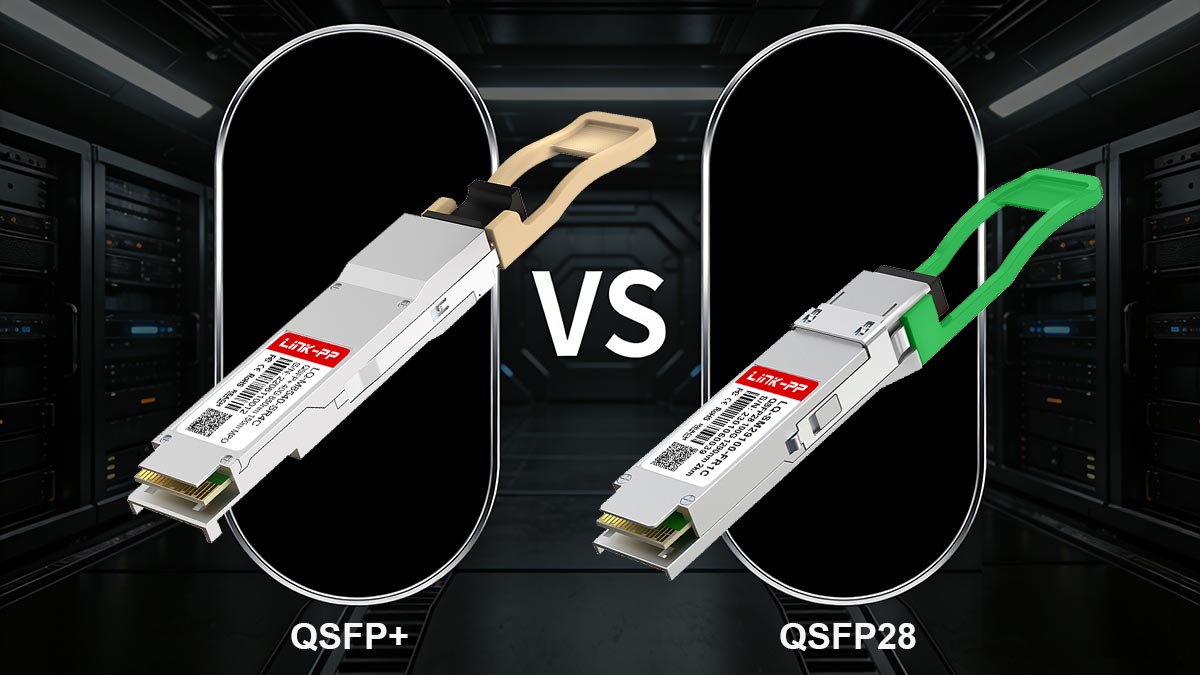
➡️ QSFP vs. QSFP+ vs. QSFP28: Speed, Lanes, and Use Cases
QSFP, QSFP+, and QSFP28 differ mainly in data rate and lane speed: QSFP supports 4G (1G per lane), QSFP+ supports 40G (4 × 10G), and QSFP28 supports 100G (4 × 25G).
When comparing QSFP generations, the key differences come down to data rate, per-lane speed, and typical deployment scenarios. While all three share a similar physical form factor, their performance capabilities are significantly different.
QSFP vs. QSFP+ vs. QSFP28 Comparison Table
QSFP Type | Standard Data Rate | Per-Lane Speed | Total Lanes | Modulation | Typical Use Case |
|---|---|---|---|---|---|
QSFP (legacy) | 4G | 1G | 4 | NRZ | Early telecom / legacy systems |
QSFP+ | 40G | 10G | 4 | NRZ | Data center aggregation, 40G backbone |
QSFP28 | 100G | 25G | 4 | NRZ | Modern data centers, spine-leaf networks |
Key Differences Explained
1. Data Rate Evolution
QSFP → QSFP+ → QSFP28 represents a clear upgrade path:
4G → 40G → 100G
Each generation significantly increases bandwidth without changing the port size.
This allows network operators to scale capacity without redesigning hardware layouts.
2. Lane Speed Improvement
The main driver of higher data rates is faster per-lane signaling:
QSFP: 1G per lane
QSFP+: 10G per lane
QSFP28: 25G per lane
Instead of adding more lanes, newer generations increase efficiency per lane, improving power and cost performance.
3. Modulation Technology
All three generations use NRZ (Non-Return-to-Zero) modulation.
NRZ = 1 bit per signal cycle
Reliable and simple, but limited in scaling beyond 25G per lane
This is why newer standards (like QSFP56) move to PAM4 for higher speeds.
4. Deployment Scenarios
QSFP (legacy)
Rare today, mostly found in older telecom equipmentQSFP+ (40G)
Enterprise aggregation
Legacy data center upgrades
Cost-sensitive environments
QSFP28 (100G)
Spine-leaf architectures
Hyperscale data centers
High-performance computing
QSFP28 dominates new deployments, while QSFP+ is gradually being phased out.
QSFP → Early, low-speed standard (4G)
QSFP+ → 40G, widely used in legacy and mid-tier networks
QSFP28 → 100G, current mainstream standard
Practical Insight for Buyers
If you are choosing between these:
Choose QSFP+ (40G) only for legacy compatibility
Choose QSFP28 (100G) for most modern deployments
Avoid QSFP (legacy) unless required for older systems
This ensures better long-term scalability and ROI.
Next, let’s explore how to choose the right QSFP data rate for your specific network environment.
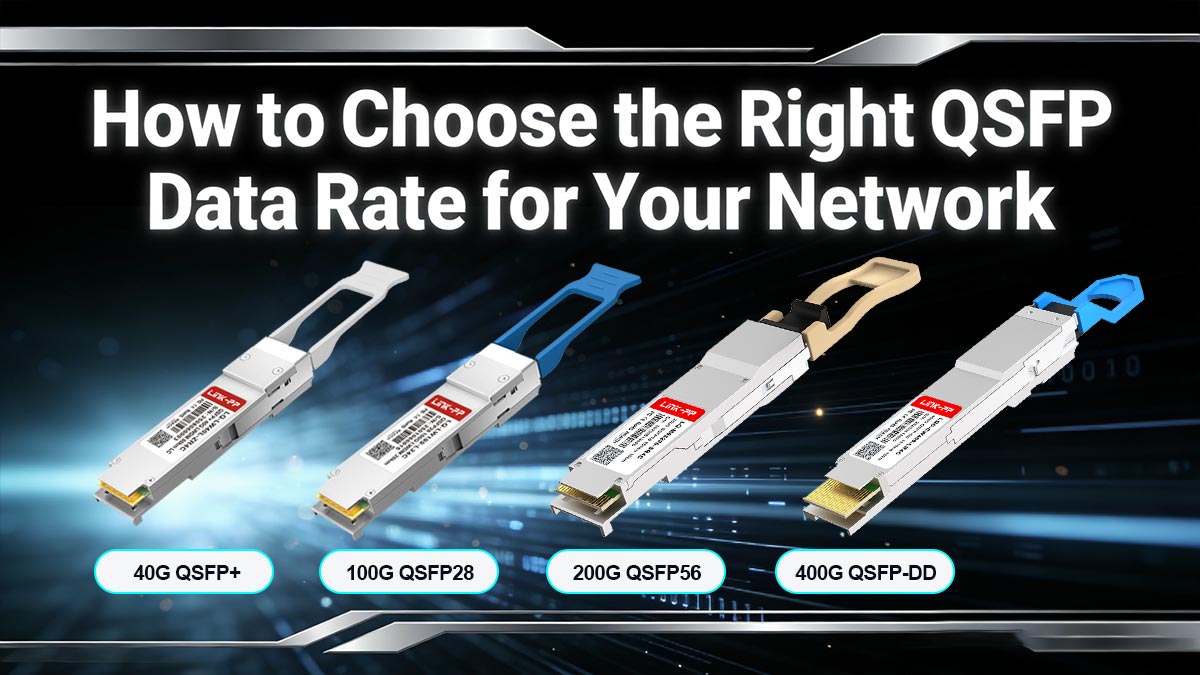
➡️ How to Choose the Right QSFP Data Rate for Your Network
Choosing the right QSFP data rate isn’t just about picking the fastest option—it’s about matching bandwidth to your network layer, traffic patterns, and upgrade strategy.
The best approach is to map QSFP speeds to real-world deployment scenarios: access, aggregation, and core.
QSFP Data Rate Comparison Table
Choose QSFP data rate based on your network layer: 40G for legacy access, 100G for aggregation and modern data centers, and 400G+ for core and hyperscale networks.
QSFP Type | Standard Ethernet Rate | Electrical Lane Speed | Modulation | Total Lanes | Typical Use Case |
|---|---|---|---|---|---|
QSFP (legacy) | 4G | 1G per lane | NRZ | 4 | Early telecom systems |
QSFP+ | 40G (40GbE) | 10G per lane | NRZ | 4 | Data center aggregation |
QSFP28 | 100G (100GbE) | 25G per lane | NRZ | 4 | Core & spine networks |
QSFP28 (breakout) | 4 × 25G / 2 × 50G | 25G per lane | NRZ | 4 | Server connectivity |
QSFP56 | 200G (200GbE) | 50G per lane | PAM4 | 4 | High-density data centers |
QSFP112 | 400G (400GbE) | 100G per lane | PAM4 | 4 | Hyperscale/cloud networks |
QSFP-DD | 200G / 400G / 800G | 50G / 100G per lane | PAM4 | 8 | Next-gen switching fabrics |
1. Access Layer: 10G / 25G Servers → 40G or 100G Uplinks
At the access layer (Top-of-Rack switches), the focus is server connectivity and cost efficiency.
Recommended QSFP options:
40G QSFP+ → legacy environments with 10G servers
100G QSFP28 → modern deployments with 25G servers
Why:
40G supports 4 × 10G breakout
100G supports 4 × 25G breakout
If your servers are:
10G NICs → choose 40G (QSFP+)
25G NICs → choose 100G (QSFP28)
2. Aggregation Layer: Balancing Cost and Bandwidth
At the aggregation (leaf or distribution layer), traffic from multiple access switches is combined.
Recommended QSFP options:
QSFP28 (100G) → most common choice
QSFP56 (200G) → growing in high-density environments
Why:
Provides higher uplink capacity
Reduces oversubscription ratios
Improves east-west traffic performance
100G is currently the sweet spot for balancing:
Cost per Gbps
Port density
Scalability
3. Core / Spine Layer: High Throughput and Scalability
At the core (spine layer), the priority is maximum throughput and future-proofing.
Recommended QSFP options:
QSFP28 (100G) → entry-level spine
QSFP56 (200G) → mid-tier scaling
QSFP-DD (400G / 800G) → hyperscale and next-gen networks
Why:
Core links carry aggregated traffic from the entire network
Higher speeds reduce latency bottlenecks
Future upgrades become easier with higher-capacity ports
400G is becoming mainstream in hyperscale
800G is emerging for AI and high-performance workloads
4. Distance and Media Considerations
Your QSFP data rate must also align with transmission distance and cable type:
Short range (≤100m):
DAC (Direct Attach Copper)
SR optics (MMF)
Medium range (≤2km):
CWDM4 / PSM4
Long range (10km+):
LR4 / ER optics (SMF)
Higher speeds (200G/400G) often require:
Better fiber quality
More advanced optics (PAM4)
5. Cost vs. Future-Proofing Trade-Off
When selecting QSFP data rate, always balance:
Current budget constraints
Future bandwidth growth
General strategy:
Short-term deployment → choose 40G / 100G
Long-term investment → consider 100G / 400G
Skipping intermediate upgrades (e.g., going directly to 100G instead of 40G) often results in lower total cost of ownership (TCO).
Quick Decision Guide
Small / legacy networks: → QSFP+ (40G)
Most modern data centers: → QSFP28 (100G)
High-density / AI / hyperscale: → QSFP-DD (400G/800G)
There is no “one-size-fits-all” QSFP speed.
The right choice depends on:
Your current infrastructure
Traffic growth expectations
Upgrade timeline
In most cases, 100G (QSFP28) is the optimal starting point, with a clear upgrade path to 400G and beyond.
Next, let’s address a critical factor many buyers overlook: QSFP compatibility, breakout modes, and port matching.
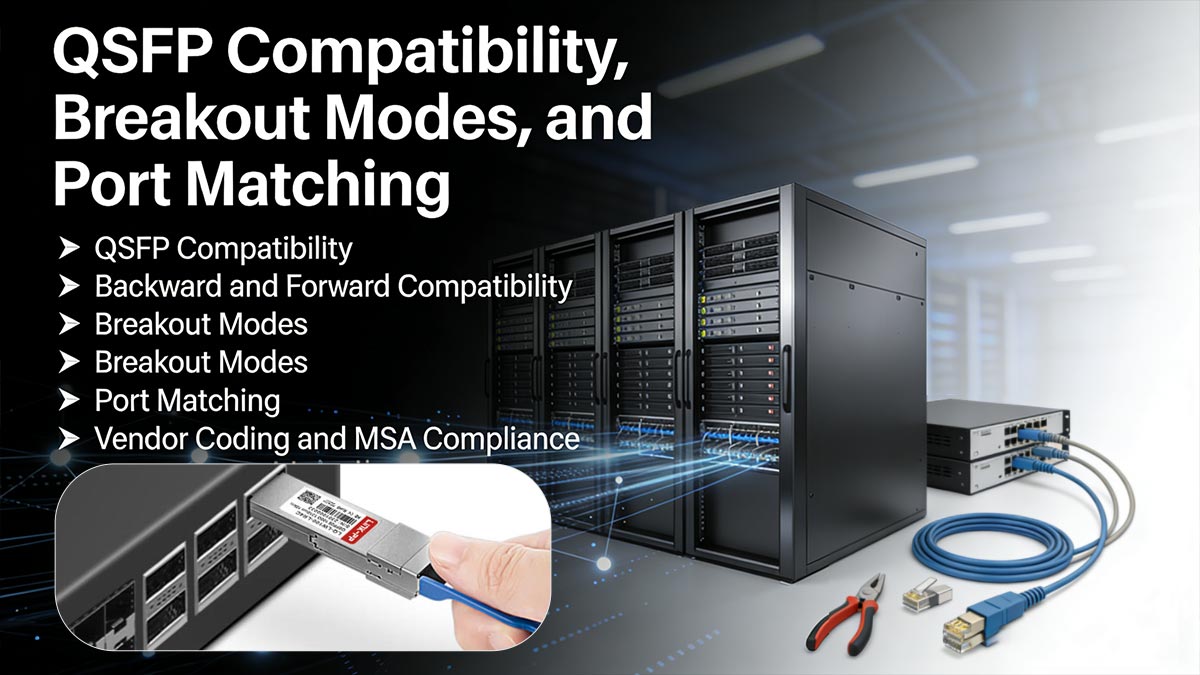
➡️ QSFP Compatibility, Breakout Modes, and Port Matching
Beyond data rate, one of the most important practical concerns when working with QSFP modules is compatibility with switches, optics, and cabling infrastructure. Many real-world deployment issues come from mismatched port speed, transceiver type, or breakout configuration—not from bandwidth itself.
▶ QSFP Compatibility: What You Must Know First
QSFP compatibility depends on three key factors:
Switch port capability (hardware support)
Transceiver generation (QSFP+, QSFP28, QSFP56, etc.)
Vendor or MSA compliance
Even if the physical form factor is the same, a QSFP+ module may not work in a QSFP28-only port, unless the switch supports backward compatibility.
▶ Backward and Forward Compatibility
QSFP-family compatibility is not universal, but it is often partially flexible:
QSFP28 ports
Usually support QSFP28 (100G)
Often support QSFP+ (40G) in reduced mode (vendor-dependent)
QSFP+ ports
Typically cannot run QSFP28 at full speed
Key rule:
Compatibility is determined by the switch port, not just the module
Always verify the switch datasheet before mixing generations.
▶ Breakout Modes: One Port, Multiple Links
One of the most powerful features of QSFP is breakout capability, where a single high-speed port is split into multiple lower-speed connections.
Common breakout examples:
100G QSFP28 → 4 × 25G SFP28
40G QSFP+ → 4 × 10G SFP+
100G QSFP28 → 2 × 50G (in some architectures)
Why Breakout Is Important
Breakout mode is widely used for:
Server connectivity optimization
Gradual network scaling (10G → 25G → 100G)
Better port utilization on high-speed switches
Instead of deploying multiple switch ports, breakout allows one high-speed port to serve multiple endpoints.
▶ Port Matching: Avoiding Common Deployment Mistakes
Incorrect port matching is one of the most common causes of QSFP deployment issues.
Key rules:
Match data rate to switch capability
100G QSFP28 requires a 100G-capable port
Match optics type
SR (MMF) ≠ LR (SMF)
Match connector type
▶ Vendor Coding and MSA Compliance
Modern QSFP modules may be:
Vendor coding affects:
Whether the module is recognized by the switch
Alarm or compatibility warnings
Firmware acceptance
Before purchasing QSFP modules, verify:
✔ Switch port supports required speed (40G / 100G / 400G)
✔ Breakout mode requirements (if needed)
✔ Fiber type (MMF vs. SMF)
✔ Connector type (SR, LR, DAC, AOC)
✔ Vendor compatibility or unlock support
Most QSFP issues are not about speed—they are about compatibility and port mapping. Understanding breakout and port matching ensures:
Fewer deployment failures
Better port efficiency
Lower total infrastructure cost
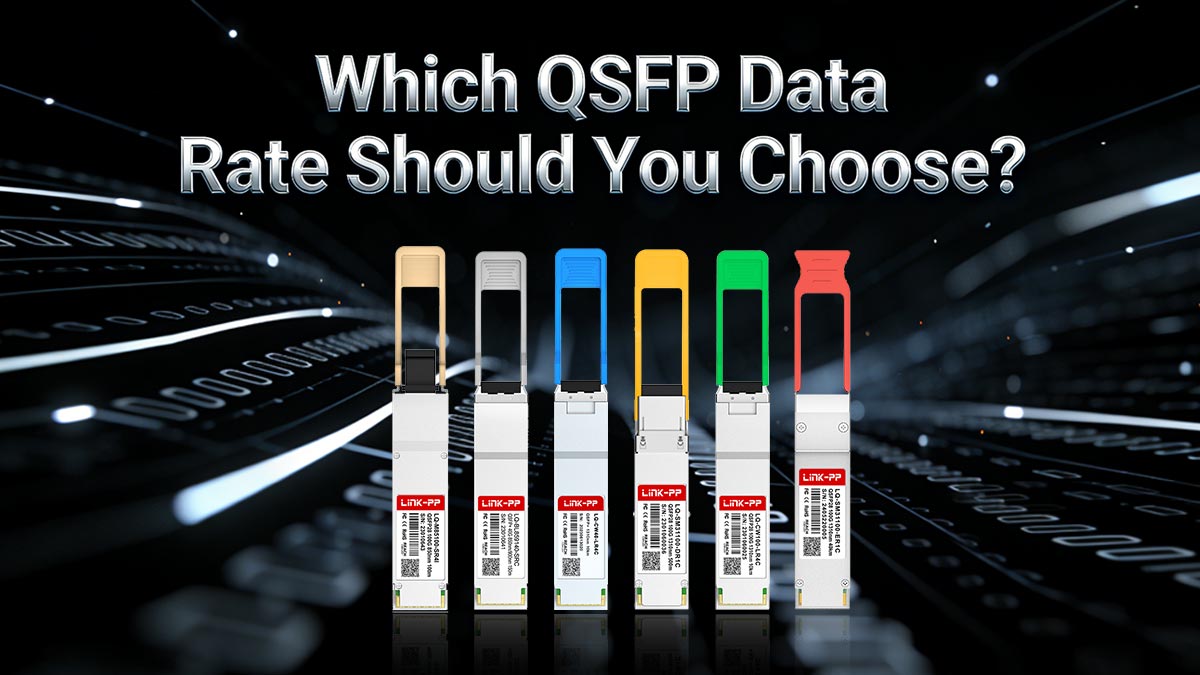
➡️ Conclusion: Which QSFP Data Rate Should You Choose?
Choosing the right QSFP data rate ultimately depends on your network scale, performance requirements, and upgrade strategy. While QSFP technology ranges from 40G to 800G, the best choice is not always the highest speed—it is the most cost-effective and future-ready fit for your architecture.
Final Decision Summary
QSFP+ (40G)
Best for legacy environments, 10G server upgrades, and cost-sensitive deployments. Still used in existing data center aggregation layers.QSFP28 (100G)
The mainstream standard, ideal for spine-leaf architectures, modern data centers, and scalable enterprise networks.QSFP56 (200G)
Suitable for high-density environments where bandwidth demand is increasing, especially in cloud and high-performance computing.QSFP-DD (400G / 800G)
Designed for hyperscale data centers, AI workloads, and next-generation core networks requiring maximum throughput.
Practical Selection Framework
To choose the right QSFP data rate, follow this simple rule:
Need cost efficiency + legacy support → 40G (QSFP+)
Need balanced performance + scalability → 100G (QSFP28)
Need high-density cloud performance → 200G (QSFP56)
Need hyperscale or AI-grade bandwidth → 400G–800G (QSFP-DD)
In most real-world deployments today, 100G (QSFP28) remains the optimal baseline choice.
QSFP is not just about speed—it is about network evolution strategy. Each generation builds on the same form factor, allowing organizations to scale bandwidth without completely redesigning infrastructure.
Final Recommendation
If you are planning a new deployment or upgrade in 2026, prioritize:
Compatibility with your switch platform
Clear upgrade path (40G → 100G → 400G)
Total cost of ownership (TCO), not just bandwidth
To ensure stable performance and full compatibility, always choose reliable, MSA-compliant QSFP modules from a trusted supplier.
👉 Explore high-quality, fully tested optical transceivers and connectivity solutions at the LINK-PP Official Store, where you can find QSFP+, QSFP28, and next-generation QSFP modules designed for carrier-grade and data center applications.



