


If you have ever looked at a network switch and noticed small empty slots labeled “SFP,” you may have wondered what they actually do. SFP ports are modular network interfaces used to connect switches, routers, servers, and fiber optic links through interchangeable transceiver modules. Unlike standard RJ45 Ethernet ports, SFP ports can support both fiber optic and copper Ethernet connections depending on the installed module.
Today, SFP ports are widely used in enterprise networks, data centers, surveillance systems, ISP infrastructure, and even home lab environments because they provide flexible, scalable, and high-speed connectivity. A single SFP slot can support short-range copper Ethernet, long-distance single-mode fiber, or high-speed uplink connections simply by changing the fiber transceiver.
However, many beginners are confused by common questions such as:
Are SFP ports fiber only?
Are all SFP ports 10Gb?
Can you plug Ethernet into an SFP port?
What is the difference between SFP and SFP+?
Do all SFP modules work in every switch?
These questions are common because SFP technology combines multiple concepts, including Ethernet standards, fiber optics, copper cabling, and modular transceivers. In real-world deployments, compatibility between switches, transceiver modules, cable types, and network speeds is one of the most important factors affecting network stability.
In this beginner guide, you will learn:
What an SFP port is and how it works
The difference between SFP, SFP+, and RJ45 ports
Whether SFP ports support fiber, Ethernet, or both
How to choose compatible SFP modules
Common SFP compatibility mistakes to avoid
When SFP ports are better than traditional Ethernet ports
Whether you are upgrading a business network, building a home lab, connecting fiber internet, or selecting a switch uplink solution, understanding how SFP ports work can help you build faster, more flexible, and more scalable networks.
⏩ What Is an SFP Port?
An SFP port (Small Form-factor Pluggable port) is a modular network interface found on switches, routers, servers, and other networking devices. Instead of using a fixed connector type, an SFP port accepts interchangeable transceiver modules that support either fiber optic or copper Ethernet connections. This modular design allows network administrators to change transmission distance, cable type, and network speed without replacing the entire switch.
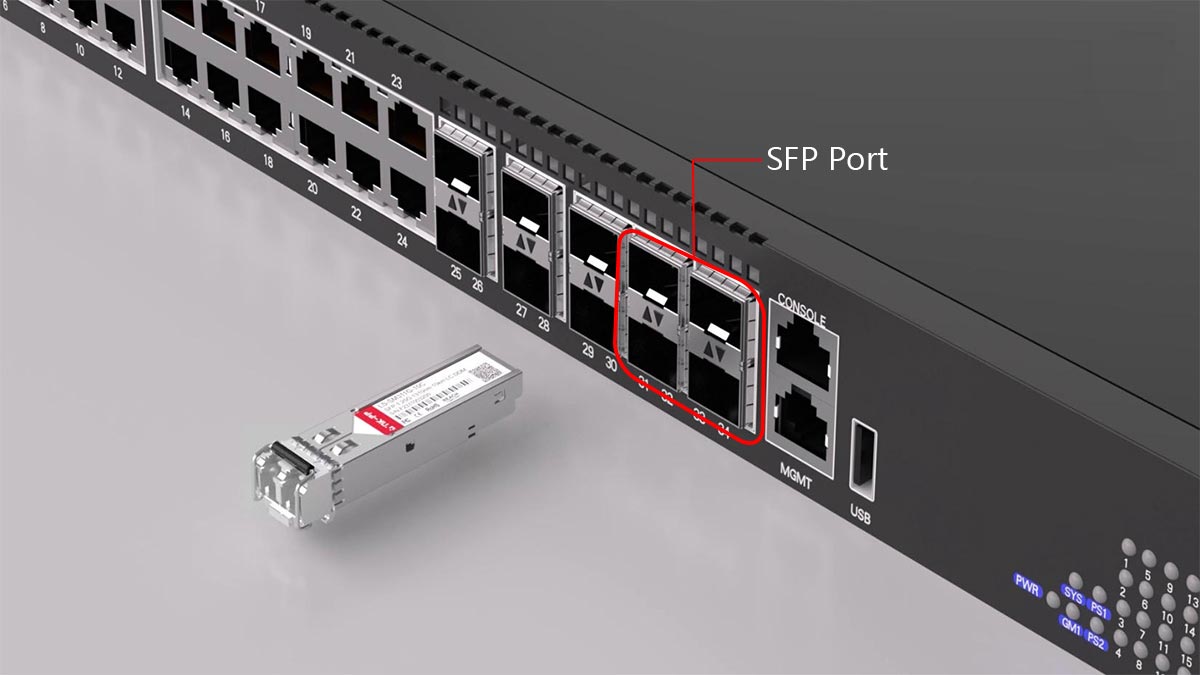
SFP ports are commonly used for:
Fiber uplinks between switches
Long-distance network connections
High-speed server connectivity
Data center aggregation links
ISP and enterprise backbone networks
Unlike standard RJ45 Ethernet ports, an SFP port itself does not determine the cable type or transmission medium. The installed SFP transceiver module determines whether the connection uses:
Multimode fiber
Single-mode fiber
Copper Ethernet (RJ45)
Direct Attach Copper (DAC)
This flexibility is one of the main reasons SFP ports are widely used in modern networks.
What Does SFP Stand For?
SFP stands for: Small Form-factor Pluggable
It is an industry-standard hot-swappable transceiver interface originally defined by the Small Form Factor Committee (SFF Committee). Modern SFP modules typically comply with standards such as:
IEEE 802.3z (Gigabit Ethernet)
Multi-Source Agreement (MSA)
Because SFP modules are hot-swappable, administrators can replace or upgrade transceivers without shutting down the entire network device.
Common Types of SFP Connections
SFP Connection Type | Typical Medium | Common Use Case |
|---|---|---|
Multimode fiber | Short-range switch uplinks | |
Single-mode fiber | Long-distance fiber links | |
Cat5e/Cat6 Ethernet | Copper Ethernet networking | |
Twinax copper | Data center rack connections |
Why Network Switches Use SFP Ports
Modern switches include SFP ports because network environments often require different transmission media and distances.
For example:
RJ45 Ethernet works well for short office connections
Fiber optic links are better for long-distance or EMI-sensitive environments
DAC cables reduce cost and power consumption inside server racks
Instead of manufacturing separate switch models for each connection type, vendors use modular SFP ports to provide deployment flexibility.
In enterprise and industrial networking, SFP ports are commonly used for:
Switch-to-switch uplinks
Fiber backbone aggregation
Server connections
Campus networking
Surveillance networks
Industrial Ethernet systems
SFP Ports vs. Fixed Ethernet Ports
One of the biggest beginner misconceptions is assuming that SFP ports are “special fiber ports” separate from Ethernet.
In reality:
Ethernet is a networking protocol
SFP is a modular physical interface
An SFP port can still carry Ethernet traffic even when fiber optics are used as the transmission medium.
This distinction is important because many users incorrectly assume:
Fiber ≠ Ethernet
SFP ≠ Ethernet
SFP automatically means 10Gb
In practice, the network protocol, switch hardware, and installed transceiver module together determine how the connection operates.
⏩ How Does an SFP Port Work on a Switch?
An SFP port on a switch works by using a removable transceiver module to convert network signals into either optical or electrical transmission. The switch provides the interface and switching logic, while the installed SFP module determines the connection type, speed, cable medium, and transmission distance. This modular design allows a single switch port to support fiber optic, copper Ethernet, or direct-attach cable connections without changing the switch hardware itself.
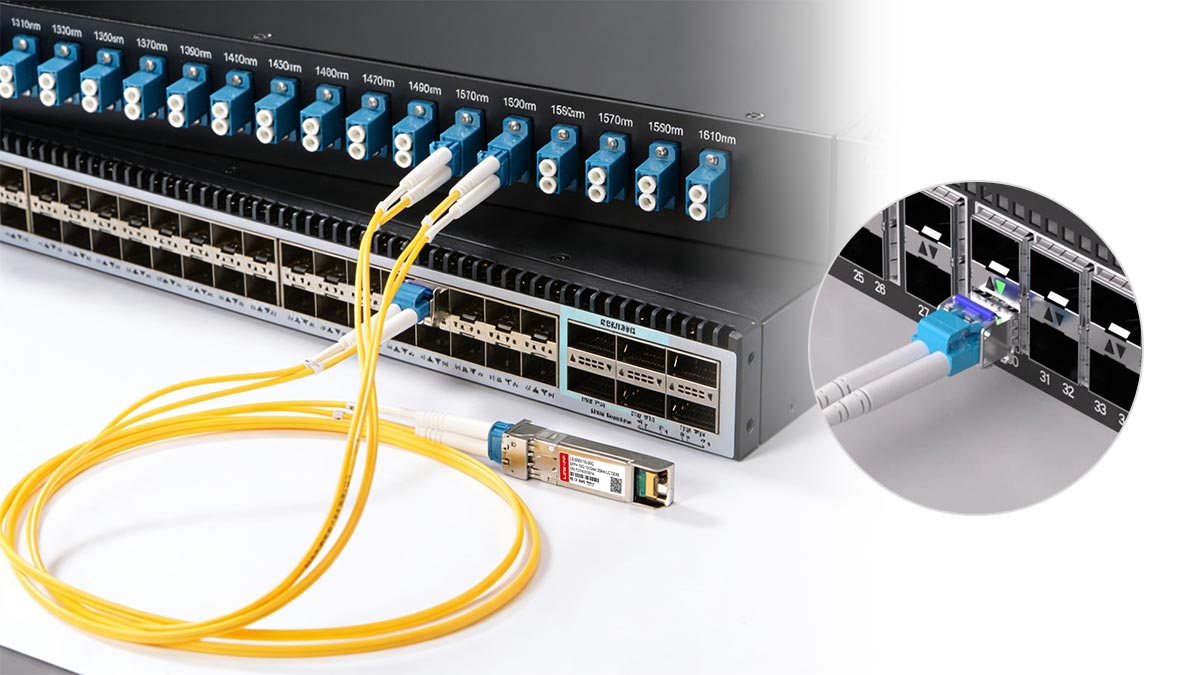
The Basic Working Principle of an SFP Port
An SFP port does not directly transmit data on its own. Instead, it acts as a standardized slot that accepts a compatible SFP transceiver module.
The communication process typically works like this:
The switch ASIC generates Ethernet data signals
The SFP port passes the electrical signal to the inserted transceiver
The transceiver converts the signal into:
Optical signals for fiber
Electrical signals for copper Ethernet
The signal travels through the connected cable
The receiving device converts the signal back into Ethernet data
This architecture separates:
The switching hardware
The transmission medium
The physical connector type
As a result, network administrators can adapt the same switch to different network environments.
Key Components Inside an SFP Connection
Component | Function |
|---|---|
Switch ASIC | Processes Ethernet packets |
SFP Port | Provides modular electrical interface |
Converts electrical and optical signals | |
Fiber or Copper Cable | Carries the physical signal |
Remote Device | Receives and decodes the transmission |
This modular structure is one of the biggest advantages of SFP networking.
Signal Conversion Process
An SFP port itself does not directly transmit optical signals. Instead, the inserted transceiver module performs signal conversion between the switch and the connected cable.
The process typically works like this:
The switch ASIC generates Ethernet data
The SFP port passes the signal to the transceiver
The transceiver converts the signal into:
Optical signals for fiber
Electrical signals for copper Ethernet
The signal travels through the connected cable
The receiving device converts the signal back into Ethernet data
This modular architecture allows network engineers to change:
Cable types
Transmission distances
Network speeds
simply by replacing the SFP module.
How Fiber SFP Modules Work
Fiber SFP modules convert Ethernet signals into pulses of light for transmission over optical fiber.
Most fiber modules use:
LC optical connectors
Single-mode fiber (SMF)
Multimode fiber (MMF)
Common fiber standards include:
SFP Type | Fiber Type | Typical Distance |
|---|---|---|
1000BASE-SX | Multimode fiber | Up to 550 m |
1000BASE-LX | Single-mode fiber | Up to 10 km |
Single-mode fiber | Up to 80 km |
Fiber SFP modules are commonly used for:
Switch uplinks
Campus backbone links
ISP infrastructure
Long-distance networking
Because fiber is resistant to electromagnetic interference (EMI), it is widely used in industrial and enterprise environments.
How RJ45 SFP Modules Work
RJ45 copper SFP modules allow standard Ethernet cables to connect through an SFP slot.
Instead of using optical transmission, these modules convert switch signals into copper Ethernet signaling compatible with:
Cat5e cables
Cat6 cables
Cat6a cables
RJ45 SFP modules are useful when:
Existing copper cabling is already installed
Fiber deployment is unnecessary
Short-distance connections are sufficient
However, copper SFP modules usually:
Consume more power
Generate more heat
Support shorter distances at higher speeds
For example, 10GBASE-T RJ45 SFP+ modules often run hotter than optical SFP+ modules in high-density switch deployments.
⏩ Is an SFP Port Fiber Only?
No. An SFP port is not limited to fiber optic networking. SFP ports can support both fiber optic and copper Ethernet connections depending on the installed transceiver module. Fiber SFP modules use optical cables for long-distance communication, while RJ45 copper SFP modules allow standard Ethernet cables to connect through the same SFP slot.
This flexibility is one reason SFP ports are widely used in modern network switches.
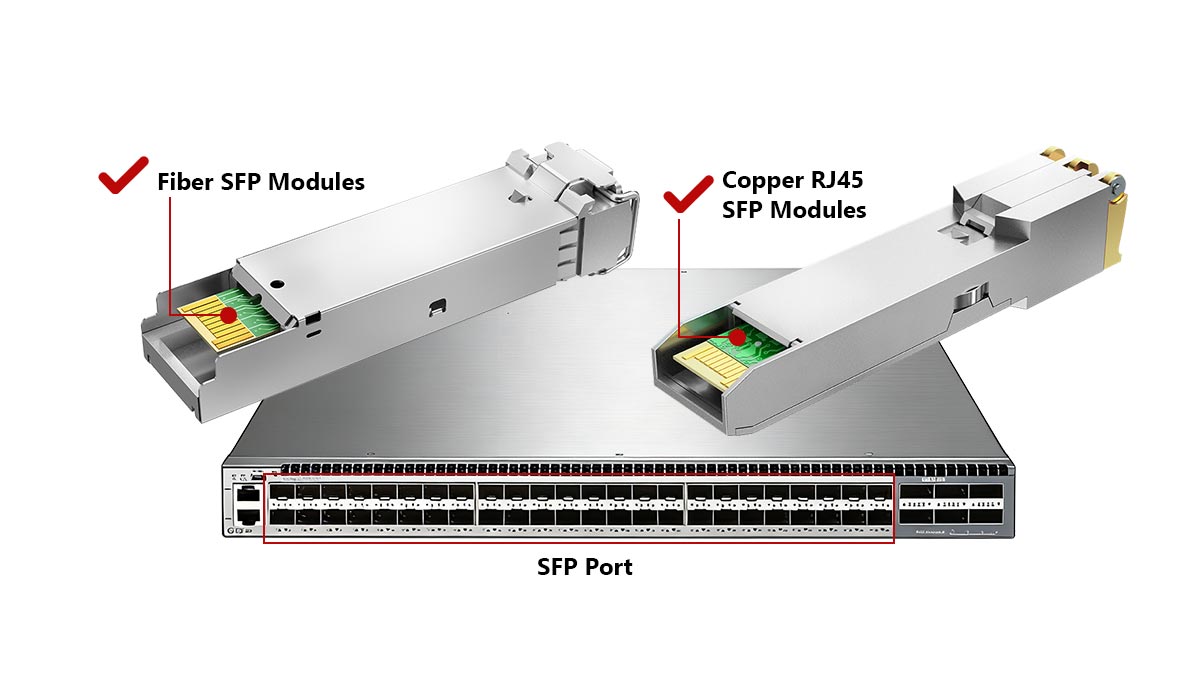
Fiber SFP Modules
Fiber SFP modules convert Ethernet signals into optical light for transmission over fiber optic cable.
They are commonly used for:
Switch uplinks
Long-distance networking
Campus backbone connections
Data center infrastructure
Most fiber SFP modules use:
Single-mode fiber (SMF)
Multimode fiber (MMF)
Common standards include:
SFP Type | Fiber Type | Typical Distance |
|---|---|---|
1000BASE-SX | Multimode fiber | Up to 550 m |
1000BASE-LX | Single-mode fiber | Up to 10 km |
Fiber connections are popular because they provide:
Longer transmission distances
Better EMI resistance
Higher bandwidth scalability
Copper RJ45 SFP Modules
RJ45 copper SFP modules allow standard Ethernet cables to work through an SFP port.
These modules support:
Cat5e Ethernet cables
Cat6 cables
Cat6a cabling
Copper SFP modules are commonly used when:
Existing Ethernet cabling is already installed
Fiber deployment is unnecessary
Short-distance connections are sufficient
However, copper RJ45 SFP modules usually:
Consume more power
Generate more heat
Support shorter maximum distances than fiber
For example, standard copper Ethernet links are typically limited to 100 meters.
Fiber vs. Copper Comparison
Feature | Fiber SFP | Copper RJ45 SFP |
|---|---|---|
Medium | Fiber optic cable | Ethernet cable |
Connector | LC | RJ45 |
Maximum Distance | Kilometers possible | Typically 100 m |
EMI Resistance | Excellent | Moderate |
Power Consumption | Lower | Higher |
Typical Use | Uplinks and backbone links | Office and short-range networking |
In modern enterprise networks, switches often use both:
RJ45 ports for endpoint devices
Fiber SFP ports for uplinks and long-distance connections
This hybrid approach provides both flexibility and scalability.
⏩ Are All SFP Ports 10Gb?
No. Not all SFP ports support 10Gb speeds. Standard SFP ports are typically designed for 1Gb Ethernet, while SFP+ ports support 10Gb Ethernet. Higher-speed versions such as SFP28 support 25Gb connections. Although the ports may look physically similar, their supported speeds depend on the switch hardware, transceiver type, and networking standard.
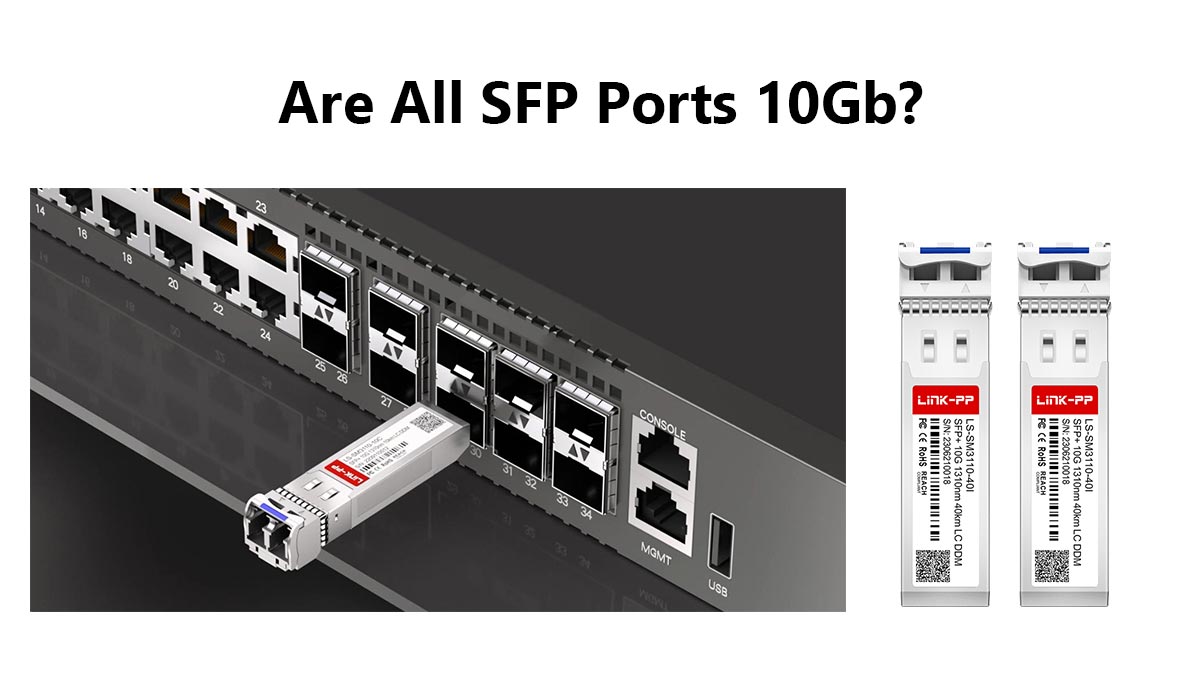
One of the most common beginner mistakes is assuming:
SFP = 10Gb
All SFP modules are interchangeable
In reality, SFP and SFP+ are different standards.
Common SFP Speed Standards
Port Type | Typical Speed | Common Standard |
|---|---|---|
1Gbps | 1000BASE-X | |
10Gbps | 10GBASE-X | |
25Gbps | 25Gb Ethernet | |
100Gbps | 100Gb Ethernet |
Although these interfaces may appear similar, they are designed for different signaling rates and hardware capabilities.
What Is the Difference Between SFP and SFP+ Ports?
SFP and SFP+ ports are physically similar but electrically different.
SFP ports are mainly used for 1Gb networking
SFP+ ports are designed for 10Gb Ethernet
SFP+ hardware supports much higher signaling performance
In many enterprise switches:
SFP modules work inside SFP+ ports at 1Gb speeds
SFP+ modules usually do not work inside 1Gb-only SFP ports
Compatibility depends on:
Switch ASIC support
Firmware limitations
Vendor compatibility rules
How to Check SFP Port Speed
Before buying SFP modules, always verify:
The switch port type
Supported Ethernet standards
Module compatibility list
Firmware support
Typical sources include:
Switch datasheets
Vendor compatibility matrices
IEEE standards documentation
Using unsupported modules can cause:
Link failures
Speed mismatches
Unstable connections
Excessive heat or power issues
Real-World Deployment Example
A common upgrade scenario is moving from 1Gb to 10Gb networking in a server room.
Instead of replacing the entire switch immediately, administrators often:
Use existing SFP fiber infrastructure
Upgrade to SFP+ switches and modules
Reuse compatible LC fiber cabling
This modular upgrade path is one reason SFP technology remains popular in enterprise and data center networks.
⏩ What Can You Plug Into an SFP Port?
You cannot plug a cable directly into most SFP ports. An SFP port requires a compatible transceiver module or DAC cable first. Once installed, the SFP module determines what type of connection the port supports, including fiber optic cable, RJ45 Ethernet cable, or direct-attach copper connections. This modular design allows one SFP port to support multiple networking media and transmission distances.
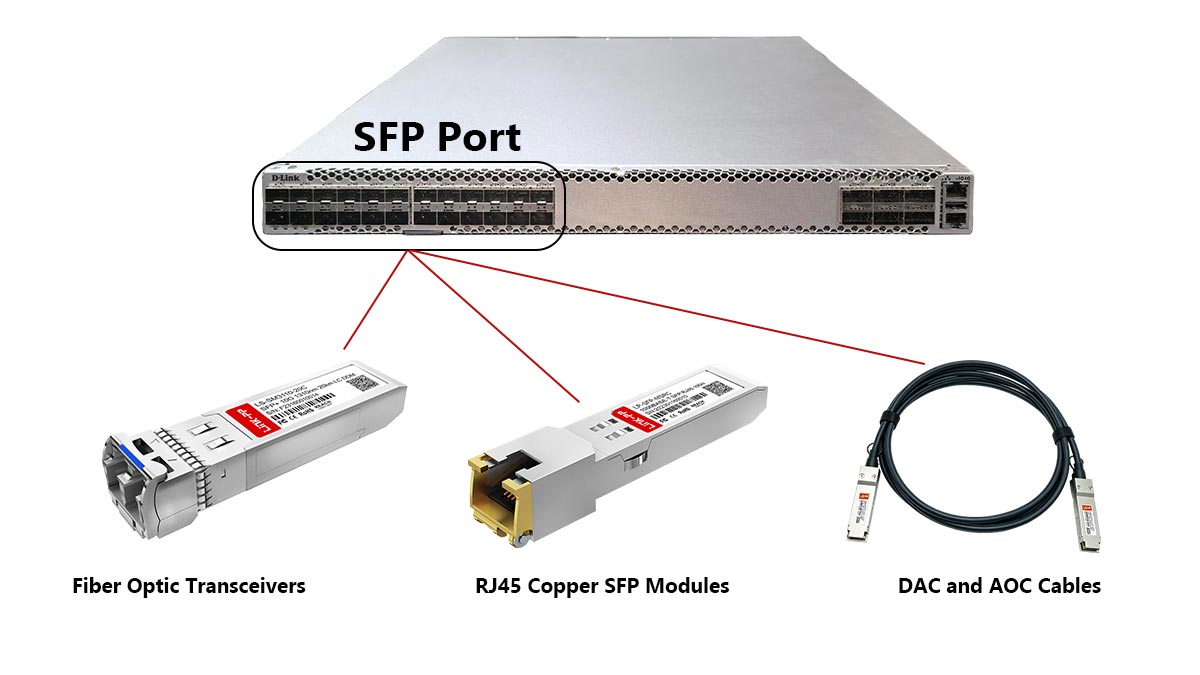
The most common devices connected through SFP ports include:
Network switches
Routers
Servers
Storage systems
Fiber Optic Transceivers
Fiber SFP modules are the most common option used in switches.
These modules support:
Multimode fiber (MMF)
Single-mode fiber (SMF)
LC optical connectors
Fiber transceivers are commonly used for:
Switch uplinks
Building-to-building links
Data center backbone connections
Long-distance networking
Typical fiber standards include:
Module Type | Fiber Type | Typical Distance |
|---|---|---|
1000BASE-SX | Multimode fiber | Up to 550 m |
1000BASE-LX | Single-mode fiber | Up to 10 km |
RJ45 Copper SFP Modules
RJ45 copper SFP modules allow standard Ethernet cables to connect through an SFP slot.
These modules support:
Cat5e cables
Cat6 cables
Cat6a Ethernet cabling
RJ45 SFP modules are useful when:
Existing copper cabling is already installed
Short-distance connections are sufficient
Fiber deployment is unnecessary
However, copper SFP modules typically:
Consume more power
Generate more heat
Support shorter distances than fiber
DAC and AOC Cables
Some SFP ports support:
DAC (Direct Attach Copper) cables
AOC (Active Optical Cable) connections
DAC cables are commonly used for:
Short server rack connections
Data center top-of-rack switching
Low-latency networking
AOC cables use integrated optical transceivers and are often used for:
Longer high-speed connections
Simplified cable management
Common Beginner Mistake
One common misconception is trying to plug a regular Ethernet cable directly into an empty SFP port.
In most cases:
The SFP slot itself does not accept RJ45 cables
A compatible RJ45 SFP transceiver must be installed first
Similarly, fiber optic cables require matching optical SFP modules on both ends of the connection.
Choosing the Right SFP Connection
The best option depends on your network environment.
Scenario | Recommended Connection |
|---|---|
Long-distance uplink | Fiber SFP module |
Existing office Ethernet | RJ45 copper SFP |
Short rack connection | DAC cable |
High-speed data center link | AOC cable |
Choosing the correct SFP module helps avoid:
Compatibility issues
Link failures
Speed mismatches
Excessive heat or power consumption
⏩ Common SFP Compatibility Problems
SFP compatibility problems are one of the most common causes of switch link failures. Even if two SFP modules look physically identical, they may not work together because of differences in speed, vendor coding, Ethernet standards, wavelength, or switch firmware support. Before installing an SFP module, always verify switch compatibility, supported data rates, and cable type requirements.
Many users assume:
Any SFP module works in any switch
SFP and SFP+ are fully interchangeable
Matching connectors guarantee compatibility
In practice, SFP compatibility depends on both hardware and software support.
1. Speed Mismatch Problems
One of the most common issues is mixing different speed standards.
For example:
A 10G SFP+ module usually will not work in a 1G SFP port
Some SFP+ ports support 1G SFP modules, but not all switches allow this
Common speed standards include:
Port Type | Typical Speed |
|---|---|
SFP | 1Gbps |
SFP+ | 10Gbps |
SFP28 | 25Gbps |
Always confirm:
Switch port specifications
Supported module speeds
Auto-negotiation support
2. Vendor Compatibility Restrictions
Many switch vendors use EEPROM coding to verify approved SFP modules.
This means:
Unsupported third-party modules may trigger warnings
Some switches may disable unsupported optics entirely
Vendor compatibility restrictions are common in:
Cisco
HPE
Juniper
Arista enterprise switches
In some environments, compatible third-party modules work correctly, but firmware updates can sometimes affect support behavior.
3. Fiber and Wavelength Mismatch
Fiber links also require matching optical specifications on both ends.
Common problems include:
Single-mode vs multimode mismatch
Different optical wavelengths
Incorrect connector types
For example:
A 1310 nm LX module may not properly link with an 850 nm SX module
Multimode fiber is not ideal for long-distance single-mode optics
4. DAC and Cable Compatibility Issues
DAC cables are not universally compatible across all vendors and switch platforms.
Some switches require:
Vendor-coded DAC cables
Specific cable lengths
Approved passive or active DAC types
Using unsupported DAC cables may result in:
Link instability
Port shutdown
Intermittent packet loss
How to Avoid SFP Compatibility Problems
Before purchasing SFP modules, verify:
Switch compatibility matrix
Supported Ethernet standards
Fiber type and connector requirements
Transmission distance
Vendor coding requirements
A simple compatibility check before deployment can prevent:
Failed installations
Network downtime
Unstable uplinks
Unnecessary replacement costs
In enterprise and data center networks, standardized compatibility planning is critical for maintaining reliable fiber and Ethernet connectivity.
⏩ When Should You Use an SFP Port Instead of Ethernet?
You should use an SFP port instead of a standard RJ45 Ethernet port when your network requires longer transmission distances, fiber optic connectivity, higher scalability, or flexible media options. SFP ports are commonly used for switch uplinks, data center links, campus backbone networks, and environments where fiber optics provide better performance than traditional copper Ethernet cabling.
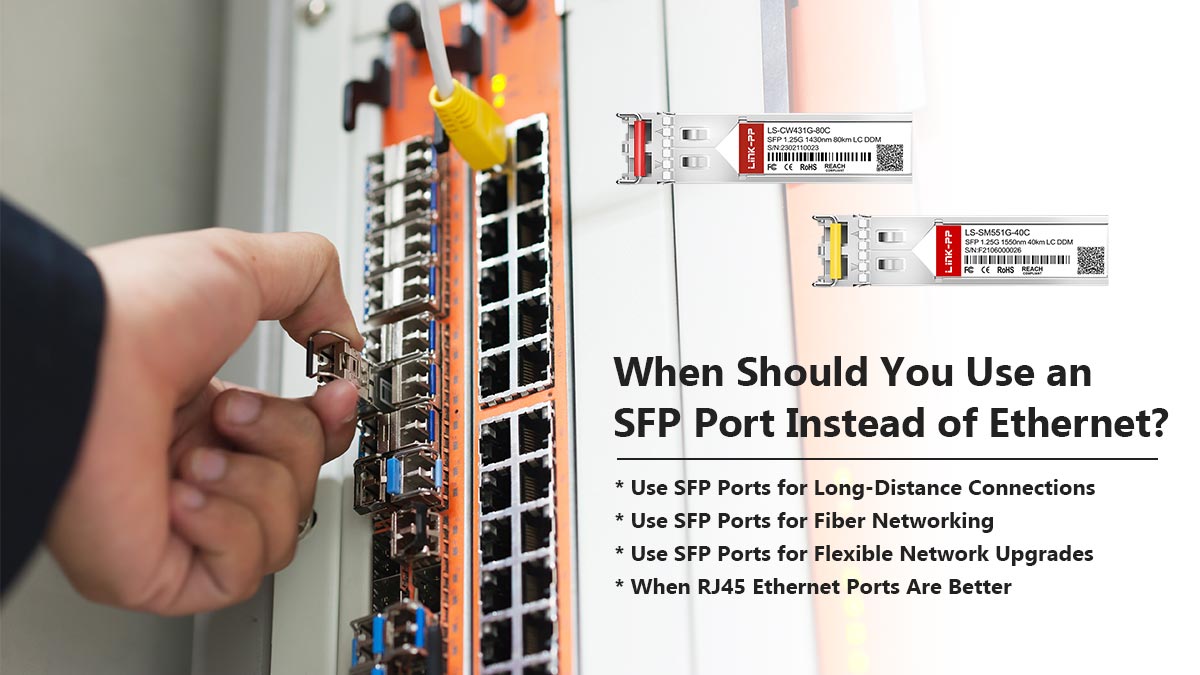
In most networks:
RJ45 ports are used for endpoint devices
SFP ports are used for uplinks and backbone connections
The best choice depends on distance, bandwidth, scalability, and deployment environment.
Use SFP Ports for Long-Distance Connections
Standard copper Ethernet connections are typically limited to:
100 meters over Cat5e/Cat6 cabling
Fiber SFP modules can support:
Hundreds of meters with multimode fiber
Several kilometers with single-mode fiber
This makes SFP ports ideal for:
Building-to-building links
Campus networking
ISP infrastructure
Industrial Ethernet deployments
Use SFP Ports for Fiber Networking
Fiber optic connections provide several advantages over copper Ethernet:
Better EMI resistance
Lower signal loss over distance
Higher bandwidth scalability
Improved electrical isolation
Fiber SFP ports are commonly used in:
Enterprise backbone networks
Data centers
Surveillance systems
Manufacturing environments
In high-interference environments, fiber often provides more stable connectivity than copper Ethernet.
Use SFP Ports for Flexible Network Upgrades
One major advantage of SFP ports is modularity.
Instead of replacing the entire switch, administrators can:
Upgrade transceiver modules
Change fiber types
Increase transmission distance
Migrate from 1Gb to 10Gb networking
This flexibility simplifies long-term network expansion.
For example:
A switch may initially use 1G SFP uplinks
Later upgraded to 10G SFP+ connections using compatible hardware
When RJ45 Ethernet Ports Are Better
RJ45 Ethernet ports are usually the better choice for:
PCs and printers
Office endpoint devices
Short-distance connections
Lower-cost deployments
Copper Ethernet is simpler because:
No transceiver modules are required
Cabling is widely available
Installation costs are lower
For many small office networks, standard RJ45 switching is sufficient.
SFP vs. Ethernet: Quick Comparison
Feature | SFP Port | RJ45 Ethernet Port |
|---|---|---|
Medium | Fiber or copper | Copper Ethernet |
Maximum Distance | Up to kilometers | Typically 100 m |
Modularity | Replaceable transceivers | Fixed interface |
EMI Resistance | Excellent with fiber | Moderate |
Scalability | High | Moderate |
Typical Use | Uplinks and backbone links | Endpoint devices |
In modern enterprise networks, switches often combine:
RJ45 access ports
SFP uplink ports
This hybrid design provides both cost efficiency and scalable high-speed connectivity.
⏩ Conclusion: Choosing the Right SFP Port Setup
SFP ports give modern network switches the flexibility to support both fiber optic and copper Ethernet connectivity through interchangeable transceiver modules. Whether you are building a small office network, upgrading a data center, or deploying long-distance fiber uplinks, understanding how SFP ports work helps prevent compatibility problems and improves long-term scalability.
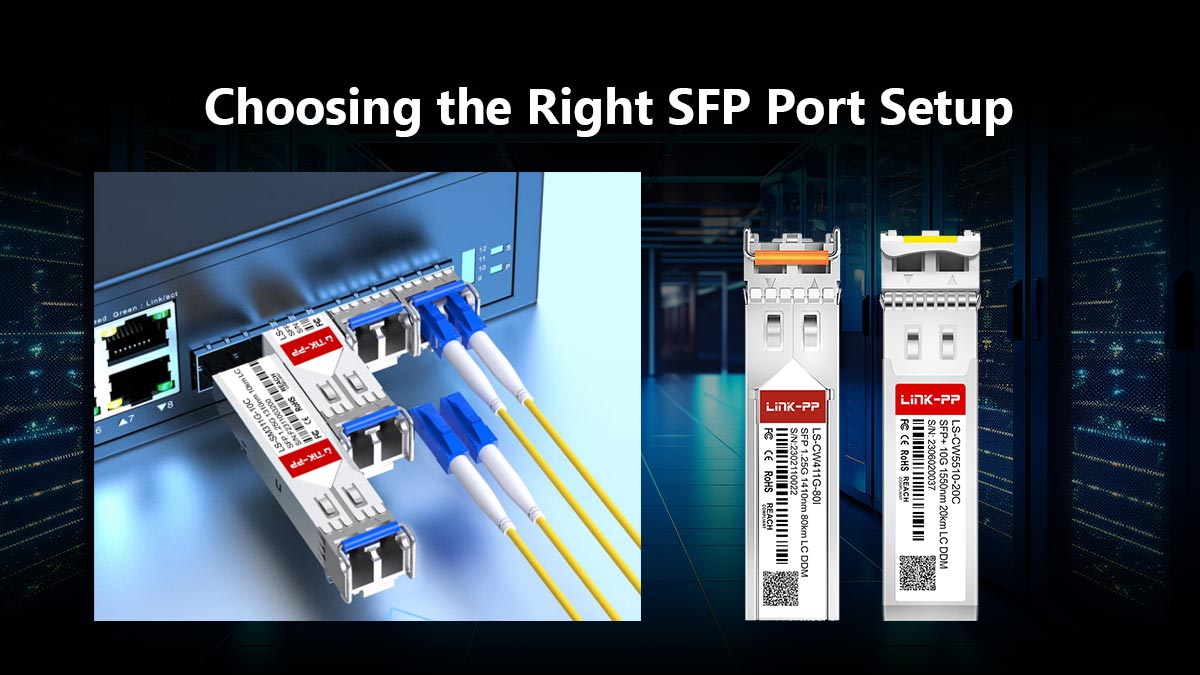
In most real-world deployments:
RJ45 Ethernet ports are used for endpoint devices
SFP ports are used for uplinks, backbone links, and high-speed interconnects
The right SFP setup depends on several factors:
Transmission distance
Network speed
Fiber or copper infrastructure
Switch compatibility
Future upgrade requirements
For example:
Fiber SFP modules are ideal for long-distance and EMI-sensitive environments
RJ45 copper SFP modules work well with existing Ethernet cabling
DAC cables are cost-effective for short rack-to-rack connections
Before purchasing SFP modules, always verify:
Port speed compatibility
Supported transceiver standards
Fiber type and connector requirements
Vendor compatibility guidelines
A properly planned SFP deployment can improve:
Network scalability
Uplink performance
Cable flexibility
Long-term infrastructure efficiency
If you are looking for compatible SFP modules, RJ45 SFP transceivers, DAC cables, or enterprise networking connectivity solutions, the LINK-PP Official Store offers a wide range of fiber and Ethernet products designed for switches, routers, industrial networking, and data center applications.



