


In today’s high-speed, data-driven world, SFP technology has become a foundational component of modern networking infrastructure. Whether you are deploying enterprise switches, upgrading data center links, or building telecom systems, SFP (Small Form-factor Pluggable) modules enable flexible, scalable, and high-performance connectivity.
At its core, SFP technology refers to hot-pluggable transceivers that allow network devices—such as switches, routers, and servers—to transmit data over fiber optic or copper connections. Instead of being locked into fixed ports, engineers can swap SFP modules based on distance, speed, and application requirements, making networks far more adaptable and cost-efficient.
However, while the concept sounds simple, real-world usage is far more complex. Users searching for “SFP technology” are not just looking for definitions—they are often trying to solve practical challenges like:
Why is my SFP module not working?
What causes “unsupported transceiver” errors?
Can I use third-party SFP modules safely?
How do I choose between SFP, SFP+, and QSFP?
These questions highlight a critical reality: SFP technology sits at the intersection of performance, compatibility, and troubleshooting.
This guide is designed to go beyond basic explanations. By combining real-world engineering insights, common failure scenarios, and buyer decision frameworks, you will learn:
What SFP technology is and how it works
The differences between SFP, SFP+, and QSFP
The most common compatibility and deployment issues
How to troubleshoot SFP problems effectively
How to choose the right SFP module for your specific application
Whether you're an IT professional, network engineer, or technical buyer, this article will help you make informed, practical decisions—and avoid the costly mistakes that often come with SFP deployment.
🟩 What is SFP Technology?
SFP technology refers to the use of Small Form-factor Pluggable (SFP) transceivers—compact, hot-swappable modules designed to provide flexible network connectivity in switches, routers, and other communication equipment.
At a basic level, an SFP module acts as an interface between a networking device and the transmission medium. It converts electrical signals from the device into optical signals (for fiber) or passes electrical signals directly (for copper), enabling reliable data transmission across different distances and environments.
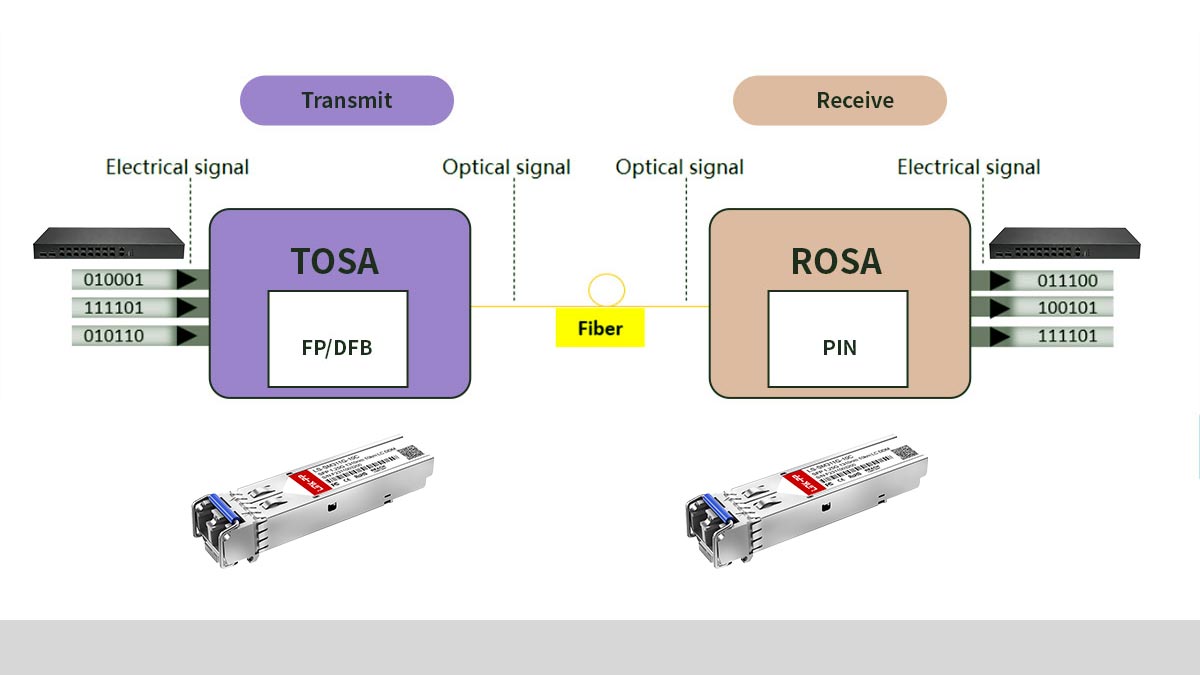
Breaking Down the Term “SFP”
Small Form-factor → Compact size, allowing high port density on network devices
Pluggable → Hot-swappable, meaning you can insert or remove modules without powering down equipment
This modular design is what makes SFP technology so powerful—it allows network engineers to customize connectivity without replacing entire devices.
Why SFP Technology Matters
In modern networking, flexibility and scalability are critical. SFP technology plays a key role by enabling:
1. Flexible Media Selection
You can choose between:
Fiber optic SFP modules (long-distance, high-speed transmission)
Copper SFP modules (short-distance, cost-effective connections)
2. Scalable Network Upgrades
Instead of replacing switches or routers, you can simply:
This significantly reduces infrastructure costs.
3. High Port Density
Because of their compact size, SFP ports allow:
More interfaces per device
Higher bandwidth aggregation in limited rack space
4. Multi-Vendor Ecosystem (MSA Standard)
SFP modules are governed by Multi-Source Agreement (MSA) standards, which means:
Multiple manufacturers can produce compatible modules
Users have flexibility beyond OEM vendors
However, this also introduces compatibility challenges, which we will cover later.
Where SFP Technology Is Used
SFP modules are widely deployed in:
Enterprise network switches
Telecommunications systems
Industrial Ethernet applications
ISP and fiber access networks
Key Takeaway
SFP technology is not just a hardware component—it is a core enabler of modern network design, allowing engineers to balance:
Performance
Cost
Compatibility
Future scalability
Understanding this foundation is essential before diving into how SFP modules actually work in real-world deployments.
🟩 How SFP Modules Work
To understand SFP technology in real-world networks, it’s essential to look at how an SFP module actually functions inside a device. At its core, an SFP module operates as a transceiver (transmitter + receiver), enabling bidirectional data communication between network devices.
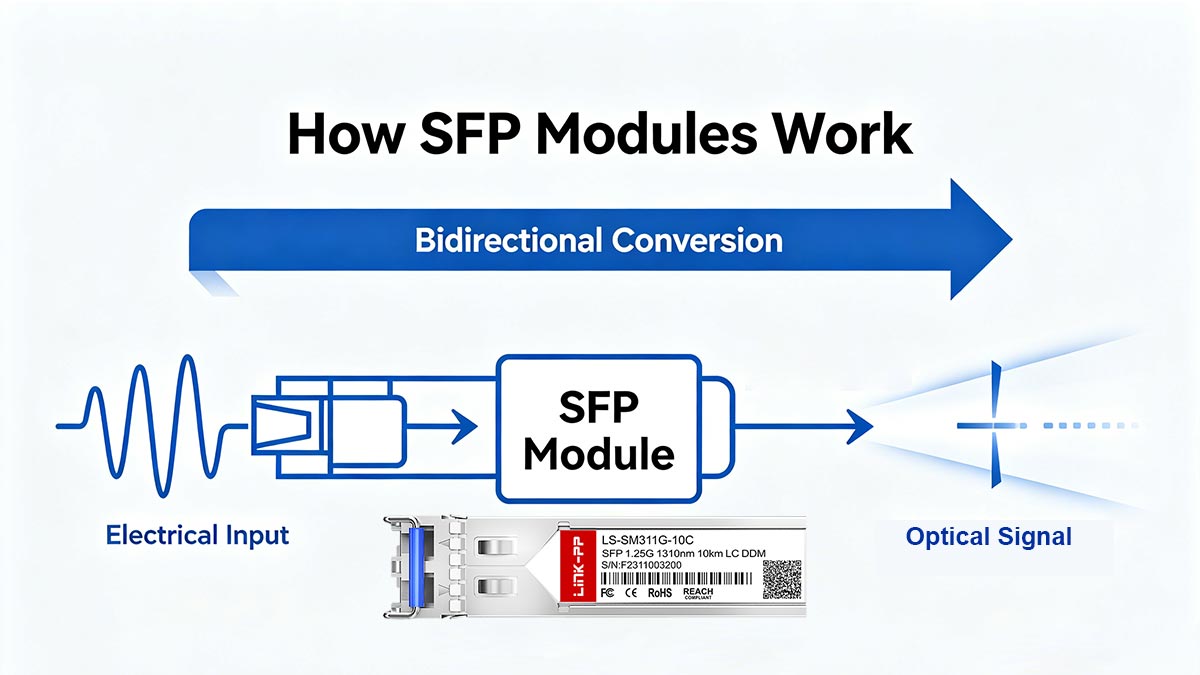
1. Signal Conversion: Electrical ↔ Optical (or Electrical ↔ Electrical)
The primary role of an SFP module is signal conversion:
Converts electrical signals → optical signals for transmission
Converts optical signals → electrical signals on reception
In copper SFP modules (RJ45):
Transmits electrical signals directly over Ethernet cables
This conversion allows network devices (which operate electrically) to communicate over different physical media, including long-distance fiber links.
2. Transmit and Receive Channels (Tx/Rx)
Every SFP module contains:
Transmitter (Tx) → Sends data out
Receiver (Rx) → Receives incoming data
In fiber applications:
Typically uses two fibers (duplex): one for Tx and one for Rx
Or a single fiber (BiDi) using different wavelengths
This design ensures full-duplex communication, meaning data can flow in both directions simultaneously.
3. Hot-Swappable Design (Key Advantage)
One of the most important features of SFP technology is hot-swapping:
You can insert or remove SFP modules without powering down the device
Enables:
Fast maintenance
Easy upgrades
Minimal network downtime
This is critical in:
Data centers
Telecom networks
Enterprise environments
4. Intelligent Module Communication (EEPROM & Diagnostics)
SFP modules are not just passive components—they include built-in memory (EEPROM) that stores:
Vendor information
Supported data rates
Wavelength
Serial number
Many modules also support Digital Optical Monitoring (DOM), which provides real-time data such as:
Temperature
Voltage
Transmit/receive optical power
This is essential for network diagnostics and troubleshooting.
5. Where SFP Fits in the Network Stack
In a typical network architecture, SFP modules sit at the Physical Layer (Layer 1) of the OSI model.
Data flow example:
Data is generated at higher layers (applications, protocols)
Passed down to the network device (switch/router)
The device sends electrical signals to the SFP port
The SFP module converts and transmits the signal via:
In simple terms: SFP = the bridge between your device and the physical transmission medium
6. Real-World Deployment Example
Consider a typical enterprise switch:
The switch has multiple SFP ports
Engineers can plug in:
1G SX SFP for short-distance fiber
10G LR SFP+ for long-distance backbone links
RJ45 SFP for copper connections
Same device, different connectivity—enabled entirely by SFP modules.
Key Takeaway
SFP modules work by combining:
Signal conversion
Bidirectional transmission
Hot-swappable flexibility
Built-in intelligence
This makes them a critical interface layer that allows modern networks to be:
Scalable
Flexible
Easy to maintain
🟩 SFP vs. SFP+ vs. QSFP: What Is the Difference?
As networks evolve from 1G to 10G, 40G, and beyond, different transceiver form factors have been developed to meet increasing bandwidth demands. The most common are SFP, SFP+, and QSFP—but choosing the right one depends on speed, application, and compatibility.
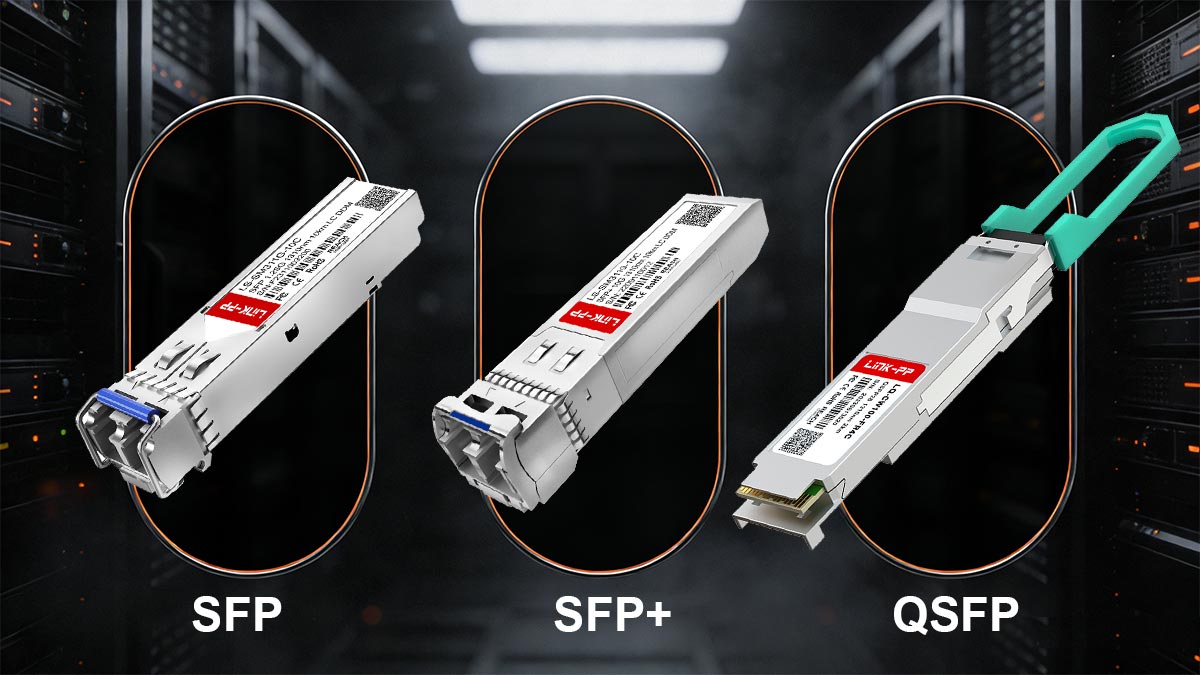
▶ Speed Comparison
The most fundamental difference is data rate:
Module Type | Typical Speed | Common Standards |
|---|---|---|
1 Gbps | 1000BASE-SX / LX / T | |
10 Gbps | 10GBASE-SR / LR / ER | |
40 Gbps (QSFP+) / 100 Gbps (QSFP28) |
In simple terms:
SFP = 1G
SFP+ = 10G
QSFP = 40G / 100G+
▶ Form Factor and Port Design
Although they look similar, these modules are not interchangeable:
SFP and SFP+
Same physical size
Fit into the same port type (in many devices)
QSFP
Larger form factor
Designed for higher-density, multi-lane transmission
QSFP modules use multiple lanes (e.g., 4×10G = 40G), which is why they require different ports.
▶ Port Compatibility (Critical for Real Deployments)
Compatibility is one of the most misunderstood areas:
SFP ↔ SFP+ Compatibility
SFP modules can often be used in SFP+ ports (downward compatibility)
BUT:
Speed will be limited to 1G
Device must support it
SFP+ in SFP Ports
Not supported
SFP ports cannot handle 10G signaling
QSFP Compatibility
QSFP ports are not directly compatible with SFP/SFP+
However:
Some QSFP ports support breakout cables (e.g., 1×QSFP → 4×SFP+)
Always verify device specifications and firmware support before deployment.
▶ Use Case Scenarios
Each module type is designed for specific environments:
🔹 SFP (1G)
Best for:
Legacy systems
Access layer networking
Industrial Ethernet
Cost-sensitive deployments
🔹 SFP+ (10G)
Best for:
Enterprise core networks
Data center aggregation
Server-to-switch connections
This is currently the most widely used standard.
🔹 QSFP (40G/100G+)
Best for:
Data center spine-leaf architecture
Cloud infrastructure
Designed for ultra-high bandwidth environments.
▶ Cost vs. Performance Trade-Off
Module | Cost | Performance | Typical Buyer |
|---|---|---|---|
SFP | Low | Basic | SMB / legacy networks |
SFP+ | Medium | High | Enterprise IT |
QSFP | High | Very High | Data centers / hyperscale |
Many users choose SFP+ as the balance point between cost and performance.
▶ Real-World Pitfalls (From User Experience)
Based on real-world deployments and community feedback:
Trying to use SFP+ in SFP ports → no link
Mixing different speeds → port down
Using unsupported modules → “transceiver not recognized” error
These are not hardware failures—they are compatibility and configuration issues.
Key Takeaway
SFP, SFP+, and QSFP are designed for different speed tiers and network scales
Compatibility is not just physical—it depends on device support and firmware
Choosing the right module requires balancing:
Speed requirements
Infrastructure capability
🟩 Common SFP Compatibility Problems
Although SFP technology is designed around the Multi-Source Agreement (MSA) standard to ensure interoperability, real-world deployments often reveal a major challenge: compatibility is not guaranteed in practice.
In fact, a large portion of “SFP technology” search traffic comes from users trying to solve issues such as unsupported transceiver errors, link failure, and vendor restrictions.
1. “Unsupported Transceiver” Error (Vendor Lock-In)
One of the most common problems is the “unsupported transceiver” or “SFP not supported” warning shown on switches and routers.
Why it happens:
Many vendors (e.g., Cisco, Juniper, HPE) implement EEPROM-based validation
The device checks:
Vendor ID
Part number
Digital signature / coding
If the module is not on the approved list, the port may:
Block the link
Disable the interface
Show a warning message
Key Insight: This is not a hardware failure, but a firmware-level restriction often referred to as vendor lock-in.
2. Vendor Lock-In in SFP Ecosystems
Vendor lock-in is a major commercial and technical barrier in SFP deployments.
Common scenarios:
Cisco switch rejecting third-party optics
ISP-provided routers requiring proprietary SFP modules
Firmware updates tightening compatibility rules
Business impact:
Higher cost for OEM modules
Limited flexibility in multi-vendor environments
Procurement constraints for IT teams
This is one of the biggest reasons users actively search for:
“Cisco compatible SFP modules” or “third-party SFP safe or not”
3. Link Failure (No Link Light / No Connectivity)
Another highly searched issue is SFP modules not establishing a link.
Typical symptoms:
No link light on switch port
Interface stays “down/down”
One side connected, but no traffic
Common causes:
⚠️ Speed mismatch (1G vs. 10G configuration)
⚠️ Incorrect fiber type (single-mode vs multi-mode)
⚠️ Dirty or damaged fiber connectors
⚠️ Unsupported module type
⚠️ Distance exceeded (optical loss too high)
In many cases, users assume the module is defective, when the root cause is physical layer mismatch.
4. Firmware Restrictions and Software Control
Modern networking devices increasingly rely on firmware-level control of SFP modules.
What firmware controls:
Allowed transceiver whitelist
Speed negotiation behavior
Auto-detection of module type
Port enable/disable logic
Real-world impact:
A module that works on one firmware version may stop working after an update
“Compatible yesterday, blocked today” scenarios are common in enterprise environments
This creates a hidden dependency between hardware and software ecosystems.
5. Optical Power and Signal Mismatch Issues
Even when a module is “compatible,” physical layer issues can still occur:
Low TX power → weak signal
High RX power → overload
Fiber mismatch (SMF vs. MMF)
Wavelength mismatch (850nm vs. 1310nm vs. 1550nm)
Result:
Intermittent connectivity
Packet loss
Link flapping (up/down cycles)
Key Insight (Why These Problems Are So Common)
The key takeaway from real-world deployments is:
SFP compatibility is not just a hardware issue—it is a combination of:
Firmware policies
Vendor ecosystems
Physical layer conditions
Configuration settings
This is why “SFP technology” searches often lead users directly into troubleshooting scenarios rather than theoretical explanations.
Summary
The most common SFP compatibility problems include:
❌ Unsupported transceiver errors (vendor lock-in)
❌ Firmware-based module blocking
❌ No link or unstable connection issues
❌ Optical signal mismatch and physical layer failures
🟩 How to Choose the Right SFP Module
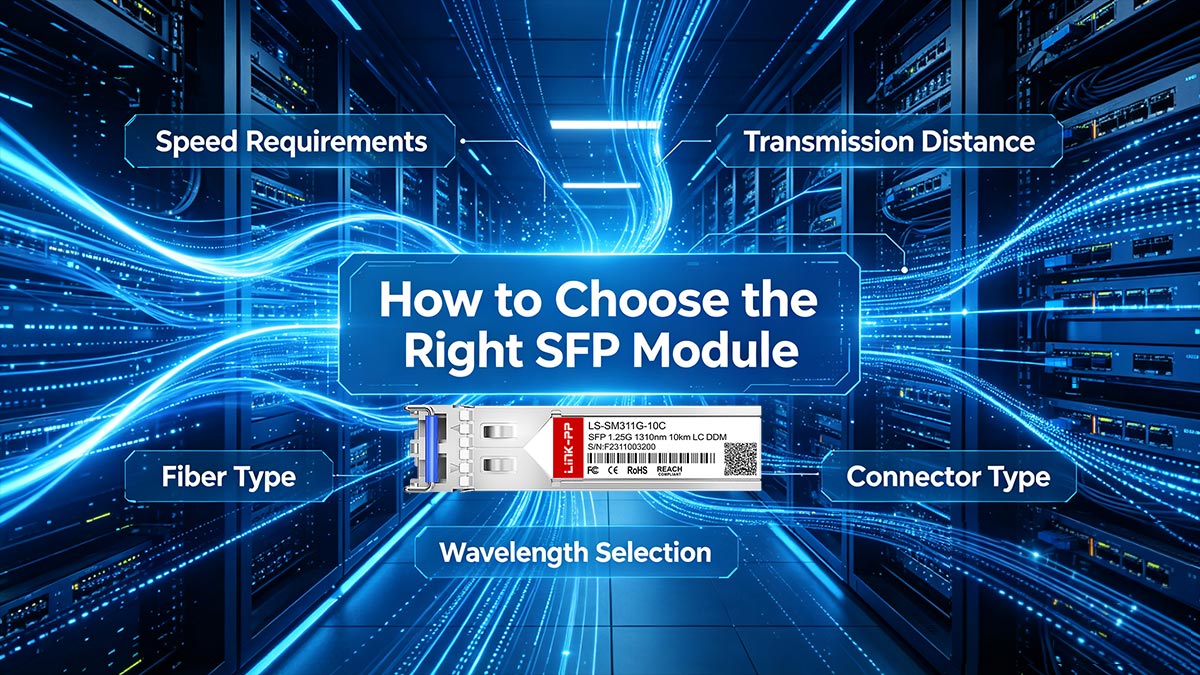
Selecting the correct SFP module is one of the most important decisions in network design because it directly impacts performance, stability, and long-term compatibility. In real-world deployments, most connectivity issues are not caused by switches or cables—but by choosing the wrong SFP type.
To avoid this, engineers evaluate SFP modules based on several key technical parameters: speed, distance, fiber type, wavelength, connector type, and device compatibility.
★ Choose Based on Speed Requirements
The first and most critical factor is data rate compatibility:
1G SFP → 1000BASE networks (legacy or access layer)
10G SFP+ → enterprise backbone, data centers
25G / 40G / 100G QSFP → high-performance computing and cloud environments
Rule of thumb: Always match the SFP speed to the port capability of your switch/router, not just network demand.
★ Choose Based on Transmission Distance
Different SFP modules are designed for different ranges:
Key insight: Distance is not flexible—exceeding rated range leads to packet loss or link failure.
★ Fiber Type: Single-Mode vs. Multi-Mode
Choosing the correct fiber type is essential for stable transmission:
Multi-Mode Fiber (MMF)
Used for short distance
Typically paired with 850nm wavelength (SR modules)
Lower cost, higher dispersion over long distance
Single-Mode Fiber (SMF)
Used for long-distance transmission
Typically uses 1310nm or 1550nm wavelengths
Lower signal loss, suitable for backbone networks
Mismatch between fiber type and module = no link or unstable signal
★ Wavelength Selection (Critical for Compatibility)
SFP modules operate at specific optical wavelengths:
850nm → Multi-mode (SR)
1310nm → Standard single-mode (LR)
1550nm → Extended long-range (ER/ZR)
Important rule: Both ends of the connection must use matching wavelengths, unless using BiDi (Bi-directional) modules.
★ Connector Type (LC, SC, RJ45)
Different SFP modules use different physical interfaces:
LC connector → most common in fiber SFP/SFP+
SC connector → older telecom infrastructure
RJ45 (Copper SFP) → Ethernet over copper (Cat5e/Cat6)
Practical guidance:
Use LC for modern fiber networks
Use RJ45 SFP only for short-distance copper needs
★ Device Compatibility (Most Critical Real-World Factor)
Even if all technical specs match, the module may still fail due to device-level restrictions.
You must check:
Switch/router vendor compatibility list
Firmware support for third-party optics
Whether “generic SFP” is allowed or blocked
Coding (EEPROM programming) requirements
This is especially important for:
Cisco
Juniper
HPE
MikroTik
★ Key Insight: The Correct Selection Strategy
A reliable SFP selection process follows this order:
Device compatibility first (vendor + firmware)
Speed match (1G / 10G / 25G+)
Distance requirement (SR / LR / ER)
Fiber type (MMF vs. SMF)
Wavelength alignment (850 / 1310 / 1550nm)
Connector type (LC / RJ45 / SC)
★ Common Mistake to Avoid
Many users only focus on:
“Will this SFP fit my port?”
But in reality, success depends on: electrical + optical + firmware compatibility together
To choose the right SFP module, always balance:
Performance (speed + distance)
Physical layer (fiber + wavelength + connector)
System layer (device + firmware compatibility)
🟩 SFP Troubleshooting: How to Fix No Link, Errors, and Instability
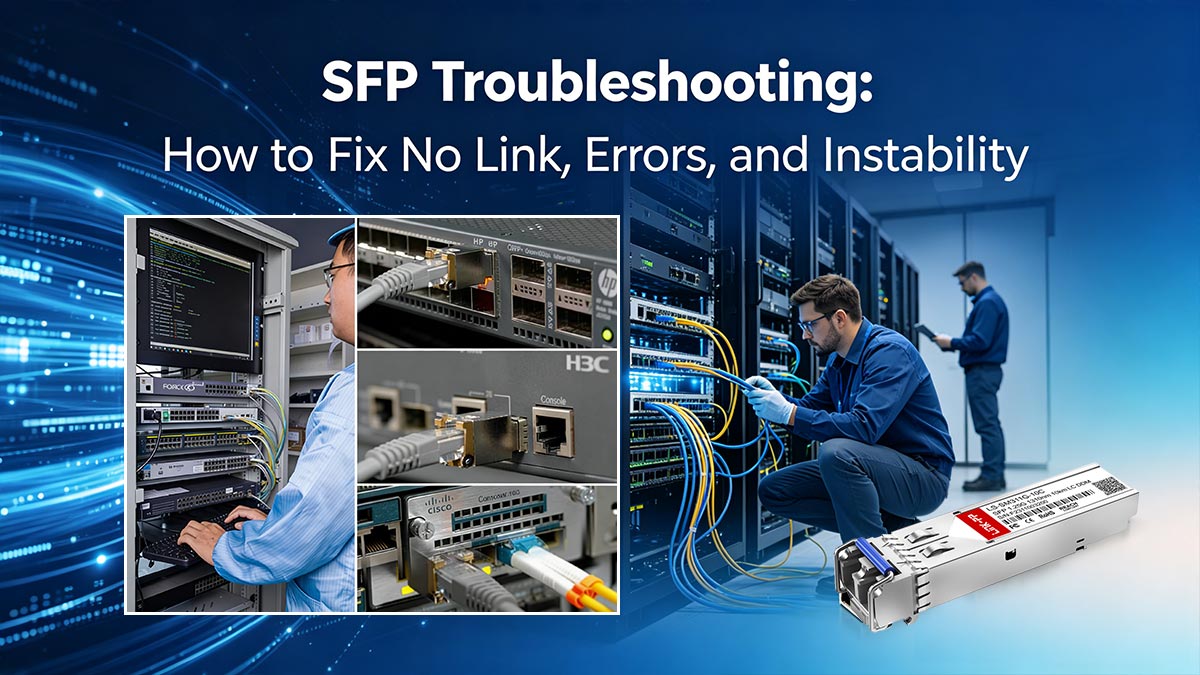
In real-world networking environments, SFP issues are rarely caused by a single failure point. Instead, they usually result from a combination of physical layer problems, configuration mismatches, or compatibility restrictions.
This section provides a practical, step-by-step troubleshooting framework to resolve the most common SFP problems, including no link, link flapping, low optical power, and module mismatch errors.
1. No Link Light (Interface Down / No Connectivity)
This is the most frequently reported SFP issue.
Symptoms:
No LED activity on switch port
Interface status shows down/down
No traffic passing through link
🛠️ Troubleshooting Steps:
Step 1: Check Physical Connection
Ensure SFP is fully seated in the port
Reinsert module firmly
Inspect fiber connectors for dust or damage
Step 2: Verify Cable Type
Confirm single-mode vs. multi-mode fiber match
Check correct polarity (Tx ↔ Rx swapped correctly)
Step 3: Validate Speed Settings
Ensure both ends are set to the same speed (1G / 10G)
Disable auto-negotiation if required by vendor
Step 4: Test with Known Good Module
Swap with a verified working SFP
Helps isolate hardware vs configuration issue
2. Link Flapping (Intermittent Up/Down Connection)
Link flapping is often more difficult to diagnose because the link appears to work—but only inconsistently.
Symptoms:
Interface repeatedly goes up and down
Packet loss or unstable connectivity
Intermittent service interruptions
Root Causes & Fixes:
⚠️ Optical Signal Instability
Dirty fiber connectors → clean with proper fiber cleaning tools
Damaged fiber cable → replace patch cable
⚠️ Power Level Issues
Low TX power or high RX power imbalance
Check DOM (Digital Optical Monitoring) readings
⚠️ Distance Overrun
Using LR modules beyond rated distance
Replace with correct range module (SR/LR/ER)
3. Low Optical Power / Signal Degradation
This issue often leads to hidden performance problems like latency or packet loss.
Symptoms:
High bit error rate
Slow or unstable network performance
DOM shows low RX/TX power
Fix Strategy:
Verify fiber length is within module specification
Replace aging or low-quality fiber cables
Ensure correct wavelength match (850nm / 1310nm / 1550nm)
Avoid mixing incompatible fiber types
Even small mismatches in optical power can significantly degrade performance over distance.
4. “Unsupported Transceiver” or Module Rejection
This is a firmware-level issue, not a physical failure.
Symptoms:
Port shows “unsupported transceiver”
Interface is administratively down automatically
Works in one device but not another
Fix Strategy:
Check vendor compatibility list
Update switch/router firmware
Use vendor-coded or compatible SFP modules
Disable transceiver validation (if supported and allowed)
This is common in Cisco, Juniper, and other enterprise ecosystems with strict validation rules.
5. Speed and Configuration Mismatch
One of the most overlooked causes of SFP failure.
Symptoms:
Link does not establish at all
One side shows link, other side does not
Instability under load
Fix Strategy:
Ensure both ends use the same speed (e.g., 1G ↔ 1G)
Disable auto-negotiation if required
Verify duplex settings (full duplex recommended)
6. Systematic Troubleshooting Flow (Best Practice)
For fast diagnosis, follow this structured approach:
✔ Step 1: Physical Layer Check
Cable, fiber, connectors, module seating
✔ Step 2: Compatibility Check
Vendor support + module coding
✔ Step 3: Optical Diagnostics
Check DOM values (power, temperature)
✔ Step 4: Configuration Review
Speed, duplex, port settings
✔ Step 5: Swap Test
Replace SFP or cable with known-good unit
Key Insight
Most SFP problems are not hardware failures, but instead come from:
❌ Fiber mismatch
❌ Incorrect speed configuration
❌ Vendor firmware restrictions
❌ Poor optical conditions
To resolve SFP issues effectively:
Start from physical layer (fiber + module seating)
Move to optical diagnostics (DOM readings)
Then check configuration and compatibility
Finally isolate with swap testing
🟩 FAQ About SFP Technology
❓ What is SFP technology in networking?
SFP technology refers to Small Form-factor Pluggable transceivers used in switches and routers to enable flexible network connections over fiber optic or copper cables. They convert electrical signals into optical signals (or vice versa) for data transmission.
❓ What is an SFP module used for?
An SFP module is used to:
Connect network devices over fiber or copper
Extend network distance beyond standard Ethernet limits
Enable modular upgrades without replacing hardware
❓ Why is my SFP not working or showing no link?
Common causes include:
Incorrect fiber type (single-mode vs multi-mode)
Speed mismatch between devices
Dirty or damaged fiber connectors
Unsupported or incompatible module
Port configuration issues
❓ What does “unsupported transceiver” mean?
This message usually indicates vendor restriction or firmware validation failure, where the switch or router blocks third-party or non-approved SFP modules.
❓ Can I use third-party SFP modules?
Yes, in many cases third-party SFP modules work correctly if they:
Match required specifications (speed, wavelength, distance)
Are compatible with the target device
Pass vendor coding or firmware checks (if enforced)
However, some vendors may restrict usage through firmware policies.
❓ Are SFP modules hot-swappable?
Yes. SFP modules are hot-swappable, meaning they can be inserted or removed without powering down the device, allowing for easy maintenance and upgrades.
❓ What is the maximum distance of an SFP module?
It depends on the type:
SFP SR → up to ~300 meters (multi-mode fiber)
SFP LR → up to ~10 km (single-mode fiber)
SFP ER/ZR → 40 km to 80 km or more
❓ How do I choose the right SFP module?
You should consider:
Required speed (1G / 10G / 25G+)
Distance (SR, LR, ER)
Fiber type (single-mode or multi-mode)
Wavelength compatibility (850nm, 1310nm, 1550nm)
Device vendor compatibility
❓ What is the difference between fiber SFP and copper SFP?
Fiber SFP uses optical fiber for long-distance, high-speed transmission
Copper SFP (RJ45) uses Ethernet cables for short-distance connections (typically up to 100m)
❓ Why do SFP links flap or become unstable?
Link instability is often caused by:
Poor optical signal strength
Dirty or damaged fiber connectors
Incorrect wavelength or fiber type
Distance exceeding module specification
🟩 OEM vs. Third-Party SFP Modules: Which Is Better?
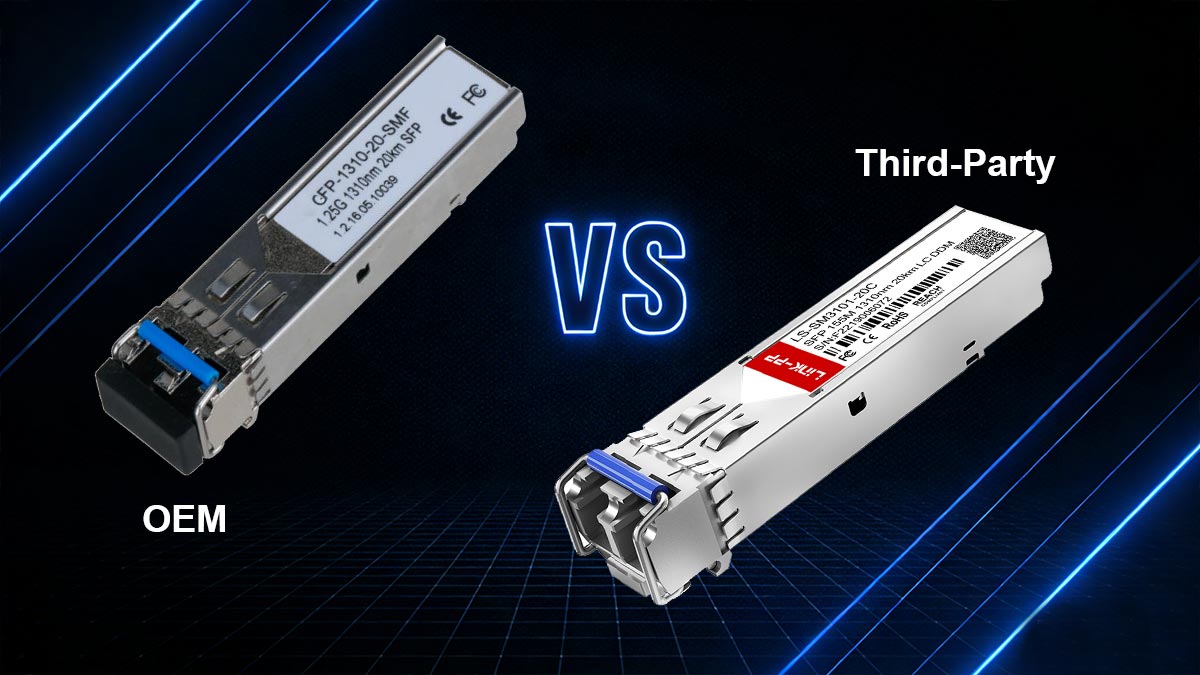
When selecting SFP modules for real-world deployments, one of the most important decisions is whether to use OEM (Original Equipment Manufacturer) modules or third-party compatible SFP modules. This choice directly impacts cost, compatibility, network stability, and long-term scalability.
1. Price Comparison
🔹 OEM SFP Modules
Typically produced by switch vendors (e.g., Cisco, Juniper, HPE)
Significantly higher cost due to branding and certification
Often priced 2–10× higher than alternatives
🔹 Third-Party SFP Modules
Manufactured by independent optics vendors
Much lower cost with similar core functionality
Commonly used in large-scale deployments to reduce CAPEX
Key Insight: Cost difference is one of the biggest reasons enterprises evaluate third-party options.
2. Compatibility Considerations
🔹 OEM Modules
100% guaranteed compatibility with vendor devices
No firmware or EEPROM validation issues
Plug-and-play reliability
🔹 Third-Party Modules
Compatibility depends on:
Coding (EEPROM programming)
Device firmware restrictions
Vendor whitelist policies
In many modern networks, third-party modules may trigger:
“Unsupported transceiver” warnings
Port disablement on strict firmware versions
3. Performance and Real-World Deployment
From a technical perspective:
Both OEM and third-party SFP modules often use similar optical components
Core performance (speed, wavelength, distance) can be equivalent when properly matched
However, real-world differences appear in:
Large-scale deployments (consistency across thousands of ports)
Multi-vendor environments
Firmware upgrade sensitivity
OEM modules prioritize predictability, while third-party modules prioritize cost efficiency.
4. Support and Maintenance
🔹 OEM Support
Full vendor technical support
Easier RMA and troubleshooting processes
Strong documentation alignment
🔹 Third-Party Support
Support depends on supplier quality
May require more independent troubleshooting
Often supported by compatibility guarantees (varies by vendor)
5. Real-World Engineering Considerations
Network engineers typically evaluate:
Will the module pass vendor firmware validation?
Is long-term firmware stability guaranteed?
Can the same module be used across multiple switch brands?
What is the total lifecycle cost (not just purchase price)?
In many enterprise environments, hybrid strategies are common:
OEM for critical backbone links
Third-party for access or large-scale edge deployments
Final Insight
There is no universal “better” choice between OEM and third-party SFP modules. The right decision depends on:
Budget constraints
Vendor ecosystem restrictions
Network criticality
Scale of deployment
SFP technology performance is not only about hardware—it is about compatibility, firmware behavior, and deployment strategy.
For engineers and procurement teams looking for cost-effective, fully tested, and compatibility-verified optical solutions, you can explore the:
👉 LINK-PP Official Store for a wide range of compatible SFP modules designed for enterprise and carrier-grade networks.



