


SFP+ 40km (10GBASE-ER) refers to a 10 Gigabit optical transceiver designed for extended-reach transmission up to 40 kilometers over single-mode fiber (SMF). These modules typically operate at a 1550 nm wavelength, use LC duplex connectors, and support Digital Optical Monitoring (DOM/DDM) for real-time performance visibility. In modern networks, SFP+ 40km optics are widely deployed in enterprise backbones, metro networks, data center interconnects, and storage area networks, where stable long-distance connectivity is critical.
In this guide, you’ll learn what SFP+ 40km really means, how 10GBASE-ER compares to alternatives like BX40, and how to choose the right module based on distance, compatibility, and deployment environment—helping you make an informed, engineering-level decision.
🚩 What Is SFP+ 40km?
SFP+ 40km is a type of 10 Gigabit optical transceiver designed for long-distance data transmission up to 40 kilometers over single-mode fiber (SMF). In most cases, this term specifically refers to the 10GBASE-ER (Extended-Reach) standard defined by the IEEE for 10G Ethernet networks.
At a technical level, an SFP+ 40km module works by transmitting optical signals at a 1550 nm wavelength through low-loss single-mode fiber (typically OS2). It uses a duplex LC connector, meaning one fiber strand is used for transmission (TX) and another for reception (RX). With a typical optical link budget of around 15 dB, it can reliably support long-haul connections between network devices such as switches, routers, and storage systems.
SFP+ 40km = a 10GBASE-ER optical module used for 10 Gbps transmission over up to 40 km of single-mode fiber.
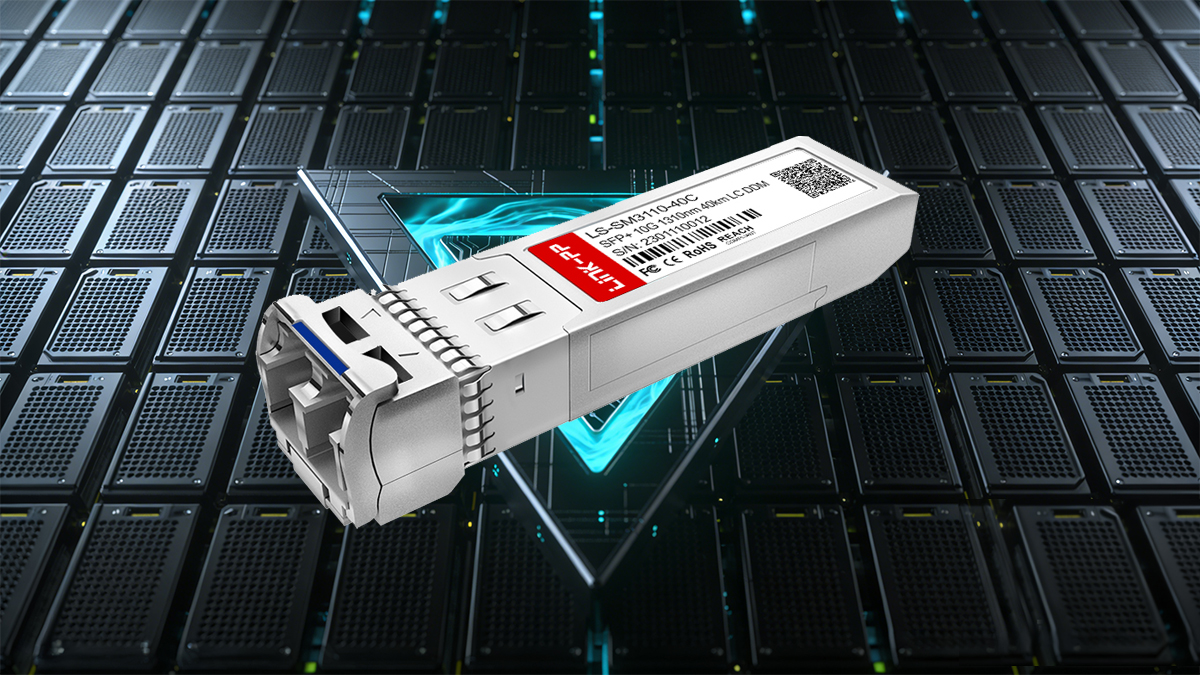
How SFP+ 40km Relates to 10GBASE-ER
10GBASE-ER is the official Ethernet standard
SFP+ 40km is the common market name used by vendors and engineers
In practice, they are functionally the same category of transceiver
10G Connectivity Use Case
SFP+ 40km modules are primarily used when 10G connectivity must be extended far beyond typical data center distances (10 km or less). Common scenarios include:
Interconnecting buildings or campuses
Metro and telecom network links
Data center to edge or disaster recovery sites
Long-distance enterprise backbone connections
Compared to shorter-reach modules like LR (10 km), SFP+ 40km provides a cost-effective long-haul solution without requiring more complex coherent optics or higher-speed platforms.
🚩 SFP+ 40km Key Specifications
Understanding the core specifications of an SFP+ 40km (10GBASE-ER) module is essential for ensuring proper deployment, compatibility, and long-term network stability. These parameters define how the transceiver performs in real-world long-distance environments such as metro networks and enterprise backbones.
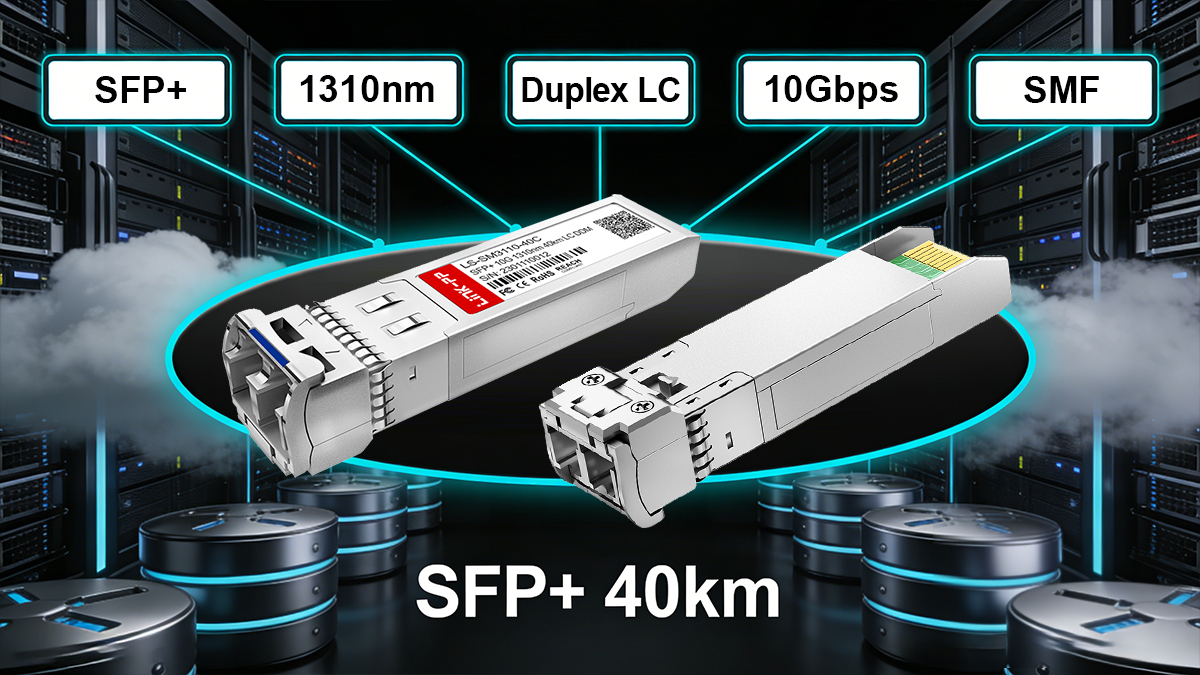
SFP+ 40km Technical Overview
Parameter | Specification | Explanation |
|---|---|---|
Data Rate | 10 Gbps (typically 9.95–11.32 Gbps) | Supports standard 10G Ethernet and some multi-rate applications |
Maximum Reach | Up to 40 km | Designed for long-distance transmission over single-mode fiber |
Fiber Type | Single-Mode Fiber (SMF, typically OS2) | Required for low attenuation over long distances |
Wavelength | 1550 nm | Optimized for minimal signal loss in long-haul transmission |
Connector Type | Duplex LC | Uses two fibers: one for transmit (TX), one for receive (RX) |
Optical Link Budget | ~14–15 dB | Determines total allowable loss across the fiber link |
Power Consumption | < 1.5 W (typical) | Energy-efficient for high-density deployments |
DOM/DDM Support | Yes | Enables real-time monitoring of voltage, temperature, TX/RX power |
Temperature Range | 0°C to 70°C (Commercial) / -40°C to 85°C (Industrial) | Industrial versions (ER-I) support harsh environments |
Key Insights for 10GBASE-ER Deployment
1550 nm wavelength + SMF (OS2) is the foundation of achieving stable 40 km transmission. Using multimode fiber (OM3/OM4) will not work for this distance.
The optical budget (~15 dB) is critical—connectors, splices, and fiber quality must all stay within this loss range.
DOM/DDM support is highly valuable in production networks, allowing engineers to monitor link health and predict failures.
For outdoor or industrial scenarios, choosing an extended temperature (ER-I) module ensures reliability under extreme conditions.
🚩SFP+ 40km vs. 10GBASE-ER vs. BX40
When searching for SFP+ 40km, users are often comparing 10GBASE-ER (duplex fiber) with BX40 (single-fiber bidirectional) solutions. While both support up to 40 km transmission over single-mode fiber, they differ significantly in fiber usage, deployment flexibility, and cost structure.
Understanding these differences is critical to choosing the right module for your network topology.
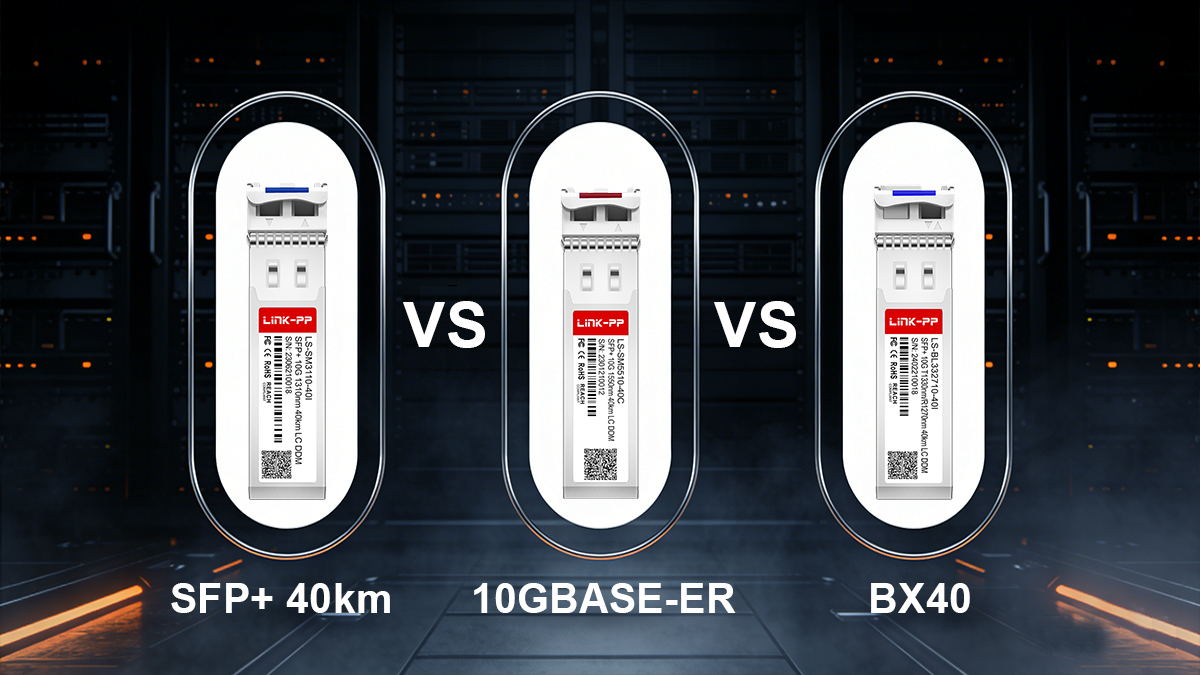
Quick Comparison: ER vs. BX40
Feature | SFP+ 40km (10GBASE-ER) | SFP+ BX40 (BiDi) |
|---|---|---|
Transmission Type | Dual fiber (duplex) | Single fiber (bidirectional) |
Fiber Requirement | 2 fibers (TX + RX) | 1 fiber (shared TX/RX) |
Wavelength | 1550 nm | Paired wavelengths (e.g., 1270 nm / 1330 nm) |
Connector Type | LC Duplex | LC Simplex |
Maximum Reach | Up to 40 km | Up to 40 km |
Deployment Complexity | Simple, plug-and-play | Requires matched pairs (A/B modules) |
Cost Structure | Lower module cost, higher fiber usage | Higher module cost, saves fiber infrastructure |
Use Case | Standard long-distance links | Fiber-constrained environments |
What is 10GBASE-ER in This Comparison?
10GBASE-ER is the official IEEE standard
SFP+ 40km is the market name commonly used
In most cases, they refer to the same duplex 1550 nm solution
In other words: If you are using two fibers and 1550 nm optics, you are using 10GBASE-ER (SFP+ 40km).
When to Choose SFP+ 40km (10GBASE-ER)
Choose ER modules if:
You already have duplex SMF infrastructure
You want simpler deployment and troubleshooting
You prefer lower cost per module
Your network prioritizes stability and standardization
This is the most common choice for enterprise and data center interconnects.
When to Choose BX40 (BiDi)
Choose BX40 if:
Fiber resources are limited or expensive
You need to double capacity on existing fiber
You can manage paired optics (TX/RX wavelength matching)
BX40 is widely used in telecom and metro access networks, where fiber availability is constrained.
Use 10GBASE-ER (SFP+ 40km) for simplicity and standard deployments.
Use BX40 BiDi SFP+ when fiber is limited and you need single-strand efficiency.
🚩 Where SFP+ 40km Is Used
SFP+ 40km (10GBASE-ER) modules are designed for scenarios where reliable 10G connectivity must extend far beyond typical data center distances. Their ability to transmit over up to 40 km of single-mode fiber (SMF) makes them a key component in both enterprise and telecom environments.
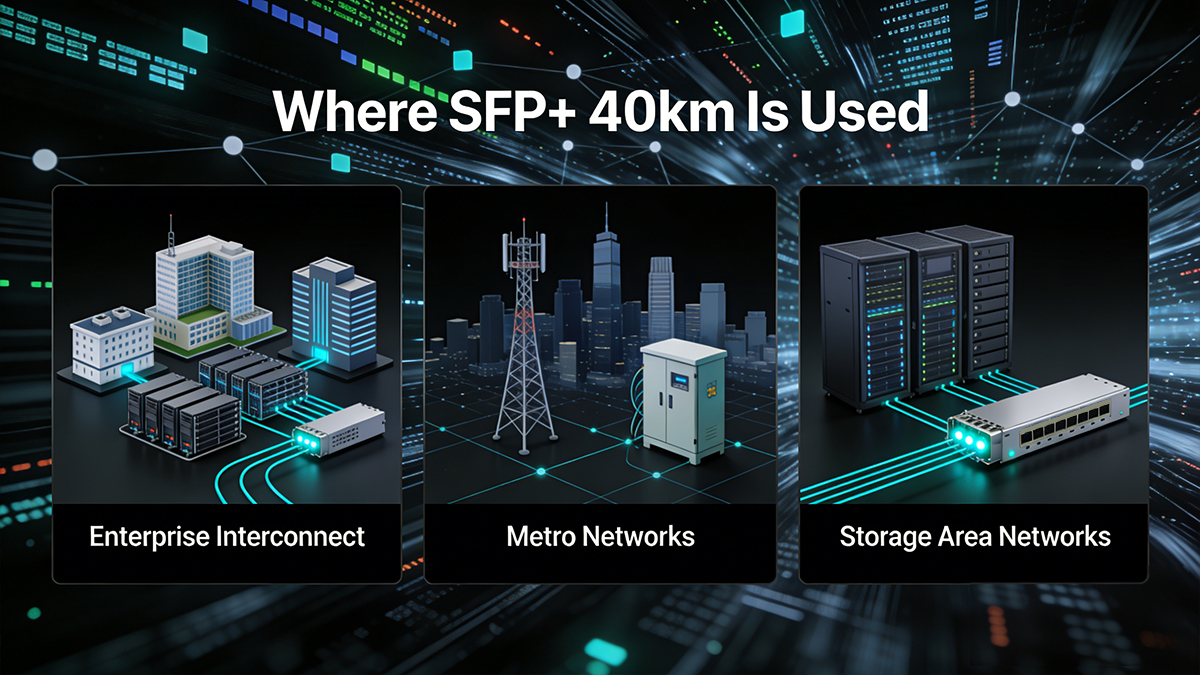
Below are the most common real-world deployment scenarios.
1. Enterprise Interconnect (Campus & Multi-Site Networks)
Large enterprises often operate across multiple buildings or campuses. SFP+ 40km modules enable:
High-speed 10G backbone connections between sites
Stable links across industrial parks or corporate campuses
Secure data transmission without relying on leased lines
Ideal for organizations that need private, high-bandwidth connectivity over long distances
2. Metro Networks (MAN / Telecom Infrastructure)
In metropolitan area networks (MAN), SFP+ 40km plays a critical role in:
Connecting aggregation switches and access nodes
Supporting telecom backhaul and service provider infrastructure
Enabling cost-effective long-haul Ethernet transmission
Common in ISP networks, 5G backhaul, and city-wide fiber deployments
3. Storage Area Networks (SAN)
For enterprises handling large volumes of data, SFP+ 40km is used in:
Disaster recovery (DR) sites located tens of kilometers away
Data replication between primary and backup storage systems
Extending Fibre Channel over Ethernet (FCoE) or IP storage links
Ensures data integrity and business continuity across long distances
4. Long-Distance Switch-to-Switch Links
SFP+ 40km modules are frequently deployed for:
Core-to-core or core-to-distribution switch connections
Extending network reach beyond 10 km (LR limitation)
Building high-capacity backbone links
A direct upgrade path when LR modules are no longer sufficient
5. Data Center Interconnect (DCI) & Edge Connectivity
Modern architectures often require connecting:
Primary data centers to edge or regional facilities
Cloud infrastructure to enterprise sites
Colocation facilities across cities
SFP+ 40km provides a cost-effective alternative to more complex long-haul optics when distances are within 40 km.
Widely used in hybrid cloud, edge computing, and distributed data center environments
SFP+ 40km is the go-to solution for extending 10G networks across city-scale distances, bridging the gap between short-range data center optics and more complex long-haul transmission systems.
🚩 How to Choose the Right SFP+ 40km Module
Selecting the right SFP+ 40km (10GBASE-ER) module is not just about matching the distance—it requires careful consideration of compatibility, fiber infrastructure, and real-world deployment conditions. A wrong choice can lead to link failures, unstable performance, or unnecessary cost.
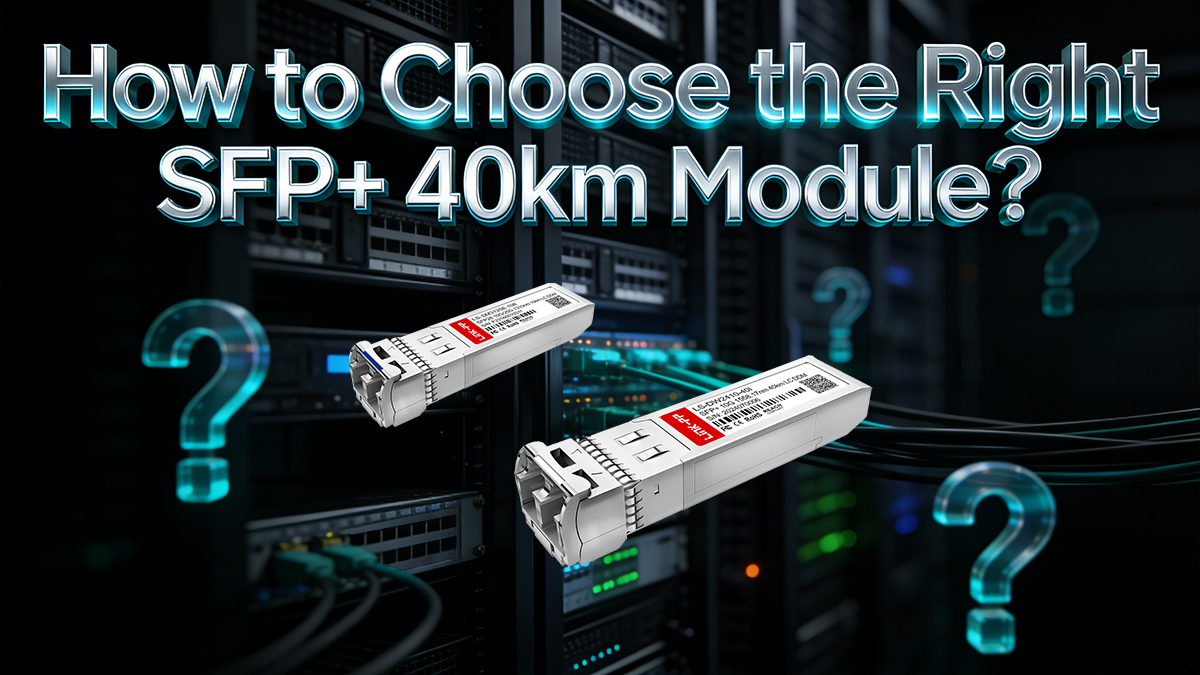
Below is a practical, engineer-focused checklist to help you make the right decision.
SFP+ 40km Buying Checklist
Factor | What to Check | Why It Matters |
|---|---|---|
Switch Compatibility | Verify vendor support (Cisco, Juniper, HPE, etc.) and MSA compliance | Prevents module rejection or port shutdown |
Fiber Type | Ensure single-mode fiber (OS2) is used | Required for 40 km transmission; MMF will not work |
Deployment Distance | Confirm actual link length (e.g., 10 km, 25 km, 40 km) | Avoid over-spec or underperforming modules |
Optical Link Budget | Check total loss (fiber attenuation + connectors + splices ≤ ~15 dB) | Ensures signal integrity over long distances |
Connector Type | Match LC duplex ports on both ends | Prevents physical incompatibility |
Vendor Coding | Choose properly coded or compatible modules | Ensures plug-and-play operation with your switch |
Temperature Range | Commercial (0–70°C) or Industrial (-40–85°C) | Critical for outdoor or harsh environments |
DOM/DDM Support | Confirm monitoring features are enabled | Helps with diagnostics and long-term maintenance |
Power Budget / Consumption | Typically <1.5W; check switch port limits | Important for high-density deployments |
Step-by-step Selection Logic
1. Start with distance and topology
≤10 km → consider LR instead
Up to 40 km → SFP+ 40km (10GBASE-ER) is appropriate
Limited fiber → consider BX40 (single fiber) alternative
2. Verify fiber infrastructure
Must be OS2 single-mode fiber
Check for existing attenuation and splice quality
3. Confirm switch compatibility
Check whether your switch requires vendor-coded modules
Look for MSA-compliant or third-party compatible options
4. Evaluate environment conditions
Indoor data center → commercial temperature is fine
Outdoor / industrial → choose ER-I (industrial grade)
5. Validate optical budget
Ensure total link loss stays within ~14–15 dB
Include connectors, patch panels, and aging margin
Common Selection Mistakes to Avoid
❌ Using multimode fiber (OM3/OM4) → will not work at 40 km
❌ Ignoring switch compatibility restrictions
❌ Overlooking link loss (especially in older fiber)
❌ Choosing ER when BX40 could save fiber resources
❌ Skipping DOM/DDM, making troubleshooting harder later
Choose SFP+ 40km (10GBASE-ER) when you need stable, standards-based 10G transmission over up to 40 km using duplex SMF—and always validate compatibility and optical budget before deployment.
🚩 Common Compatibility Problems and How to Avoid Them
Even though SFP+ 40km (10GBASE-ER) modules follow industry standards, real-world deployments often face compatibility issues that can cause link failures or unstable performance. Most problems are not caused by the module itself, but by mismatched configurations, infrastructure limitations, or vendor restrictions.
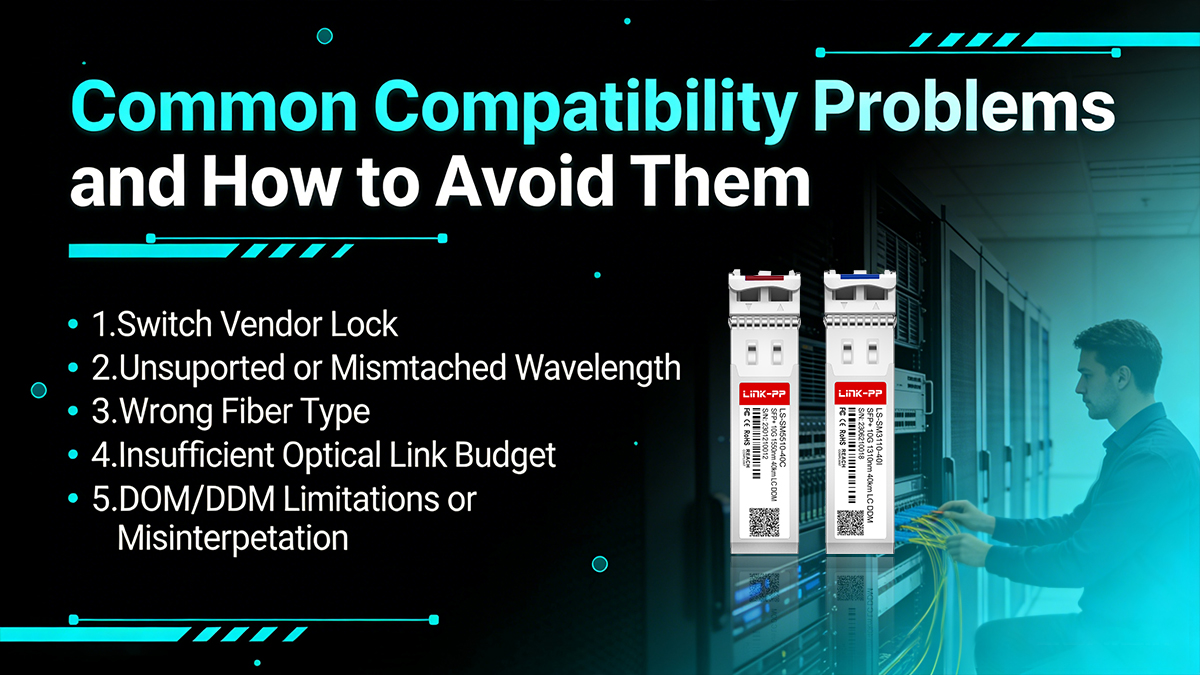
Below are the most common issues—and how to avoid them.
1. Switch Vendor Lock (Unsupported or Rejected Modules)
Problem:
Some network equipment vendors (e.g., Cisco, HPE, Juniper) enforce vendor coding checks, which may reject third-party or non-coded SFP+ modules.
Symptoms:
Port shows “unsupported transceiver”
Link does not come up
Warning messages in CLI or logs
How to avoid it:
Use vendor-coded compatible modules
Choose MSA-compliant suppliers with proven compatibility
Verify support lists before purchasing
This is one of the most common causes of deployment failure
2. Unsupported or Mismatched Wavelength
Problem:
SFP+ 40km modules typically use 1550 nm, while alternatives like BX40 use paired wavelengths (1270/1330 nm). Mixing them incorrectly will break the link.
Symptoms:
No link light
RX power shows zero or very low
Devices fail to detect each other
How to avoid it:
Ensure both ends use the same standard (ER ↔ ER)
For BX40, always use matched A/B pairs
Double-check wavelength specifications before installation
3. Wrong Fiber Type (SMF vs. MMF)
Problem:
SFP+ 40km requires single-mode fiber (OS2). Using multimode fiber (OM3/OM4) will result in signal loss and link failure.
Symptoms:
No link or unstable connection
Extremely high attenuation
Link drops under load
How to avoid it:
Always confirm SMF (OS2) is deployed
Clearly label fiber types in infrastructure
Avoid mixing patch cords (MMF vs SMF)
4. Insufficient Optical Link Budget
Problem:
Even if the distance is within 40 km, excessive loss from connectors, splices, or poor-quality fiber can exceed the module’s ~14–15 dB budget.
Symptoms:
Intermittent link drops
Low RX optical power
High bit error rates or packet loss
How to avoid it:
Calculate total link loss before deployment
Minimize connectors and splices
Use high-quality fiber and clean connectors
Leave margin for aging and environmental factors
5. DOM/DDM Limitations or Misinterpretation
Problem:
Although most SFP+ 40km modules support Digital Optical Monitoring (DOM/DDM), not all switches fully display or interpret this data correctly.
Symptoms:
Missing or inaccurate TX/RX readings
Inconsistent monitoring data
Difficulty diagnosing issues
How to avoid it:
Confirm DOM/DDM support on both module and switch
Use compatible firmware/software versions
Understand acceptable optical power ranges
Most SFP+ 40km issues are preventable by verifying compatibility, fiber type, wavelength, and optical budget before deployment.
🚩 Best Practices for 10GBASE-ER Installation and Testing
Proper installation and testing are critical to ensuring that your SFP+ 40km (10GBASE-ER) link performs reliably over long distances. Even high-quality modules can fail if installation practices are poor or validation steps are skipped.
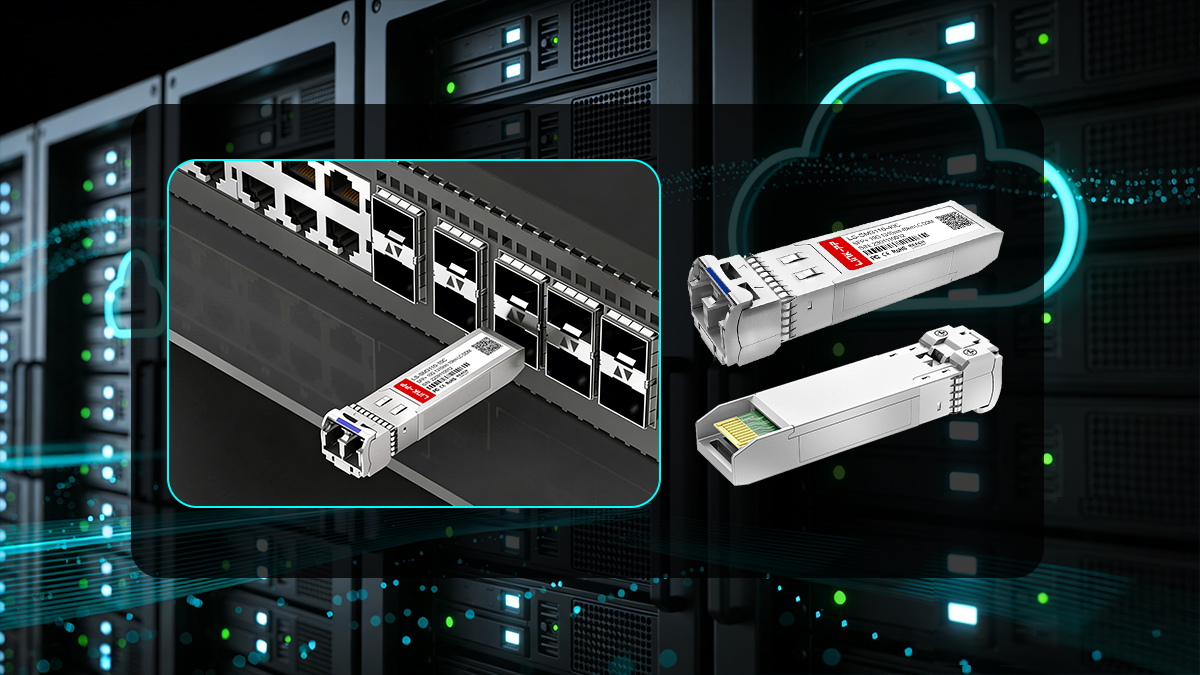
Below are proven best practices used by network engineers in real-world deployments.
▲ Safe Module Insertion and Handling
Best practice:
Insert the SFP+ module gently into the switch port until it clicks
Ensure the LC connectors match TX ↔ RX correctly
Avoid hot-plugging repeatedly, which may damage the port
Why it matters:
Improper insertion can lead to port damage or unstable connections, especially in high-density switches.
▲ Always Clean Fiber Connectors
Best practice:
Use fiber cleaning tools (lint-free wipes, cleaning pens) before insertion
Inspect connectors with a fiber microscope if available
Never touch the fiber end face directly
Why it matters:
Dust or contamination is one of the top causes of optical signal loss, especially critical for 1550 nm long-distance transmission.
▲ Verify TX/RX Fiber Alignment
Best practice:
Ensure TX (transmit) on one end connects to RX (receive) on the other
If no link is detected, try swapping the fibers
Why it matters:
Incorrect polarity is a simple but common issue that results in no link establishment.
▲ Perform Link Validation After Installation
Best practice:
Check link status LEDs on both devices
Use CLI commands (e.g.,
show interface transceiver) to verify module detectionConfirm speed = 10G and link = up
Why it matters:
Immediate validation ensures the 10G-ER module is recognized and operating correctly before going into production.
▲ Monitor Optical Power with DOM/DDM
Best practice:
Check TX power, RX power, temperature, and voltage
Compare readings against vendor-specified ranges
Record baseline values for future troubleshooting
Why it matters:
DOM/DDM provides real-time visibility into link health and helps detect degradation early.
▲ Validate Optical Budget and Signal Quality
Best practice:
Ensure RX power is within acceptable range (not too low or too high)
Use an optical power meter or OTDR if needed
Confirm total loss is within ~14–15 dB budget
Why it matters:
Even if the link is up, poor signal quality can cause intermittent failures and packet loss.
▲ Basic Troubleshooting Checklist
If the link does not work, follow this quick process:
✅ Check module compatibility with the switch
✅ Confirm SMF (OS2) is used, not MMF
✅ Verify wavelength match (ER ↔ ER)
✅ Swap TX/RX fibers
✅ Clean all connectors again
✅ Check DOM readings (RX power especially)
✅ Test with a known working module or port
Successful 10GBASE-ER deployment depends as much on installation discipline as on the module itself—clean fiber, correct polarity, and proper validation are essential.
🚩 FAQ About SFP+ 40km
1. Can SFP+ 40km run at speeds lower than 10G?
Some SFP+ 40km modules support a multi-rate range (e.g., 1.25G–11.32G), but this depends on the module design and switch compatibility. Always verify whether your device supports downward speed negotiation.
2. What is the difference between 10GBASE-ER and 10GBASE-EW?
Both support 40 km over SMF, but:
10GBASE-ER is defined for Ethernet environments
They are similar in hardware but differ in network protocol usage.
3. Do I need dispersion compensation for 40 km links?
In most standard 40 km deployments, dispersion compensation is not required. Modern 10GBASE-ER modules are designed to handle chromatic dispersion within this range under typical conditions.
4. What is the typical transmit power of an SFP+ 40km module?
The TX optical power usually ranges from approximately 0 dBm to +4 dBm, depending on the manufacturer. This higher power level enables long-distance transmission over SMF.
5. Can SFP+ 40km be used for data center interconnect (DCI)?
Yes. SFP+ 40km is commonly used for data center interconnect (DCI) when the distance is within 40 km, offering a cost-effective alternative to more complex long-haul solutions.
6. How many connectors can be used in a 40 km link?
There is no fixed number, but each connector introduces insertion loss (~0.2–0.5 dB). The total number of connectors must be limited so the overall link loss stays within the optical budget (~15 dB).
7. Does SFP+ 40km support hot swapping?
Yes. Like most SFP+ modules, SFP+ 40km supports hot-swappable operation, allowing insertion and removal without powering down the device.
8. What happens if the receive power is too high?
If RX power is too high (e.g., in shorter links), it can overload the receiver, causing errors. In such cases, an optical attenuator may be required to reduce signal strength.
🚩 Conclusion: Is SFP+ 40km the Right Choice?
Choosing the right optical module ultimately comes down to distance, fiber infrastructure, compatibility, and application requirements. SFP+ 40km (10GBASE-ER) is a proven solution for delivering stable 10G connectivity over long distances, especially when your network extends beyond the limits of standard 10 km optics.
Distance:
If your link requirement is between 10 km and 40 km, SFP+ 40km is the ideal choice. For shorter links, LR modules may be more cost-effective.Fiber Type:
SFP+ 40km requires single-mode fiber (OS2). If your infrastructure is multimode, this module will not be compatible.Compatibility:
Always verify switch/vendor compatibility and ensure proper coding or MSA compliance to avoid deployment issues.Application Scenario:
Best suited for enterprise interconnects, metro networks, data center interconnect (DCI), and long-distance backbone links where reliability and reach are critical.
SFP+ 40km (10GBASE-ER) is the go-to solution for cost-effective, long-distance 10G transmission—balancing performance, stability, and deployment simplicity.
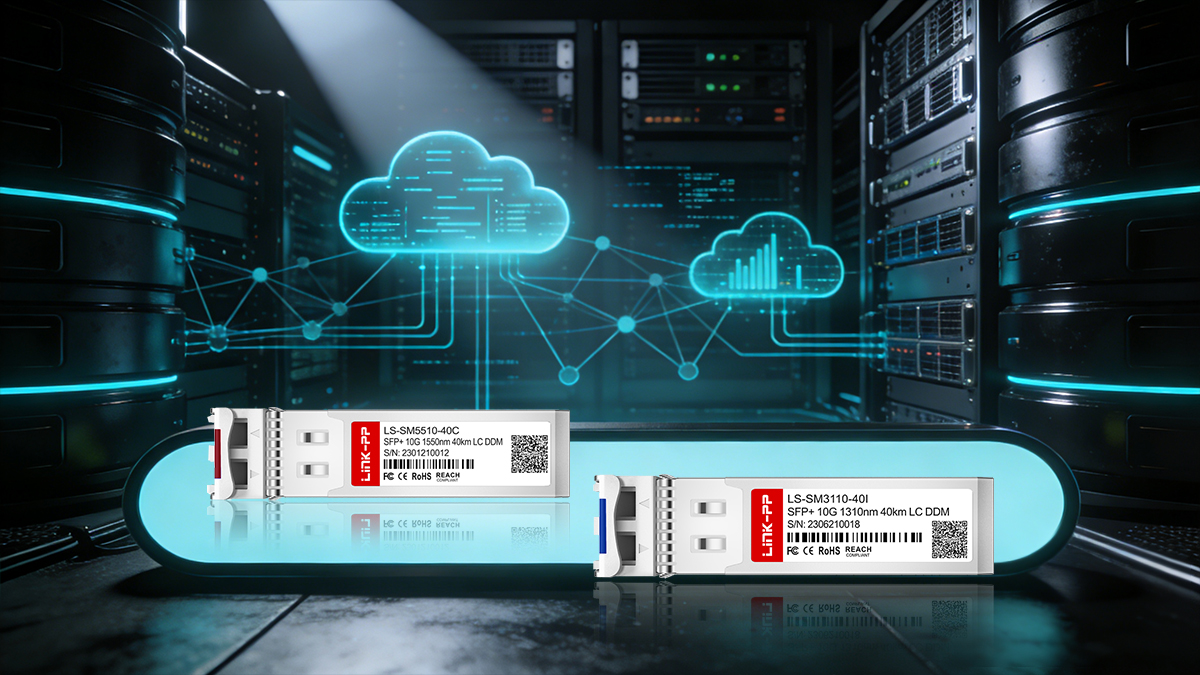
Ready to Deploy Your 40km Optical Link?
If you're planning a long-distance 10G network upgrade, choosing a reliable and fully compatible SFP+ 40km module is essential for long-term performance.
👉 Explore high-quality, compatibility-tested optical transceivers at the LINK-PP Official Store, where you can find solutions tailored for enterprise, data center, and telecom applications.



